Bubuka
Thank you for choosing the Camiysn Typewriter Style Mechanical Gaming Keyboard. This manual provides detailed instructions for setting up, operating, and maintaining your new keyboard. Please read this manual thoroughly before use to ensure optimal performance and longevity of your device.
This keyboard combines a retro aesthetic with modern gaming features, offering a unique typing and gaming experience with its distinctive round keycaps and tactile blue switches.
Fitur produk
- Typewriter Style Design: Unique retro aesthetic with round keycaps.
- Saklar Mekanik Biru: Provides medium resistance, an audible click sound, and tactile feedback for a satisfying typing experience.
- Lampu Latar Biru: Multiple adjustable blue lighting modes.
- 104-Layout konci: Full-size keyboard with a numeric keypad.
- Anti-Ghosting: Features 26 anti-ghosting keys for accurate input during intense gaming sessions.
- Adjustable Rear Feet: Allows for customization of the keyboard's typing angle.
- Konstruksi awét: Keycaps made with a two-color injection molding process for enhanced durability.
- USB Colokkeun jeung Play: Simple connection to your computer without the need for additional drivers.
- Kasaluyuan lega: Compatible with Windows 2000/7/8/10/XP, Vista, Linux, and Mac operating systems.
- Tombol Multimedia: Dedicated function keys for media control.
- Sandaran Pigeulang Magnét anu Tiasa Dicopot: Provides ergonomic support for comfortable typing.

Figure 1: Camiysn Typewriter Style Mechanical Gaming Keyboard, showcasing its full layout and blue backlighting.
Guide Setup
- Ngabongkar bungkusan: Carefully remove the keyboard from its packaging. Ensure all components, including the keyboard and any accessories (like the wrist rest), are present.
- Sambungan: Locate an available USB port on your computer. Insert the keyboard's USB cable firmly into the USB port. The keyboard is plug-and-play, so no additional driver installation is typically required.
- panempatan: Position the keyboard comfortably on your desk. You may adjust the rear feet to achieve your preferred typing angle.
- Wrist Rest (Optional): If included, attach the detachable magnetic wrist rest to the front edge of the keyboard for added ergonomic support.
- Tés awal: Open a text editor or web browser and type a few characters to confirm the keyboard is functioning correctly.
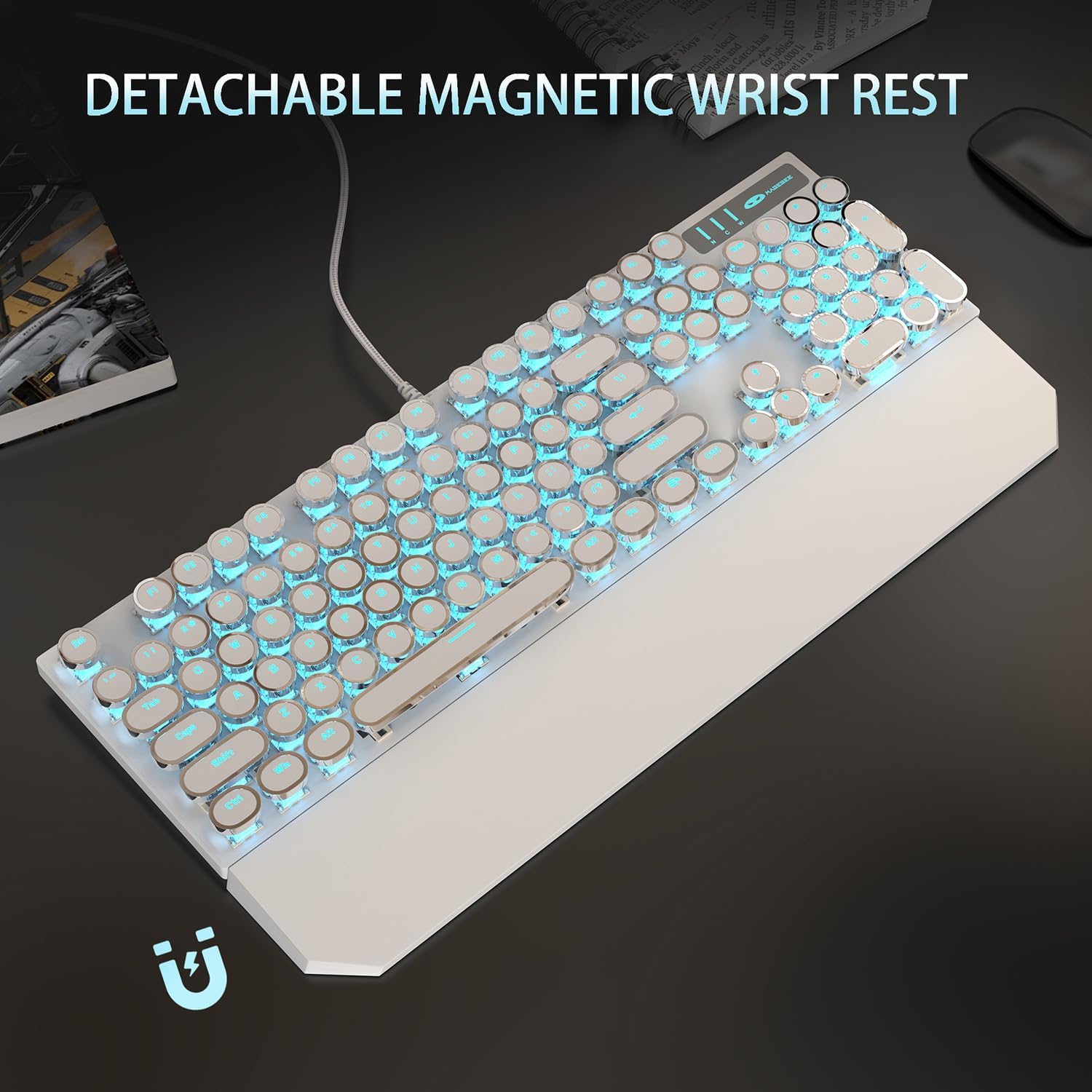
Figure 2: The keyboard with its detachable magnetic wrist rest, designed for ergonomic comfort during extended use.
Parentah Operasi
Kadali lampu tukang
The Camiysn Mechanical Gaming Keyboard features multiple blue backlight modes. Use the following key combinations to control the lighting:
- Robah Mode Cahaya: Pencét Fn + Ins to cycle through available lighting effects.
- Saluyukeun Caang: Pencét Fn + ↑ (Up Arrow) to increase brightness.
- Pencét Fn + ↓ (Panah Ka Handap) pikeun ngurangan kacaangan.
- Robah Speed: Pencét Fn + ← (Left Arrow) to decrease lighting effect speed.
- Pencét Fn + → (Right Arrow) to increase lighting effect speed.
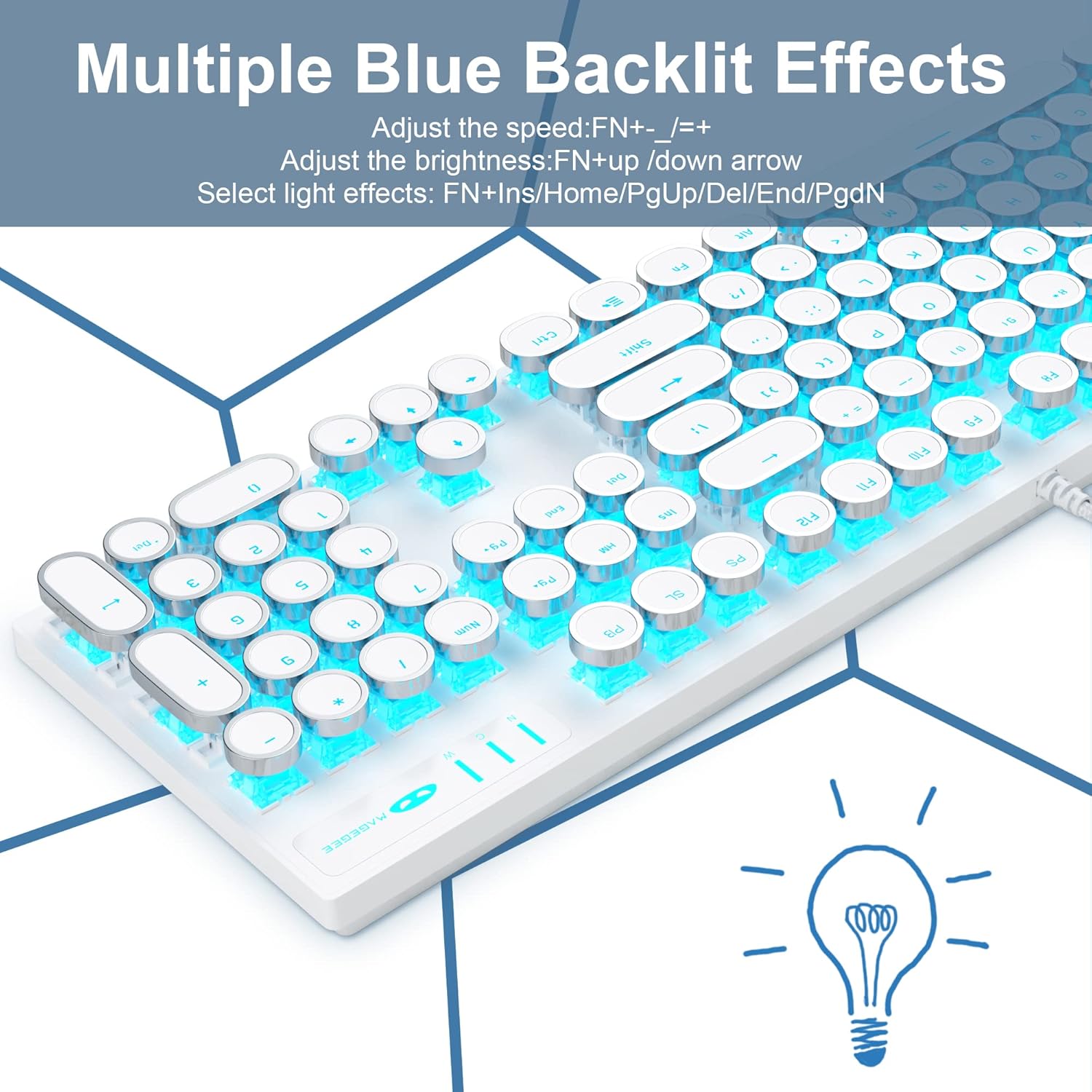
Figure 3: Illustration of the keyboard's multiple blue backlit effects and the corresponding function key combinations for adjustment.
Konci Multimedia
The keyboard includes dedicated multimedia function keys accessible by pressing the Fn key in combination with the F1-F12 keys:
| Kombinasi konci | Fungsi |
|---|---|
| Fn + F1 | Pamuter média |
| Fn + F2 | Ngurangan Volume |
| Fn + F3 | Ngaronjatkeun volume |
| Fn + F4 | Ngajempékeun |
| Fn + F5 | eureun |
| Fn + F6 | Lagu Terakhir |
| Fn + F7 | Play/Suspend |
| Fn + F8 | Lagu salajengna |
| Fn + F9 | Surélék |
| Fn + F10 | Kaca utama |
| Fn + F11 | Komputer abdi |
| Fn + F12 | Kalkulator |

Figure 4: A visual guide to the multimedia functions available via the Fn key combinations on the keyboard.
N-Key Rollover and WASD Exchange
The keyboard supports N-Key Rollover, ensuring that multiple simultaneous key presses are registered accurately, which is crucial for gaming. Additionally, it offers a function to exchange the WASD keys with the arrow keys for specific gaming preferences.
- WASD Exchange: Pencét Fn + W to toggle the functionality of WASD keys with the arrow keys. Repeat the combination to revert to default.

Figure 5: Demonstrates the N-Key Rollover capability and the Fn+W key combination for WASD and arrow key exchange.
Pangropéa
Proper maintenance ensures the longevity and optimal performance of your Camiysn keyboard.
- beberesih:
- Pegatkeun sambungan keyboard tina komputer Anjeun sateuacan beberesih.
- Make kaen nu lemes, teu aya lint rada dampened with water or a mild cleaning solution to wipe the surface of the keyboard and keycaps.
- Pikeun lebu jeung lebu antara keycaps, make hawa dikomprés.
- Hindarkeun nganggo bahan kimia anu kasar, pembersih abrasive, atanapi kalembaban anu kaleuleuwihan, sabab ieu tiasa ngaruksak keyboard.
- Panyimpenan: Upami teu dianggo salami lami, simpen kibor di tempat anu bersih sareng garing, jauh tina sinar panonpoé langsung sareng suhu anu ekstrim.
- Penanganan: Avoid dropping the keyboard or exposing it to strong impacts. Do not pull on the USB cable excessively.
Pamérésan masalah
Upami anjeun ngalaman masalah sareng kibor anjeun, tingali masalah sareng solusi umum ieu:
| Masalah | Solusi anu mungkin |
|---|---|
| Keyboard teu ngabales. |
|
| Backlight is not working or is dim. |
|
| Keys are not registering correctly (ghosting). |
|
| Keycaps feel loose or wobbly. |
|
spésifikasi
| Fitur | Rincian |
|---|---|
| merek | Camiysn |
| Nomer modél | CPKJXFBWHITE602 |
| Warna | Bodas |
| Jenis konci | Mechanical (Blue Switches) |
| Gaya Keycap | Round, Typewriter Style |
| Jumlah konci | 104 |
| Lampu tukang | Blue, Single Color, Multiple Modes |
| Konektipitas | Wired USB (Plug and Play) |
| Anti Ghosting | 26 Konci |
| Kasaluyuan | Win 2000/7/8/10/XP, Vista, Linux, Mac, Game Console |
| Diménsi | Approximately 17.1 inches (Length) x 4.95 inches (Width) |
| Dianjurkeun Paké | Kaulinan, Kantor |

Figure 6: The full-size layout of the keyboard with its approximate dimensions.

Gambar 7: A close-up view of the clicky blue mechanical switches used in the keyboard, highlighting their design and tactile nature.

Figure 8: Details of the adjustable rear feet for ergonomic positioning and the unique round float keycaps.
Garansi sareng Rojongan
Information regarding specific warranty terms and conditions for the Camiysn Mechanical Gaming Keyboard is typically provided with your purchase documentation or on the product's official website. Please refer to those resources for detailed warranty coverage.
For technical support, product inquiries, or assistance with troubleshooting beyond the scope of this manual, please contact Camiysn customer service through the contact information provided on the product packaging or the official Camiysn websitus.


