1. Bubuka
Thank you for choosing the MARK ADLER Manager 2.0 Office Chair. This manual provides essential information for the safe assembly, operation, and maintenance of your new office chair. Please read these instructions carefully before use and retain them for future reference.
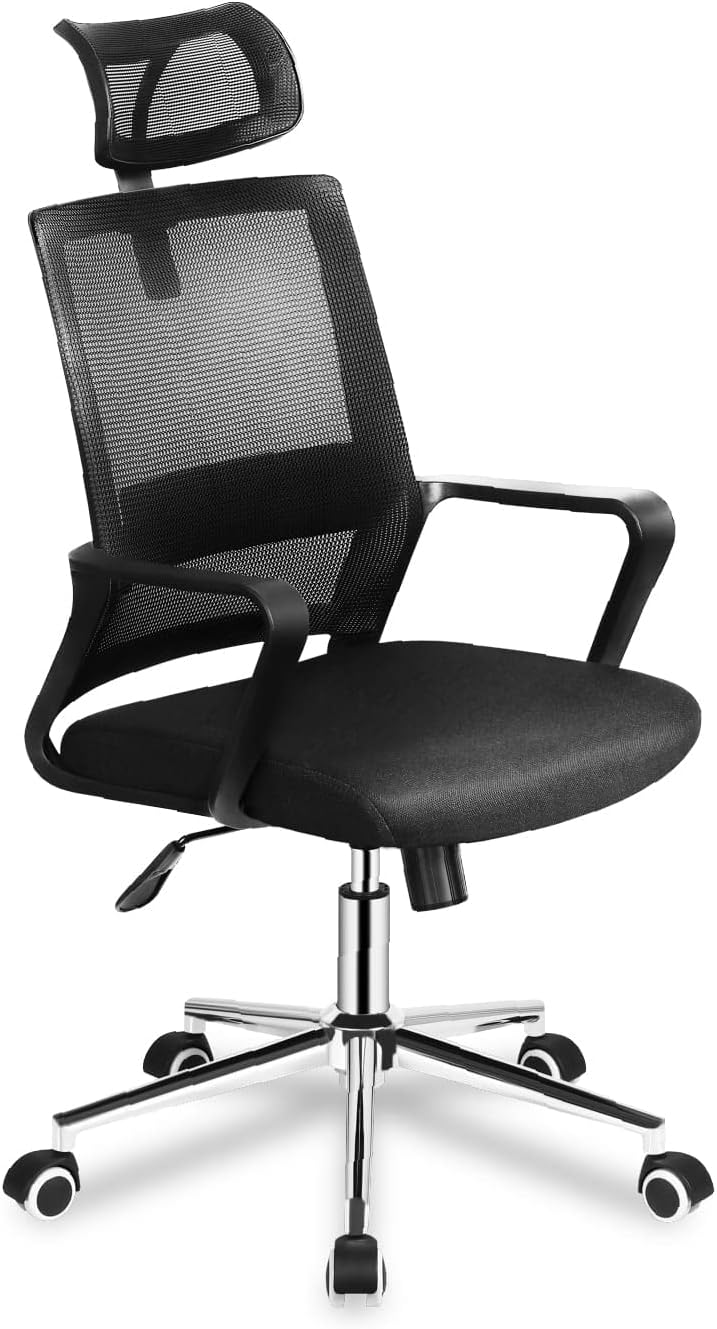
Image 1.1: The MARK ADLER Manager 2.0 Office Chair in black, showcasing its mesh backrest, padded seat, and adjustable features.
2. Émbaran Kasalametan
Pikeun mastikeun operasi anu aman sareng nyegah tatu atanapi karusakan, mangga perhatoskeun pedoman kaamanan ieu:
- Always assemble the chair according to the instructions provided.
- Ulah nangtung dina korsi.
- Ulah dianggo korsi upami aya bagian anu leungit atanapi ruksak.
- Jauhkeun barudak tina korsi nalika ngarakit. Bagian-bagian leutik tiasa nyababkeun kaselek.
- Ensure all screws and bolts are tightened securely before use. Re-tighten periodically.
- Do not exceed the maximum weight capacity (consult product packaging if available).
- Anggo korsi dina permukaan anu rata.
3. Eusi Paket
Sateuacan ngarakit, pariksa yén sadaya komponén aya sareng henteu ruksak. Lamun aya bagian nu leungit atawa ruksak, kontak rojongan customer.
Komponén has ngawengku:
- Backrest with headrest
- Bantal korsi
- Sandaran leungeun (2)
- Silinder angkat gas
- Dasar béntang
- Roda roda (5)
- Mechanism (tilt/height control)
- Hardware (screws, washers, Allen key)
4. Parentah Majelis
Follow these steps to assemble your MARK ADLER Manager 2.0 Office Chair. It is recommended to assemble the chair on a soft, clean surface to prevent scratches.
- Gantelkeun Casters ka Base: Insert the five caster wheels into the holes at the end of each leg of the star base until they click securely into place.
- Selapkeun Angkat Gas: Teundeun tabung pengangkat gas kana liang tengah dasar béntang.
- Pasangkeun Mékanisme kana Korsi: Align the mechanism with the pre-drilled holes on the underside of the seat cushion. Ensure the front of the mechanism faces the front of the seat. Secure with screws.
- Pasangkeun Sandaran Leungeun kana Korsi: Attach the armrests to the sides of the seat cushion using the provided screws. Do not overtighten initially.
- Pasangkeun Sandaran kana Korsi/Sandaran leungeun: Connect the backrest to the seat and/or armrests using the designated screws. Once all connections are made, tighten all screws securely.
- Sambungkeun Rakitan Korsi ka Lift Gas: Sacara saksama nempatkeun korsi anu parantos dirakit kana silinder pengangkat gas, pastikeun korsi éta aya di tengah sareng stabil.
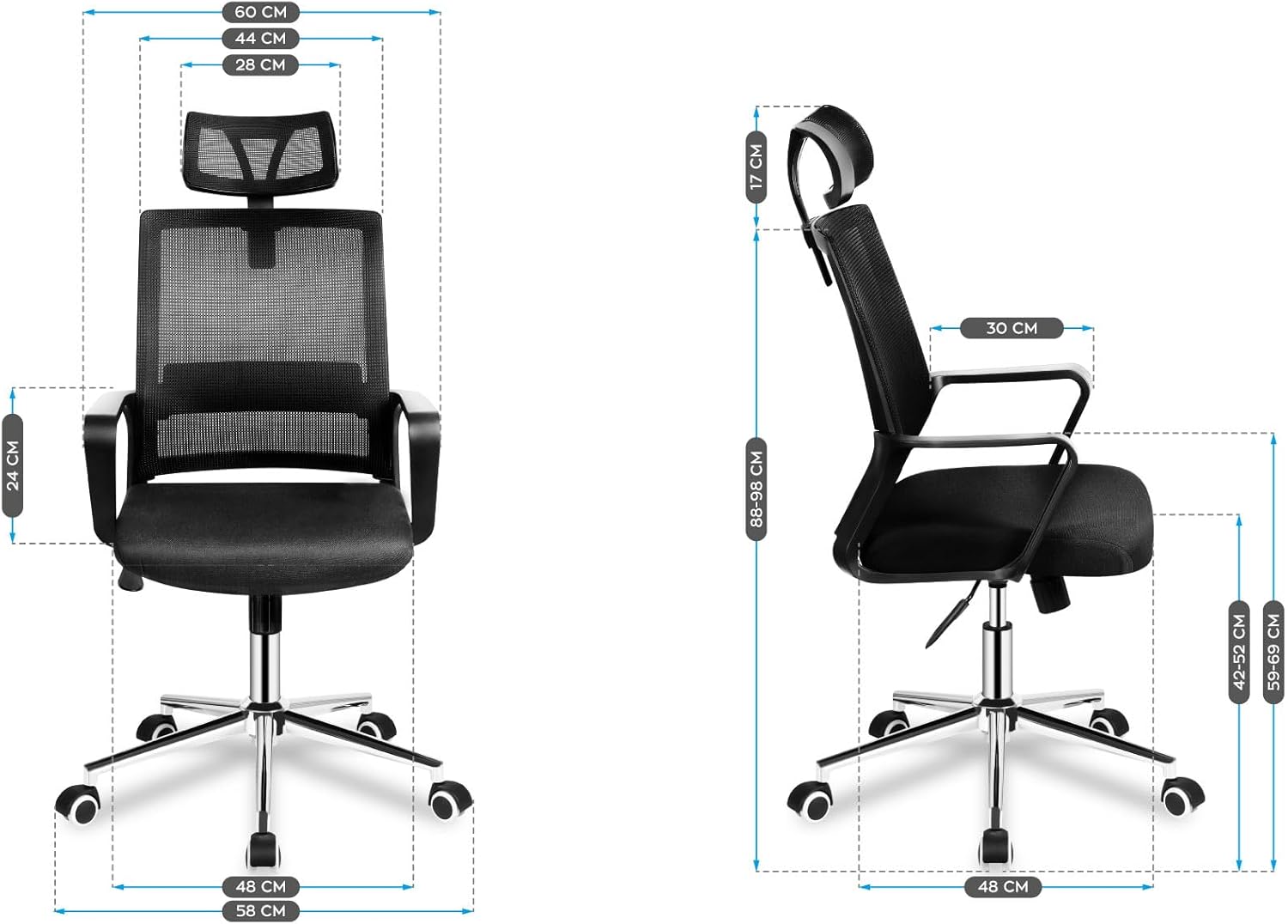
Gambar 4.1: Hareup jeung sisi view diagrams illustrating the dimensions of the assembled chair, including height, width, and depth measurements.
5. Parentah Operasi
Your MARK ADLER Manager 2.0 Office Chair features several adjustable components designed for ergonomic comfort.
5.1. Korsi Jangkungna adjustment
To adjust the seat height, locate the lever on the right side beneath the seat. While seated, pull the lever up to lower the seat. To raise the seat, stand up slightly and pull the lever up. Release the lever at the desired height.
5.2. Tilt Mechanism and Lock
The chair features a TILT PLUS mechanism. To recline the backrest, pull the lever on the left side (or the same lever as height, depending on model) outwards. Lean back to the desired angle. To lock the recline position, push the lever inwards. To unlock and return to an upright position, pull the lever outwards again and lean forward slightly.
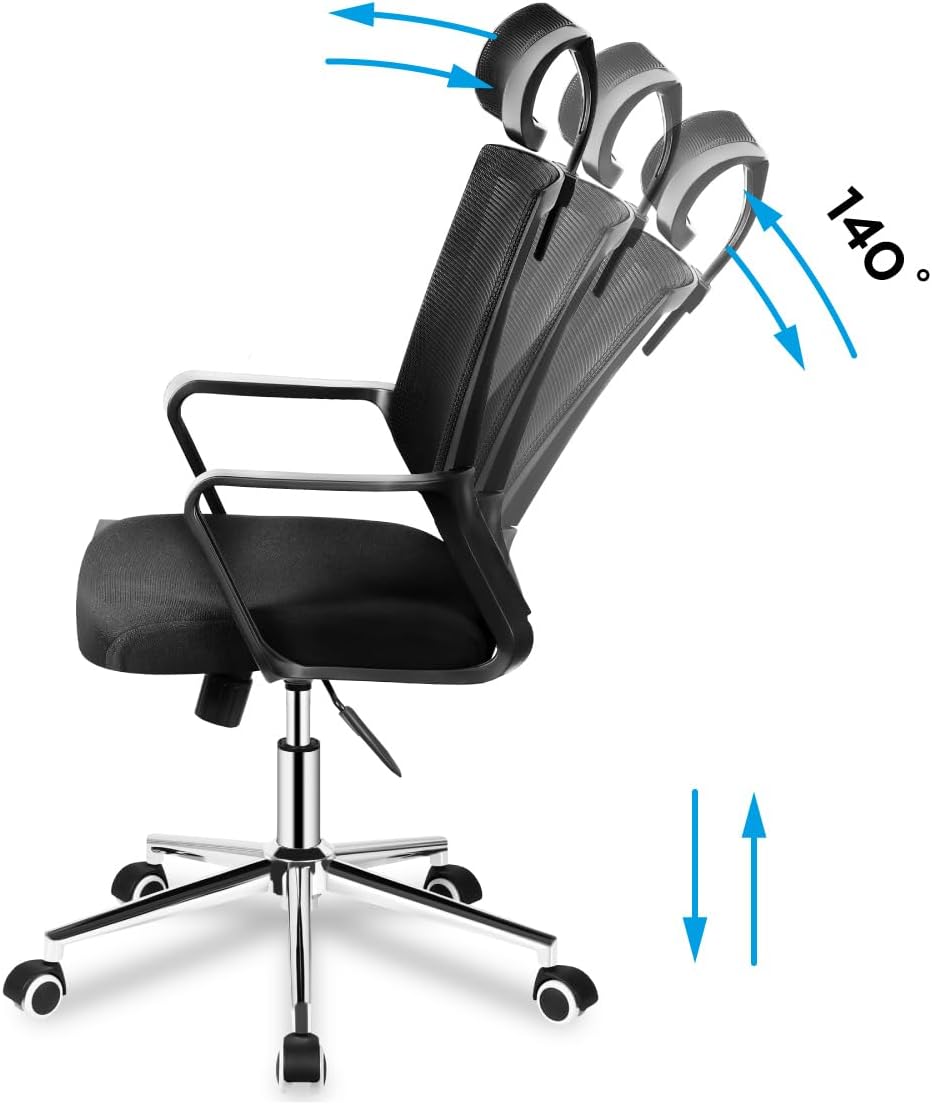
Image 5.1: Illustration demonstrating the chair's recline function up to 140 degrees and vertical height adjustment.
5.3. Pangaluyuan Sandaran Kepala
The headrest can be adjusted vertically to support your neck and head. Gently push or pull the headrest up or down to find your optimal position.

Image 5.2: Detail showing the vertical adjustment capability of the mesh headrest, indicated by up and down arrows.
5.4. Lumbar Rojongan adjustment
The chair features adjustable lumbar support to provide comfort to your lower back. Locate the lumbar support mechanism on the backrest and adjust it vertically to align with the natural curve of your spine.

Image 5.3: Detail illustrating the vertical adjustment of the lumbar support system on the chair's mesh backrest.
5.5. Panangan
The armrests are designed for comfort and support. While not explicitly stated as adjustable in the product details, they are ergonomically shaped.

Gambar 5.4: A close-up view of the chair's fixed, ergonomically shaped armrest.
5.6. Roda Caster
The chair is equipped with durable caster wheels for smooth movement across various floor surfaces.
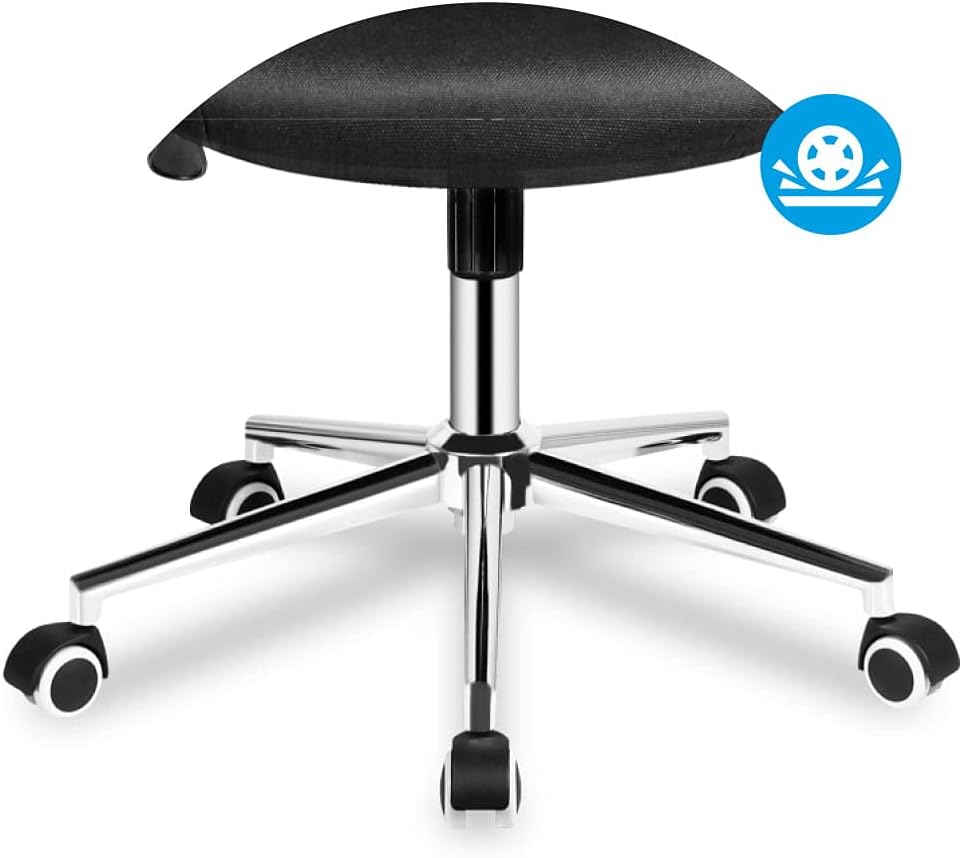
Image 5.5: Detail of the chair's five-star base with smooth-rolling caster wheels.
6. Pangropéa
Pangropéa anu rutin bakal manjangkeun umur sareng penampilan korsi kantor anjeun.
- beberesih: Ngabersihan korsi kalayan iklanamp lawon. Hindarkeun bahan kimia anu kasar atanapi pembersih abrasive anu tiasa ngaruksak bahan.
- Pamariksaan: Périodik pariksa sagala screws na bolts pikeun mastikeun aranjeunna kedap. Kencangkeun deui saperluna.
- Pindah: Lamun mindahkeun korsi, angkat eta tinimbang nyered eta pikeun nyegah karuksakan kana dasar atawa lantai.
7. Cara ngungkulan
Upami anjeun ngalaman masalah sareng korsi anjeun, tingali masalah sareng solusi umum ieu:
| Masalah | Mungkin Cukang lantaranana | Solusi |
|---|---|---|
| Korsi goyah atanapi teu stabil. | screws leupas atawa assembly henteu rata. | Check and tighten all assembly screws. Ensure the chair is on a level surface. |
| Pangaluyuan jangkungna korsi teu tiasa dianggo. | Gas lift cylinder not properly installed or damaged. | Ensure the gas lift is fully inserted into the base and mechanism. If still not working, the gas lift may need replacement. |
| Backrest henteu ngagolér atanapi ngonci. | Tilt mechanism is locked or damaged. | Ensure the tilt lock lever is disengaged. Check for any obstructions in the mechanism. |
| Roda caster henteu ngagulung lancar. | Debris in wheels or damaged casters. | Clean any hair or debris from the wheels. Replace damaged casters if necessary. |
8. Spésifikasi
| Fitur | Rincian |
|---|---|
| merek | MARK ADLER |
| Modél | Manager 2.0 (MA-Manager 2.1) |
| Warna | Hideung |
| Bahan | Nylon (Mesh backrest, Foam seat) |
| Bahan Pigura | logam |
| Ukuran produk (L x W x H) | 48P x 58l x 115H centimeters (Note: Other specifications list 15 x 127 x 77 cm, likely package dimensions) |
| Item Beurat | 10.3 kg |
| Fitur husus | Armrest, Ergonomic, Rolling, Adjustable Headrest, Adjustable Lumbar Support, Tilt Plus Mechanism |
| Parentah perawatan | Bersih sareng iklanamp lawon |
9. Garansi jeung Rojongan
Specific warranty information is not provided in the product details. For warranty claims or technical support, please contact the retailer or MARK ADLER customer service directly. Keep your purchase receipt as proof of purchase.
For further assistance, please refer to the contact information provided with your purchase or visit the official MARK ADLER websitus.


