1. Bubuka
Welcome to the user manual for your WHILL Model C2 Mobility Power Chair. This guide provides essential information for the safe and effective operation, maintenance, and care of your device. The WHILL Model C2 is designed to offer enhanced mobility and independence, featuring advanced technology and a user-friendly design.

Image: The WHILL Model C2 Mobility Power Chair, showcasing desain sleek sarta faktor formulir kompak.
Fitur konci:
- Numpak anu nyaman: Adjustable seat height and back support angles with multiple seat widths (16", 18", 20") for personalized comfort.
- Mobilitas ditingkatkeun: Equipped with two powerful motors, capable of tackling difficult terrain, climbing inclines up to 10°, and overcoming obstacles up to 2” high.
- Téknologi calakan: Control the Model C2 remotely, monitor device and battery health, and lock the device using the WHILL smartphone app.
- Kanyamanan portabel: Easily disassembles into four lightweight components for hassle-free transportation in a car trunk.
- Manuver anu lancar: Patented front Omni-wheels provide a tight 29.9” turning radius, ideal for navigating narrow indoor spaces like hallways and elevators.
Produk Leuwihview Video:
Video: An official product video demonstrating the features and maneuverability of the WHILL Model C2 in various environments, including indoor spaces and outdoor terrains.
2. Setup jeung Majelis
The WHILL Model C2 is designed for easy assembly and disassembly, making it highly portable. Follow these steps to set up your power chair:
- Ngabongkar komponén: Carefully remove all components from the packaging. The main components include the base unit, seat unit, battery, and controller.
- Pasangkeun Unit Korsi: Align the seat unit with the base unit and securely attach it. Ensure all locking mechanisms click into place.
- Selapkeun Batré: Locate the battery compartment and insert the Lithium Ion battery. Ensure it is fully seated and locked.
- Sambungkeun Controller: Attach the controller to the designated port on the armrest. Verify a secure connection.
- Saluyukeun Korsi: Adjust the seat height and backrest angle to your preferred comfortable position.

Image: A user demonstrating the assembly process of the WHILL Model C2, connecting the seat to the base.
Disassembly for Transport:
To disassemble the Model C2 for transport, reverse the assembly steps. The chair breaks down into four manageable pieces, making it easy to load into a vehicle trunk.

Image: A user separating the seat unit from the base of the WHILL Model C2 for transport.

Image: A user placing a disassembled component of the WHILL Model C2 into the trunk of a car, highlighting its transportability.
3. Parentah Operasi
Operating your WHILL Model C2 is intuitive. Familiarize yourself with the controls and features for a safe and enjoyable experience.
Operasi dasar:
- Hurungkeun/Pareuman: Use the main power button on the controller to turn the chair on or off.
- nyetir: Use the joystick to control direction and speed. Push forward to move forward, pull back to reverse, and move left or right to turn.
- Pangaluyuan Kacepetan: Adjust the speed settings using the controls on the joystick panel.
- ngerem: Release the joystick to engage the electromagnetic brakes, bringing the chair to a smooth stop.

Image: A user navigating the WHILL Model C2 indoors, demonstrating its compact turning radius.
Maneuverability and Terrain:
The Model C2 excels in various environments:
- Spasi Kedap: The patented front Omni-wheels allow for a tight 29.9” turning radius, making it easy to navigate through narrow hallways, elevators, and crowded indoor spaces.
- Permukaan henteu rata: The 4-wheel independent suspension provides a comfortable ride over uneven sidewalks and minor obstacles.
- Panjat Tebing: The powerful drive-train enables the chair to climb inclines up to 10° and overcome obstacles up to 2” in height, such as small curbs or railroad tracks.
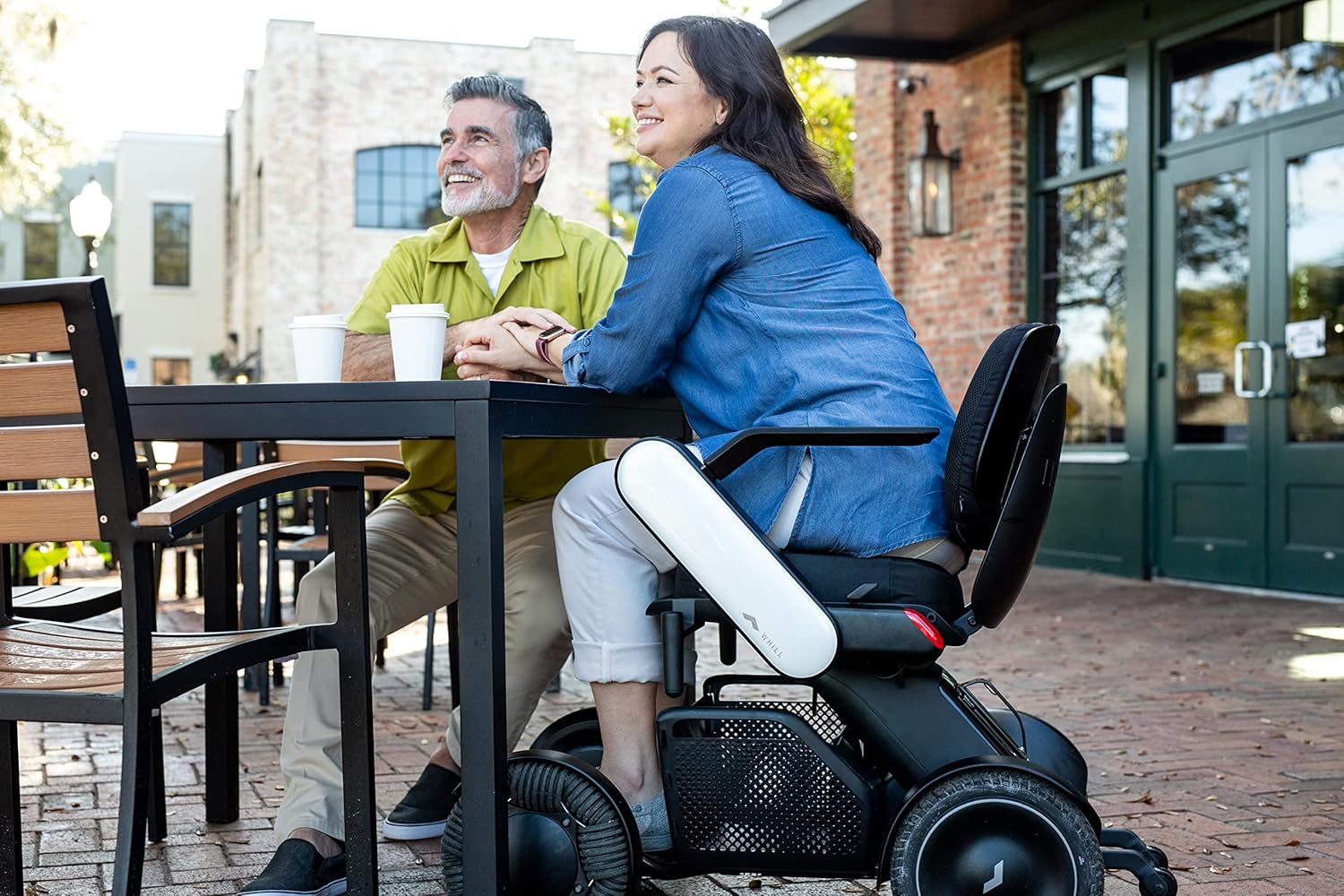
Image: A user seated in the WHILL Model C2 at an outdoor cafe table, illustrating its integration into social settings.

Image: A user in the WHILL Model C2 moving through a bustling market alongside companions, showcasing its ease of use in public spaces.
Integrasi Aplikasi Smartphone:
Download the WHILL app to unlock additional features:
- Remote Drive: Control your Model C2 remotely.
- Pangimeutan Alat: Check battery level and device health.
- Konci Kaamanan: Lock your device for added security.
4. Perawatan sareng Pangropéa
Regular care and maintenance will ensure the longevity and optimal performance of your WHILL Model C2.
- beberesih: Rutin ngusap korsi nganggo iklanamp lawon. Hindarkeun bahan kimia anu kasar atanapi pembersih abrasive.
- Perawatan batré: Charge the Lithium Ion battery as recommended in the charging instructions. Do not allow the battery to fully discharge for extended periods.
- Ban: The rear tires are puncture-proof, reducing the need for frequent maintenance. Periodically inspect all wheels for debris or damage.
- Panyimpenan: Store the chair in a dry, cool place when not in use. If storing for an extended period, ensure the battery is partially charged.
5. Cara ngungkulan
If you encounter any issues with your WHILL Model C2, refer to the following common troubleshooting tips:
- Chair Not Powering On:
- Pastikeun batre tos dicas pinuh sareng diselapkeun leres.
- Check all cable connections, especially to the controller.
- Unexpected Movement/No Movement:
- Verify the joystick is functioning correctly and not stuck.
- Pariksa heula bisi aya halangan di sabudeureun roda.
- Ensure the chair is not in a locked mode via the app.
- Indikator Kasalahan:
- Consult the WHILL app for specific error codes or messages.
- Refer to the detailed troubleshooting section in the full manual (if available) or contact customer support.
For persistent issues, please contact WHILL customer support.
6. Spésifikasi Téknis
| Spésifikasi | Nilai |
|---|---|
| Dimensi produk | 38.8 x 21.8 x 29.3 inci |
| Item Beurat | 114 pon |
| Kamampuh beurat maksimum | 300 pon |
| Nomer Modél Item | Ci2 |
| Batré | 1 batré Litium Ion (kaasup) |
| Seat Width Options | 16", 18", 20" |
| Radius péngkolan | 29.9 inci |
| Obstacle Climbing Capability | Nepi ka 2 inci |
| Incline Capability | Nepi ka 10 ° |
7. Pedoman Kasalametan
Please read and adhere to all safety information to prevent injury or damage to the device.
- Kapasitas beurat maksimum: Ulah ngaleuwihan kapasitas beurat maksimum 300 pon.
- Dimaksudkeun pamakéan: Produk ieu dimaksudkeun pikeun pamakéan sawawa wungkul.
- Kaayaan Lingkungan: Avoid operating the chair in extreme weather conditions or on excessively slippery surfaces.
- Kasadaran halangan: While the chair can traverse small obstacles, always exercise caution and assess the terrain before proceeding.
- Kasalametan batré: Use only the provided charger and battery. Do not attempt to modify or open the battery pack.
8. Pangrojong sareng Jaminan
For customer support, technical assistance, or warranty inquiries, please contact WHILL directly or the authorized retailer from whom you purchased the product.
Rojongan Palanggan: Refer to your purchase documentation for specific contact details or visit the official WHILL websitus.
Inpormasi Garansi: Sarat jeung kaayaan jaminan husus bisa rupa-rupa. Punten tahan bukti pameseran anjeun pikeun klaim garansi.