Bubuka
The Godox M1 RGB Camera Light is a portable LED video light designed for versatile lighting applications. It features high color rendering, a wide color temperature range, multiple special effects, and a built-in articulating bracket for flexible positioning. This manual provides detailed instructions for the safe and effective use of your Godox M1 light.
Eusi pakét
Punten parios pikeun mastikeun yén sadaya barang kalebet dina pakét anjeun:
- Godox M1 RGB Camera Light
- Kabel Ngecas USB Tipe-C
- Adaptor sapatu tiis
- rengkuh
- Instruksi Manual
- Kantong Pelindung

Disetél
Ngecas Alat
The Godox M1 features a built-in 2410mAh lithium rechargeable battery. To charge the device:
- Locate the USB Type-C charging port on the side of the light.
- Connect the provided USB Type-C cable to the port.
- Sambungkeun tungtung kabel USB anu sanésna kana sumber daya 5V/2A (contona, port USB komputer atanapi adaptor témbok USB).
- The battery indicator on the display will show charging status. A full charge provides approximately 2.5 hours of operation at full power.

Pasang Lampu
The Godox M1 includes a built-in articulating bracket and 1/4" thread mounts for flexible positioning:
- Articulating Bracket: The integrated bracket allows you to adjust the light's angle freely. It can be folded out to act as a stand or to provide various mounting points.
- 1/4" Thread: Utilize the 1/4" thread holes on the bracket to mount the light onto camera rigs, tripods, or camera shoe mounts.


Parentah Operasi
Kadali Langkungview
The Godox M1 features intuitive controls for easy operation:
- Hurungkeun ON / OFF: Located on the side, slide to power the unit on or off.
- Dimming Dial (DIM): Nyaluyukeun kacaangan ti 0% dugi ka 100%.
- Mode Button (MOD): Cycles through different lighting modes (RGB, CCT, FX).
- Function Dial (FN): Used to adjust parameters within each mode (e.g., hue, saturation, color temperature, effect type).
- MIC: Built-in microphone for Music Mode.

Modeu Lampu
Pencét éta MOD button to switch between the following modes:
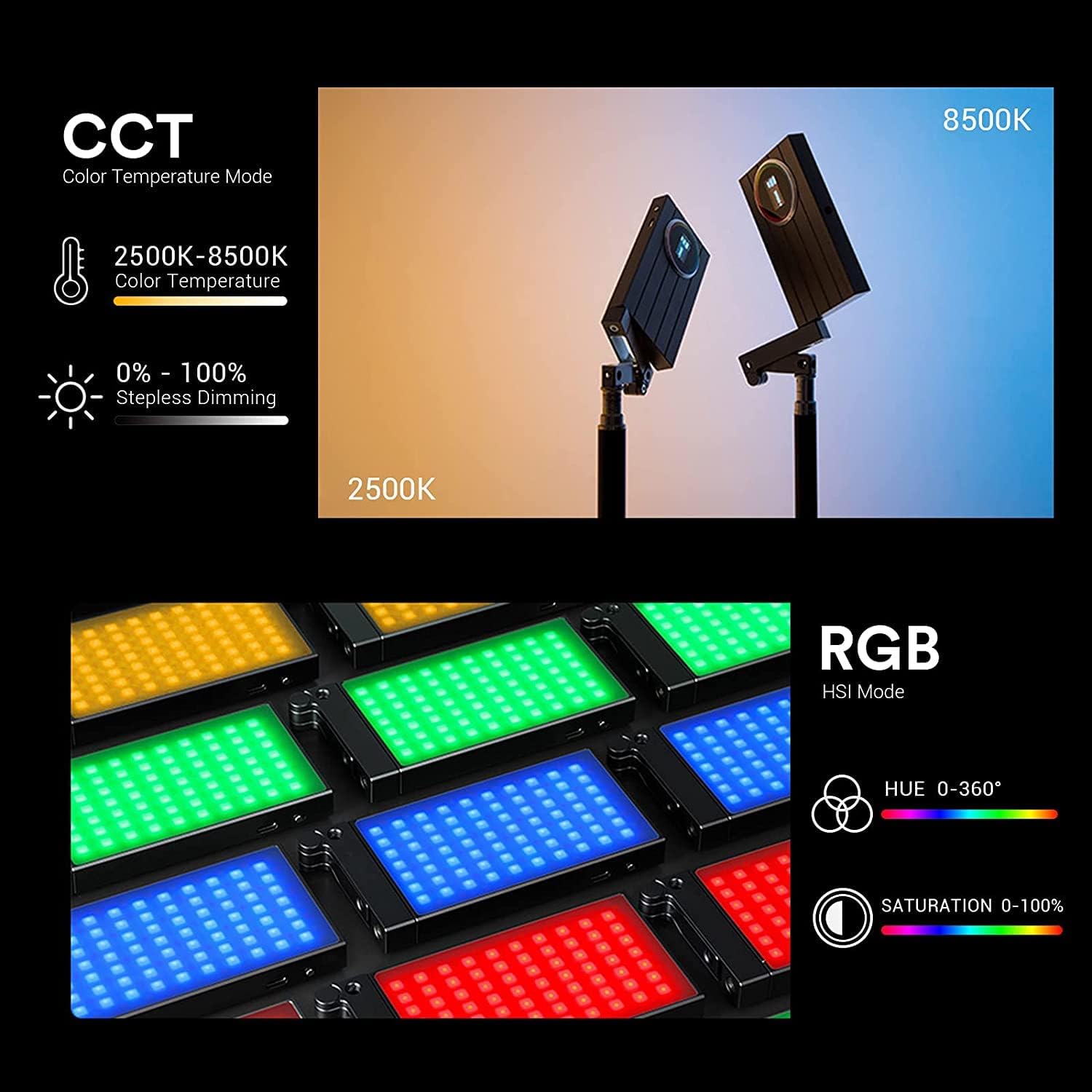
- Modeu CCT (Suhu Warna): Adjust color temperature from 2500K (warm) to 8500K (cool) using the FN dial.
- RGB Mode (Hue, Saturation, Brightness): Control the hue (0-360°), saturation (0-100%), and brightness (0-100%) to create any desired color.
- Modeu FX (Efek Husus): Choose from 15 unique special effects with 40 various presets, including Fire, Candle, Music, Disco, SOS, Flash, Light Burst, TV, RGB Cycle, Lightning, Fireworks, Broken Bulb, Cop Car, Fire Engine, and Ambulance.
- Modeu Musik: In this mode, the light can beat with the tempo of music or sounds detected by the built-in microphone, with colors changing based on sound volume.

Pangropéa
- Jaga alat tetep garing. Ulah dicepeng ku leungeun baseuh atawa dilelepkeun kana cai.
- Clean the light with a soft, dry cloth. Avoid using harsh chemicals or abrasive materials.
- Simpen alat dina tempat anu tiis sareng garing jauh tina sinar panonpoé langsung sareng suhu anu ekstrim.
- Avoid strong impacts or dropping the device, as this may damage internal components.
Pamérésan masalah
- Lampu teu hurung: Ensure the battery is charged. Connect the USB Type-C cable to a power source and allow it to charge for a period.
- Display flickering: While the M1 display does not inherently flicker, some video cameras may capture an artifact that appears as flicker. This is typically a camera-related issue, not a device malfunction.
- Inconsistent color output: Verify that the device is not in FX mode if you are expecting a static color. Adjust Hue and Saturation in RGB mode or Color Temperature in CCT mode.
spésifikasi
| Fitur | Rincian |
|---|---|
| Dimensi produk | 5.7 x 2.8 x 0.6 inci (5.7" L x 0.6" W x 2.75 "H) |
| Item Beurat | 1.04 pounds (240g / 0.52lb) |
| Nomer modél | Godox M1 |
| Indéks Rendering Warna (CRI) | 97+ |
| TLCI | 97+ |
| Rentang Suhu Warna | 2500K-8500K |
| adjustment kacaangan | 0-100% |
| RGB Hue Adjustment | 0-360 ° |
| RGB Saturation Adjustment | 0-100% |
| Special Effects (FX) | 15 types with 40 presets |
| Jenis Batré | Batré Litium 2410mAh diwangun-di |
| Port ngecas | USB Type-C (5V/2A) |
| Battery Life (Full Power) | Kira-kira. 2.5 jam |
| Téhnologi konektipitas | USB |
| Panganteur Hardware | USB |
Émbaran jaminan
The Godox M1 RGB Camera Light comes with a standard manufacturer's warranty against defects in materials and workmanship. Please refer to the warranty card included in your package for specific terms and conditions, including warranty period and claim procedures. Keep your purchase receipt as proof of purchase.
Rojongan Palanggan
For technical assistance, troubleshooting, or product inquiries, please contact Godox customer support. Contact details can typically be found on the official Godox website or on the product packaging. Ensure you have your product model number (Godox M1) and purchase details ready when contacting support.
Video produk
GODOX M1 RGB Light Overview
Video: video ieu nyadiakeun leuwih komprehensifview of the Godox M1 RGB Light, demonstrating its features, controls, and various lighting modes in action. It showcases the light's versatility for different creative scenarios.
Godox M1 RGB Panel Light Features
Video: This video highlights the key features of the Godox M1 RGB Panel Light, including its 15 FX light effects and battery life. It offers practical demonstrations of how these features can be utilized.


