1. Eusi Paket
Upon opening your PowerLocus P2 headphones package, please verify that all components are present and in good condition. The standard package includes:
- 1x Headphone Nirkabel PowerLocus P2
- 1x 3.5mm Kabel Audio
- 1x Kabel Ngecas USB
- 1x Tas Jinjing Cangkang Keras anu Elegan

Figure 1: Included accessories with the PowerLocus P2 headphones.
2. Setup Guide
2.1 Ngecas Headphone
Before initial use, it is recommended to fully charge your PowerLocus P2 headphones. Use the provided USB charging cable to connect the headphones to a USB power source (e.g., computer USB port, wall adapter). The charging time is approximately 2.5 hours for a full charge, providing up to 20 hours of playback.
2.2 Daya Hurung/Pareuman
- Pikeun Ngahurungkeun: Press and hold the Power button (usually the multi-function button) until the LED indicator lights up.
- Pikeun mareuman: Pencét jeung tahan tombol Daya nepi ka indikator LED pareum.
2.3 Nyapasangkeun Bluetooth
The PowerLocus P2 headphones feature Bluetooth 5.0 for fast and stable connections. Follow these steps to pair with your device:
- Pastikeun headphone dipareuman.
- Pencét jeung tahan tombol Daya salila kurang leuwih 5-7 detik nepi ka indikator LED hurung biru jeung beureum silih ganti, nunjukkeun mode papasangan.
- Dina alat anjeun (smartphone, tablet, PC), aktipkeun Bluetooth sareng milarian alat anu sayogi.
- Pilih "PowerLocus P2" tina daptar alat anu kapendak.
- Sakali nyambung, indikator LED bakal némbongkeun lampu biru padet atawa biru kedip-kedip laun.
The headphones support multi-point connection, allowing them to be connected to two devices simultaneously.
2.4 Micro SD Card Mode
The PowerLocus P2 headphones support Micro SD cards up to 64GB. Ensure all content on the SD card is in MP3 format for playback.
- Insert the Micro SD card into the designated slot on the headphone. You will hear a click sound when it is correctly placed.
- Hurungkeun headphone.
- Press the 'M' (Mode) button to switch to Micro SD mode. The headphones will automatically begin playing MP3 files tina kartu.
Video: How to use PowerLocus P2 Over Ear Headphones with micro SD. This video demonstrates inserting a Micro SD card and activating the Micro SD playback mode on the headphones.
2.5 Modeu Radio FM
To use the built-in FM radio function:
- Hurungkeun headphone.
- Press the 'M' (Mode) button repeatedly until you hear the FM radio.
- Use the Volume Up/Down buttons to scan for stations (short press for next/previous station, long press for volume).
2.6 Wired Mode (Auxiliary Connection)
If the headphone battery runs out or you prefer a wired connection, use the provided 3.5mm audio cable:
- Connect one end of the 3.5mm audio cable to the AUX port on the headphones.
- Sambungkeun tungtung anu hiji deui kana jack kaluaran audio 3.5mm alat anjeun.
In wired mode, the headphones function passively and do not require battery power.

Figure 2: Connecting the 3.5mm audio cable for wired use.
3. Parentah Operasi
3.1 Kontrol Leuwihview
The PowerLocus P2 headphones feature intuitive controls located on the earcup. These buttons allow you to manage playback, calls, and modes.

Figure 3: PowerLocus P2 Headphones with visible controls.
- Tombol Daya/Multi-fungsi: Hurungkeun/pareumkeun, puterkeun/pareumkeun, jawab/réngsékeun telepon.
- Volume Naik (+)/Lagu Salajengna: Pencét pondok pikeun polumeu ka luhur, pencét panjang kanggo lagu salajengna.
- Volume Turun (-)/Lagu Saméméhna: Pencét pondok pikeun volume handap, pencét lila pikeun lagu saméméhna.
- Tombol Mode (M): Switch between Bluetooth, Micro SD, and FM Radio modes.
3.2 Puterkeun Musik
- Puter / Reureuh: Pencét pondok tombol Daya/Multi-fungsi.
- Lagu salajengna: Pencét lila tombol Volume Naék (+).
- Lagu Sateuacanna: Pencét lila tombol Volume Turun (-).
- Penyesuaian volume: Pencét sakeudeung tombol Volume Naék (+) atawa Volume Turun (-).
3.3 Nelepon jeung Narima Telepon
Mikropon diwangun-di ngamungkinkeun pikeun nelepon hands-free.
- Ngajawab / mungkas Telepon: Short press the Power/Multi-function button when a call comes in or during a call.
- Nolak Telepon: Pencét lila tombol Daya/Multi-fungsi nalika aya telepon asup.
- Telepon deui Nomer Panungtungan: Pencét dua kali tombol Daya/Multi-fungsi.
4. Pangropéa
Proper maintenance ensures the longevity and optimal performance of your PowerLocus P2 headphones.
- beberesih: Use a soft, dry cloth to wipe the headphones. Do not use abrasive cleaners or solvents. For earmuffs, gently wipe with a damp lawon sarta ngidinan ka hawa garing sagemblengna.
- Panyimpenan: When not in use, store the headphones in the provided hard shell carry case to protect them from dust, scratches, and impacts. The foldable design makes them compact for storage and travel.
- Perawatan batré: Avoid fully discharging the battery frequently. Charge the headphones regularly, even if not used for extended periods, to maintain battery health.
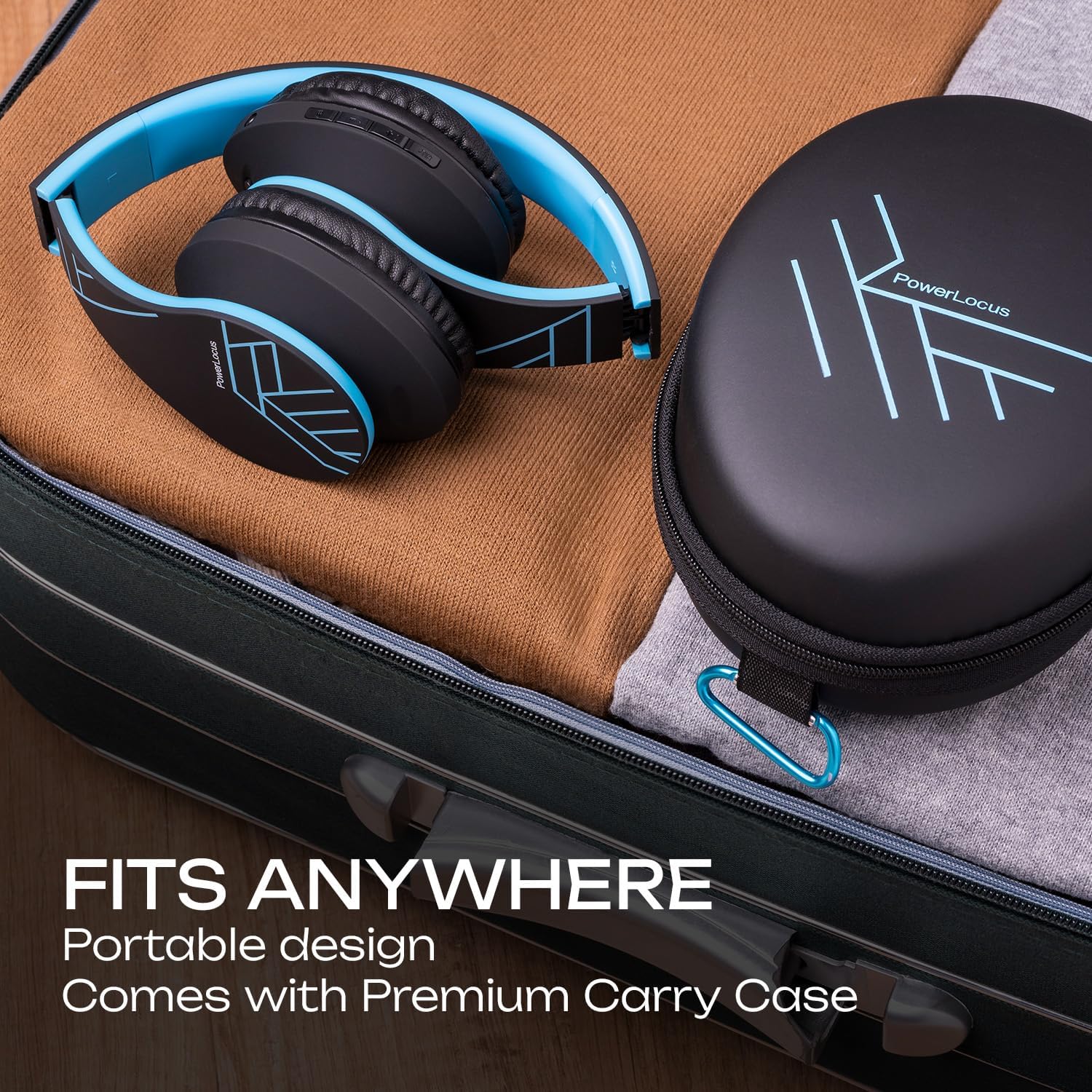
Figure 4: Portable design and carry case for easy storage.
5. Cara ngungkulan
Upami anjeun ngalaman masalah sareng headphone PowerLocus P2 anjeun, mangga tingali solusi umum ieu:
| Masalah | Mungkin Cukang lantaranana | Solusi |
|---|---|---|
| Headphone teu hurung. | batré lemah. | Ngecas headphone pinuh. |
| Teu bisa masangkeun via Bluetooth. | Headphone henteu dina mode papasangan; alat Bluetooth pareum; jauh teuing ti alat. | Ensure headphones are in pairing mode (flashing blue/red). Turn device Bluetooth on/off. Move headphones closer to device (within 36 feet). |
| Taya sora atawa volume low. | Volume too low on headphones or device; incorrect mode selected; wired connection issue. | Increase volume on both headphones and connected device. Press 'M' button to ensure correct mode (Bluetooth, SD, FM). Check 3.5mm cable connection if in wired mode. |
| Kartu Micro SD teu tiasa diputer. | Kartu henteu diselapkeun leres; teu didukung file formatna. | Re-insert the Micro SD card until it clicks. Ensure all music files dina format MP3. |
| panarimaan radio FM goréng. | Sinyal lemah. | Move to an area with better signal. The audio cable can act as an antenna, try connecting it. |
| Distorted sound or static. | Interference; low battery; damaged audio source. | Move away from other electronic devices. Charge the headphones. Test with a different audio source. |
If the issue persists after trying these steps, please contact PowerLocus customer support for further assistance.
6. Spésifikasi produk
Detailed technical specifications for the PowerLocus P2 Bluetooth Headphones:
| Fitur | Spésifikasi |
|---|---|
| Ngaran modél | P2 |
| Téhnologi konektipitas | Nirkabel (Bluetooth), Kabel (Aux 3.5mm) |
| Téknologi Komunikasi Nirkabel | Bluetooth 5.0 |
| Rentang Bluetooth | Nepi ka 36 Kaki (kira-kira 12 méter) |
| Kontrol bising | Isolasi sora |
| Sensitipitas | 110 dB |
| Impedansi | 32 ohm |
| Ukuran supir | 40mm Neodymium Audio Drivers |
| Kahirupan batré | Nepi ka 20 Jam |
| Waktu Ngecas | Kira-kira. 2.5 jam |
| Headphone Jack | 3.5 mm Jack |
| Micro SD/TF Support | Up to 64GB (MP3 format only) |
| Radio FM | Sumuhun |
| Diwangun-di Mikropon | Sumuhun |
| Tipe Kontrol | Kontrol Volume, Tombol Multi-fungsi |
| Bahan | Memory Foam (earmuffs) |
| Faktor Bentuk | Over Ear, Foldable |
| Item Beurat | 165 Gram (5.8 ons) |
| Alat nu cocog | iPhone, iPod, iPad, Samsung, Huawei, Xiaomi, MacBook, Chromebook, TV, PC, Switch, Tablets, Laptops, Desktops |
7. Garansi jeung Rojongan
PowerLocus stands behind the quality of its products. Your P2 Bluetooth Headphones come with a 24 Months Full Warranty.
For any questions, concerns, or technical assistance regarding your PowerLocus P2 headphones, please do not hesitate to contact our friendly customer support team. We are committed to ensuring your smooth purchase and satisfaction.
You can also visit the official PowerLocus store for more information and product updates: Toko Amazon PowerLocus.


