1. Bubuka
The Poly Voyager Focus 2 UC USB-A Headset is designed to create a focused audio environment, blocking out background noise for clear communication. Featuring three levels of hybrid Active Noise Canceling (ANC) and Poly Acoustic Fence technology, it ensures you hear your calls clearly and are heard without distractions. This headset offers all-day comfort and versatile connectivity for computers (via BT700 USB-A adapter) and mobile devices (via Bluetooth v5.1). This Microsoft Teams certified version includes a dedicated Teams button for enhanced collaboration.
2. Naon dina Box
- Voyager Focus 2 UC USB-A Headset
- Mawa Kasus
- BT700 USB-A adaptor
- Kabel Ngecas
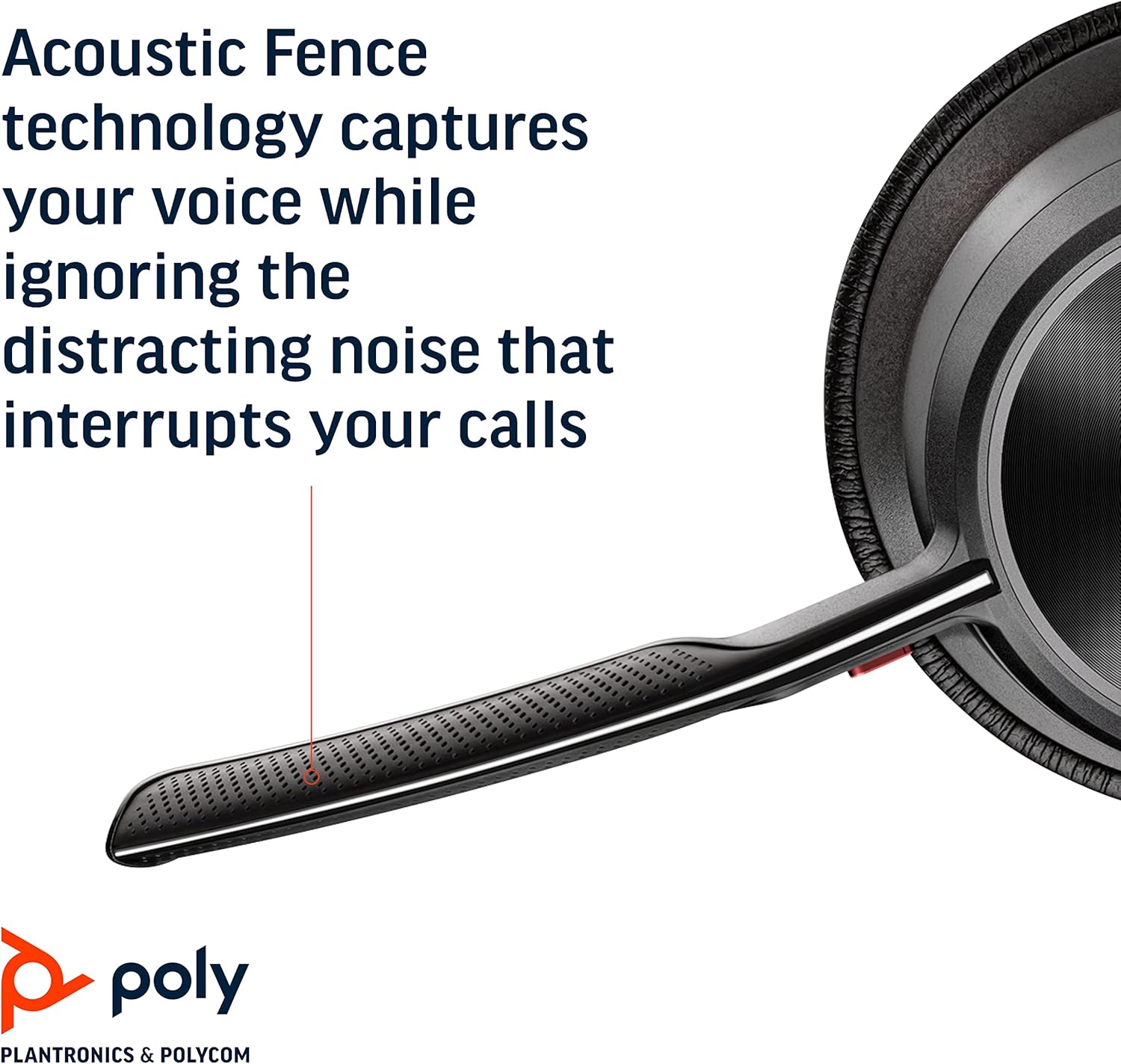
Image: Headset components including the BT700 USB-A adapter and charging cable.
3. Setélan
3.1 Ngecas Headsét
Connect the charging cable to the headset's USB port and to a power source. A full charge provides up to 19 hours of talk time. If using an optional charging stand, simply place the headset on the stand to charge.

Image: The Poly Voyager Focus 2 UC USB-A Headset placed on its charging stand.
3.2 Nyambungkeun ka Komputer (Adaptor USB-A)
- Insert the BT700 USB-A adapter into an available USB-A port on your computer.
- Hurungkeun headset anjeun.
- LED adaptor bakal kedip-kedip biru, teras janten biru padet nalika disambungkeun ka headset.
3.3 Connecting to a Mobile Device (Bluetooth)
- With the headset powered off, slide and hold the Power switch towards the Bluetooth icon until the LED flashes red and blue.
- On your mobile device, go to Bluetooth settings and select "Poly Voyager Focus 2" from the list of available devices.
- Once successfully paired, the headset LED will stop flashing.
3.4 Nyaluyukeun Headset
Adjust the headband for a comfortable fit. Position the boom microphone approximately two finger-widths from the corner of your mouth. The microphone boom is flexible and can be rotated to either the left or right side, automatically adjusting audio channels.

Image: A woman wearing the headset, demonstrating a comfortable fit for work.
4. Parentah Operasi
4.1 Daya Hurung/Pareuman
Slide the Power switch to the 'On' position to power on the headset. Slide it to 'Off' to power off.
4.2 Volume Control
Use the volume up (+) and volume down (-) buttons located on the earcup to adjust the listening volume.

Image: Close-up of the headset earcup with visible volume controls.
4.3 Ngajempékeun/Nyanyikeun
Press the dedicated mute button on the microphone boom to mute or unmute your microphone. The Dynamic Mute Alert feature will notify you if you speak while muted.

Gambar: Detil view of the headset's boom microphone.
4.4 Ngabatalkeun Noise Aktif (ANC)
Adjust the noise canceling level (High, Low, or Off) using the ANC switch on the earcup to suit your environment and personal preference.
4.5 Manajemén Telepon
Press the Call button on the earcup to answer or end a call. For Microsoft Teams calls, use the dedicated Teams button for instant access to the Teams App and notifications.
5. Fitur
- Kinerja Audio: Three options of Advanced Digital Hybrid Active Noise Canceling (ANC) – high, low, and off – for personalized noise control.
- Poly Acoustic Fence Technology: Advanced multi-microphone noise canceling ensures callers hear only your voice, not your surroundings.
- Téknologi pinter: Dynamic Mute Alert notifies you if you speak while your microphone is muted.
- All-Day Wearing: Lightweight headband with a sling and plush ear cushions provide comfort for extended use. Up to 19 hours of talk time.
- Multiple Device Connections: Connects to a computer via the included BT700 USB-A adapter and to a mobile device via Bluetooth v5.1.
Pidéo: Pajabat parantos réngséview of the Poly Voyager Focus 2 headset, highlighting its key features and design.
6. Pangropéa
6.1 beberesih
Ngusap headset ku hipu, damp cloth. Avoid using harsh chemicals or abrasive materials. Ensure the microphone and earcup surfaces are free from debris.
6.2 Panyimpenan
When not in use, store the headset in its provided carry case to protect it from dust and damage. Avoid storing in extreme temperatures.
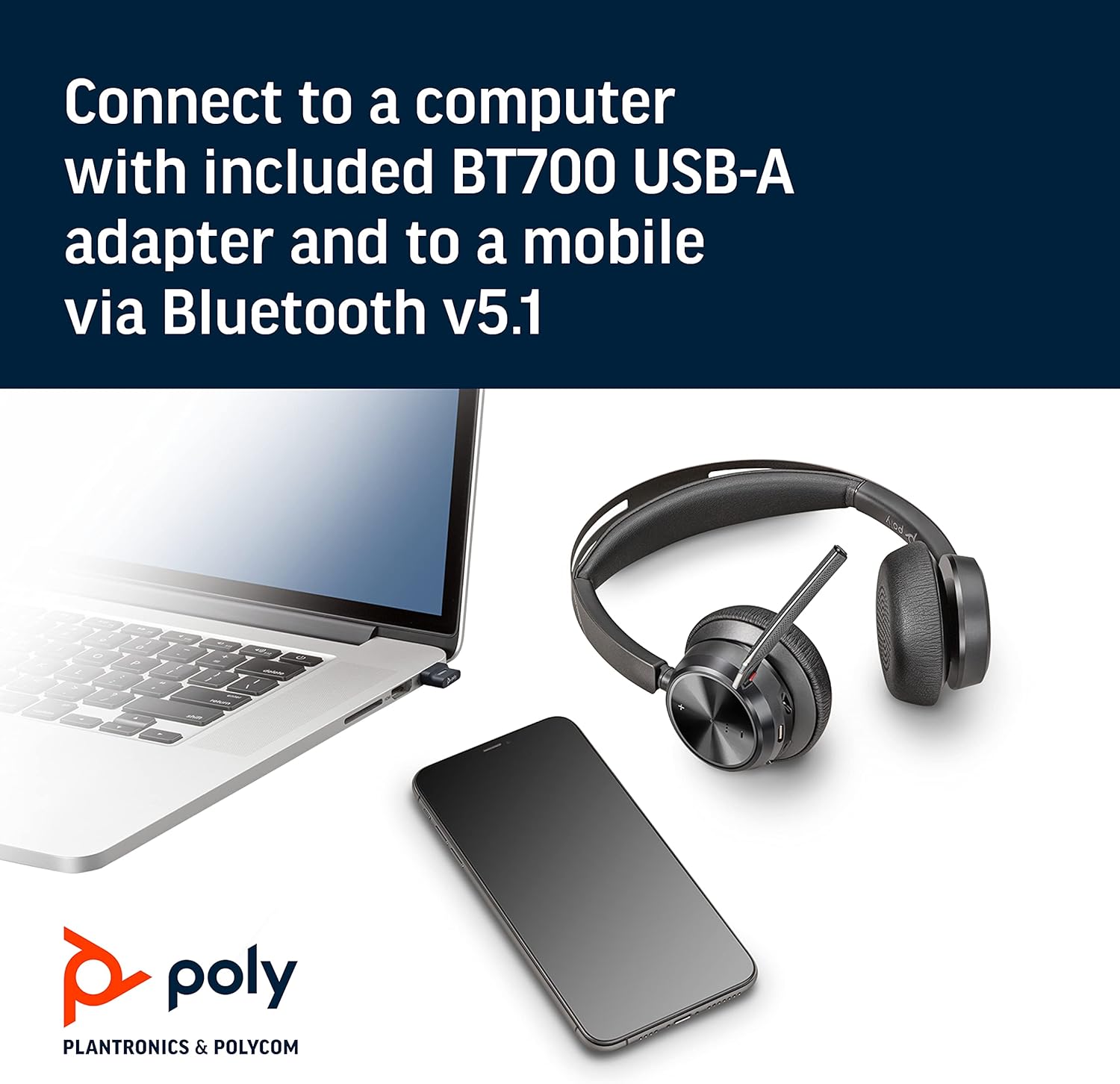
Image: The headset neatly folded and stored inside its carry case.
7. Cara ngungkulan
7.1 No Sound/Poor Audio Quality
- Pastikeun headset dihurungkeun tur dicas pinuh.
- Check that the headset is correctly paired with your device (computer via USB adapter or mobile via Bluetooth).
- Verify the volume levels on both the headset and your connected device.
- If connected to a computer, ensure the Poly BT700 adapter is recognized as the default audio device in your system settings.
7.2 Mikropon Teu Gawé
- Confirm the microphone is not muted (check the mute button and Dynamic Mute Alert).
- Ensure the microphone boom is properly positioned near your mouth.
- Check your device's audio settings to ensure the headset microphone is selected as the input device.
7.3 Masalah konektipitas
- Balikan deui headset sareng alat anjeun anu nyambung.
- Move closer to your connected device to ensure you are within the Bluetooth range (up to 10 meters for mobile, 50 meters for BT700 adapter).
- If using the BT700 adapter, try plugging it into a different USB port.
- Unpair and re-pair the headset with your device.
8. Spésifikasi
| Ngaran modél | Voyager Focus 2 UC-M USB-A |
| Nomer Modél Item | 213726-02 |
| Téhnologi konektipitas | Bluetooth 5.1 |
| Kontrol bising | Active Noise Cancellation (Hybrid Digital) |
| Téhnologi Mikropon | Poly Acoustic Fence |
| Kahirupan Batré (Waktu Ngobrol) | Nepi ka 19 jam |
| Headphone Jack | USB |
| Item Beurat | 175 Gram (6.2 ons) |
| Dimensi produk | 4 x 6 x 2.8 inci |
| Alat nu cocog | PCs, Smartphones, Tablets, Laptops |
| Komponén Kaasup | Headset, carry case, BT700 USB adapter and charging cable |
9. Garansi jeung Rojongan
For warranty information, technical support, or to register your product, please visit the official Poly website or refer to the documentation included with your purchase. You can also visit the POLY Store on Amazon pikeun sumber tambahan sarta informasi produk.


