1. Bubuka
The LAUNCH X431 PAD V Elite is a professional automotive diagnostic scan tool designed for comprehensive vehicle system analysis, ECU coding, bi-directional control, and various reset functions. This manual provides detailed instructions for setting up, operating, maintaining, and troubleshooting your device to ensure optimal performance and accurate diagnostics.

Figure 1.1: The LAUNCH X431 PAD V Elite diagnostic tool, Smartlink C adapter, charging dock, and various OBD1 & OBD2 connector kits, all neatly organized within their protective carrying cases.
2. Produk Langkungview
2.1. Eusi Paket
Upon unboxing, verify that all components listed below are present:
- 1 x X431 PAD V Tablet
- 1 x X-431 PAD V Charging Dock
- 1 x Smartlink C Adapter
- 1 x Gancang Mimitian Guide
- Some OBD1 & OBD2 Connector Kit
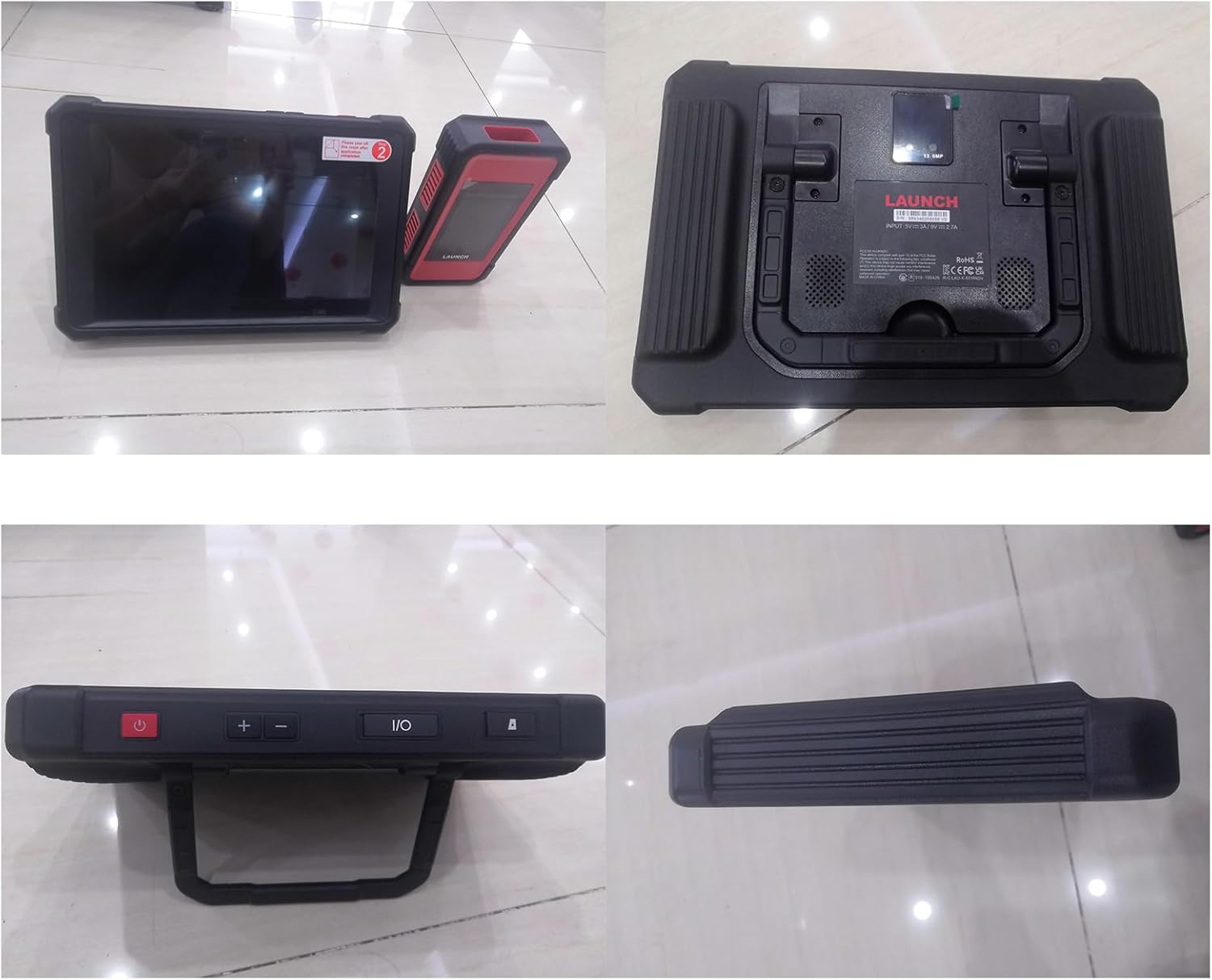
Figure 2.1: Visual representation of the LAUNCH X431 PAD V Elite package contents, including the main tablet, Smartlink-C, charging dock, and various diagnostic connectors.
2.2. Fitur konci
The LAUNCH X431 PAD V Elite offers a robust set of features for professional automotive diagnostics:
- High-end Online Functions: Supports ECU Online Coding for refreshing hidden functions, customizing OE-settings, and VAG Guided functions.
- Topology Map & All System Diagnosis: Provides a visual communication structure between modules, allowing direct access to all systems for deep inspection and DTC location.
- Full Special Functions & Bi-Directional Control: Includes over 60 reset services (e.g., ABS bleeding, Oil Reset, TPMS Reset) and bi-directional control over various vehicle systems.
- Powerful X431 Smartlink C: Supports API standard Communication Interface, D-PDU/J2534/RP1210/Do-IP/CANFD Protocols, and can diagnose gasoline vehicles & 24V Diesel Trucks (with optional HD software).
- Top-end Configuration: Equipped with a 10.1-inch sunlight-readable screen, Android tablet, 35568mwh battery, 4GB RAM, 128GB ROM (expandable to 256GB), and an 8-core processor.
- Modul anu tiasa dilegaan: Supports add-on modules (sold separately) for in-depth inspections/calibrations, such as HD Module, ADAS mobile, Videoscop, TSGUN, PROG, and Printer.

Gambar 2.2: Leuwihview of the device's powerful hardware, including its 10-inch LCD, Android OS, dual-band Wi-Fi, and 8-core processor.
3. Setélan
3.1. Ngecas Awal
Before first use, fully charge the X431 PAD V tablet using the provided charging dock. Connect the charging dock to a power source. The tablet can be charged at any time by placing it on the dock.
3.2. Smartlink C Connection
The Smartlink C adapter is the vehicle communication interface. Connect it to the vehicle's OBD-II port. The Smartlink C communicates with the PAD V tablet via Wi-Fi, ensuring fast and stable communication.
3.3. Software Initialization and Updates
Upon first power-on, follow the on-screen prompts to complete the initial setup, including language selection and Wi-Fi connection. It is crucial to perform all available software updates to ensure the device has the latest vehicle coverage and diagnostic functions. Regular updates are recommended for optimal performance.
4. Parentah Operasi
4.1. Kodeu Online ECU
ECU Online Coding allows for advanced vehicle customization and adaptation. This function can be used to refresh hidden features, disable annoying functions, customize OE-settings, enhance vehicle performance, and write a VIN to a new ECU. It also supports matching, learning, and coding component modules.

Figure 4.1: The ECU Coding interface, demonstrating its capabilities for refreshing hidden functions, customizing OE-settings, enhancing performance, and VIN writing.
4.2. Topology Map & All System Diagnosis
The topology module mapping feature provides a clear visual representation of the communication structure between vehicle modules. This allows users to quickly identify and access specific modules, view live data in graph format, and locate Diagnostic Trouble Codes (DTCs) for efficient fault diagnosis.

Figure 4.2: The Topology Mapping interface, illustrating the interconnectedness of vehicle modules and providing quick access to diagnostic information.
4.3. Full Bi-Directional Control (Active Test)
Bi-directional control allows the diagnostic tool to send commands to vehicle systems and components to perform active tests. This includes functions such as fuel injector balance, fuel pump/fuel trim enable, EVAP purge solenoid valve tests, oil pressure control tests, and turning off specific vehicle systems for diagnostic purposes.

Gambar 4.3: Kelamples of bi-directional control functions, including testing fuel injectors, wipers, and power windows.
4.4. Full Reset Functions
The X431 PAD V supports over 60 reset services, enabling technicians to perform various maintenance and repair functions. These include, but are not limited to, Gearbox Matching, BMS Reset, Oil Reset, Injector Coding, DPF Reset, TPMS Reset, SAS Reset, and ABS Bleeding.

Figure 4.4: A selection of the comprehensive reset services offered, such as Throttle Matching, Sunroof Initialization, TPMS Reset, and Oil Reset.
4.5. Heavy Duty Truck Diagnosis
With the Smartlink C adapter, the LAUNCH X431 PAD V can diagnose 24V Diesel Trucks, buses, trailers, excavators, construction machinery, and pickups. This functionality requires the purchase of specific HD software and adapters.

Figure 4.5: The Smartlink C adapter, which enables heavy-duty vehicle diagnostics when combined with the necessary HD software and adapters.
5. Pangropéa
5.1. Apdet parangkat lunak
Regular software updates are essential for maintaining the device's compatibility with new vehicle models and ensuring access to the latest diagnostic functions. The LAUNCH X431 PAD V Elite includes 2 years of free updates. Connect the device to a stable internet connection and check for updates periodically through the device's software update menu.
5.2. Kaperawatan batré
Pikeun manjangkeun umur batré, ulah sering-sering ngosongkeun batré alat. Simpen alat di tempat anu tiis sareng garing nalika henteu dianggo. Upami disimpen kanggo waktos anu lami, pastikeun batréna dicas sakitar 50-70%.
5.3. beberesih
Clean the tablet screen with a soft, lint-free cloth. For the device body and connectors, use a slightly damp lawon. Hindarkeun ngagunakeun bahan kimia kasar atawa bahan abrasive nu bisa ngaruksak alat.
6. Cara ngungkulan
This section addresses common issues you might encounter with your LAUNCH X431 PAD V Elite.
6.1. Alat Teu Dihurungkeun
- Ensure the device is fully charged. Connect it to the charging dock and allow sufficient time for charging.
- Verify the power adapter and charging dock are properly connected and receiving power.
- Ngalakukeun reset teuas ku nahan tombol daya pikeun 10-15 detik.
6.2. Kasalahan Komunikasi sareng Kandaraan
- Check that the Smartlink C adapter is securely connected to the vehicle's OBD-II port.
- Pastikeun ignition kendaraan dina posisi ON (mesin pareum atawa jalan, sakumaha diperlukeun ku prosedur diagnostik).
- Verify that the Smartlink C is properly paired and connected to the PAD V tablet via Wi-Fi.
- Confirm that the vehicle's battery voltage is sufficient for diagnostic operations.
- Try a different OBD-II connector cable if available.
6.3. Software katirisan atawa Performance slow
- Tutup aplikasi anu teu dipikabutuh anu dijalankeun di latar tukang.
- Clear the device's cache regularly.
- Ensure the device has sufficient free storage space. Consider moving large files or uninstalling unused applications.
- Perform a software update to resolve potential bugs.
- If issues persist, consider performing a factory reset (back up important data first).
For more detailed troubleshooting and specific error codes, refer to the comprehensive Pituduh Pamaké (PDF) sadia online.
7. Spésifikasi
| Fitur | Spésifikasi |
|---|---|
| Modél | LAUNCH X431 PAD V |
| Sistem operasi | Android |
| Ukuran layar | 10.1 inch sunlight readable |
| Prosesor | 8-core processor |
| Ram | 4GB |
| Rom | 128GB (tiasa dilegaan dugi ka 256GB) |
| Kapasitas batré | 35568mwh |
| Konektipitas | Dual Wi-Fi (2.4GHz/5G), Smartlink C |
| Diménsi | 18.7 x 14 x 13.9 inci |
| Item Beurat | 6.6 pon |
| Protokol anu dirojong | D-PDU/J2534/RP1210/Do-IP/CANFD |
8. Garansi jeung Rojongan
8.1. Émbaran jaminan
The LAUNCH X431 PAD V Elite comes with a 5-year warranty from the date of purchase. This warranty covers manufacturing defects and ensures the device functions as intended under normal use. Please retain your proof of purchase for warranty claims.
8.2. Rojongan Téknis
LAUNCH provides lifetime technical support for the X431 PAD V Elite. For any technical assistance, diagnostic queries, or operational guidance, please contact LAUNCH customer support. Support is available to assist with software updates, troubleshooting, and general product inquiries.

Figure 8.1: LAUNCH offers lifetime technical support for the X431 PAD V Elite.
For additional resources, including the full user manual and FAQs, please visit the official LAUNCH websitus atanapi tingal dina Pituduh Pamaké (PDF).


