1. Bubuka
This manual provides comprehensive instructions for the SpeedTalk Mobile Jolt Prepaid SIM Card, designed for use with GPS trackers, smartwatches, and other compatible IoT devices on the AT&T 5G/4G LTE network. The SIM card offers a flexible, no-contract solution for connecting your devices.
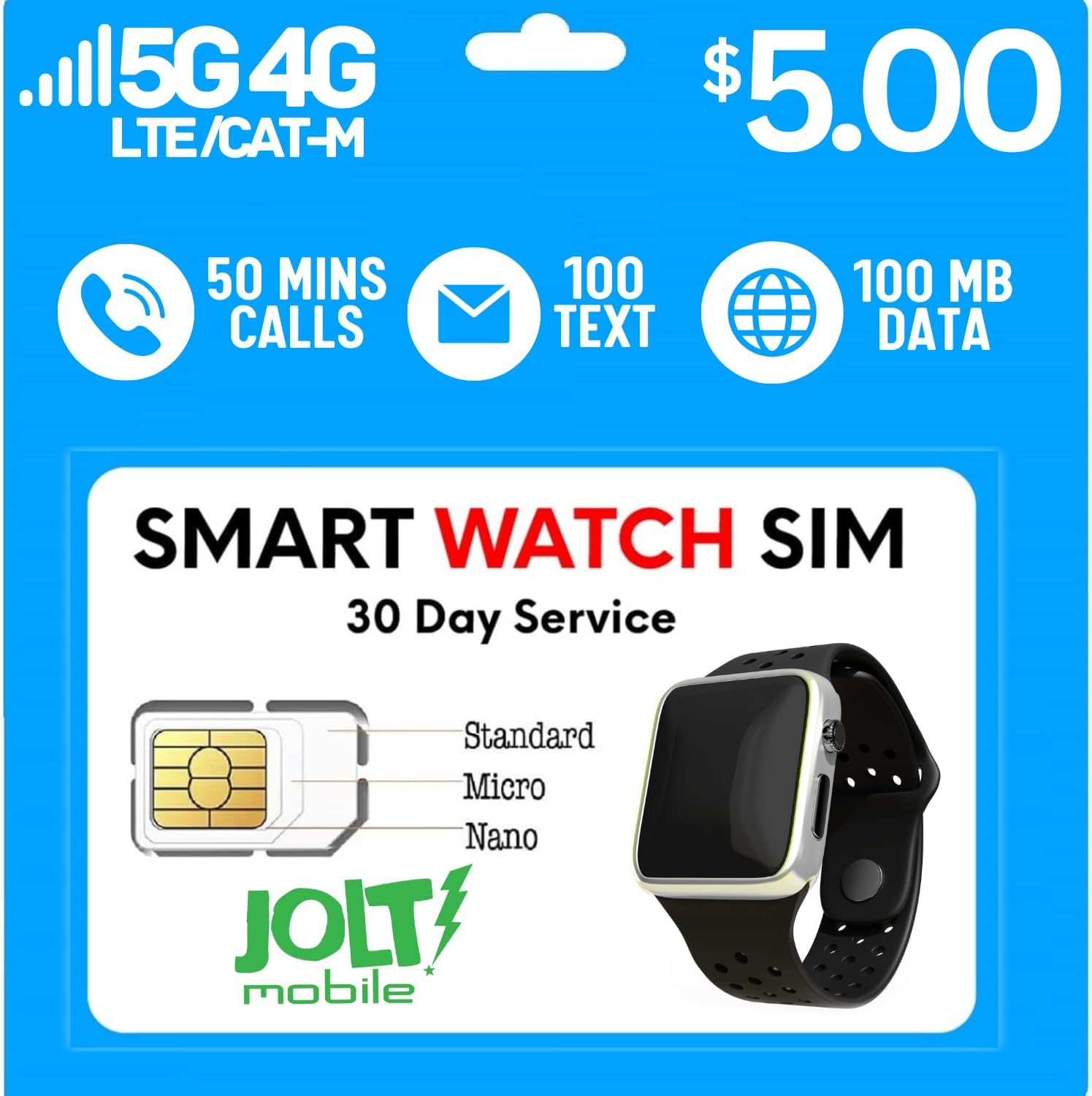
The Jolt Mobile SIM card is a triple-cut design, allowing it to be used as a Standard, Micro, or Nano SIM, ensuring compatibility with a wide range of devices. Each plan includes a specific allocation of minutes, texts, and data for a 30-day period.

fitur konci ngawengku:
- No Contract: Freedom to cancel service at any time.
- Triple-Cut SIM: Standard, Micro, and Nano sizes for broad device compatibility.
- AT&T Network: Utilizes AT&T's 5G/4G LTE network for reliable coverage.
- Prepaid Plan: Includes 50 minutes, 100 SMS texts, and 100MB of data for 30 days.

2. Setup jeung Aktipkeun
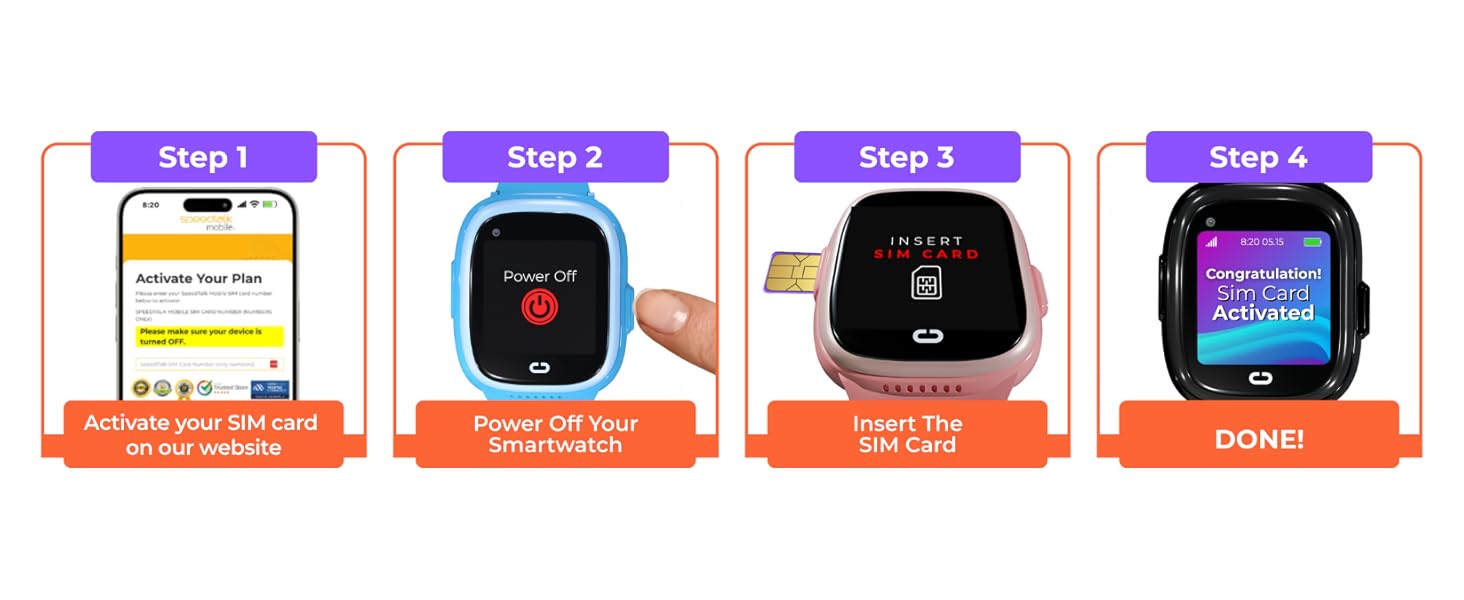
Follow these steps to set up and activate your Jolt Mobile SIM Card:
- Prepare the SIM Card: The Jolt Mobile SIM card is a 3-in-1 design. Carefully punch out the correct size (Standard, Micro, or Nano) required for your device.
- Pareum Alat: Ensure your GPS tracker, smartwatch, or other compatible device is powered off before inserting the SIM card.
- Selapkeun Kartu SIM: Locate the SIM card slot on your device and insert the Jolt Mobile SIM card. Refer to your device's manual for specific instructions on SIM card insertion.
- Activate Online: Visit the Jolt Mobile activation website to activate your SIM card. A valid credit card is required for activation to set up your subscription plan.
- Konpigurasikeun Setélan APN: After activation, you may need to manually configure the Access Point Name (APN) settings on your device. This is crucial for connecting to the Jolt Mobile network.
- Daya Dina Alat: Once the SIM is inserted and activated, power on your device.
2.1 Setélan APN
For devices including routers, portable Wi-Fi, and hotspot devices, ensure the network band frequency matches LTE Bands 2/4/5/12/14/29/30/66. Devices will not connect unless the APN is properly set.
| Setélan | Nilai |
|---|---|
| APN | 19004.mcs |
| Ngaran pamaké APN | (euweuh) |
| Sandi APN | (euweuh) |


3. Operating Your SIM Card
Once activated and configured, your Jolt Mobile SIM card will enable communication features on your compatible device. A U.S. phone number is automatically generated upon service activation.
3.1 Network Coverage
Jolt Mobile service operates within the United States, utilizing the AT&T network. For up-to-date coverage information, please refer to the official Jolt Mobile coverage map.

3.2 Kasaluyuan Alat
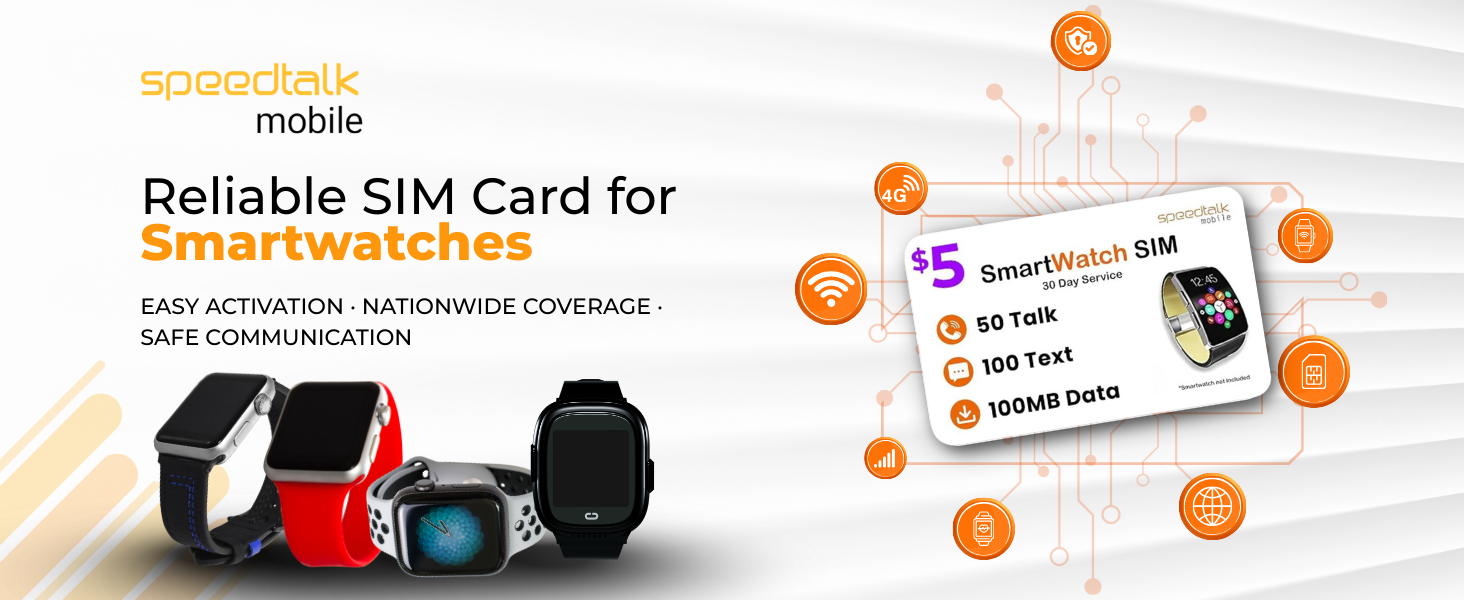
The SIM card is compatible with a majority of 5G 4G LTE GSM smartwatches and wearables, as well as GPS trackers, alarm systems, and other IoT devices. Ensure your device is unlocked and supports the specified LTE bands.

4. Pangropéa
The Jolt Mobile SIM card requires minimal maintenance. To ensure optimal performance and longevity:
- Nanganan kalayan ati-ati: Avoid bending or scratching the metallic contact area of the SIM card.
- Tetep Bersih: If necessary, gently wipe the metallic contacts with a soft, dry, lint-free cloth. Do not use liquids or abrasive materials.
- Panyimpenan anu leres: When not in use, store the SIM card in its original packaging or a protective holder to prevent damage.
5. Cara ngungkulan
If you encounter issues with your Jolt Mobile SIM card, consider the following troubleshooting steps:
- No Service/Network Connection:
- Verify that the SIM card is correctly inserted into your device.
- Check the APN settings on your device against the values provided in Section 2.1. Incorrect APN settings are a common cause of connectivity issues.
- Ensure your device is compatible with AT&T's 5G/4G LTE network bands (2/4/5/12/14/29/30/66).
- Confirm that your service plan is active and has not expired.
- Balikan deui alat anjeun.
- Activation Issues:
- Double-check the SIM card number entered during activation.
- Ensure your credit card information is correct and up-to-date for subscription payments.
- If activation fails, contact Jolt Mobile customer support for assistance.
- Calls/Texts/Data Not Working:
- Check your remaining plan balance for minutes, texts, and data.
- Confirm you are within the Jolt Mobile service area (United States).
- Ensure your device's cellular settings are enabled.
For persistent issues, please contact Jolt Mobile customer support.
6. Spésifikasi
| Fitur | Rincian |
|---|---|
| merek | SpeedTalk Mobile (Jolt Mobile) |
| Nomer modél | AT&T Network |
| Téhnologi sélular | 4G, LTE, CAT-M, NB IoT |
| Tipe SIM | Triple-Cut (Standard, Micro, Nano) |
| Panyayogi Jaringan | AT&T Network |
| Dimensi produk | 3.35 x 2.2 x 0.1 inci |
| Item Beurat | 0.317 ons |
| UPC | 850016079817 |
| Included Plan | 50 Minutes Call, 100 SMS Text, 100MB Data (30 days) |
7. Émbaran jaminan
Specific warranty details for the Jolt Mobile SIM card are not provided in this manual. For information regarding product warranty or service guarantees, please refer to the terms and conditions available on the official SpeedTalk Mobile or Jolt Mobile website, or contact customer support directly.
8. Rojongan Palanggan
Jolt Mobile offers live customer support to assist you with any questions or issues regarding your SIM card and service. Support representatives are available 7 days a week.
- Rojongan Telepon: Call our toll-free number for live assistance.
- Rojongan Email: Send your inquiries via email.
- Live Chat: Access live chat support through the Jolt Mobile websitus.
Contact details can be found on the official SpeedTalk Mobile or Jolt Mobile websitus.


