1. Bubuka
This manual provides detailed instructions for setting up, operating, and maintaining your BenQ PD2725U Thunderbolt 3 Monitor. Designed for professional use with Mac devices, this 27-inch 4K IPS UHD monitor offers exceptional color accuracy and versatile connectivity to enhance your workflow.
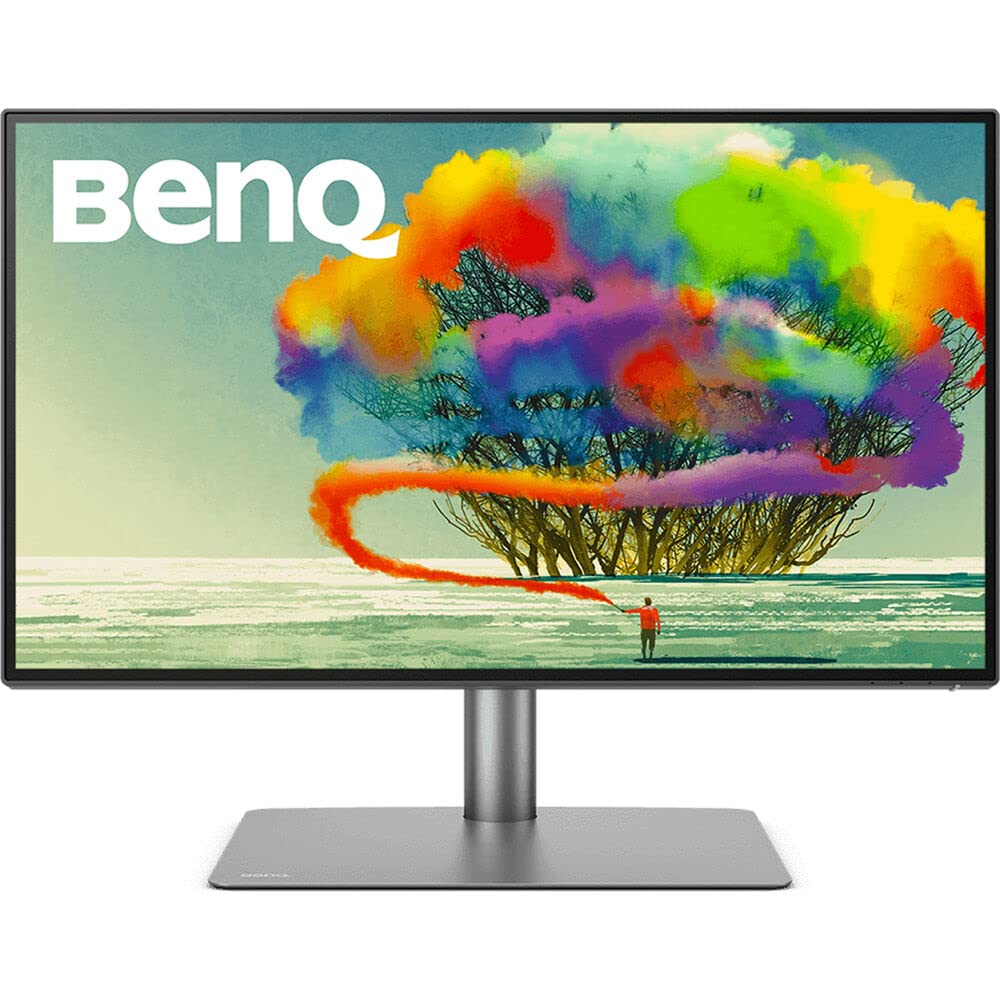
Gambar 1: Hareupeun view of the BenQ PD2725U monitor.
2. Naon dina Box
Pastikeun yén sadaya item di handap ieu kalebet dina pakét anjeun:
- Monitor BenQ PD2725U
- Stand Monitor (Dasar sareng Panangan)
- Kabel Daya
- Kabel HDMI
- Kabel DisplayPort
- USB-C to USB-C Cable (Thunderbolt 3 compatible)
- USB-B ka USB-A Cable
- Hotkey Puck G2
- Gancang Mimitian Guide
- Laporan Kalibrasi Pabrik
3. Setélan
3.1. Ngarakit Monitor Stand
- Teundeun monitor nyanghareupan handap dina permukaan lemes, beresih pikeun nyegah goresan.
- Attach the stand arm to the back of the monitor by aligning the two prongs on the arm with the slots on the monitor and pushing down until it clicks into place.
- Attach the stand base to the stand arm by aligning the screw on the arm with the hole in the base and tightening the screw.

Gambar 2: Tukangeun view of the monitor with the stand attached, highlighting the connectivity ports.
3.2. Nyambungkeun Monitor
The BenQ PD2725U offers various connectivity options. Choose the appropriate cable for your device:
- Thunderbolt 3 (USB-C): Connects your Mac for video, data, and up to 65W power delivery with a single cable. This port also supports daisy-chaining to a second compatible monitor.
- HDMI: Anggo kabel HDMI pikeun nyambungkeun ka alat anu ngadukung kaluaran HDMI.
- DisplayPort: Use a DisplayPort cable for DisplayPort compatible devices.
- USB Hub: Connect the USB-B to USB-A cable from your computer to the monitor's upstream USB port to enable the monitor's 3-port USB hub.
- kakuatan: Sambungkeun kabel listrik ka monitor sareng stopkontak.
Video 1: BenQ PD2725U 4K Monitor for Mac by John Branch IV. This video demonstrates the unboxing and initial setup of the monitor, including connecting cables.
4. Fitur konci
4.1. Thunderbolt 3 Connectivity
The Thunderbolt 3 port provides a single-cable solution for synchronizing images, videos, and data seamlessly, while also charging your Mac devices with up to 65W power delivery. Its 40 Gb/s bandwidth supports extending your workspace to dual 4K monitors via daisy-chain technology.
4.2. AQCOLOR Technology for Color Accuracy
Experience precise color tuning with AQCOLOR technology, offering 100% sRGB & Rec.709, 95% P3 color space coverage, and a DeltaE≤3 for exceptional color accuracy. The monitor is factory-calibrated and Pantone Validated, ensuring consistent and reliable color performance.
Video 2: Display ColorTalk Color Consistency Software. This video explains how BenQ's software ensures color consistency across devices.
4.3. KVM Switch and Hotkey Puck G2
The built-in KVM switch allows you to control two different computer systems with a single keyboard and mouse connected to the monitor. The Hotkey Puck G2 provides quick access to OSD settings and custom functions, streamlining your workflow.
4.4. Desain ergonomis
The monitor stand offers extensive ergonomic adjustments including height, tilt, swivel, and pivot, allowing you to find the most comfortable viewing position for extended work sessions.

Figure 3: The monitor's ergonomic stand allows for height, tilt, swivel, and pivot adjustments.
5. Ngoperasikeun Monitor
5.1. Using the Hotkey Puck G2
The Hotkey Puck G2 provides convenient control over the monitor's On-Screen Display (OSD) settings. Use the dial to navigate menus and the customizable buttons for quick access to frequently used functions like input switching or color modes.
5.2. Color Modes and Display Pilot Software
The monitor features specialized color modes such as M-book mode (to match Mac colors), CAD/CAM mode, Animation mode, and Darkroom mode. Utilize the BenQ Display Pilot software for Mac to easily switch between these modes, adjust settings, and ensure color synchronization with your Mac device.
Video 3: BenQ iKeyboard Control adjusts brightness via MacBook. This video demonstrates how to control monitor settings directly from your MacBook.
Video 4: PD Series Palette Master Ultimate Software Calibration. This video explains the advanced calibration software for BenQ PD series monitors.
6. Pangropéa
6.1. Ngabersihan Monitor
Pikeun ngabersihkeun layar monitor, usap sacara lembut nganggo kaén anu lemes sareng teu aya serat. Pikeun tanda pengkuh, enteng dampBilas lawon ku cai atanapi pembersih layar anu hampang sareng henteu abrasif. Hindarkeun nganggo bahan kimia anu keras atanapi bahan abrasif.
6.2. Kaperawatan Umum
Keep the monitor in a well-ventilated area. Avoid exposing it to direct sunlight, excessive heat, or moisture. Ensure cables are neatly organized to prevent damage and maintain a tidy workspace.
7. Cara ngungkulan
- No Display/No Signal: Ensure all cables (power, Thunderbolt 3/HDMI/DisplayPort) are securely connected to both the monitor and your computer. Verify the correct input source is selected on the monitor using the OSD or Hotkey Puck.
- Layar kedip-kedip: Check cable connections. Ensure your graphics card drivers are up to date. Try a different cable or port.
- Kateupastian Warna: Run the BenQ Display Pilot software to ensure proper color synchronization with your Mac. Perform a hardware calibration if you have a colorimeter.
- KVM Switch Issues: Ensure both computers are properly connected to the monitor's USB upstream ports and video inputs. Verify the KVM switch settings in the OSD.
8. Spésifikasi
| Fitur | Spésifikasi |
|---|---|
| Ukuran tampilan layar nangtung | 27 inci |
| Resolusi layar | 3840x2160 (4K UHD) |
| Resolusi layar Max | 3840 x 2160 piksel |
| Jumlah USB 3.0 palabuhan | 4 |
| merek | BenQ |
| Runtuyan | PD2725U |
| Nomer modél barang | PD2725U |
| Item Beurat | 18.3 pon |
| Dimensi produk | 10.8 x 24.2 x 17.7 inci |
| Warna | Hideung |
| Voltage | 240 volt |
| Produsén | BenQ |
| Rasio Aspék | 16:9 |
| Pedaran Permukaan layar | Matte |
9. Garansi jeung Rojongan
The BenQ PD2725U monitor typically comes with a standard manufacturer's warranty. For specific warranty terms, technical support, and service inquiries, please refer to the official BenQ websitus atanapi ngahubungan rojongan customer maranéhanana langsung.


