
1. Bubuka
Thank you for choosing Monster Persona Noise Cancelling Wireless Headphones. These headphones are designed to provide a superior audio experience with advanced noise cancellation, Hi-Fi stereo sound, and deep bass. This manual will guide you through the setup, operation, and maintenance of your new headphones to ensure optimal performance and longevity.

Image: Monster Persona Noise Cancelling Wireless Headphones, showcasing their sleek gray design.
2. Naon dina Box
Upon unboxing your Monster Persona headphones, please ensure all the following components are present:
- Monster Persona Wireless Headphones
- 3.5mm kabel AUX
- Kabel USB-C
- Adaptor hiber
- Kantong Panyimpen
Video: A detailed unboxing of the Monster Persona headphones, showing all included accessories and the headphones themselves.
3. Produk Langkungview
3.1. Kadali sarta Fitur
The Monster Persona headphones feature intuitive controls for easy management of audio and calls. Key features include:
- Aktif Noise Cancelling (ANC): Ngurangan noise ambient pikeun pangalaman déngékeun immersive.
- Modeu Sora Sakuliling: Ngidinan anjeun ngadangu sakuliling anjeun bari ngadangukeun audio.
- Kontrol volume: Adjust audio levels directly from the headphones.
- Tombol multi-fungsi: Manages calls, music playback, and voice assistant activation.
- Port ngecas USB-C: For fast and convenient charging.
- 3.5mm Audio Jack: Pikeun sambungan kabel.

Image: A visual representation highlighting the adjustable headband, 90-degree rotatable earcups, and foldable design for portability.
Video: Langkung lengkepnaview of the Monster Persona headphones, showcasing their design and various features.
Video: Demonstrates the foldable design of the Monster Persona Over-Ear Wireless Headphones, highlighting their portability.
4. Setélan
4.1. Ngecas Headphone
Before first use, fully charge your headphones. Connect the supplied USB-C cable to the charging port on the headphones and the other end to a USB power source. The LED indicator will show charging status.
- Ngeusi batre pinuh butuh kurang leuwih 1 jam.
- Ngecas gancang 5 menit nyayogikeun dugi ka 2.5 jam waktos maén.
- Fully charged, the headphones offer over 30 hours of playtime.
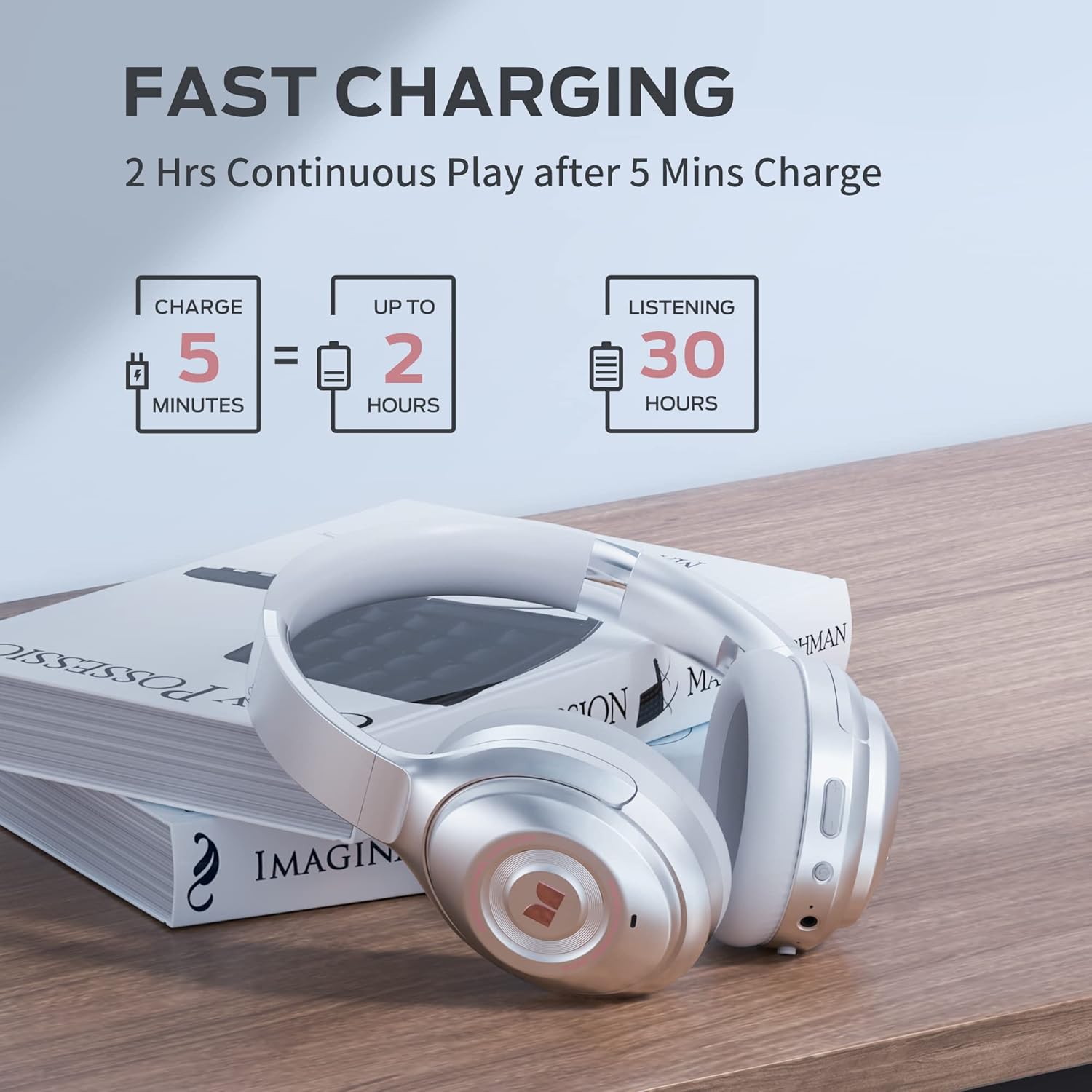
Image: Visual guide to the fast charging feature, showing charge times and playtime.
4.2. Daya Hurung / Pareum
- Pikeun Ngahurungkeun: Pencét terus tahan tombol Daya salami 2 detik. Indikator LED bakal hurung.
- Pikeun mareuman: Pencét jeung tahan tombol Daya salila 3 detik. Indikator LED bakal pareum.
4.3. Papasangan Bluetooth
Pikeun nyambungkeun headphone anjeun ka alat nu diaktipkeun Bluetooth:
- Pastikeun headphone dipareuman.
- Pencét jeung tahan tombol Daya salila 5 detik nepi ka indikator LED hurung bulao jeung beureum, nunjukkeun mode papasangan.
- On your device, go to Bluetooth settings and select "Monster Persona" from the list of available devices.
- Sakali disambungkeun, indikator LED bakal ngahurungkeun biru padet.

Image: A visual guide demonstrating how to easily pair your Monster Persona headphones via Bluetooth.
Video: A step-by-step tutorial on how to pair your Monster Persona headphones with a Bluetooth device.
5. Ngoperasikeun Headphone
5.1. Active Noise Cancellation (ANC)
The headphones feature advanced active noise cancellation to minimize external distractions.
- To Activate ANC: Press the ANC button located on the earcup. You will hear an audible confirmation.
- To Deactivate ANC: Pencét deui tombol ANC.

Image: Illustration of the Active Noise Cancellation feature, demonstrating how external noise is reduced.
Video: Demonstrates the active noise cancelling feature of the Monster Persona Wireless Headphones.
5.2. Modeu Sora Ambient
This mode allows you to hear important sounds around you without removing your headphones.
- To Activate Ambient Sound Mode: Press the Ambient Sound button (often the same as ANC button, or a dedicated button depending on model).
- To Deactivate Ambient Sound Mode: Pencét tombol deui.

Image: A visual explanation of the Ambient Sound feature, allowing users to remain aware of their surroundings.
5.3. Kontrol Putar Musik
- Puter / Reureuh: Pencét tombol Multi-fungsi sakali.
- Lagu salajengna: Pencét jeung tahan tombol Volume Up.
- Lagu Sateuacanna: Pencét jeung tahan tombol Jilid Turun.
5.4. Manajemén nelepon
- Ngajawab / mungkas Telepon: Pencét tombol Multi-fungsi sakali.
- Nolak Telepon: Pencét jeung tahan tombol Multi-fungsi salila 2 detik.
- Aktipkeun Asisten Sora: Pencét dua kali tombol Multi-fungsi.
6. Pangropéa
To ensure the longevity and optimal performance of your Monster Persona headphones, follow these maintenance guidelines:
- beberesih: Anggo lawon anu lemes sareng garing pikeun ngabersihkeun panutup ceuli sareng ikat sirah. Entong nganggo pembersih atanapi pelarut anu abrasif.
- Panyimpenan: When not in use, store the headphones in the provided storage bag to protect them from dust and scratches. The foldable design makes them compact for storage.
- Hindarkeun Uap: Headphone ieu teu tahan cai. Ulah kakeunaan cai, hujan, atanapi kalembaban anu kaleuleuwihi.
- Suhu: Ulah ngalaan headphone ka suhu ekstrim (panas atawa tiis).
7. Cara ngungkulan
Upami anjeun ngalaman masalah sareng headphone anjeun, tingali masalah sareng solusi umum ieu:
| Masalah | Mungkin Cukang lantaranana | Solusi |
|---|---|---|
| Headphone teu hurung | batré lemah | Ngecas headphone pinuh. |
| Teu bisa masangkeun via Bluetooth | Headphones not in pairing mode / Device Bluetooth off | Ensure headphones are in pairing mode (flashing blue/red LED). Turn Bluetooth on your device. Forget previous pairings and try again. |
| Taya sora | Volume too low / Not connected / Wired mode issue | Increase volume on headphones and device. Ensure successful Bluetooth connection. If using 3.5mm cable, ensure it's fully inserted. |
| ANC henteu tiasa dianggo sacara efektif | ANC not activated / Improper fit | Pencét tombol ANC pikeun ngaktipkeun. Atur headphone supados pas kana ceuli anjeun. |
8. Spésifikasi
| Fitur | Rincian |
|---|---|
| Ngaran modél | MH31902 |
| Téhnologi konektipitas | Bluetooth 5.0 |
| Headphone Jack | 3.5 mm Jack |
| Kontrol bising | Pembatalan Noise aktip |
| Kahirupan batré | 30 Jam |
| Waktu Ngecas | 1 jam |
| Tipe Supir Audio | Supir dinamis |
| Ukuran Supir Audio | 40 milimeter |
| Rentang Frékuénsi | 10 Hz - 30,000 Hz |
| Wangun Earpiece | Leuwih Ceuli |
| Item Beurat | 291 Gram (10.3 ons) |
| Dimensi produk | 7.87 x 6.3 x 3.15 inci |
| Tingkat Résistansi Cai | Henteu Tahan Cai |
| Produsén | JONTER |
| UPC | 810079709892 |
9. Garansi jeung Rojongan
Kanggo inpormasi garansi sareng dukungan palanggan, mangga tingali dokuméntasi anu kalebet dina pameseran anjeun atanapi kunjungi situs resmi Monster. websitus. Anjeun ogé tiasa ngahubungi titik pameseran anjeun pikeun pitulung.
For further inquiries or technical support, please reach out to Monster customer service through their official channels.