1. Bubuka
This manual provides detailed instructions for the installation, configuration, and operation of your ASRock Z590M Phantom Gaming 4 motherboard. Please read this manual thoroughly before attempting to install or use the product to ensure proper functionality and to prevent damage.
Émbaran Kasalametan
- Salawasna pegatkeun sambungan kabel listrik ti stop kontak témbok saméméh noel komponén naon di jero wadah komputer.
- Anggo tali pigeulang anti statik nalika nanganan komponén pikeun nyegah karusakan éléktrostatik (ESD).
- Pastikeun ventilasi anu cekap dina jero casing komputer pikeun nyegah panas teuing.
- Tetep motherboard jauh ti Uap jeung hawa ekstrim.
2. Produk Langkungview
The ASRock Z590M Phantom Gaming 4 is a Micro ATX motherboard designed for 10th and 11th Generation Intel Core processors, utilizing the LGA1200 socket and Intel Z590 chipset. It supports DDR4 memory, features USB 3.2 Gen2, Hyper M.2 (PCIe Gen4x4), and ASRock's Super Alloy design for enhanced durability and performance.
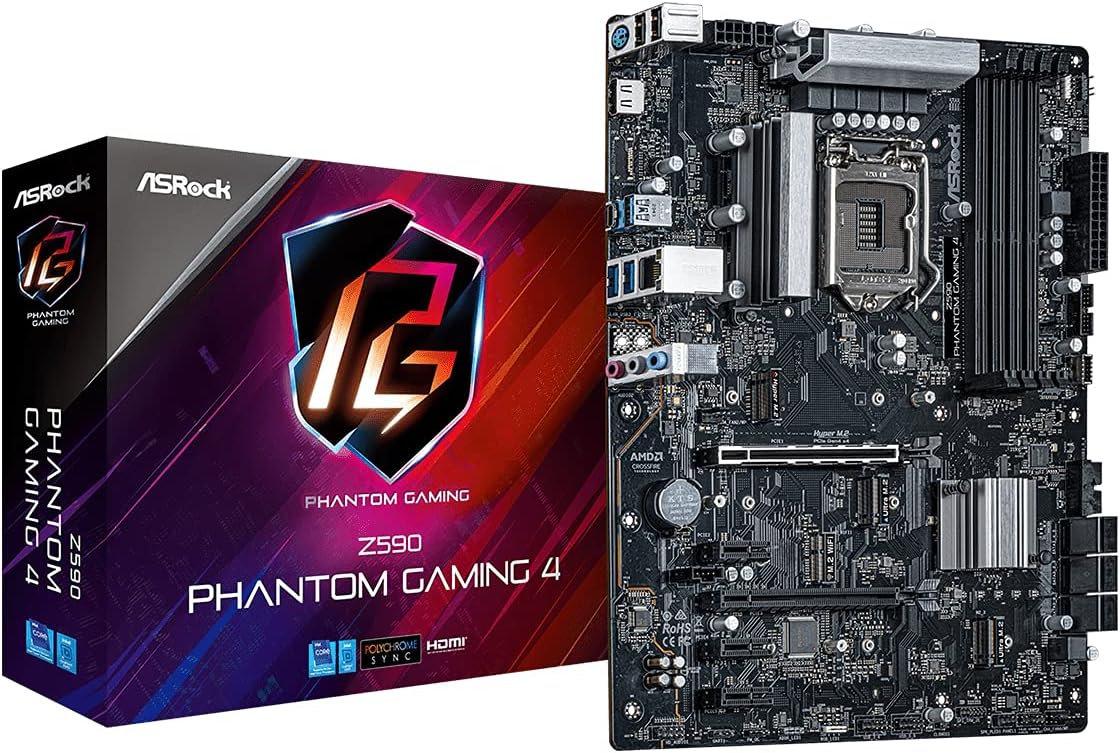
Gambar 2.1: The ASRock Z590M Phantom Gaming 4 motherboard alongside its retail packaging. This image provides a general view of the product and its branding.
Fitur konci
- Supports 10th and 11th Gen Intel Core Processors (LGA1200)
- Intel Z590 Chipset
- Dual Channel DDR4 Memory Technology (up to 4800MHz)
- ASRock USB 3.2 Gen2 Type-A Port (10 Gb/s)
- ASRock Hyper M.2 (PCIe Gen4x4) for high-speed storage
- ASRock Super Alloy design with Premium 50A Power Chokes and Sapphire Black PCB
- ASRock Steel Slot for enhanced PCIe slot durability
- ASRock POST Status Checker (PSC) for diagnostic assistance
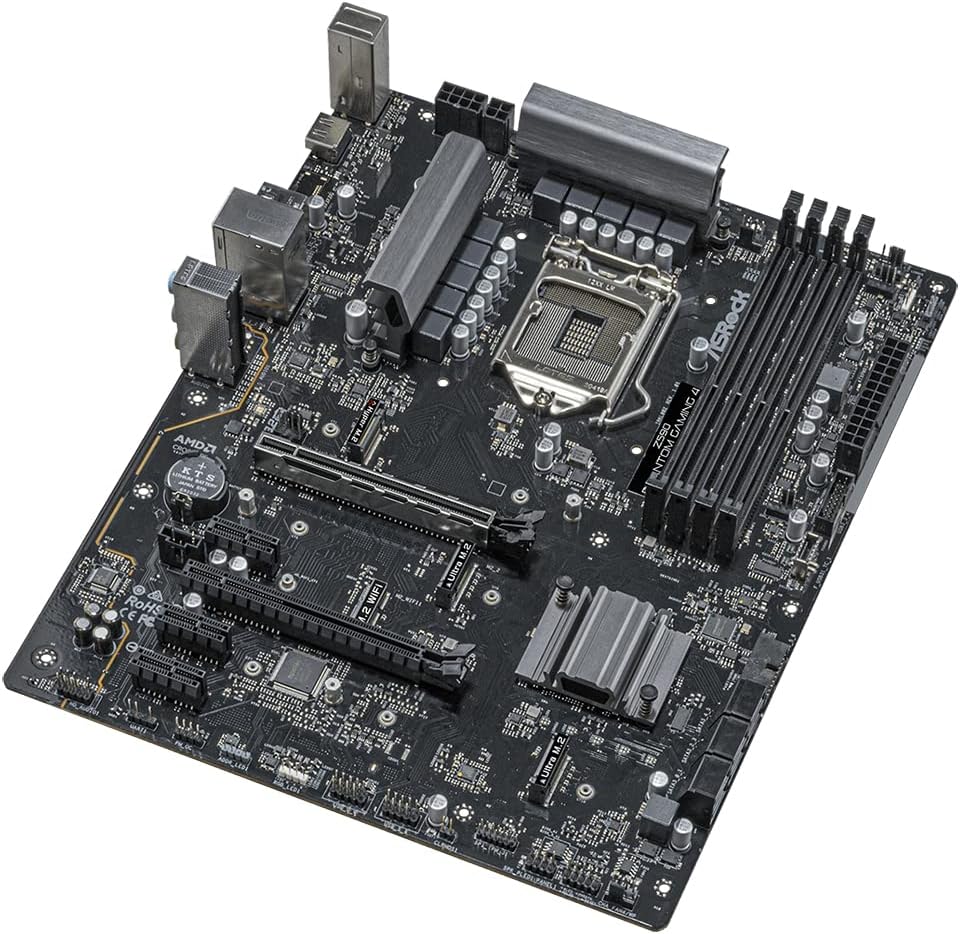
Gambar 2.2: An angled perspective of the ASRock Z590M Phantom Gaming 4 motherboard, highlighting the CPU socket, RAM slots, and various expansion slots.
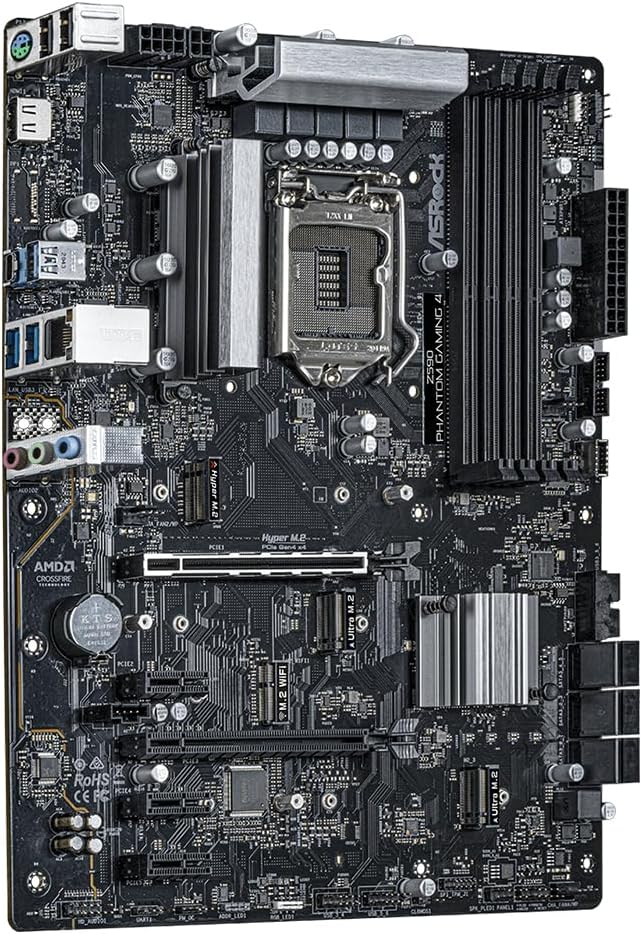
Gambar 2.3: A luhur-handap view of the ASRock Z590M Phantom Gaming 4 motherboard, showing the layout of components including the chipset heatsink, M.2 slots, and PCIe slots.
3. Setup jeung Instalasi
Turutan léngkah-léngkah ieu sacara saksama pikeun masang motherboard sareng komponenana.
3.1 Masang CPU
- Buka uas stop kontak CPU jeung angkat plat beban.
- Taliti align CPU jeung stop kontak, mastikeun segitiga emas dina CPU cocog segitiga dina stop kontak nu.
- Gently nempatkeun CPU kana stop kontak tanpa maksa eta.
- Tutupkeun pelat beban teras pencét tuas dugi ka konci dina tempatna.
3.2 Nginstal Mémori (RAM)
- Buka klip dina kadua tungtung slot DIMM.
- Align the notch on the DDR4 memory module with the notch in the DIMM slot.
- Insert the memory module firmly into the slot until the clips snap into place. For dual-channel operation, refer to the motherboard manual for recommended slot configurations.
3.3 Installing Storage Devices
- M.2 SSD: Panggihan slot M.2. Selapkeun SSD M.2 kana slot dina sudut 30 derajat, teras pencét lalaunan ka handap sareng amankeun nganggo sekrup anu disayogikeun.
- drive SATA: Connect SATA data cables from your SSD/HDD to the SATA ports on the motherboard. Connect power cables from your power supply to the drives.
3.4 Installing Expansion Cards
Insert graphics cards or other PCIe expansion cards into the appropriate PCIe slots. Ensure they are seated firmly and secured with a screw to the case.
3.5 Nyambungkeun Power Supply
- Connect the 24-pin ATX power connector to the main power socket on the motherboard.
- Connect the 8-pin (or 4+4-pin) ATX 12V power connector to the CPU power socket.
- Connect power to any graphics cards or other components as required.
3.6 Connecting Front Panel and Rear I/O
- Connect the front panel headers (power switch, reset switch, HDD LED, power LED) to the corresponding pins on the motherboard. Refer to the motherboard diagram for correct pin assignments.
- Connect USB, audio, and other front panel connectors.
- Ensure the I/O shield is installed in your case before mounting the motherboard.

Gambar 3.1: The rear I/O panel of the ASRock Z590M Phantom Gaming 4 motherboard, displaying various ports including USB, Ethernet, and audio jacks.
4. Parentah Operasi
After successful installation, you can power on your system and configure the BIOS/UEFI.
4.1 Mimiti boot jeung BIOS / UEFI Setup
- Daya dina komputer Anjeun.
- Pencét éta DEL or F2 konci nalika ngamimitian pikeun asup ka utilitas setelan BIOS/UEFI.
- Configure essential settings such as boot order, date/time, and enable XMP for memory if desired.
- Save changes and exit. The system will restart.
4.2 Pamasangan Sistem Operasi
Insert your operating system installation media (USB drive or DVD) and follow the on-screen prompts to install your preferred operating system.
4.3 Pamasangan Supir
After installing the operating system, install the necessary drivers from the ASRock support website or the provided driver CD (if applicable). Key drivers include chipset, audio, LAN, and graphics drivers.
5. Pangropéa
pangropéa rutin mantuan mastikeun umur panjang sarta kinerja optimal motherboard Anjeun.
5.1 beberesih
- Periodically clean dust from inside your computer case using compressed air.
- Pastikeun fans (CPU, kasus, GPU) bébas tina halangan.
- Salawasna pegatkeun sambungan kakuatan saméméh beberesih.
5.2 mios / UEFI Apdet
Pariksa ASRock website for the latest BIOS/UEFI updates. Updates can improve stability, compatibility, and performance. Follow the instructions provided by ASRock carefully when performing a BIOS update.
6. Cara ngungkulan
Bagian ieu ngabahas masalah umum anu anjeun tingali.
6.1 Taya Daya / Taya Boot
- Pariksa sadaya sambungan kakuatan (24-pin ATX, 8-pin CPU, GPU).
- Pastikeun catu daya dihurungkeun.
- Verify the front panel power switch connection to the motherboard.
- Uji nganggo catu daya anu béda upami tiasa.
6.2 Taya Pintonan
- Ensure the monitor is connected to the graphics card (or integrated graphics if no discrete GPU).
- Pasang deui kartu grafik sareng modul RAM.
- Check the POST Status Checker (PSC) LEDs on the motherboard for diagnostic codes.
6.3 Instabilitas Sistim / kacilakaan
- Pariksa suhu CPU sareng GPU. Pastikeun cooling nyukupan.
- Jalankeun alat diagnostik mémori pikeun mariksa kasalahan RAM.
- Pastikeun yén sadaya supir parantos diropéa.
- Reset BIOS ka setélan standar.
7. Spésifikasi
| Fitur | Spésifikasi |
|---|---|
| merek | ASRock |
| Ngaran modél | Z590M PHANTOM GAMING 4 |
| CPU Socket | LGA 1200 |
| Prosesor cocog | 10th Generation Intel Core, 11th Generation Intel Core |
| Tipe Chipset | Intel Z590 |
| Téhnologi Mémori RAM | DDR4 SDRAM |
| Laju mémori | Nepi ka 4800 MHz (OC) |
| Kapasitas Panyimpenan Mémori | 12 GB (Note: This value from source data may refer to a specific configuration, actual max capacity depends on DIMM slots and module size) |
| Jumlah USB 2.0 palabuhan | 2 (I/O Tukangeun) |
| Dimensi produk | 11 x 10.5 x 2.5 inci |
| Item Beurat | 2.2 pon |
| Platform | Windows |
| Batré Diperlukeun | 1 Lithium Ion (for CMOS) |
8. Garansi jeung Rojongan
Kanggo inpormasi garansi anu lengkep, mangga tingali kartu garansi anu kalebet dina produk anjeun atanapi kunjungi situs wéb resmi ASRock. website. ASRock provides technical support for its products.
8.1 Rojongan Téknis
If you encounter issues that cannot be resolved using this manual or the troubleshooting steps, please contact ASRock technical support through their official website. Have your product model and serial number ready when contacting support.
ASRock Official Websitus: www.asrock.com


