1. Bubuka
Welcome to your new SoFlow SO4 Pro Gen 2 Electric Scooter. This manual provides essential information for safe operation, maintenance, and troubleshooting. Please read it thoroughly before using your scooter to ensure a safe and enjoyable experience.
2. Parentah Kasalametan
Kasalametan anjeun penting pisan. Salawasna taat kana tungtunan ieu:
- Salawasna nganggo helm sareng alat pelindung anu pas (bantal dengkul, bantalan siku) nalika naek.
- Check the brakes, tire pressure, and overall condition of the scooter before each ride.
- Taat kana sagala undang-undang sareng peraturan lalu lintas lokal.
- Ulah numpak dina kaayaan baseuh, hujan badag, atawa ngaliwatan puddles.
- The maximum load capacity is 150 kg. Do not exceed this limit.
- Utilize the integrated turn signals for enhanced visibility when changing direction.
- The contactless anti-theft feature with the integrated NFC chip provides additional security.
- Avoid riding on uneven surfaces, steep slopes (over 18%), or in crowded areas.
3. Eusi Paket
Upon opening your package, ensure all the following items are present:
- SoFlow SO4 Pro Gen 2 Electric Scooter (1 piece)
- Batré Litium (tos dipasang atanapi misah)
- Carjer batré
- Manual pamaké
4. Produk Langkungview
Familiarize yourself with the main components of your SoFlow SO4 Pro Gen 2 Electric Scooter.

Gambar 4.1: Hareupeun view of the SoFlow SO4 Pro Gen 2 Electric Scooter, highlighting the handlebars, front wheel, and deck.
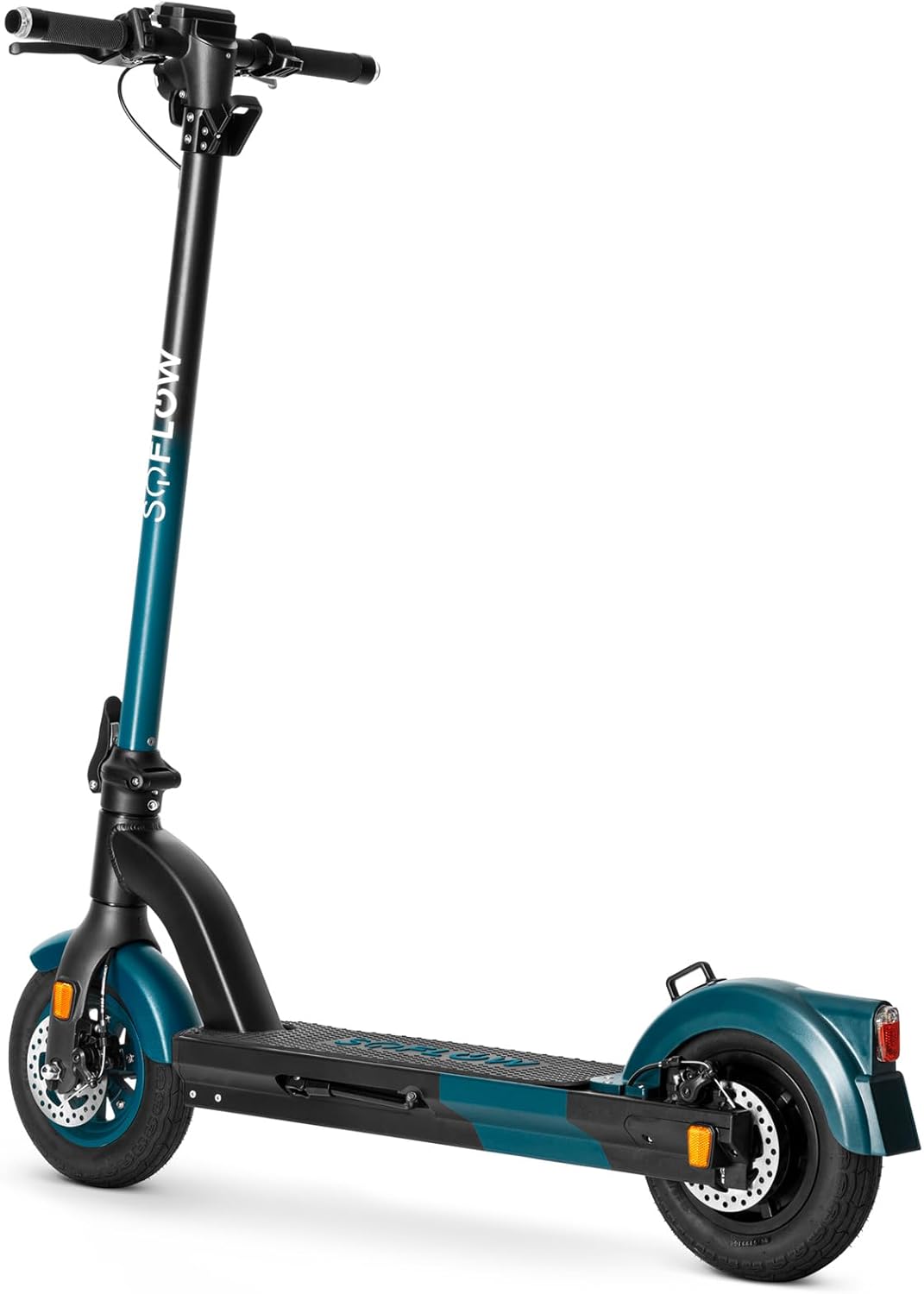
Gambar 4.2: Pahareup-hareup view of the SoFlow SO4 Pro Gen 2 Electric Scooter, showing the front disc brake and tire.
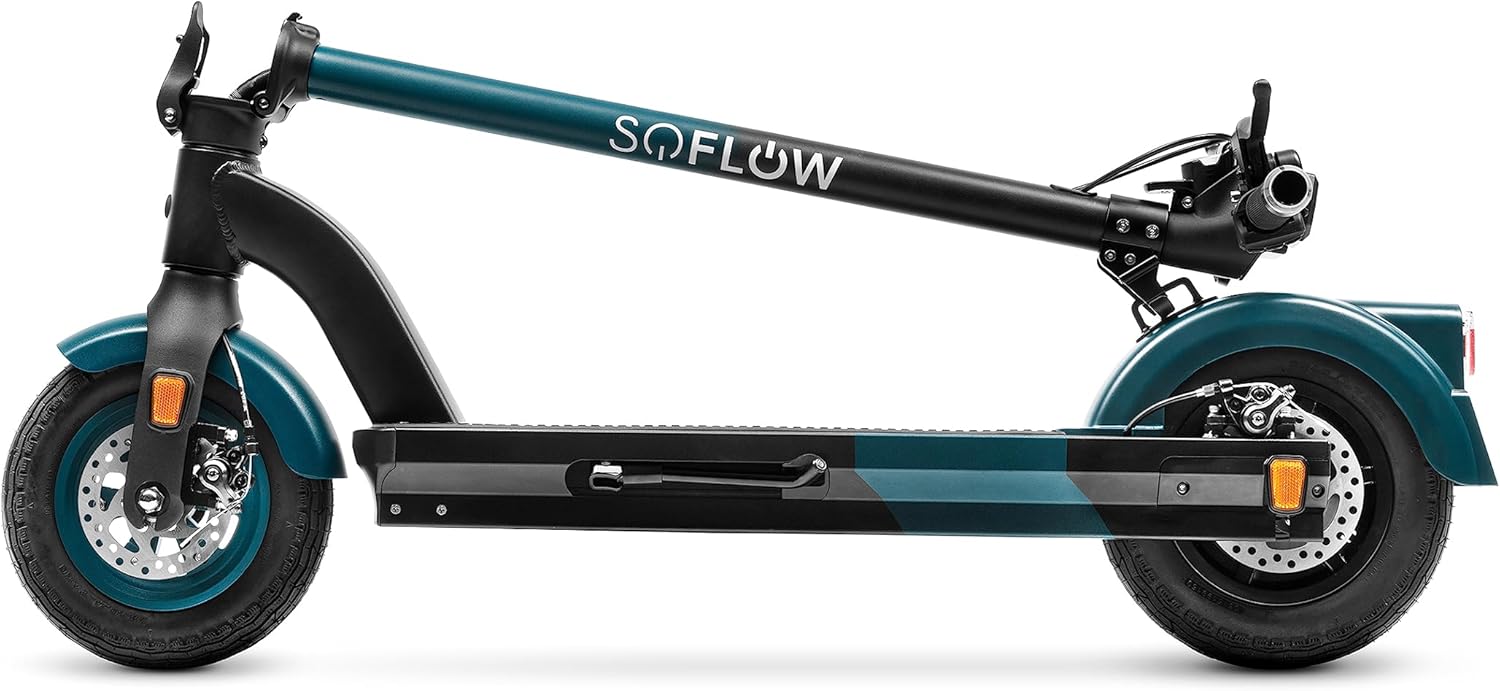
Gambar 4.3: Samping view of the SoFlow SO4 Pro Gen 2 Electric Scooter, illustrating the overall profile and rear wheel.

Gambar 4.4: Tukangeun view of the SoFlow SO4 Pro Gen 2 Electric Scooter, showing the rear fender, brake light, and disc brake.

Gambar 4.5: The SoFlow SO4 Pro Gen 2 Electric Scooter in its folded position, demonstrating its compact design for transport.

Gambar 4.6: A hand removing the lithium battery from the scooter's deck compartment, illustrating the removable battery feature.
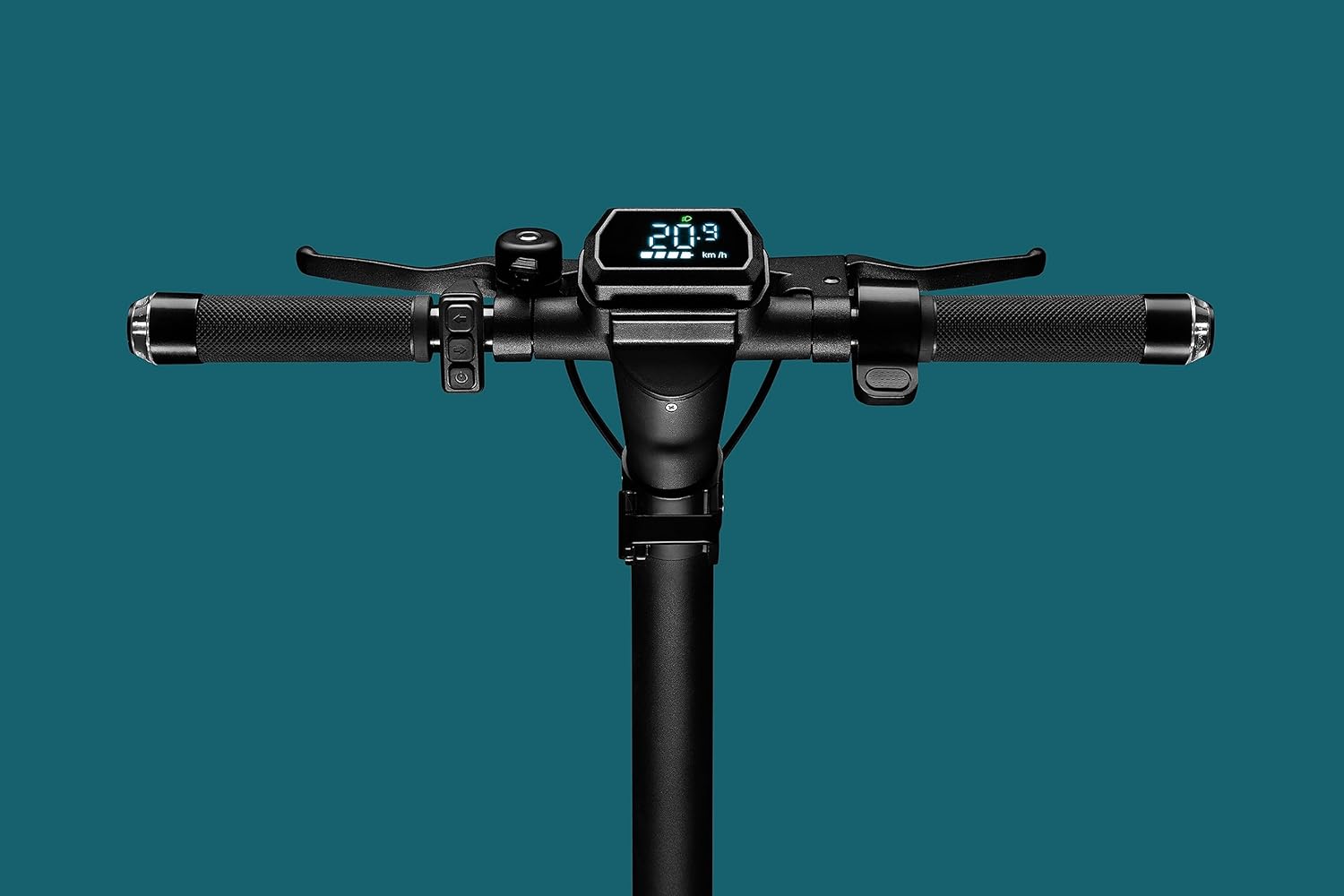
Gambar 4.7: Close-up of the handlebar display, showing the digital screen with speed and battery indicators, along with controls.

Gambar 4.8: The scooter's headlight illuminated, with integrated turn signals on the handlebars also lit, emphasizing visibility features.

Gambar 4.9: Diwincik view of the front wheel and disc brake assembly.

Gambar 4.10: Diwincik view of the rear wheel and disc brake assembly.
5. Setélan
5.1 Unfolding Scooter nu
- Teundeun Scooter dina tempat nu datar.
- Release the folding mechanism latch, usually located near the base of the handlebar stem.
- Carefully lift the handlebar stem until it locks securely into the upright position. Ensure the locking mechanism is fully engaged.
- Adjust the handlebars to your desired height if adjustable, and tighten any quick-release clamps.
5.2 Ngecas Batré
The SoFlow SO4 Pro Gen 2 is equipped with a Lithium battery. For optimal performance and battery longevity, follow these charging instructions:
- Manggihan port ngecas on Scooter nu.
- Connect the charger to the charging port, then plug the charger into a standard power outlet.
- Indikator ngecas dina carjer bakal némbongkeun status ngecas (contona, beureum pikeun ngecas, héjo pikeun dicas pinuh).
- A full charge takes approximately 3 hours and 50 minutes with the special "fast charge" charger.
- Always ensure the battery is fully charged before your first ride and after each use for maximum range.
6. Parentah Operasi
6.1 Powering on / Pareum
- Pikeun Ngahurungkeun: Press and hold the power button on the handlebar display until the screen illuminates.
- Pikeun mareuman: Pencét terus tahan tombol daya deui nepi ka layar pareum.
6.2 Tunggang Scooter nu
- Tempatkeun hiji suku pageuh dina dek teras dorong ku suku anu sanésna pikeun kéngingkeun moméntum awal.
- Sakali pindah, tempatkeun suku kadua anjeun dina dek.
- Gently press the accelerator lever (throttle) to engage the motor.
- The 500-watt motor provides ample power for speeds up to 25 km/h and inclines up to 18%.
- Use the integrated turn signals on the handlebars to indicate your direction changes.
6.3 Ngerem
The scooter is equipped with front and rear disc brakes for precise and controlled stopping.
- To slow down or stop, gently squeeze the brake levers on the handlebars.
- Apply both brakes simultaneously for more effective stopping power.
- Ulah ngerem dadakan atawa kasar, utamana dina kecepatan luhur, pikeun nyegah kaleungitan kontrol.
6.4 Ngagunakeun Aplikasi SoFlow
Enhance your riding experience by connecting your scooter to the intuitive SoFlow application:
- Download the SoFlow app from your smartphone's app store.
- Enable Bluetooth on your smartphone and open the SoFlow app.
- Follow the in-app instructions to pair your scooter.
- The app provides important details such as battery capacity, current speed, Bluetooth status, and light indicators.
- You can also track your completed journeys and electronically lock the scooter for added security.
7. Pangropéa
Regular maintenance ensures the longevity and optimal performance of your SoFlow SO4 Pro Gen 2 Electric Scooter.
- beberesih: Ngusap handap Scooter kalawan iklanamp cloth after each use. Avoid using high-pressure water or harsh chemicals.
- Tekanan Ban: Regularly check the tire pressure of the 10-inch pneumatic tires. Maintain recommended pressure for optimal ride quality and range.
- Pamariksaan rem: Periodically inspect the front and rear disc brakes for wear and proper function. Adjust or replace brake pads as needed.
- Perawatan batré: Charge the battery regularly, even if the scooter is not in use for extended periods, to maintain battery health. Store the scooter in a cool, dry place.
- Cék umum: Rutin pariksa sagala screws, bolts, sareng sambungan pikeun mastikeun aranjeunna kedap tur aman.
8. Cara ngungkulan
Bagian ieu alamat masalah umum Anjeun bisa sapatemon jeung Scooter Anjeun.
| Masalah | Mungkin Cukang lantaranana | Solusi |
|---|---|---|
| Scooter teu daya on | Low or depleted battery; Loose battery connection; Power button malfunction | Charge the battery fully; Ensure battery is securely seated; Contact support if issue persists |
| rentang ngurangan / otonomi | Under-inflated tires; Heavy load; Riding uphill frequently; Cold weather | Check and inflate tires to recommended pressure; Reduce load; Adjust riding style; Battery performance may be reduced in cold temperatures |
| Rem karasa lemah | Kampas rem geus aus; Kabel rem leupas; Rem cakram teu saluyu jeung ukuranana | Inspect brake pads and replace if worn; Adjust brake cable tension; Consult a technician for disc brake alignment |
| Noise mahiwal salila operasi | Komponen leupas; Runtah dina roda/rem; Masalah motor | Check all fasteners; Clean wheels and brakes; If noise persists, contact customer support |
9. Spésifikasi Téknis
Detailed specifications for the SoFlow SO4 Pro Gen 2 Electric Scooter:
| Fitur | Spésifikasi |
|---|---|
| merek | SoFlow |
| Ngaran modél | SO4 PRO Gen2 |
| Nomer Modél Item | 300.450.01 |
| Ukuran produk (L x W x H) | 109.1 x 46.6 x 114.5 cm |
| Beurat | 17.50 kg |
| Kamampuh beurat maksimum | 150 kg |
| Daya Motor | 500W |
| Jenis Batré | Litium-ion |
| Waktu Ngecas | Kira-kira. 3 jam 50 menit |
| Laju maksimum | 25 KM/H |
| Jarak (Otonomi) | Kira-kira 40 KM |
| Dengdekkeun Maksimum | 18% |
| Ukuran kabayang | 10 inci |
| Rem | Front and Rear Disc Brakes, Regenerative Braking |
| Bahan Pigura | alumunium |
| Fitur husus | NFC Anti-theft, Integrated Turn Signals, SoFlow App Connectivity, Foldable |
10. Garansi jeung Rojongan
Your SoFlow SO4 Pro Gen 2 Electric Scooter comes with a standard manufacturer's warranty covering defects in materials and workmanship under normal use. Please refer to the warranty card included in your package for specific terms and conditions, including the warranty period and coverage details.
For technical support, warranty claims, or any questions regarding your scooter, please contact SoFlow customer service through their official websitus atanapi inpormasi kontak anu disayogikeun dina dokuméntasi pameseran anjeun.


