Bubuka
Thank you for choosing the Joyroom JR-T10 Wireless Bluetooth Earbuds. This manual provides detailed instructions on how to set up, operate, and maintain your new earbuds. Please read this manual carefully before use to ensure optimal performance and longevity of your device.
Eusi pakét
Upon unboxing, please verify that all items listed below are included in your package:
- Joyroom JR-T10 Wireless Bluetooth Earbuds (Left and Right)
- Kasus Ngecas Nirkabel
- Kabel Ngecas USB Tipe-C
- Manual pamaké
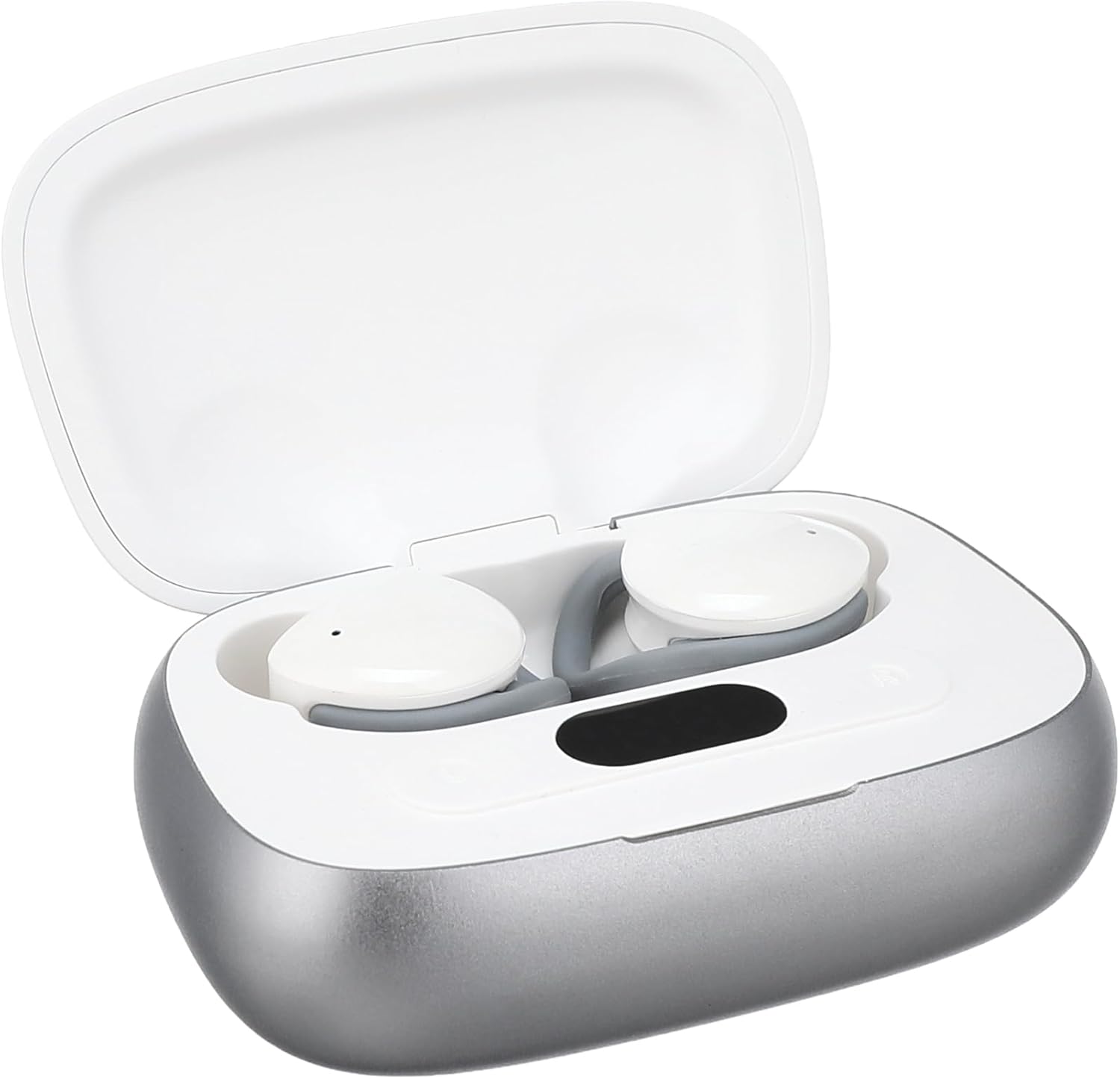
Image: The Joyroom JR-T10 earbuds and their wireless charging case, as found in the package.
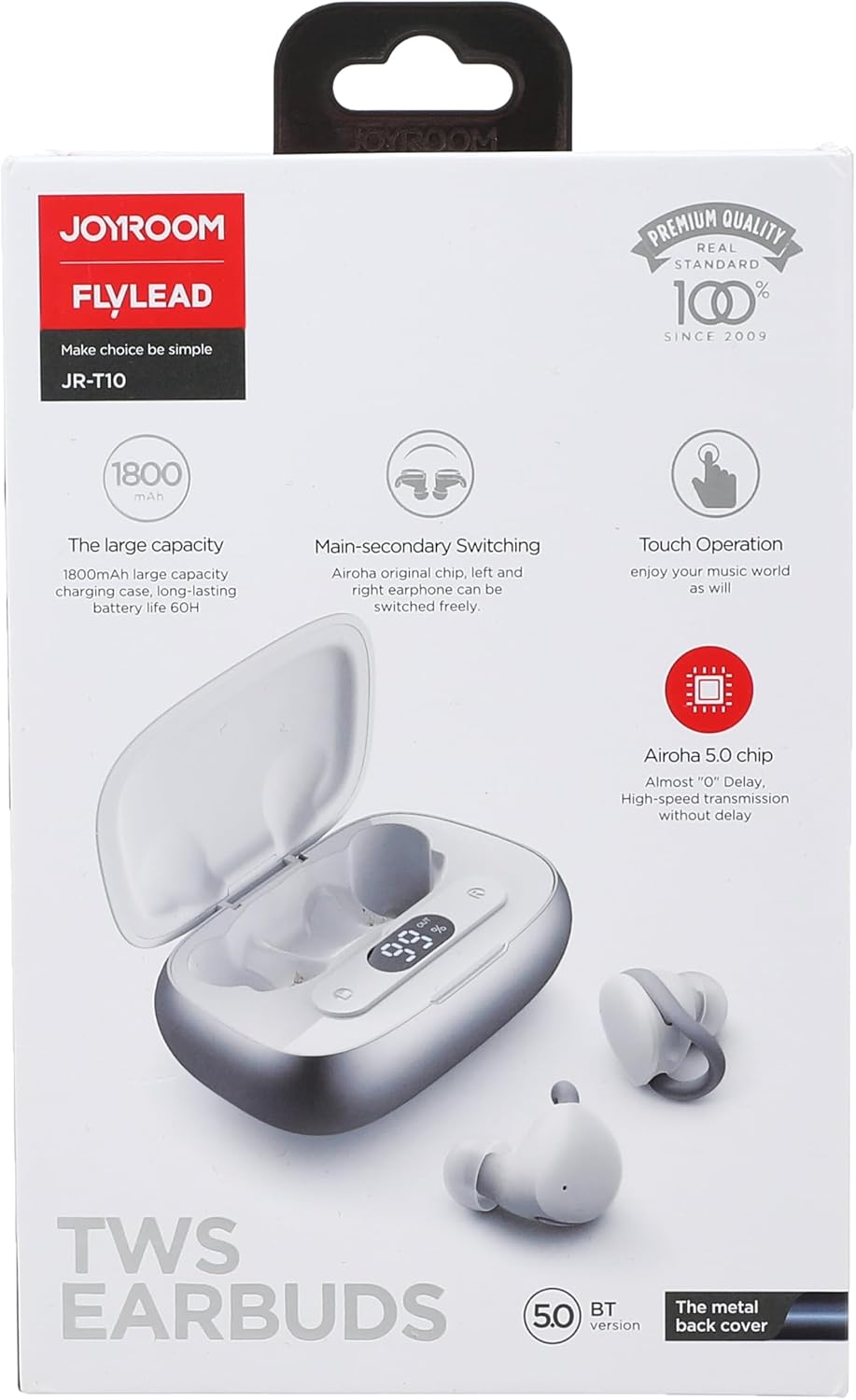
Image: The retail packaging for the Joyroom JR-T10 earbuds, highlighting key features.
Produk Leuwihview
The Joyroom JR-T10 earbuds are designed for a comfortable in-ear fit, offering wireless audio and communication. The compact charging case ensures your earbuds are always ready for use.

Image: The Joyroom JR-T10 earbuds resting inside their open charging case.

Image: The Joyroom JR-T10 charging case in its closed position.
Disetél
Papasangan Awal
- Pastikeun yén earbuds dicas pinuh.
- Buka wadah ngecas. Earbuds bakal otomatis asup kana mode papasangan.
- Dina alat Anjeun (smartphone, tablet, jsb), aktipkeun Bluetooth.
- Milarian pikeun available Bluetooth devices and select "JR-T10" from the list.
- Saatos nyambung, sora konfirmasi bakal diputer, sareng lampu indikator dina earbud bakal robih.
Ngagem Earbuds
Gently insert each earbud into your ear canal. Adjust for a snug and comfortable fit to ensure optimal sound quality and stability.

Image: A person demonstrating the correct way to wear the Joyroom JR-T10 earbuds for a secure fit.
Parentah Operasi
The Joyroom JR-T10 earbuds feature touch controls for easy management of music and calls.
Puterkeun Musik
- Puter / Reureuh: Ketok tunggal dina boh earbud.
- Lagu salajengna: Ketok dua kali earbud katuhu.
- Lagu Sateuacanna: Ketok dua kali earbud kénca.
Manajemén Telepon
- Ngajawab / mungkas Telepon: Ketok tunggal dina boh earbud.
- Nolak Telepon: Pencét jeung tahan boh earbud salila 2 detik.
Asisten sora
- Aktipkeun Asisten Sora: Ketok tilu kali dina boh earbud.
Daya Hurung/Pareuman
- Daya Hurung: Open the charging case, or press and hold the touch area for 3 seconds if earbuds are out of case.
- Pareum listrik: Place earbuds back into the charging case and close the lid, or press and hold the touch area for 5 seconds.
Ngecas
The Joyroom JR-T10 earbuds come with a wireless charging case that also supports USB Type-C charging.
Ngecas Earbuds
Place the earbuds into the charging case. They will automatically begin charging. The indicator lights on the case will show the charging status.
Ngecas Kasus
- Ngaliwatan Kabel USB-C: Connect the provided USB Type-C cable to the charging port on the case and to a power source.
- Ngecas nirkabel: Simpen wadah ngecas dina bantalan ngecas nirkabel anu cocog.
The charging case has a large capacity of 1800mAh, providing extended battery life for your earbuds.
Pangropéa
- Bersihkeun earbud sareng wadah ngecas sacara rutin nganggo lawon anu lemes sareng garing.
- Hindarkeun ngagunakeun bahan kimia anu kasar atanapi bahan abrasive.
- Keep the charging contacts on both the earbuds and the case clean to ensure proper charging.
- Simpen earbuds dina wadah ngecas nalika henteu dianggo pikeun ngajagi sareng ngahémat batré.
- Avoid exposing the device to extreme temperatures, humidity, or liquids, as it is not water resistant.
Pamérésan masalah
- Earbuds teu dipasangkeun: Pastikeun duanana earbud aya dina wadah ngecas, teras buka tutupna pikeun ngaktipkeun modeu pairing. Pariksa setélan Bluetooth alat anjeun teras cobian nyambungkeun deui.
- Ngan hiji earbud jalan: Lebetkeun deui dua earbud kana wadah ngecas, tutup tutupna, teras buka deui. Ieu sering ngareset sambungan antara dua earbud.
- Teu aya sora: Check the volume level on your connected device. Ensure the earbuds are properly paired and connected.
- Masalah ngecas: Clean the charging contacts on both the earbuds and the case. Ensure the charging cable is securely connected or the wireless charging pad is functioning correctly.
- Kualitas telepon goréng: Pastikeun mikropon teu kahalangan. Pindah leuwih deukeut ka alat anjeun anu nyambung pikeun ningkatkeun kakuatan sinyal.
spésifikasi
| Fitur | Spésifikasi |
|---|---|
| Ngaran modél | JR-T10 |
| merek | Joyroom |
| Téhnologi konektipitas | Nirkabel (Bluetooth) |
| Faktor Bentuk Headphone | Dina-Ceuli |
| Métode kontrol | Toél |
| Kontrol bising | Pembatalan Noise aktip |
| Sensitipitas | 96 dB |
| Impedansi | 140 ohm |
| Tipe Panyambung | USB Type C (for charging case) |
| Jenis Batré | Litium Ion (2 batré kaasup) |
| Ngecas Kapasitas Case | 1800mAh (approximate, derived from product image) |
| Tingkat Résistansi Cai | Teu tahan cai |
| Dimensi produk | 19.2 x 16.4 x 3 cm |
| Item Beurat | 140 gram |
| Dianjurkeun Mangpaat | Calls, Exercise, Running, Gaming |

Image: A hand holding the charging case, illustrating its compact size and dimensions.
Émbaran Kasalametan
- Ulah ngabongkar, ngalereskeun, atawa ngaropéa produk.
- Ulah ngalaan produk ka seuneu atawa suhu luhur.
- Jauhkeun tina jangkauan barudak sareng piaraan.
- Hindarkeun dengekeun berkepanjangan dina tingkat polumeu luhur pikeun nyegah karuksakan dédéngéan.
- Entong nganggo earbuds dina kaayaan dimana henteu mampuh ngadéngé sora ambient bisa bahaya (misalna nyetir, sapédah, leumpang dina lalulintas).
Garansi sareng Rojongan
For warranty information or technical support, please refer to the warranty card included in your package or visit the official Joyroom websitus. Simpen bukti pameseran anjeun pikeun klaim garansi.
Video Produk Leuwihview
Video: Sakedapview of the Joyroom JR-T10 Wireless Bluetooth Earbuds, showcasing the unboxing and product components.


