
1. Bubuka
The EVGA X12 Gaming Mouse is a high-performance wired mouse designed for precision and customization. It features advanced sensor technology, a high report rate, and programmable buttons to enhance your gaming and computing experience.
Fitur konci:
- Dual Sensor 2-Dimension Array Technology: Combines a Lift Off Distance (LOD) sensor with a Pixart 3389 optical sensor for precise tracking.
- 8K Hz Report Rate: Utilizes a USB 2.0 High-Speed 32-bit Arm Cortex-M33 core microprocessor, providing an 8000 Hz report rate for faster response times and accurate movements.
- Pro customizablefiles: 5 onboard profiles with on-the-fly DPI settings allow for personalized configurations.
- 3-Zone RGB Lighting: Customizable RGB lighting zones via the UNLEASH RGB software.
- Lightweight Ambidextrous Design: Ergonomic design suitable for both left and right-handed users, paired with a flexible paracord USB cable.
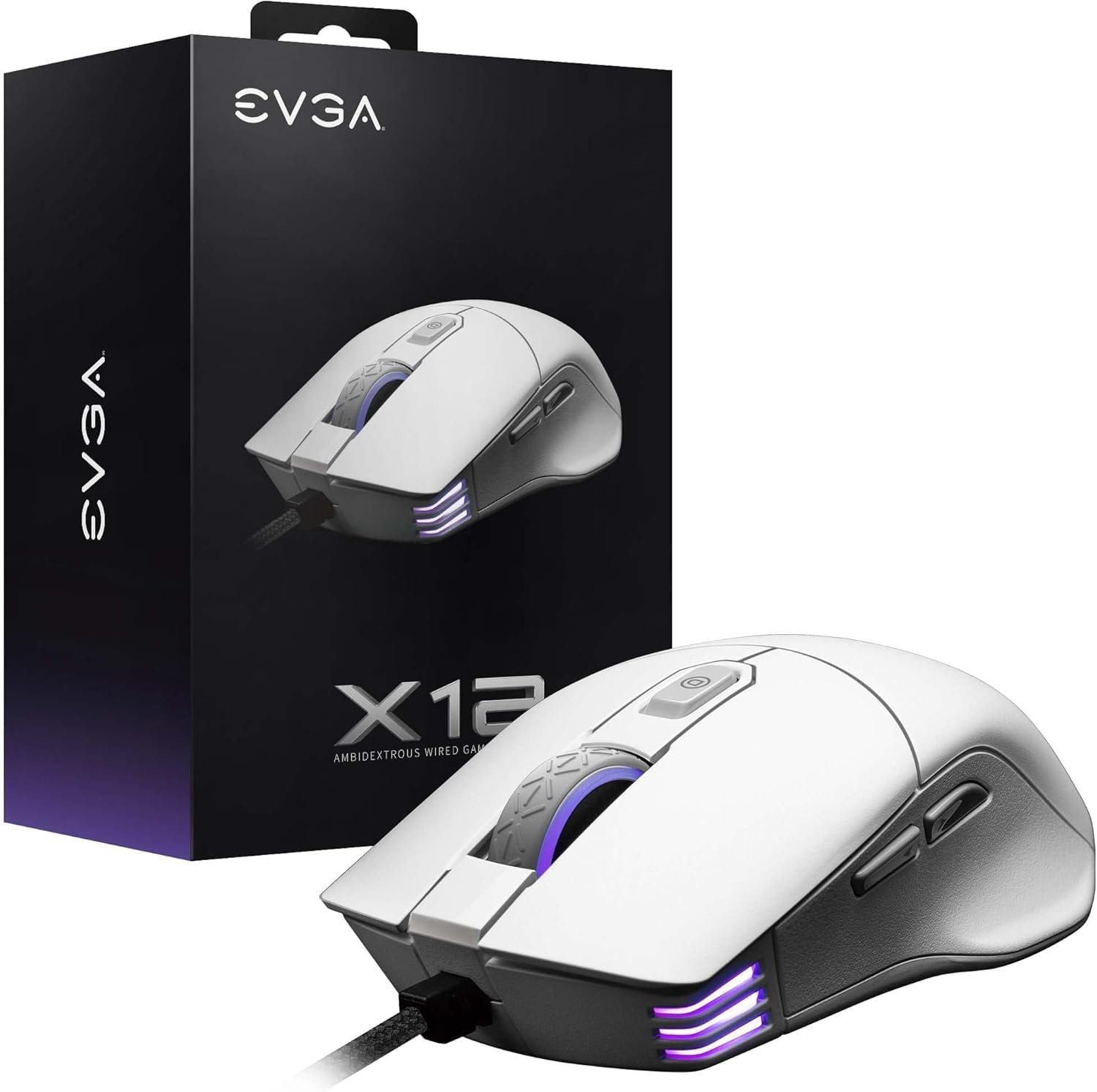
Image 1.1: EVGA X12 Wired Gaming Mouse and its retail packaging.
2. Setélan
2.1 Nyambungkeun Mouse
- Milarian port USB-A anu sayogi dina komputer anjeun.
- Plug the USB-A connector of the EVGA X12 mouse cable into the USB-A port.
- The mouse will automatically be detected by your operating system.
2.2 Software Installation (UNLEASH RGB)
To unlock the full customization potential of your EVGA X12 mouse, including DPI settings, RGB lighting, macro programming, and profile management, download and install the UNLEASH RGB software from the official EVGA websitus.
- Visit the official EVGA support websitus.
- Navigate to the downloads section for the X12 Gaming Mouse.
- Download and run the UNLEASH RGB software installer.
- Turutan pitunjuk dina layar pikeun ngarengsekeun pamasangan.
3. Ngoperasikeun Mouse
3.1 Fungsi Tombol Dasar
The EVGA X12 mouse features 8 programmable buttons for versatile control:
- Left Click (Primary): Pilihan standar sareng aktivasina.
- Right Click (Secondary): Context menu access.
- Gulung kabayang: Scrolls content vertically. Can also be pressed for a middle-click function.
- Tombol DPI Naék/Turun: Adjusts the mouse's sensitivity (DPI) on the fly.
- Tombol Samping (Maju/Mundur): Biasana dianggo pikeun navigasi di web browser atawa file penjelajah.
- Tombol Sniper: Located on the side, this button can be programmed to temporarily lower DPI for precise aiming in games.

Gambar 3.1: Deukeut view of the EVGA X12 mouse highlighting the main buttons and scroll wheel.
3.2 DPI adjustment
The DPI (Dots Per Inch) setting determines the sensitivity of your mouse. Higher DPI means the cursor moves faster across the screen with less physical mouse movement. You can adjust DPI using the dedicated buttons on the mouse or through the UNLEASH RGB software.
3.3 8K Hz Report Rate
The 8K Hz report rate means the mouse sends data to your computer 8000 times per second, significantly reducing input lag compared to standard 1000 Hz mice. This results in faster response times and more precise tracking, particularly beneficial in fast-paced gaming scenarios.
4. Customization with UNLEASH RGB Software
The UNLEASH RGB software provides extensive customization options for your EVGA X12 mouse:
- Lampu RGB: Customize the 3-zone RGB lighting (scroll wheel, front, and logo) with various effects and colors.
- Setélan DPI: Fine-tune DPI levels and assign them to your 5 onboard profiles.
- Pemrograman Makro: Create and assign complex macros to any of the 8 programmable buttons.
- Profile Manajemén: Save and switch between up to 5 distinct profiles, allowing you to adapt your mouse settings for different games or applications.
- Lift Off Distance (LOD) Calibration: Adjust the lift-off distance for optimal tracking performance on your specific mouse pad surface.
5. Spésifikasi
| Fitur | Rincian |
|---|---|
| merek | EVGA |
| Nomer modél | 905-W1-12WH-KR |
| Tipe sénsor | Dual Sensor (Pixart 3389 Optical + Optical LOD Sensor) |
| Max DPI | 16,000 |
| Laju Laporan | 8K Hz (8000 Hz) |
| Kancing | 8 Tombol anu tiasa diprogram |
| Lampu RGB | 3-Zona RGB |
| Konektipitas | Wired (Flexible Paracord USB Cable) |
| Desain | Ambidextrous, Lightweight |
| Ukuran (L x W x H) | 4.84 x 2.75 x 0.1 inci |
| Item Beurat | 2.65 ons |
| OS cocog | Windows, macOS, Linux |

Image 5.1: Physical dimensions of the EVGA X12 mouse.
6. Pangropéa
To ensure optimal performance and longevity of your EVGA X12 Gaming Mouse, follow these maintenance guidelines:
- beberesih: Anggo kaén anu lembut sareng garing pikeun ngusap permukaan beurit. Keur kokotor bandel, rada dampen lawon ku cai atawa solusi beberesih hampang. Hindarkeun bahan kimia anu kasar.
- Perawatan sénsor: Keep the optical sensor on the underside of the mouse clean and free of dust or debris. Use compressed air or a cotton swab for cleaning.
- Manajemén Kabel: Hindarkeun tikungan seukeut atawa tarik kaleuleuwihan dina kabel USB pikeun nyegah karuksakan.
- Panyimpenan: Simpen beurit dina lingkungan anu bersih sareng garing nalika henteu dianggo.
7. Cara ngungkulan
If you encounter issues with your EVGA X12 Gaming Mouse, try the following steps:
- Beurit Teu Ngabales: Try plugging the mouse into a different USB port on your computer. Ensure the cable is securely connected.
- Cursor Jumps/Lag: Clean the optical sensor on the underside of the mouse. Ensure your mouse pad surface is clean and free of obstructions. Update mouse drivers or reinstall the UNLEASH RGB software.
- Tombol Teu Gawé: Check button assignments in the UNLEASH RGB software. Ensure no macros are conflicting.
- Masalah Pencahayaan RGB: Verify RGB settings in the UNLEASH RGB software. Ensure the software is up to date.
- Parangkat Lunak Henteu Ngadeteksi Mouse: Reinstall the UNLEASH RGB software. Ensure your operating system is up to date.
8. Garansi jeung Rojongan
For warranty information, technical support, or to access the latest drivers and software for your EVGA X12 Gaming Mouse, please visit the official EVGA websitus:
- Dukungan EVGA Websitus: www.evga.com/support/
- Pendaptaran Produk: Register your product on the EVGA website to activate your warranty and receive support.