Produk Leuwihview
The Fookoo 10" 1080P Wired Backup Camera System (Model DY101) is designed to enhance driving safety and visibility for large vehicles such as 5th Wheel Trailers, Tractors, RVs, Trucks, Buses, Semi-Trailers, and Box Trucks. This system features a high-definition monitor and a durable, waterproof camera, providing clear views and recording capabilities.

Figure 1: Fookoo 10" 1080P Wired Backup Camera System components.
Fitur konci
- 10-inch HD Dual Split Screen Monitor: The monitor features a 1920x1080 pixel display, allowing simultaneous viewing from two cameras. Its larger size provides more detailed visibility, especially beneficial for large vehicles.

Figure 2: The 10-inch HD monitor provides a larger viewing area for enhanced safety.
- High-Quality IP69 Waterproof Camera: Equipped with a CCD sensor and glass lenses, the camera delivers clear, color images. It is designed to withstand extreme temperatures (-4℉ to 198℉) and is IP69 waterproof, ensuring reliable performance in various weather conditions.
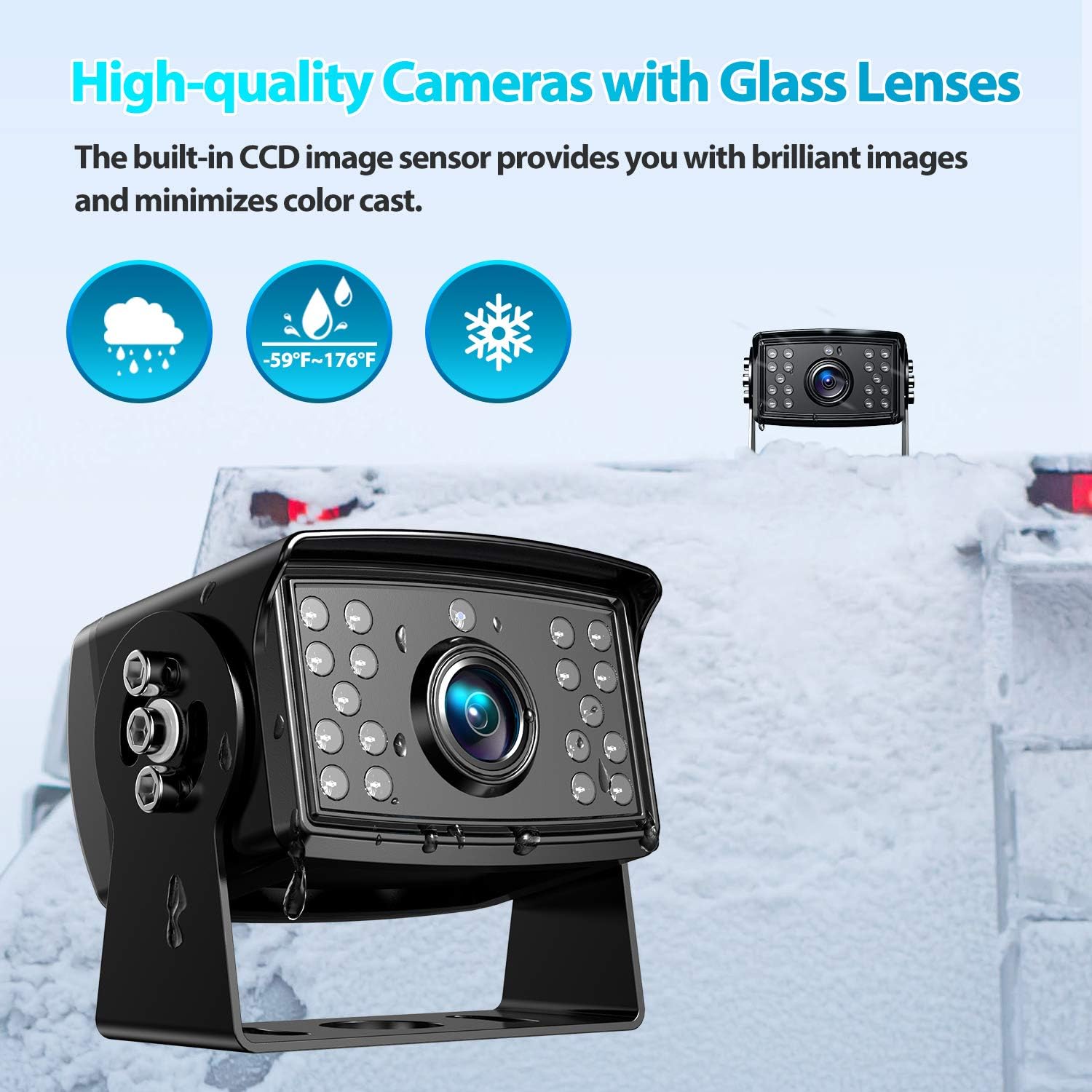
Figure 3: The durable camera is built to perform in harsh environments.
- Circular Recording Function: The monitor includes a recording feature that provides video evidence of incidents, enhancing driving security. It supports 32-128GB SD cards for continuous loop recording.

Figure 4: The system records video footage for security and evidence.
- Jalur parkir: Integrated parking lines assist with safer and faster parking and reversing maneuvers.

Figure 5: Parking lines assist in precise vehicle positioning.
- Lega Voltage kasaluyuan: The system operates on a 9-36V DC power range, making it compatible with a broad range of large vehicles.
Eusi pakét
Pastikeun yén sadaya item anu didaptarkeun di handap kalebet kana pakét anjeun:
- Monitor 10 inci
- Tukangeun-view Kaméra (x1)
- Kabel Daya (x1)
- 4-pin Video Cable (x1)
- Installation Kits (screws, mounting hardware)
- Kadali jauh
- Bracket ngawangun kipas
- Bracket U ngawangun
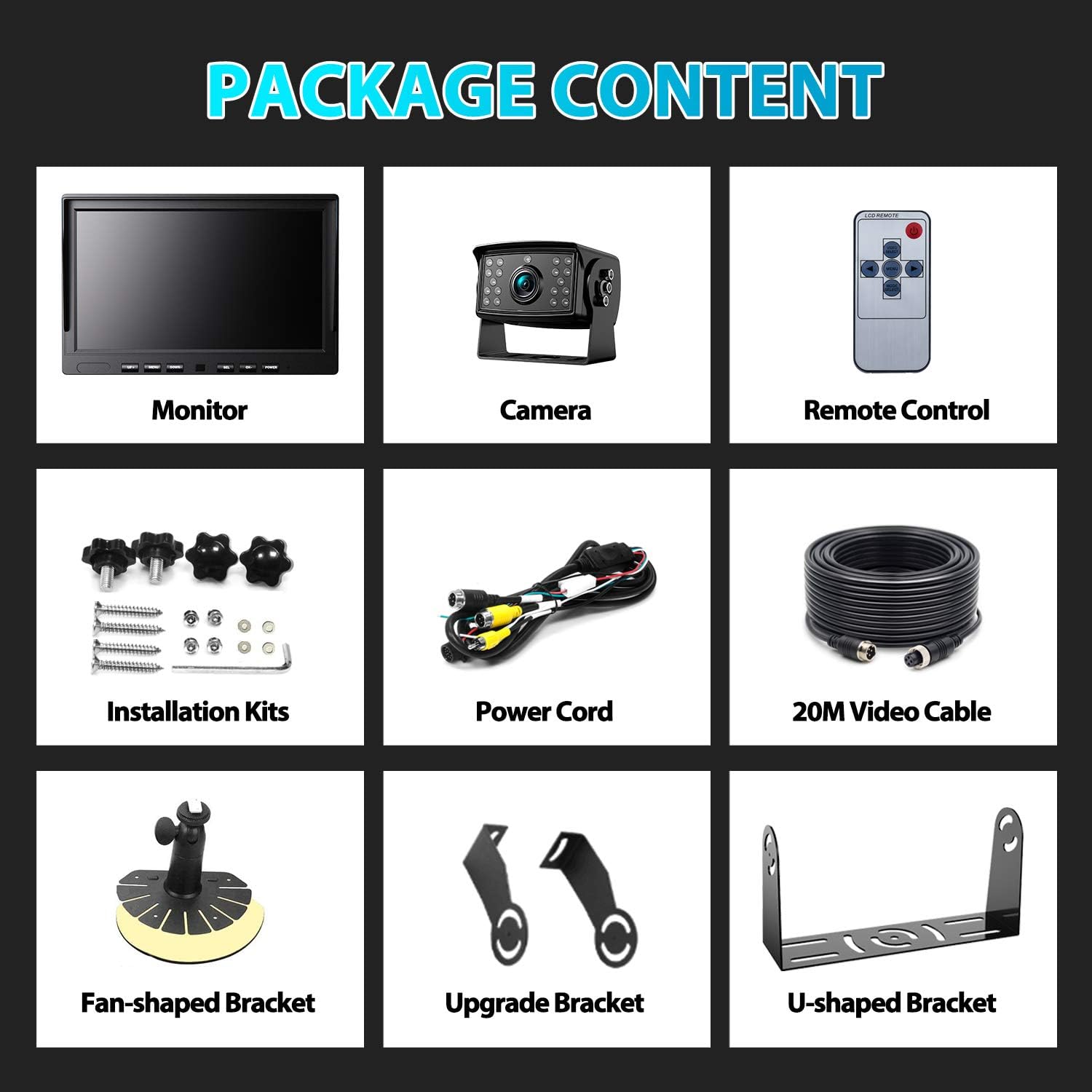
angka 6: Sadaya komponén kaasup dina pakét produk.
Setup sareng Instalasi
This is a wired system. Follow these steps for proper installation:
- Nguji Sistim: Before permanent installation, connect all components temporarily to ensure they function correctly.
- Sambungan Kakuatan:
- Nyambungkeun Beureum wire to ACC (Accessory power).
- Nyambungkeun Konéng wire to positive power.
- Nyambungkeun Hideung wire to a metal ground point on the vehicle chassis.
- Sambungan kaméra: Connect the 4-pin extension cables from the monitor to the cameras. Ensure the notches in the connectors are aligned to prevent damage to the pins.
- Trigger Wires (Optional): If you wish to automatically display parking lines or switch camera views when reversing, connect the green trigger wire to your vehicle's reverse light power.
- Pamasangan: Securely mount the monitor on your dashboard using the provided brackets. Install the camera(s) at the desired rear or side locations, ensuring a clear view.

Figure 7: Wiring diagram for system installation.
Trailer Quick Connection/Disconnection
For trailers, you can run extra cables to allow easy disconnection of the camera system when the trailer is not in use, eliminating the need for rewiring each time.
Parentah Operasi
Kontrol Monitor
The monitor features buttons for navigation and control:
- UP+/DOWN-: Navigate menu options or adjust settings.
- MENU: Aksés ménu utama pikeun setélan.
- SEL: Pilih hiji pilihan atanapi konfirmasi setélan.
- CH-: Pindah antara kaméra views (full screen or dual split screen).
- kakuatan: Hurungkeun/pareuman monitor.
Modeu tampilan
The monitor supports various display configurations:
- Layar pinuh: Displays a single camera view.
- Dual Split Screen: Nampilkeun dua kaméra views simultaneously. Press the "CH-" button to cycle through available display modes.

Figure 8: Full and dual split screen display options.
Orientasi Gambar
The camera image can be adjusted for different orientations:
- Normal: Standar view.
- Eunteung: Horizontally flipped view (common for rear-view).
- Balikkeun: Vertically flipped view.
- Mir-Flip: Both horizontally and vertically flipped.

Figure 9: Image orientation settings.
Fungsi Rekaman
The system supports circular recording to an SD card (32GB-128GB, not included). When the SD card is full, older videos will be automatically overwritten. Recorded videos can be played back directly on the monitor or transferred to a computer.
Pangaluyuan Gambar
Adjust image quality settings via the menu:
- Kontras: Saluyukeun bédana antara daérah anu caang sareng poék.
- Caang: Control the overall lightness or darkness of the image.
- jenuh: Robah inténsitas warna.

Figure 10: Image adjustment options.
Pangropéa
To ensure optimal performance and longevity of your Fookoo Backup Camera System, follow these maintenance guidelines:
- Ngabersihkeun Monitor: Use a soft, dry, lint-free cloth to clean the monitor screen. For stubborn smudges, slightly dampen lawon jeung cai atawa cleaner aman layar. Hindarkeun bahan abrasive atanapi bahan kimia kasar.
- Ngabersihkeun Lénsa Kaméra: Regularly inspect and clean the camera lens to ensure a clear view. Use a soft cloth and, if necessary, a mild glass cleaner. Remove any dirt, mud, or water spots that may obstruct the view.
- Pamariksaan kabel: Periodically check all cables and connections for any signs of wear, fraying, or corrosion. Ensure all connections remain secure to prevent signal loss or power issues.
- Perlindungan Lingkungan: While the camera is IP69 waterproof and designed for extreme temperatures, prolonged exposure to direct sunlight or extreme cold when not in use can be minimized by parking in shaded areas or using protective covers if available.
Pamérésan masalah
If you encounter issues with your Fookoo Backup Camera System, consider the following basic troubleshooting steps:
- Teu aya Gambar dina Monitor:
- Pariksa sadaya sambungan listrik pikeun mastikeun éta aman sareng nampi listrik.
- Verify that the 4-pin video cables are securely connected between the camera and the monitor, with notches aligned.
- Pastikeun monitor diaktipkeun.
- Gambar kedip-kedip atanapi menyimpang:
- Pariksa sambungan kabel leupas.
- Ensure there is no electromagnetic interference from other vehicle electronics.
- Ngabersihan lénsa kaméra.
- Recording Not Working:
- Ensure an SD card (32GB-128GB) is inserted correctly.
- Check if the SD card is full; the system should automatically overwrite, but a faulty card might prevent this. Try formatting the card or using a different one.
- Parking Lines Not Appearing:
- Verify that the green trigger wire (if used) is correctly connected to the reverse light power.
- Check monitor settings to ensure parking lines are enabled.
If these steps do not resolve the issue, please contact Fookoo customer support for further assistance.
spésifikasi
| Fitur | Rincian |
|---|---|
| Modél | DY101 |
| Ukuran layar | 10 inci |
| Resolusi Capture Video | 1080 p |
| Voltage Rentang | 9-36VDC |
| Téhnologi sénsor optik | CCD |
| Minimum Illumination (Lux rating) | 0.1 Lux |
| Tipe Pamasangan | Dashboard Gunung, Surface Gunung |
| Téknologi tampilan | LCD |
| Kisaran Suhu Operasi | -4℉ nepi ka 198℉ (-20 ℃ nepi ka 92 ℃) |
| Peunteun waterproof | IP69 |
| Ngarékam Rojongan | 32GB-128GB SD Card (not included), Circular Recording |
| Item Beurat | Kira-kira. 4.49 pon (2.04 kg) |
| Ukuran Paket | 11.18 x 7.56 x 4.65 inci (28.39 x 19.20 x 11.81 cm) |
Garansi sareng Rojongan
Fookoo provides comprehensive support for its products:
- Replacement Support: An 18-month replacement support is offered for defective products.
- jasa purna jual: Lifetime after-sales service is available to assist with any product-related inquiries or issues.
- Wangsul: A 30-day return policy is in place for eligible purchases.
For assistance, please contact Fookoo customer service. You can also visit the official Fookoo store for more information and support resources: Fookoo Official Store

