
1. Bubuka
The MOCREO H1 Hub is designed to facilitate remote monitoring of environmental data, such as temperature and humidity, when paired with compatible MOCREO sensors. This hub acts as a bridge, connecting your sensors to the internet, allowing you to access data and receive alerts from anywhere.
2. Émbaran Kasalametan
- Ensure the device is placed in a dry environment, away from water or excessive moisture.
- Use only the provided power adapter (5V 1A) to prevent damage.
- Ulah nyobian ngabongkar atawa ngalereskeun alat sorangan. Rujuk ka tanaga anu mumpuni pikeun jasa.
- Jauhkeun alat tina jangkauan barudak.
3. Eusi Paket
Pastikeun yén sadaya item aya dina pakét anjeun:
- 1 x MOCREO H1 Hub
- 1 x Kabel Daya
- 1 x 5V 1A adaptor kakuatan
- 1 x Manual Pamaké (dokumén ieu)
Note: MOCREO sensors are not included with the H1 Hub and must be purchased separately.
4. Produk Langkungview


The MOCREO H1 Hub is a compact device designed to connect MOCREO BLE (Bluetooth Low Energy) sensors to your network. It features a sleek design and an antenna for wireless communication. The hub facilitates data transmission from sensors to the MOCREO cloud service, enabling remote access via the MOCREO application.
Kasaluyuan sénsor
The H1 Hub is compatible with the following MOCREO BLE sensors:
- ST5
- ST6
- ST9
- ST10
- SW2
Note: The H1 Hub is not compatible with Zigbee ST3 and ST4 sensors, despite previous product descriptions. Please ensure your sensors are BLE compatible.

5. Parentah Setup
5.1 Sarat Pra-instalasi
- A 2.4GHz Wi-Fi network (5GHz networks are not supported). If your router is dual-band, ensure the 2.4GHz band is enabled. Cellular hotspots are also supported.
- An available Ethernet port if you prefer a wired connection.
- Compatible MOCREO BLE sensors (purchased separately).
- A smartphone or tablet to install the MOCREO application.
5.2 Setélan fisik
- Connect the power cable to the H1 Hub.
- Plug the 5V 1A power adapter into a standard electrical outlet. The hub will power on.
- For an Ethernet connection, connect an Ethernet cable from your router to the hub's Ethernet port.
5.3 Pamasangan sareng Konfigurasi Aplikasi
- Download the MOCREO application from your device's app store (iOS App Store or Google Play Store).
- Open the MOCREO app and create an account or log in.
- Follow the in-app instructions to add your H1 Hub. This typically involves scanning a QR code on the hub or manually entering its ID.
- If using Wi-Fi, the app will guide you through connecting the hub to your 2.4GHz network.
- Once the hub is connected, proceed to add your MOCREO BLE sensors through the app. Ensure sensors are within range of the hub.
6. Parentah Operasi
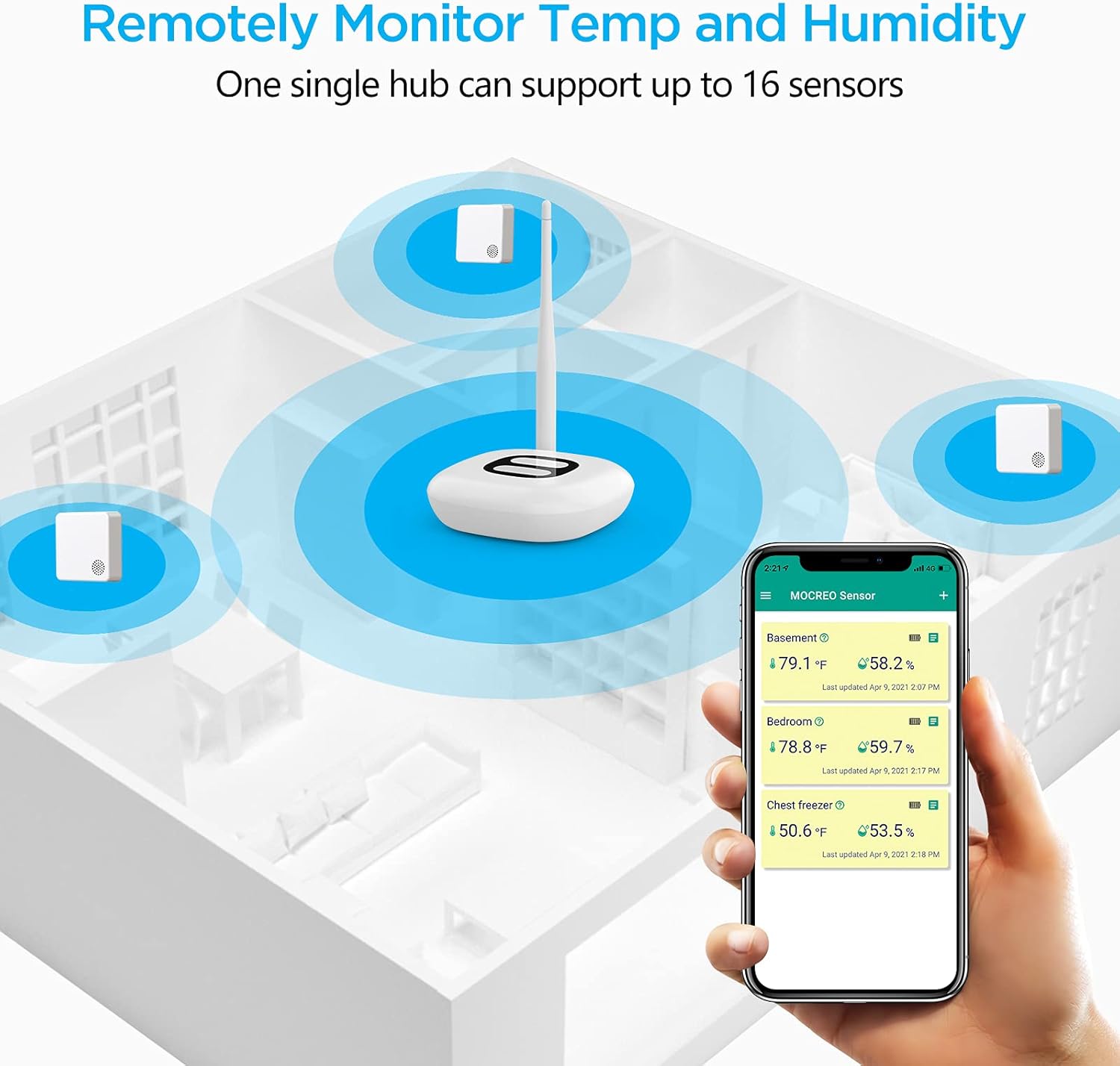
The MOCREO H1 Hub enables a remote monitoring system for your environment. It manages up to 30 BLE sensors, collecting data and transmitting it to the MOCREO server for access via your smartphone application.
6.1 Pangimeutan jauh
After successful setup and sensor pairing, you can view real-time temperature and humidity data from your sensors through the MOCREO app, anywhere with an internet connection.
6.2 Sensor Range
The effective distance between the H1 Hub and its sensors should be kept within 65.6 feet (20 meters) in environments with obstructions. In open, unobstructed environments, the range can extend up to 131 feet (40 meters).
6.3 Sistem Siaga
The MOCREO system provides various alert types to notify you of significant changes or issues:
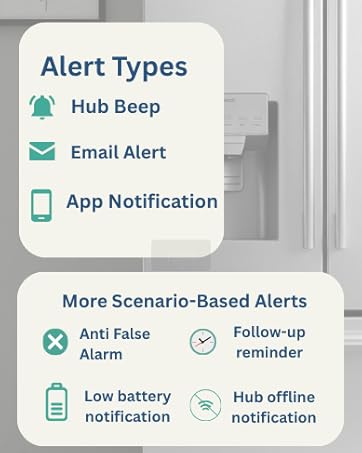
- Hub Beep: An audible alert directly from the H1 Hub.
- Email Alert: Notifications sent to your registered email address.
- Bewara Aplikasi: Push notifications sent to your smartphone via the MOCREO app.
- Anti False Alarm: Intelligent filtering to reduce unnecessary alerts.
- Follow-up Reminder: Reminders for ongoing alert conditions.
- Bewara Batré Lemah: Alerts when sensor batteries are low.
- Hub Offline Notification: Alerts if the H1 Hub loses its internet connection.

7. Pangropéa
The MOCREO H1 Hub requires minimal maintenance. Keep the device clean and free from dust. Ensure proper ventilation around the hub. No user-serviceable parts are inside.
8. Cara ngungkulan
- Hub not connecting to Wi-Fi:
Ensure your Wi-Fi network is 2.4GHz. If you have a dual-band router, verify that the 2.4GHz band is active and distinct from the 5GHz band. Check that the hub is within range of your Wi-Fi router. - Sensors not connecting to the Hub:
Verify that the sensors are compatible BLE models (ST5, ST6, ST9, ST10, SW2). Ensure sensors are within the recommended range of 65.6 feet (20 meters) from the hub. Check sensor batteries. - App issues or errors:
Ensure your MOCREO app is updated to the latest version. Try restarting the app or your smartphone. If issues persist, contact MOCREO customer support. - Hub frequently goes offline:
Check your internet connection stability. Ensure the hub is receiving consistent power. If using Wi-Fi, consider moving the hub closer to the router or using an Ethernet connection for improved stability. - Incorrect sensor readings:
Ensure sensors are placed in appropriate locations, away from direct heat sources or extreme drafts. Calibrate sensors if the app provides this option.
9. Spésifikasi
| merek | MOCREO |
| Nomer modél | ST3-Hub |
| Warna | Bodas |
| Dimensi produk | 4.76" W x 7.6" H |
| Item Beurat | 0.22 Kilogram (7.8 ons) |
| Input kakuatan | 5 Volt (AC) |
| Kalembaban Operasi | 0% nepi ka 95% |
| Tipe Pamasangan | App-dikawasa |
| Sarat batré | No batteries required (for Hub) |
| Konektipitas | 2.4GHz Wi-Fi, Ethernet |
| Max Sensors per Hub | Up to 30 BLE Sensors |
| Sensor Range (Obstructed) | Within 65.6 ft (20 m) |
| Sensor Range (Unobstructed) | Nepi ka 131 ft (40 m) |
10. Garansi jeung Rojongan
MOCREO provides comprehensive support for its products:
- Garansi: 2 years free warranty.
- Bantosan Téknis: Pangrojong jasa teknis hirupna.

For assistance, please refer to the contact information provided in your product packaging or visit the official MOCREO websitus.


