Bubuka
This manual provides detailed instructions for the setup, operation, and maintenance of your Sharp Digital Alarm Clock, Model B08TG1QB2B. Designed for simplicity, this clock features a clear LED display, dual ascending alarms, and a battery backup system to ensure reliability.

Gambar 1: Hareupeun view of the Sharp Digital Alarm Clock, displaying the time 12:08 in green LED digits.
Fitur produk
- Desain anu gampang dianggo: Operasi basajan cocog pikeun sakabéh pamaké.
- Sistem Alarm Ganda: Set two independent alarms for different schedules.
- Ascending Alarm Volume: Alarm starts softly and gradually increases in volume for a gentle wake-up.
- Cadangan batré: Ngajaga setélan waktos sareng alarm nalika mareuman dayatages (requires 2x AA batteries, not included).
- Illuminated Green LED Digits: Tampilan anu jelas sareng gampang dibaca.
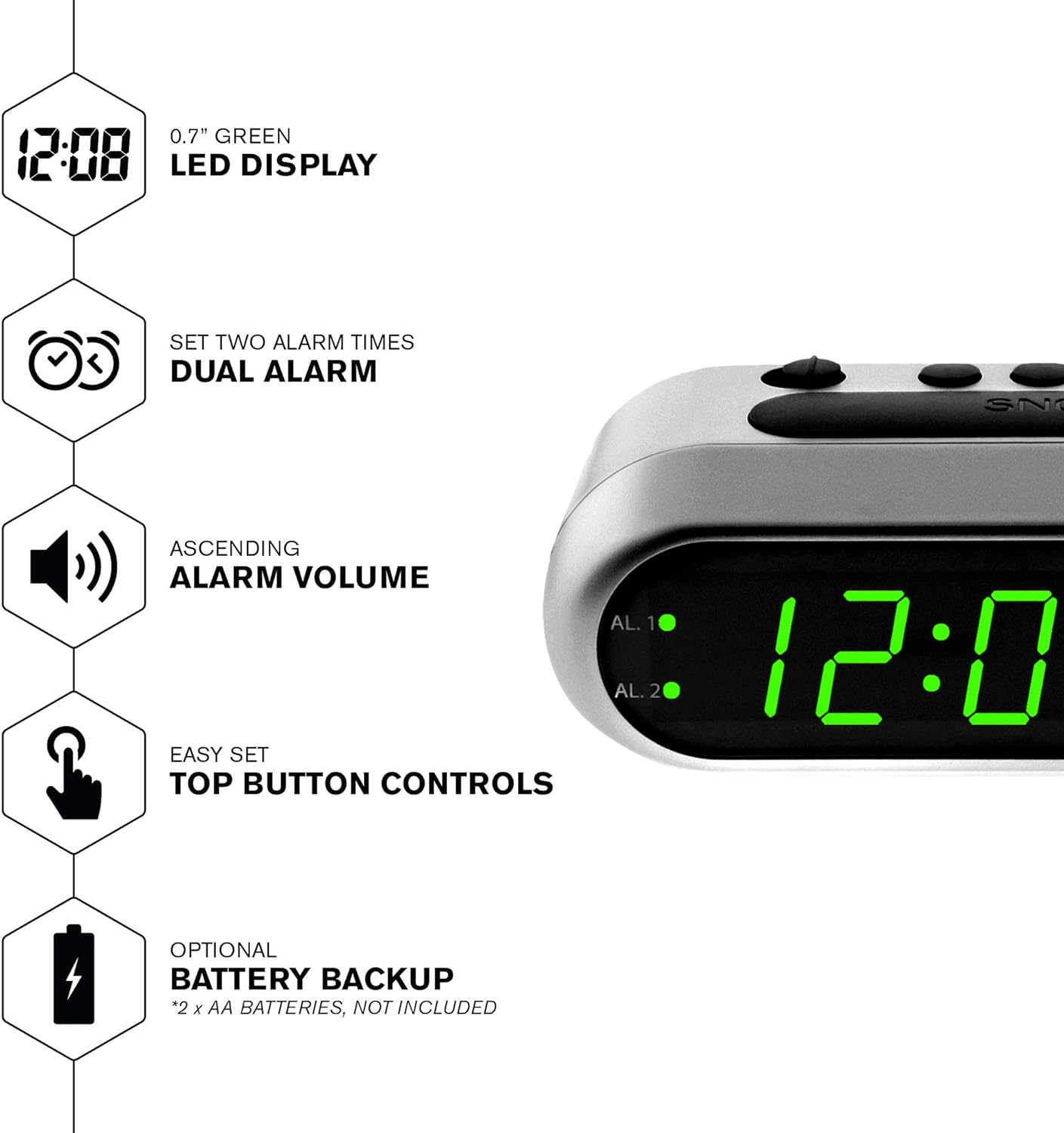
Gambar 2: Leuwihview of the clock's main features, including the LED display, dual alarm, ascending volume, and battery backup.
Eusi pakét
- Sharp Digital Alarm Clock (Model B08TG1QB2B)
- Adaptor Daya AC
- Instruksi Manual
Catetan: 2x AA batteries for battery backup are not included and must be purchased separately.
Kadali sareng Pintonan
Familiarize yourself with the buttons and indicators on your alarm clock:
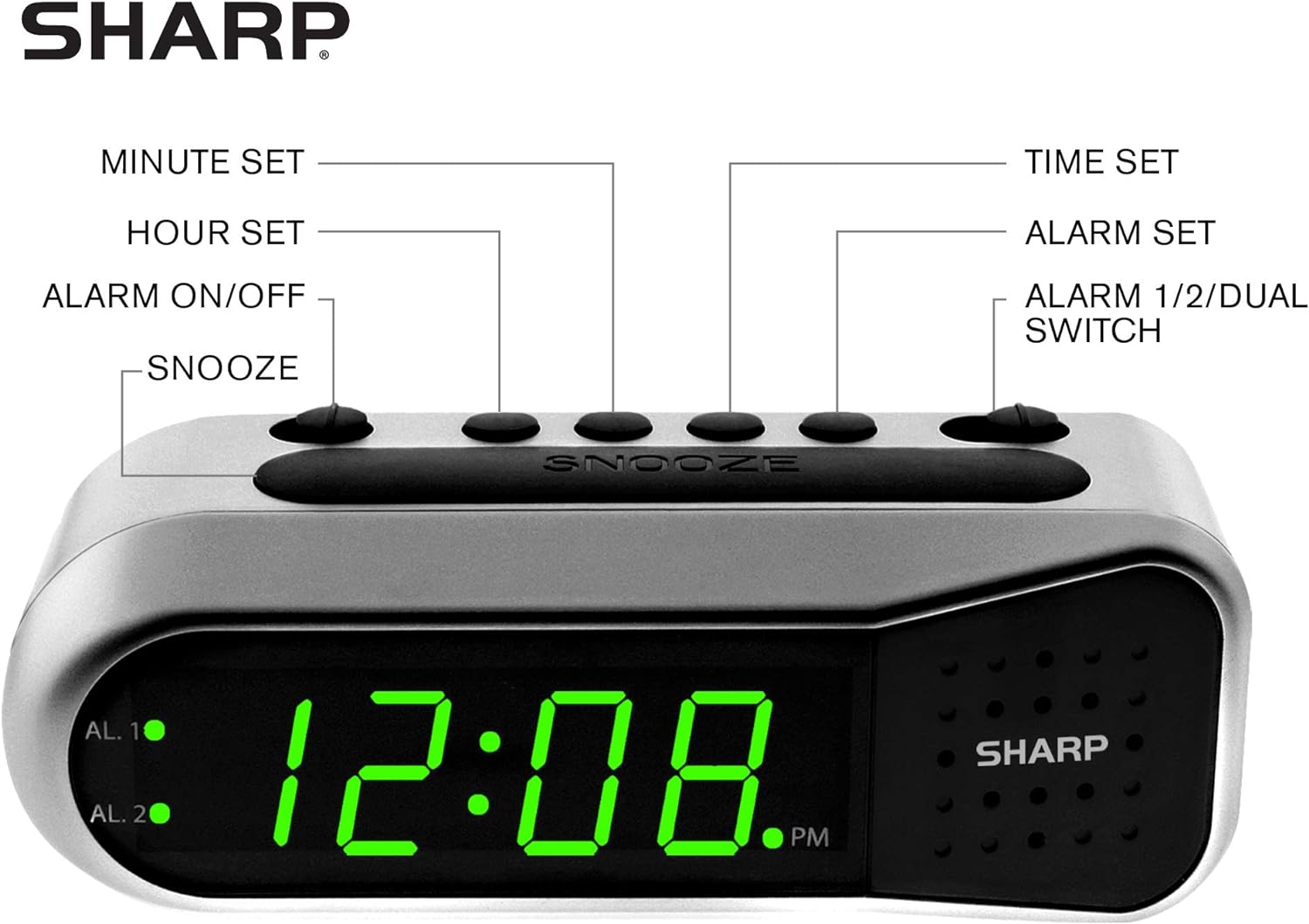
Figure 3: Labeled diagram of the clock's controls and display elements.
- Minute Set Button: Adjusts minutes for time and alarm settings.
- Hour Set Button: Adjusts hours for time and alarm settings.
- Alarm On/Off Switch: Activates or deactivates the selected alarm.
- Tombol Snooze: Ngajempékeun alarm samentawis kanggo waktos anu singget.
- Tombol Setel Waktos: Asup kana mode setelan waktos.
- Tombol Setel Alarm: Lebet kana modeu setelan alarm.
- Alarm 1/2/Dual Switch: Selects which alarm (Alarm 1, Alarm 2, or both) is being set or activated.
- AL. 1 Indicator: Lights up when Alarm 1 is active.
- AL. 2 Indicator: Lights up when Alarm 2 is active.
- Indikator PM: Lights up when the displayed time is PM.
Disetél
1. Sambungan Daya
Connect the AC power adapter to the DC input jack located on the back of the alarm clock. Plug the adapter into a standard electrical outlet. The display will illuminate.
2. Pamasangan Cadangan Batré
The battery backup feature requires two (2) AA batteries (not included). These batteries maintain time and alarm settings during a power outage but do not power the display.
- Open the battery compartment cover on the bottom of the clock.
- Insert two (2) AA batteries, observing the correct polarity (+ and -) as indicated inside the compartment.
- Ganti panutup kompartemen batré.
Catetan: Replace batteries annually or when the clock experiences frequent power interruptions to ensure reliable backup.
3. Setélan Waktu Awal
After connecting power, the display will show a default time (e.g., 12:00 AM). Set the current time:
- Pencét jeung tahan tombol WAKTU WAKTU kancing. Angka jam bakal hurung.
- Bari nyekelan WAKTU WAKTU, pencét tombol SET JAM tombol sababaraha kali pikeun nyaluyukeun jam. Titénan indikator PM pikeun setelan AM / PM bener.
- Ngaleupaskeun WAKTU WAKTU kancing.
- Pencét jeung tahan tombol WAKTU WAKTU tombol deui. Angka menit bakal hurung.
- Bari nyekelan WAKTU WAKTU, pencét tombol SET MENIT tombol sababaraha kali pikeun nyaluyukeun menit.
- Ngaleupaskeun WAKTU WAKTU tombol pikeun ngahemat waktos.
Parentah Operasi
Nyetel Alarm 1 atanapi Alarm 2
Your clock features two independent alarms. To set an alarm:
- Geser ka ALARM 1/2/DUAL switch to either AL. 1 or AL. 2, depending on which alarm you wish to set.
- Pencét jeung tahan tombol SET ALARM button. The hour digits for the selected alarm will flash.
- Bari nyekelan SET ALARM, pencét tombol SET JAM button repeatedly to adjust the alarm hour. Ensure the correct AM/PM is selected.
- Ngaleupaskeun SET ALARM kancing.
- Pencét jeung tahan tombol SET ALARM button again. The minute digits for the selected alarm will flash.
- Bari nyekelan SET ALARM, pencét tombol SET MENIT tombol sababaraha kali pikeun nyaluyukeun menit alarm.
- Ngaleupaskeun SET ALARM tombol pikeun ngahémat waktos alarm.
Activating/Deactivating Alarms
To turn an alarm ON or OFF:
- Geser ka ALARM 1/2/DUAL pindah ka AL. 1 or AL. 2.
- Pindahkeun ALARM Hurungkeun / Pareum pindah ka ON position to activate the alarm. The corresponding AL. 1 or AL. 2 indicator light will illuminate.
- Pindahkeun ALARM Hurungkeun / Pareum pindah ka Pareum position to deactivate the alarm. The indicator light will turn off.
To activate both alarms, set both alarm times and then slide the ALARM 1/2/DUAL pindah ka DUAL. Both AL. 1 and AL. 2 indicators will light up.
Fungsi Snooze
Lamun alarm disada, pencét badag SNOOZE button on top of the clock. The alarm will temporarily stop and sound again after approximately 9 minutes.
Ngeureunkeun Alarm
To stop the alarm completely after it sounds, slide the ALARM Hurungkeun / Pareum pindah ka Pareum position. The alarm will reset for the next day.
Pangropéa
beberesih
Wipe the clock with a soft, dry cloth. Do not use abrasive cleaners or solvents, as they may damage the finish.
Ngagantian batré
Replace the AA backup batteries annually or if the clock loses time during power interruptions. Refer to the "Battery Backup Installation" section for instructions.
Pamérésan masalah
| Masalah | Mungkin Cukang lantaranana | Solusi |
|---|---|---|
| Pintonan jam kosong. | Taya kakuatan AC. | Ensure the AC adapter is securely plugged into the clock and a working electrical outlet. |
| Alarm teu disada. | Alarm henteu diaktipkeun atanapi henteu leres disetel. | Pariksa éta ALARM Hurungkeun / Pareum saklar aya dina ON position and the alarm time is correctly set (check AM/PM). |
| Waktu teu bener sanggeus kakuatan outage. | Batré cadangan maot atanapi henteu dipasang. | Install fresh AA batteries or replace existing ones. Reset the time if necessary. |
| Alarm is too quiet/loud. | Alarm volume is ascending, not fixed. | The alarm features an ascending volume. It starts faintly and gradually increases. This is normal operation. |
spésifikasi
- model: B08TG1QB2B
- merek: Seukeut
- Jenis tampilan: LED Digital (Héjo)
- Sumber Daya: AC Power Adapter (included), 2x AA Batteries (for backup, not included)
- Ukuran produk: 5.5" W x 2.1" H x 2.3" D (kira-kira)
- beurat: 8.4 ons
- Bahan: palastik
- warna: Brushed Silver
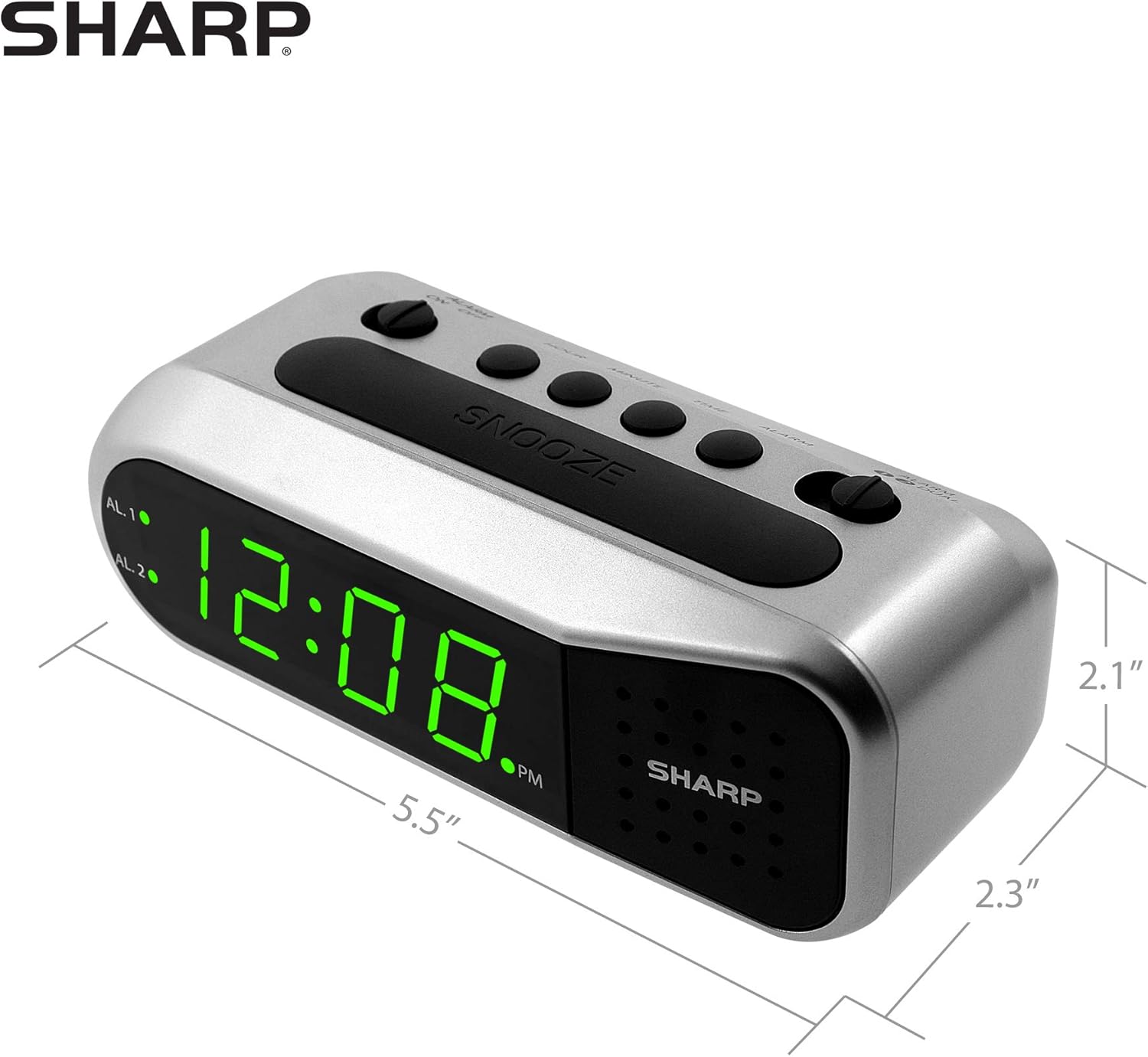
Figure 4: Dimensions of the Sharp Digital Alarm Clock.
Garansi sareng Rojongan
For warranty information or technical support, please refer to the warranty card included with your product or visit the official Sharp websitus. Simpen resi pameseran anjeun salaku bukti pameseran.
For further assistance, you may contact Sharp customer service through their official channels.


