
1. Bubuka
This manual provides essential instructions for the safe and efficient use of your FAMETEK Star Trek Illuminating Wireless Charger with Built-in Backup Battery. Please read this manual thoroughly before operating the device and retain it for future reference.
2. Eusi Paket
Pastikeun yén sadaya item aya dina pakét anjeun:
- Pad ngecas nirkabel
- Built-In Power Bank
- Kabel Mikro-USB
3. Setup jeung Pamakéan Awal
3.1. Alat Leuwihview
The FAMETEK Star Trek Illuminating Wireless Charger combines a Qi-compatible wireless charging pad with a 5000mAh built-in power bank, featuring an illuminated Star Trek logo. It supports both wireless and wired charging for various devices.

Image: The Star Trek Illuminating Wireless Charger with a smartphone wirelessly charging on its surface.
3.2. Ngeusi Daya Bank
Before initial use, fully charge the power bank using the provided Micro-USB cable. Connect the Micro-USB end to the charger's input port and the USB-A end to a compatible USB power adapter (not included). The LED indicators will show the charging progress.
3.3. Kontrol jeung Indikator
- Tombol Daya: Press once to activate the wireless charging function and illuminate the logo. Press and hold to turn off.
- Indikator LED: Four small LED lights indicate the remaining battery capacity of the power bank. Each light typically represents 25% charge.
- Port Input/Kaluaran Tipe-C: Used for charging the power bank or for wired charging of devices.
- Port Kaluaran USB-A: Used for wired charging of devices.
4. Parentah Operasi
4.1. Ngecas nirkabel
- Ensure the power bank is sufficiently charged or connected to a power source.
- Press the power button to activate the wireless charging function. The Star Trek logo will illuminate.
- Place your Qi-compatible smartphone or device directly onto the center of the charging pad.
- Confirm that your device displays a charging indicator. If not, adjust the device's position on the pad.
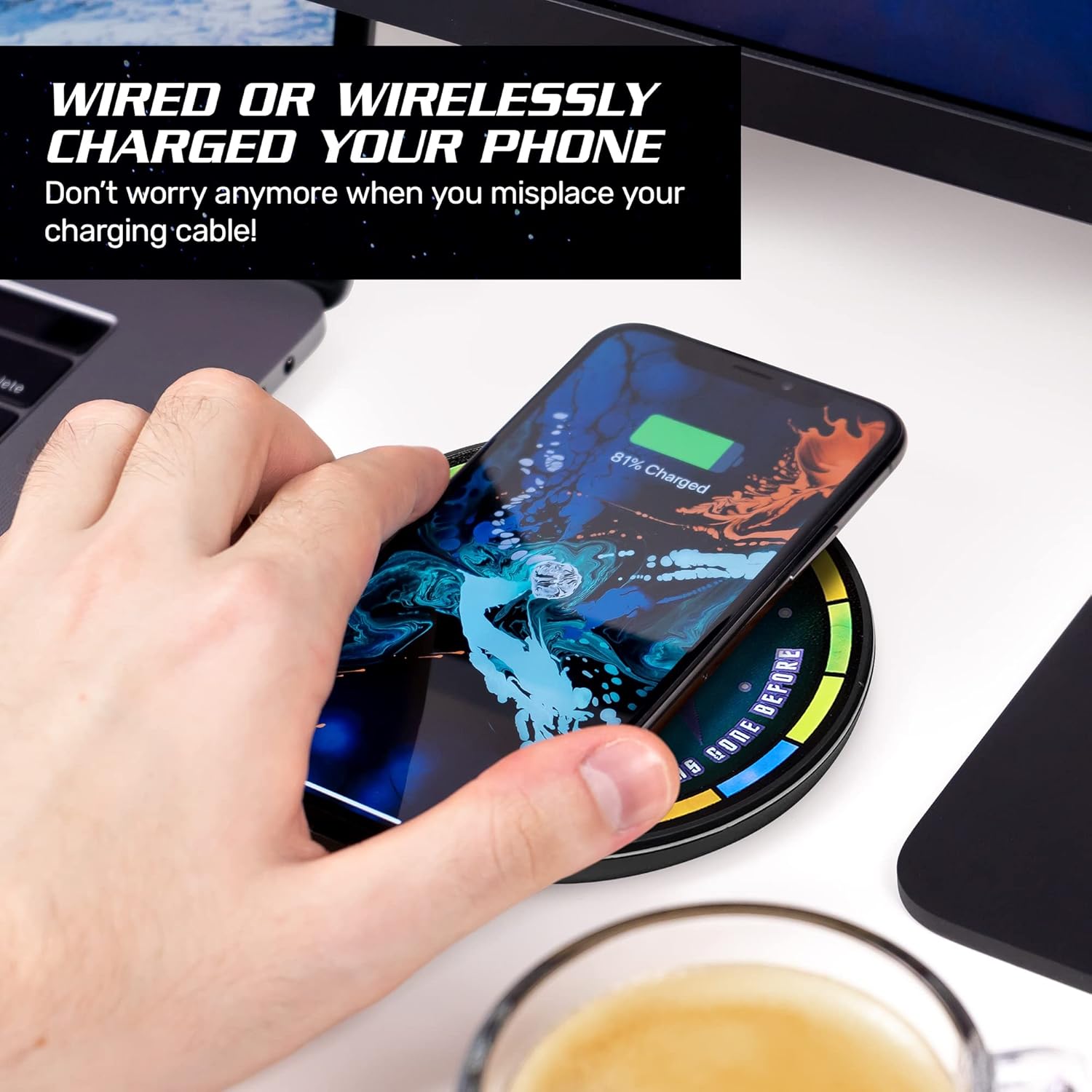
Image: A hand positioning a smartphone on the charger to initiate wireless charging.
4.2. Ngecas kabel
To charge a device via a wired connection:
- Connect your device's charging cable to either the USB-A output port or the Type-C input/output port on the power bank.
- Sambungkeun tungtung kabel anu sanés ka alat anjeun.
- Bank kakuatan bakal otomatis mimiti ngecas alat anjeun.
4.3. Portability
The built-in 5000mAh power bank allows for portable charging without needing a wall outlet, making it suitable for travel.

Image: The portable charger being placed into a pocket.
4.4. Kasaluyuan
This charger is compatible with Qi-enabled devices, including iPhone 8 and newer models, Samsung Galaxy S8, S10, and other Android devices with Qi technology. It can also charge devices via USB cable.

Image: A visual guide to compatible iPhone and Android devices.
4.5. Video produk
Video: Sakedapview of the Star Trek Qi Wireless Charger, demonstrating its illuminated logo and charging function.
Video: A detailed demonstration of the Fametek Qi Charger, covering its features and usage.
5. Pangropéa
- Jaga carjer bersih sareng bebas tina lebu sareng lebu. Anggo kaén anu lemes sareng garing pikeun beberesih.
- Ulah ngalaan alat ka suhu ekstrim, sinar panonpoé langsung, atawa Uap.
- Entong ngabongkar atanapi nyobian ngalereskeun alat nyalira, sabab ieu tiasa ngabatalkeun garansi sareng nyababkeun karusakan.
6. Cara ngungkulan
| Masalah | Solusi anu mungkin |
|---|---|
| Alat teu ngecas nirkabel. | Ensure the power bank is turned on and has sufficient charge. Verify your device is Qi-compatible and properly centered on the charging pad. Remove any thick phone cases that may interfere with wireless charging. |
| Device not charging via USB cable. | Check that the USB cable is securely connected to both the power bank and your device. Ensure the power bank has sufficient charge. Try a different USB cable or port. |
| Illuminated logo is not lighting up. | Press the power button to activate the illumination. Ensure the power bank has sufficient charge. |
| Laju ngecas lalaunan. | Ensure your device supports fast wireless charging and is correctly aligned. For wired charging, use a high-quality cable and ensure the power bank is adequately charged. |
7. Spésifikasi
| Fitur | Rincian |
|---|---|
| Dimensi produk | 3.9 x 0.71 x 3.9 inci |
| Item Beurat | 8.1 ons |
| Kapasitas batré | 5000 mah |
| Input Tipe-C | 5V = 3A, 9V = 2A |
| Kaluaran Tipe-C | 5V = 3A, 9V = 2A, 12V = 1.5A |
| Kaluaran USB | 5V = 2.4A, 9V = 2A, 12V = 1.5A |
| Kaluaran nirkabel | 5W / 7.5W / 10W |
| Ngecas Jarak | <8 mm |
| Efisiensi Ngecas | > 73% |
| Téhnologi konektipitas | USB, Nirkabel |
| Fitur husus | Portable, Wireless, Wireless Charger |
| Produsén | FAMETEK |
| Tanggal Kahiji Sadia | 4 Désémber 2020 |
8. Émbaran jaminan
This product is covered by a manufacturer's warranty. For specific details regarding warranty coverage, duration, and claims process, please refer to the product packaging or visit the official FAMETEK websitus. Simpen bukti pameseran anjeun pikeun tujuan jaminan.
9. Rojongan
Pikeun bantuan salajengna, rojongan teknis, atawa pikeun view additional products, please visit the official FAMETEK store or websitus: