1. Bubuka
Thank you for choosing the Rebel RB-0005 Weather Station. This device provides accurate indoor and outdoor temperature readings, indoor humidity, and features a clock, calendar, and alarm function. This manual will guide you through the setup, operation, and maintenance of your new weather station to ensure optimal performance.
2. Émbaran Kasalametan
- Entong ngalaan alat ka suhu anu ekstrim, sinar panonpoé langsung, atanapi kalembaban anu luhur.
- Hindarkeun ragrag atanapi ngagentoskeun alat kana tabrakan anu kuat.
- Jauhkeun alat tina cai sareng cairan sanés.
- Buang batré anu dipaké sacara tanggung jawab nurutkeun peraturan lokal.
- Ulah nyobian ngabongkar atawa ngalereskeun alat sorangan. Kontak personil mumpuni pikeun layanan.
- The outdoor sensor cable should be handled with care to prevent damage.
3. Eusi Paket
Punten parios eusi bungkusan nalika ngabongkar:
- 1x Rebel RB-0005 Weather Station Main Unit
- 1x Wired Outdoor Temperature Sensor
- 1x Manual Pamaké (dokumén ieu)
Note: 1x AAA battery is required for operation and is not included in the package.
4. Fitur Produk
- Indoor and Outdoor Temperature Measurement
- Indoor Humidity Measurement
- Fungsi Kalénder
- Fungsi Alarm
- 12/24 Jam Pintonan
- Memory Function for Highest and Lowest Temperature Readings
- Clear and Easy-to-Read LCD Display
- Batré Dioperasikeun pikeun Portability
5. Produk Langkungview
Familiarize yourself with the main components of your Rebel RB-0005 Weather Station.
5.1 Témbongkeun hareup
The large LCD screen displays various information simultaneously:
- IN Temperature: Current indoor temperature.
- OUT Temperature: Current outdoor temperature from the wired sensor.
- Waktos: Current time in 12-hour (AM/PM) or 24-hour format.
- RH%: Current indoor relative humidity.
- Kalénder: Date display (day, month).
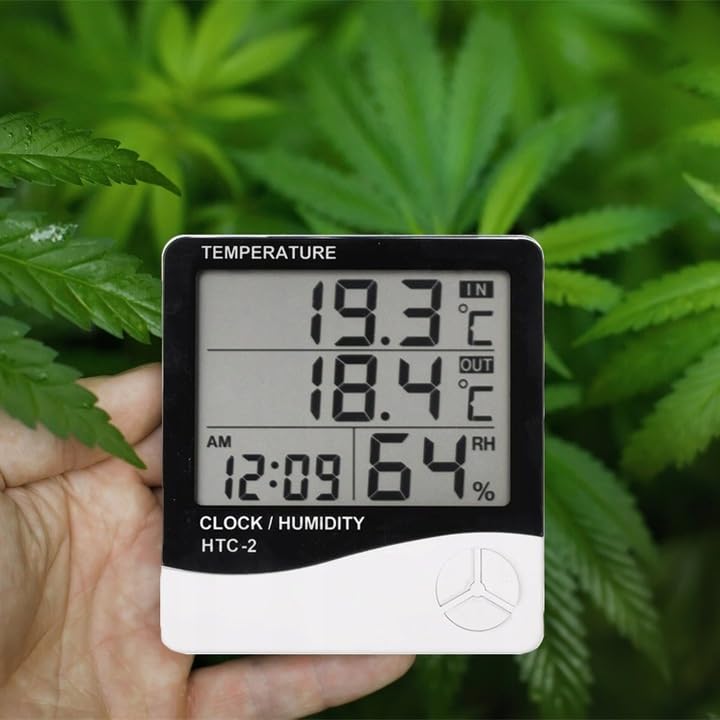
Figure 1: Front display of the weather station showing temperature, time, and humidity readings.

Gambar 2: Detil view of the display and control buttons.
5.2 Tombol Kontrol
The device features three control buttons located on the front, below the display:
- MODÉ: Used to switch between display modes (e.g., time, alarm, calendar) and to enter/exit setting modes.
- ADJ (Adjust): Used to adjust values (e.g., hours, minutes, date) when in setting mode.
- ELINGAN: Tilas view the highest and lowest recorded temperature and humidity values.
5.3 Tukangeun View jeung Sénsor
The back of the unit houses the battery compartment, a foldable stand, and the input for the wired outdoor temperature sensor.

Gambar 3: Tukangeun view of the weather station with battery compartment and wired sensor.
6. Setélan
6.1 Pamasangan batré
- Buka panutup kompartemen batré di tukang unit utama.
- Insert one (1) AAA battery, ensuring the correct polarity (+/-).
- Close the battery compartment cover securely. The device should power on automatically.
6.2 Panempatan sénsor outdoor
- Connect the wired outdoor temperature sensor to the designated port on the back of the main unit.
- Carefully route the sensor cable to the desired outdoor location. Ensure the cable is not pinched or damaged.
- Place the sensor in a shaded area, protected from direct sunlight and precipitation, to ensure accurate readings. Avoid placing it near heat sources or vents.
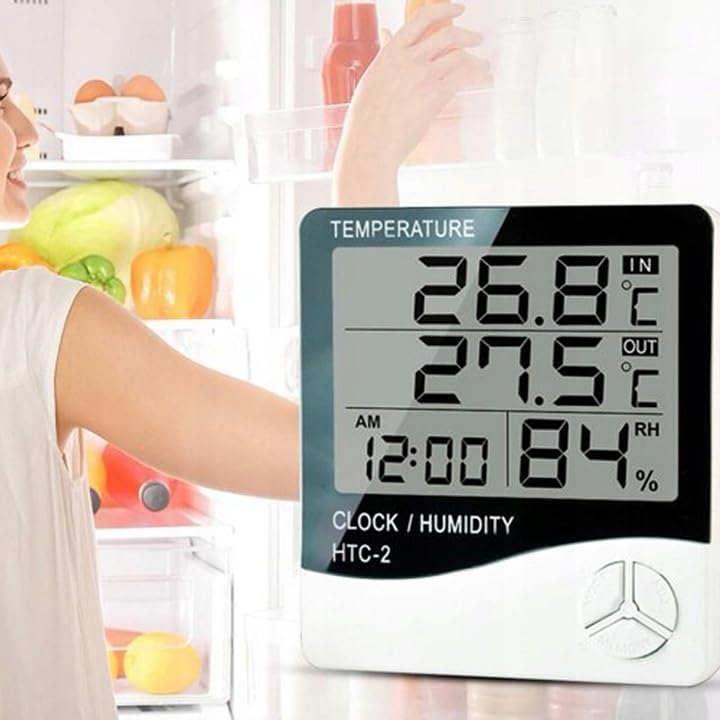
Gambar 4: Kelample placement of the weather station for indoor temperature monitoring.
7. Parentah Operasi
7.1 Nyetel Waktu jeung Kaping
- Pencét jeung tahan tombol MODÉ tombol salila kurang leuwih 3 detik nepi ka tampilan waktu mimiti kedip-kedip.
- Ngagunakeun éta ADJ tombol pikeun nyaluyukeun nilai kedip-kedip (contona, jam, menit).
- Pencét éta MODÉ button again to confirm the setting and move to the next value (e.g., minutes, 12/24 hour format, year, month, day).
- Repeat step 2 and 3 until all time and date settings are configured.
- Pencét MODÉ sakali deui pikeun kaluar tina modeu setelan.
7.2 Nyetél Alarm
- Tina tampilan waktos normal, pencét tombol MODÉ button once to enter alarm display mode (usually indicated by an alarm icon).
- Pencét jeung tahan tombol MODÉ button for approximately 3 seconds until the alarm time starts flashing.
- Ngagunakeun éta ADJ tombol pikeun ngeset jam alarm nu dipikahoyong.
- Pencét éta MODÉ button to confirm the hour and move to set the minutes.
- Ngagunakeun éta ADJ tombol pikeun nyetél menit alarm anu dipikahoyong.
- Pencét éta MODÉ tombol pikeun mastikeun sareng kaluar ti modeu setelan alarm.
- Pikeun ngaktipkeun/nganonaktipkeun alarm, pencét tombol ADJ button once while in alarm display mode. An alarm icon will appear/disappear on the display.
7.3 Viewing Min/Max Temperature and Humidity
- From the normal display, press the ENGÉLING button once to show the maximum recorded indoor/outdoor temperature and indoor humidity.
- Pencét éta ENGÉLING button again to show the minimum recorded indoor/outdoor temperature and indoor humidity.
- Pencét éta ENGÉLING button a third time to return to the current readings.
- To clear the min/max memory, press and hold the ENGÉLING tombol salila kurang leuwih 3 detik bari viewing the min/max values.
7.4 Ngalihkeun Unit Suhu (°C/°F)
While in normal display mode, press the ADJ button once to toggle between Celsius (°C) and Fahrenheit (°F) temperature units.
8. Pangropéa
- beberesih: Ngusap alat ku kaén anu lemes sareng garing. Ulah make cleaners abrasive atawa pangleyur.
- Ngagantian batré: Replace the AAA battery when the display becomes dim or the device stops functioning. Follow the battery installation steps in Section 6.1.
- Perawatan sénsor: Ensure the outdoor sensor cable is not damaged. Periodically check the sensor's placement to ensure it remains protected from elements for accurate readings.
9. Cara ngungkulan
| Masalah | Mungkin Cukang lantaranana | Solusi |
|---|---|---|
| No display or dim display. | Low or depleted battery. Incorrect battery polarity. | Ganti batré AAA ku anu énggal, pastikeun polaritasna leres. |
| Outdoor temperature reading is incorrect or "---". | Outdoor sensor cable is disconnected or damaged. Sensor is exposed to direct sunlight or heat source. | Check if the sensor cable is securely connected. Ensure the sensor is placed in a shaded, protected area. Inspect the cable for damage. |
| Waktos/Tanggal lepat. | Time/Date not set correctly after battery installation. | Refer to Section 7.1 "Setting Time and Date" to adjust. |
| Alarm teu disada. | Alarm is not activated. Alarm volume is too low (if adjustable, though this model likely isn't). | Ensure the alarm icon is displayed, indicating it is active (refer to Section 7.2). |
10. Spésifikasi
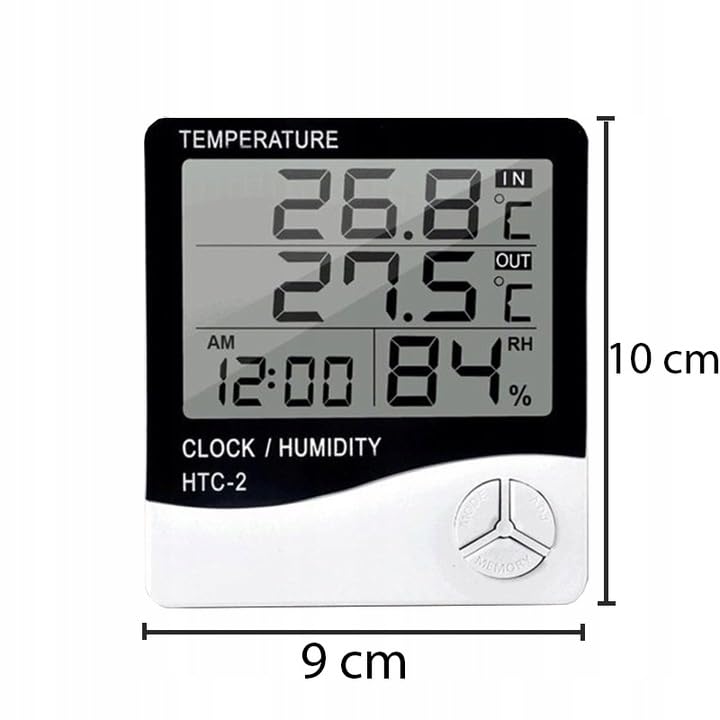
Figure 5: Approximate dimensions of the weather station.
- model: Rb-0005
- merek: Barontak
- Sumber Daya: 1x Batré AAA (teu kaasup)
- Bahan: palastik
- Fitur husus: Alarm, Calendar, Min/Max Memory
- Ukuran Paket: 18 x 12 x 10 cm
- Diménsi Produk (kira-kira): 9 cm (Lebar) x 10 cm (Jangkungna)
- Tanggal munggaran sayogi: 23 Nopémber 2020
11. Garansi jeung Rojongan
Produk ieu ditangtayungan ku garansi standar ti produsén. Pikeun syarat sareng katangtuan garansi khusus, mangga tingal dokuméntasi anu disayogikeun nalika mésér atanapi hubungi pangecér anjeun.
For technical support or inquiries, please contact the Rebel customer service department through their official websitus atanapi inpormasi kontak anu disayogikeun ku pangecér anjeun.


