1. Bubuka
Thank you for choosing the Montech X2 MESH White ATX Mid-Tower Case. This manual provides essential information for the proper setup, operation, and maintenance of your new PC case. The X2 MESH is designed for high airflow and features a fine mesh front panel, a full tempered glass side panel, and comes with three pre-installed rainbow LED fans (two 140mm at the front and one 120mm at the rear) to ensure optimal cooling performance and aesthetic appeal.
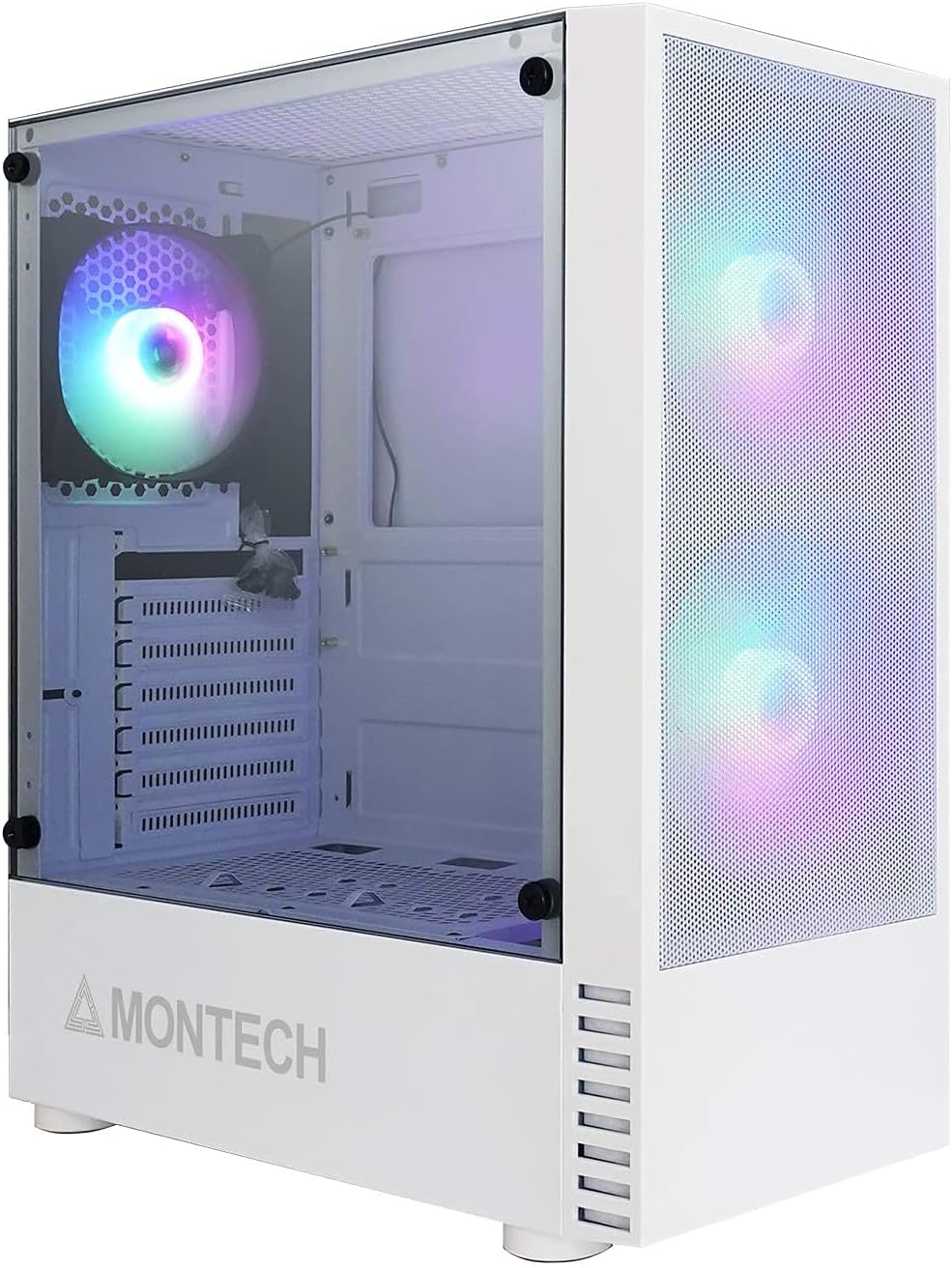
Figure 1.1: Montech X2 MESH White ATX Mid-Tower Case overview.
2. Produk Langkungview
The Montech X2 MESH case combines classic design with modern functionality. Key features include:
- Panel Hareup Jaring Halus: Designed for maximum air intake and dust filtration.
- Full Tempered Glass Side Panel: Nyadiakeun jelas view of your internal components and RGB lighting.
- Pre-installed Rainbow LED Fans: Two 140mm fans at the front and one 120mm fan at the rear for immediate cooling.
- Interior lega: Supports ATX, Micro-ATX, and Mini-ITX motherboards, multiple storage drives, and ample wiring space.
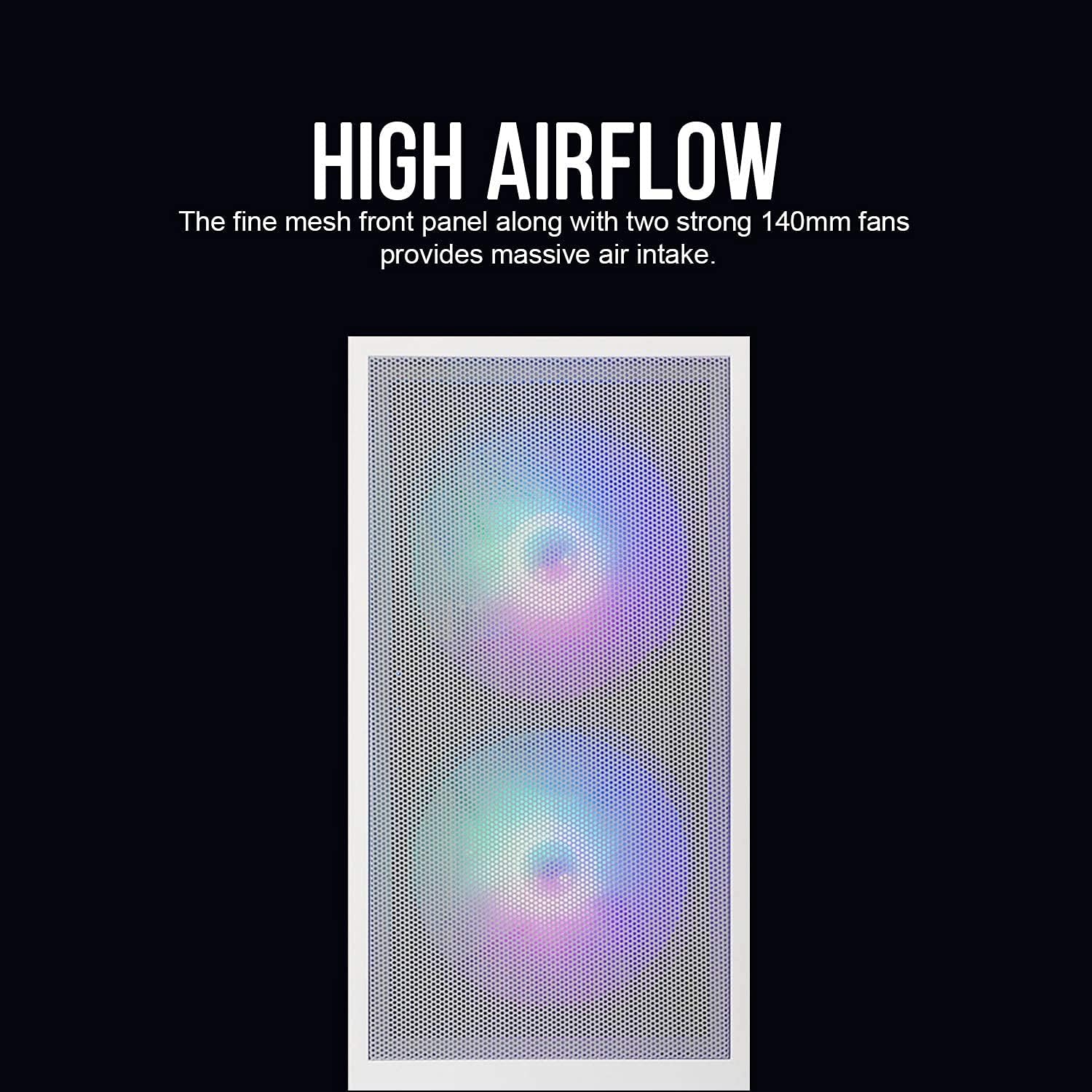
Figure 2.1: The fine mesh front panel ensures high airflow for efficient cooling.

Figure 2.2: The full tempered glass side panel allows for showcasing komponén internal.
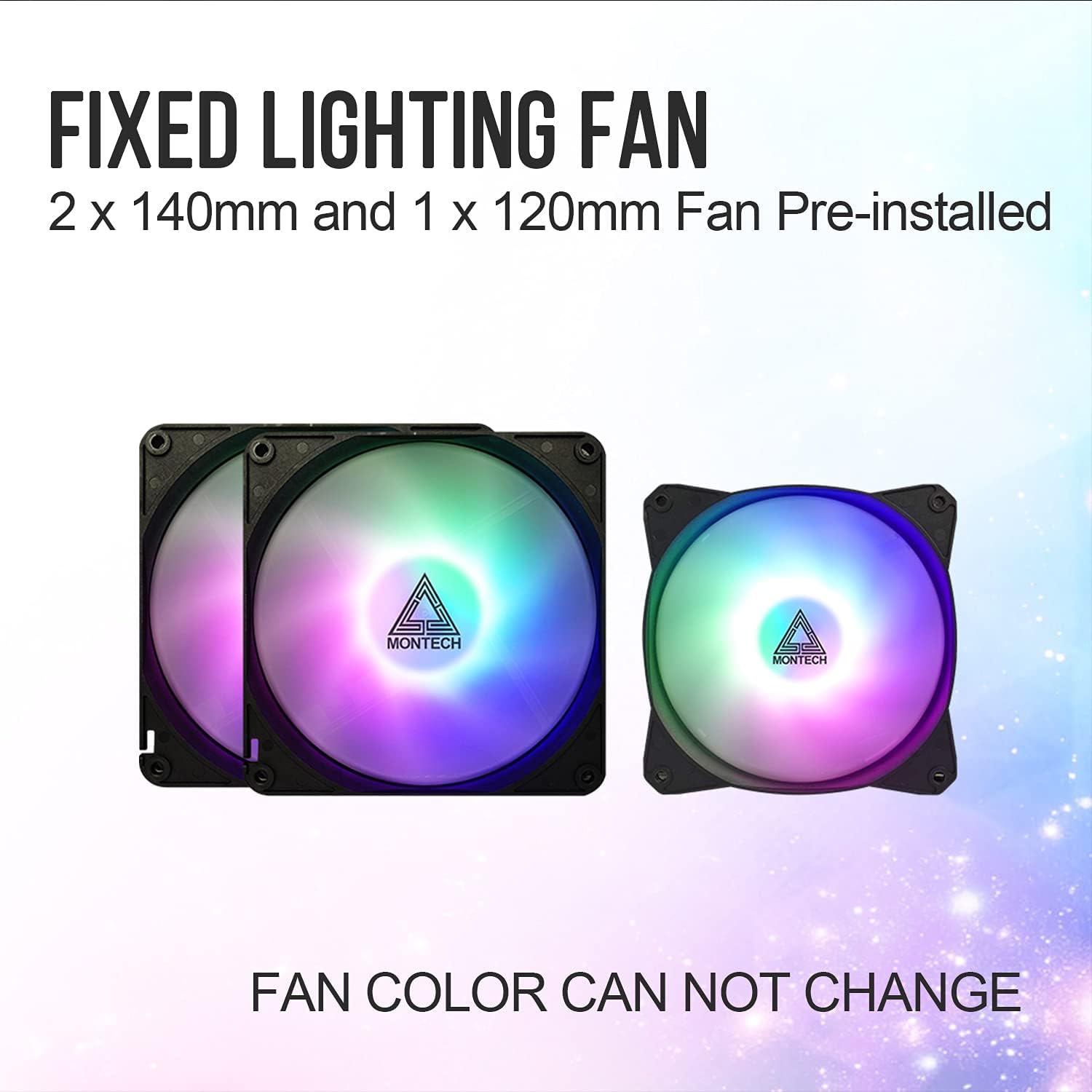
Figure 2.3: The case includes two 140mm and one 120mm pre-installed rainbow LED fans.
3. Setup jeung Instalasi
Follow these steps for proper installation of your PC components into the Montech X2 MESH case.
3.1 Pamasangan motherboard
- Remove the tempered glass side panel by unscrewing the thumb screws.
- Install the necessary motherboard standoffs for your ATX, Micro-ATX, or Mini-ITX motherboard.
- Carefully place your motherboard into the case, aligning it with the standoffs and the I/O shield opening.
- Ngamankeun motherboard kalawan screws.
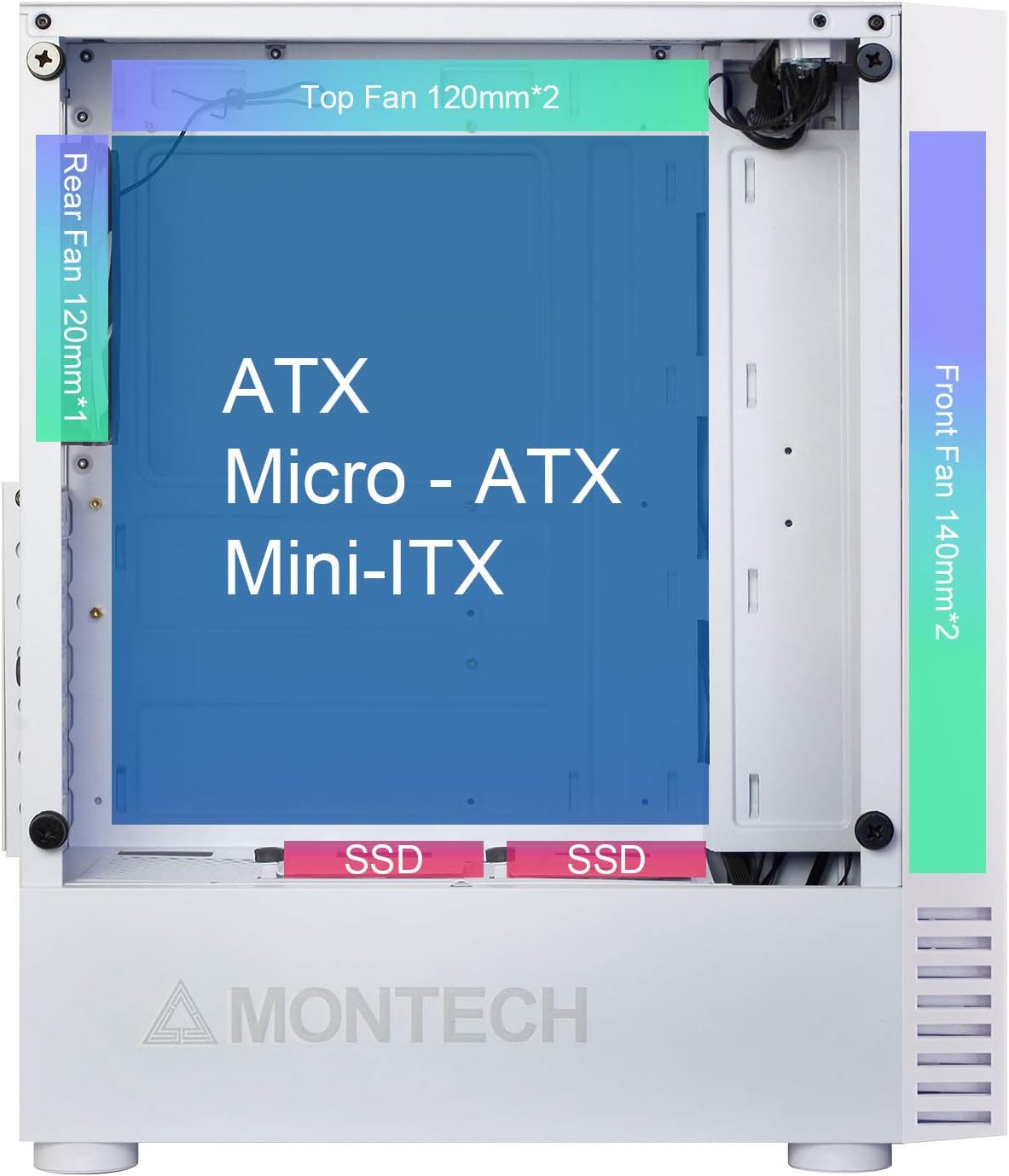
Figure 3.1: Internal layout showing compatibility for ATX, Micro-ATX, and Mini-ITX motherboards, along with fan placements.
3.2 Pamasangan Girang Panyimpenan (HDD/SSD)
- 2.5" SSDs: Mount SSDs to the dedicated SSD trays located near the PSU shroud or on the rear of the motherboard tray.
- 3.5" HDDs: Install HDDs into the drive cage located beneath the PSU shroud.

Figure 3.2: Locations for HDD, SSD, and PSU installation, highlighting wiring space.
3.3 Pamasangan Power Supply Unit (PSU).
The X2 MESH supports standard ATX PSUs. Install the PSU from the rear of the case, securing it with screws. Ensure proper cable routing through the designated cutouts.
3.4 Manajemén kabel
Mangpaatkeun ample wiring space behind the motherboard tray and the cable tie-down points to manage cables neatly. This improves airflow and aesthetics.
4. Parentah Operasi
Once all components are installed and connected, close the side panels. The pre-installed rainbow LED fans will illuminate upon system power-on, providing effective cooling and visual appeal. Ensure your system's power button is connected to the motherboard's front panel headers.
5. Pangropéa
Pangropéa rutin ngabantosan ngajamin kinerja optimal sareng umur panjang kasus PC anjeun.
- Cleaning the Mesh Front Panel: Periodically clean the fine mesh front panel to prevent dust buildup, which can restrict airflow. Use a soft brush or compressed air.
- Cleaning the Tempered Glass Side Panel: Use a microfiber cloth and a non-abrasive glass cleaner to keep the tempered glass panel clear and smudge-free.
- Kipas beberesih: Gently clean the fan blades with compressed air or a soft brush to remove dust buildup.
6. Cara ngungkulan
Upami anjeun mendakan masalah, pertimbangkeun léngkah-léngkah ngungkulan umum ieu:
- Henteu aya kakuatan: Ensure all power cables (24-pin ATX, 8-pin CPU, GPU, etc.) are securely connected to the motherboard and components. Check the PSU switch.
- Fans Not Spinning/LEDs Off: Verify that the fan headers are correctly connected to the motherboard or fan controller. Ensure power is supplied to the fans.
- Aliran hawa anu goréng: Check for dust buildup on the mesh panel and fans. Ensure no cables are obstructing airflow paths.
- Komponén Leupas: If experiencing system instability, re-check all component connections (RAM, GPU, storage drives).
For persistent issues, consult your component manuals or contact Montech support.
7. Spésifikasi
| Fitur | Spésifikasi |
|---|---|
| Ngaran modél | X2 MESH |
| merek | Montech |
| Jenis Kasus | Tengah munara |
| Warna | X2 MESH White |
| Bahan | Glass (Tempered Glass Side Panel) |
| Motherboard kasaluyuan | ATX, Micro ATX, Mini ITX |
| Ukuran produk (L x W x H) | 38 x 19 x 44.7 cm |
| Item Beurat | 5.2 kg |
| Kipas anu tos dipasang | 2 x 140mm Rainbow LED (Front), 1 x 120mm Rainbow LED (Rear) |
| USB 2.0 palabuhan | 2 |
| Métode Cooling | Hawa |
| Power Supply ningkatna Tipe | Gunung handap |
8. Garansi jeung Rojongan
Kanggo inpormasi garansi sareng dukungan téknis, mangga tingal ka Montech resmi websitus atanapi ngahubungan layanan palanggan maranéhanana langsung. Simpen bukti pameseran anjeun pikeun klaim garansi.


