1. Bubuka
Hatur nuhun pikeun meuliasing the TOPTRO TR82 WiFi Projector. This manual provides essential information for setting up, operating, and maintaining your projector. Please read it thoroughly before use to ensure optimal performance and safety.
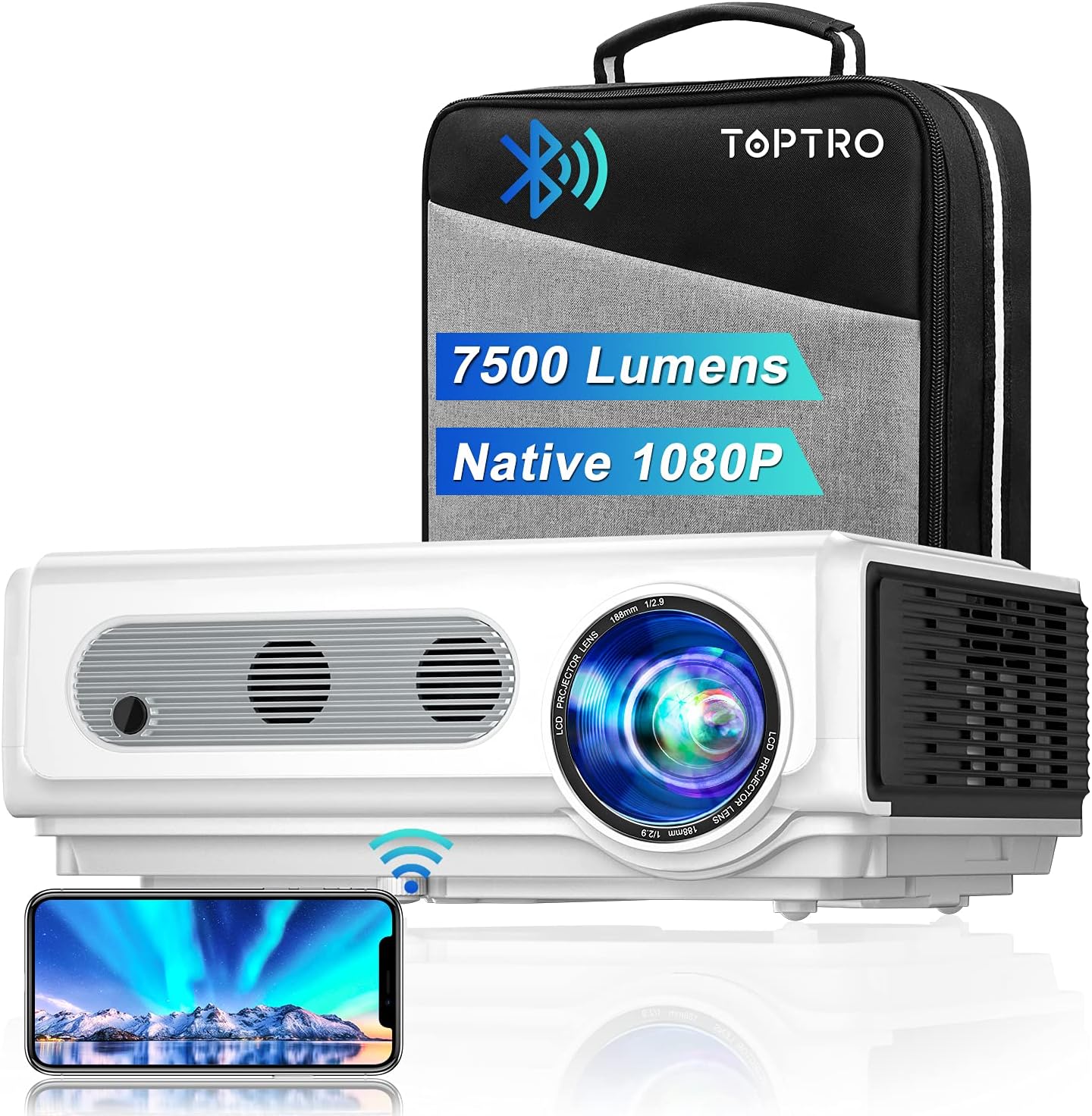
Image: The TOPTRO TR82 projector, its included carrying case, and a smartphone wirelessly connected, demonstrating screen mirroring capabilities. The image highlights the projector's 7500 lumens and Native 1080P resolution.
2. Émbaran Kasalametan
Pikeun nyegah seuneu atanapi kejutan listrik, ulah ngalaan alat ieu ka hujan atanapi beueus. Ulah muka casing. Rujuk ngalayanan ka tanaga anu mumpuni wungkul.
- Entong meungpeung lawang angin.
- Paké ngan kantétan / asesoris dieusian ku produsén.
- Cabut colokan proyektor nalika badai kilat atanapi nalika henteu dianggo kanggo waktos anu lami.
- Hindarkeun paparan panon langsung kana lensa proyektor nalika lamp dihurungkeun.
- Pastikeun ventilasi ditangtoskeun pikeun nyegah overheating.
3. Eusi Paket
Punten parios yén sadaya barang aya nalika ngabongkar:
- Projector TOPRO TR82
- Kabel Daya
- Kabel HDMI
- AV kabel
- Jauh Jauh (Batré henteu kalebet)
- Cap Lénsa
- Manual pamaké
- Mawa Kasus
4. Produk Langkungview
Familiarize yourself with the various parts and interfaces of your TOPTRO TR82 projector.
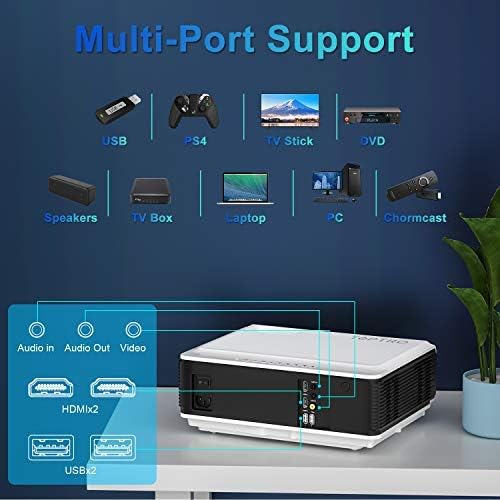
Image: An illustration of the TOPTRO TR82 projector's rear panel, highlighting its multi-port support including Audio In, Audio Out, Video, two HDMI ports, and two USB ports. Various compatible devices like USB drives, PS4, TV Stick, DVD players, speakers, TV boxes, laptops, PCs, and Chromecast are shown connected.
Hareupeun View:
- Lensa
- Cingcin Fokus
- Ring Koreksi Keystone
Tukangeun View (Ports):
- Port HDMI 1
- Port HDMI 2
- Port USB 1
- Port USB 2
- Palabuhan AV
- Audio Out (3.5mm)
- Input kakuatan
Panel luhur:
- Tombol Daya
- Tombol Navigasi (Luhur, Handap, Kénca, Katuhu, OK)
- Tombol Menu
- Tombol Balik deui
- Tombol Sumber
5. Setélan
5.1 Nempatkeun
Place the projector on a stable, flat surface or mount it to the ceiling. Ensure there is adequate space around the projector for ventilation. The projection distance and screen size can vary; refer to the specifications for recommended ranges.
5.2 Sambungan Daya
- Sambungkeun kabel kakuatan ka port input kakuatan proyektor.
- Colokkeun tungtung kabel daya anu sanés ka stopkontak.
- Lampu indikator kakuatan dina projector bakal caang.
5.3 Fokus jeung Koreksi Keystone
- Hurungkeun proyektor.
- Saluyukeun Cingcin Fokus until the projected image is clear and sharp.
- Saluyukeun Ring Koreksi Keystone to correct any trapezoidal distortion, ensuring the image is rectangular.
5.4 Nyambungkeun Alat
The TOPTRO TR82 supports various input sources:
- HDMI: Connect Blu-ray players, game consoles (PS4), TV sticks, laptops, or other HDMI-enabled devices using an HDMI cable.
- USB: Selapkeun flash drive USB pikeun muterkeun média files langsung.
- OF: Anggo kabel AV anu disayogikeun pikeun nyambungkeun alat anu langkung lami sapertos pamuter DVD.
- Audio Kaluar: Sambungkeun spiker éksternal atanapi headphone ngalangkungan jack audio 3.5mm pikeun sora anu langkung saé.
5.5 Wireless Connection (WiFi)
The TR82 projector supports wireless screen mirroring from your phone, tablet, or laptop.
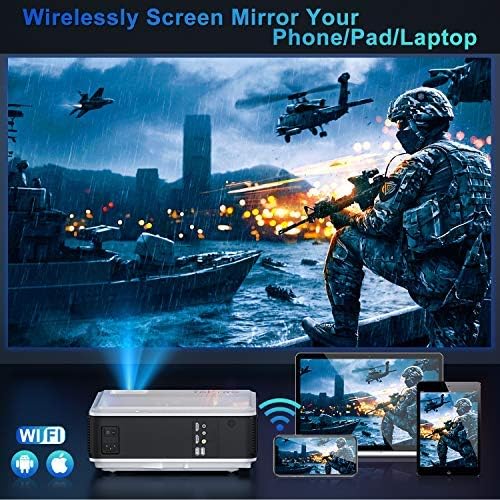
Image: A visual representation of wireless screen mirroring, showing a TOPTRO TR82 projector wirelessly connected to a smartphone, tablet, and laptop, projecting content onto a large screen. WiFi and Apple/Android logos are visible.
- Go to the projector's main menu and select the "WiFi" or "Screen Mirroring" option.
- Connect the projector to your home WiFi network.
- On your mobile device (iOS/Android) or laptop, enable screen mirroring (e.g., AirPlay for iOS, Miracast for Android/Windows).
- Pilih proyektor tina daptar alat nu sadia.
- Note: Due to HDCP copyright protection, some streaming apps like Netflix or Prime Video may not allow direct screen mirroring. You can mirror photos, videos, and other non-HDCP content. For protected content, use a TV stick or other HDMI-connected device.
5.6 Sambungan Audio Bluetooth
Connect the projector to external Bluetooth speakers or headphones for a better audio experience.

Image: A TOPTRO TR82 projector projecting an image onto a large screen, with sound waves emanating towards two external Bluetooth speakers, illustrating how to achieve louder and better sound quality.
- Ensure your Bluetooth speaker/headphone is in pairing mode.
- On the projector, navigate to the Bluetooth settings.
- Scan alat Bluetooth anu sayogi.
- Pilih alat anjeun tina daptar pikeun dipasangkeun.
- Note: This Bluetooth function is for audio output only and cannot connect to phones/pads as an input source.
6. Parentah Operasi
6.1 Daya Hurung/Pareuman
- To power on: Press the Power button on the projector or remote control.
- To power off: Press the Power button again. Confirm shutdown if prompted.
6.2 Navigasi Menu
Use the navigation buttons (Up, Down, Left, Right) on the projector or remote to move through menu options. Press "OK" to confirm a selection. Press "Return" to go back to the previous menu.
6.3 Pilihan Sumber Input
Press the "Source" button on the projector or remote control to cycle through available input sources (HDMI1, HDMI2, USB1, USB2, AV, Screen Mirroring).
6.4 YouTube Integration
The TOPTRO TR82 features built-in YouTube access for direct video streaming.

Image: The TOPTRO TR82 projector displaying the YouTube interface on a large screen, indicating that users can watch videos directly after connecting to WiFi.
- Ensure the projector is connected to WiFi (refer to Section 5.5).
- From the main menu, select the "YouTube" application.
- Browse or search for videos directly on the projector.
6.5 X/Y Zoom Function
The zoom function allows you to adjust the screen size from 100% down to 75% without moving the projector, which is particularly useful for ceiling-mounted installations or when fine-tuning the image size.
- Access the "Picture Settings" or "Display Settings" menu.
- Locate the "Zoom" or "X/Y Zoom" option.
- Saluyukeun persentage to resize the image as needed.
7. Pangropéa
7.1 Ngabersihan Lensa
Anggo lawon anu lemes sareng henteu ngaganggu anu khusus dirancang pikeun lénsa optik. Entong nganggo pembersih anu kasar atanapi lawon anu tiasa ngagores lénsa.
7.2 Ngaleungitkeun Lebu
The TOPTRO TR82 features a convenient removable dust filter on the side and a removable cover on the bottom for easy cleaning.
- Locate the removable dust filter on the side of the projector. Gently pull it out.
- Clean the filter using a soft brush or compressed air.
- For internal dust, remove the bottom cover and use compressed air to blow away dust from the internal components, especially around the optical engine.
- Reinsert the filter and replace the cover securely.
- Regular cleaning helps maintain image quality and extends the projector's lifespan.
7.3 Panyimpenan
When not in use for extended periods, store the projector in its carrying case in a cool, dry, and dust-free environment.
8. Cara ngungkulan
| Masalah | Mungkin Cukang lantaranana | Solusi |
|---|---|---|
| Taya gambar ditémbongkeun | Kabel daya teu nyambung; Sumber input salah; Alat teu dihurungkeun. | Pariksa sambungan daya; Pilih sumber input anu leres; Pastikeun alat anu nyambung hurung. |
| Gambar burem | Focus not adjusted; Keystone not adjusted. | Adjust the Focus Ring; Adjust the Keystone Correction Ring. |
| Taya sora | Volume too low; Muted; Incorrect audio output; Bluetooth not connected. | Increase volume; Unmute; Check audio output settings; Reconnect Bluetooth device. |
| Masalah sambungan WiFi / Bluetooth | Out of range; Interference; Incorrect password; Device not in pairing mode. | Move closer to router/device; Reduce interference; Re-enter password; Ensure device is in pairing mode. |
| Screen mirroring not working for certain apps | Perlindungan hak cipta HDCP. | Use an HDMI-connected device (e.g., TV stick) for protected content. |
9. Spésifikasi
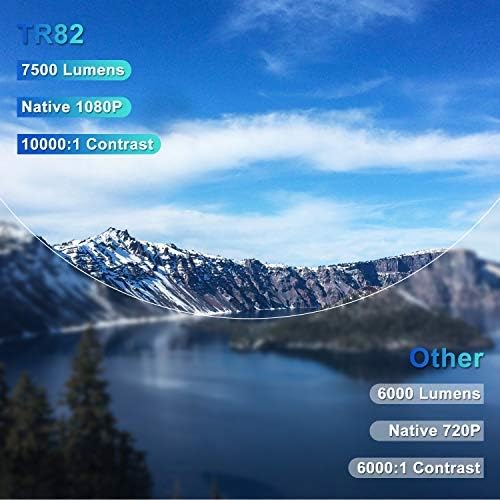
Image: A comparison graphic highlighting the TOPTRO TR82's superior specifications: 7500 Lumens, Native 1080P resolution, and 10000:1 Contrast Ratio, compared to typical "Other" projectors with lower specs.
| Fitur | Rincian |
|---|---|
| merek | TOPTRO |
| Modél | TR82 |
| Resolusi pribumi | 1920 x 1080P |
| Resolusi dirojong | Nepi ka 4K |
| Caang | 7500 Lumén |
| Babandingan Kontras | 10000:1 |
| Tipe tampilan | LCD |
| Téhnologi konektipitas | USB, HDMI, AV, Bluetooth, Wi-Fi |
| Vérsi Bluetooth | 5.0 (Output only) |
| Fitur husus | Built-In Speaker, Built-In Wi-Fi, X/Y Zoom Function, Removable Dust Filter, Integrated YouTube |
| Alat nu cocog | Television, USB, Phone, TV Stick, PC, DVD, PS4 |
| Tipe Pamasangan | Pemasangan di Langit-langit, Meja |
| Dimensi produk | 30.5 x 22.5 x 11.5 cm |
| Item Beurat | 3.98 kg |
| Model Taun | 2021 |
10. Garansi jeung Rojongan
TOPTRO provides a standard warranty for the TR82 projector. Please refer to the warranty card included in your package for specific terms and conditions. For technical support, troubleshooting assistance, or warranty claims, please contact TOPTRO customer service through the following channels:
- Visit the official TOPTRO websitus pikeun FAQs jeung sumber rojongan.
- Contact TOPTRO customer support via email or phone (contact details typically found on the warranty card or official websitus).
- For purchases made on Amazon, you may also contact the seller directly through your Amazon order history.


