
Bubuka
This manual provides essential information for the safe and efficient operation of your Comiso X26M Portable Bluetooth Speaker. Please read thoroughly before use to ensure optimal performance and longevity of your device.
Émbaran Kasalametan
- Ulah ngalaan speaker ka suhu ekstrim atawa sinar panonpoé langsung pikeun période berkepanjangan.
- Jauhkeun tina seuneu kabuka sareng sumber panas.
- Do not disassemble, modify, or attempt to repair the device yourself. Contact qualified service personnel if needed.
- Ensure the rubber port cover is securely closed when the speaker is exposed to water or dust to maintain its IP65 rating.
- Anggo ukur kabel ngecas anu disayogikeun atanapi anu sarimbag anu disertipikasi.
Eusi pakét
- Comiso X26M Portable Bluetooth Speaker
- Kabel Ngecas USB-C
- Klip Carabiner
- Manual pamaké
Produk Leuwihview
The Comiso X26M is a compact, waterproof, and dustproof portable Bluetooth speaker designed for both indoor and outdoor use. It delivers balanced, detailed 360° HD sound, supports wireless stereo pairing (TWS), features a built-in microphone for hands-free calls, and includes a TF card slot for direct music playback.
Kontrol jeung palabuhan
The speaker's top panel features intuitive controls for power, volume, and playback. The charging port, TF card slot, and reset button are located at the bottom, protected by a durable rubber cover.

Image: The Comiso X26M speaker in pink, held in a hand, highlighting its compact size and top control panel.

Image: A close-up of the speaker's top panel, displaying the power, volume, and playback control buttons.

Gambar: A lengkep view of the speaker's base, with the protective rubber flap open to reveal the USB-C charging port, TF card slot, and reset button.
Disetél
Ngecas Speaker
Before first use, fully charge the speaker to ensure maximum battery life.
- Open the rubber cover located at the bottom of the speaker.
- Connect the provided USB-C cable to the charging port and a compatible USB power source (e.g., wall adapter, computer USB port).
- The LED indicator will illuminate to show the charging status. It will turn off or change color when fully charged.
- Once fully charged, disconnect the cable and close the rubber cover securely to maintain waterproof and dustproof integrity.
Papasangan Bluetooth
Connect your Comiso X26M speaker to your Bluetooth-enabled device.
- Pencét jeung tahan tombol daya (G) on the top panel until you hear an audible prompt and the LED indicator flashes blue, indicating pairing mode.
- Dina alat anjeun (smartphone, tablet, jsb.), aktipkeun Bluetooth sareng milarian alat anu sayogi.
- Select "Comiso X26M" from the list of found devices to connect. A confirmation tone will sound upon successful pairing, and the LED will turn solid blue.
Parentah Operasi
Fungsi Dasar
- Hurungkeun/Pareuman: Pencét jeung tahan tombol daya (G).
- Puter / Reureuh: Pencét tombol Puter / Jeda (||).
- Volume Kaluhur/Turun: Pencét '+' or '-' buttons.
- Lagu Salajengna / Saméméhna: Press and hold the '+' (next) or '-' (previous) buttons.
- Ngajawab / mungkas Telepon: Pencét tombol Puter / Jeda (||) during an incoming call.
- Nolak Telepon: Pencét terus tahan tombol Puter/Pause (||) during an incoming call.
Pamasangan Stereo Nirkabel (TWS)
To achieve an immersive 360° stereo surround sound experience, you can pair two Comiso X26M speakers together.
- Ensure both Comiso X26M speakers are powered on and not connected to any other Bluetooth device.
- On one speaker, press the TWS pairing button (triangle icon). The LED will flash, indicating it's searching for another speaker.
- The speakers will automatically connect to each other. A confirmation tone will sound, and the LEDs on both speakers will indicate a successful TWS connection.
- Once paired, connect your device to one of the speakers via Bluetooth as described in the "Bluetooth Pairing" section. Both speakers will now play audio in stereo.
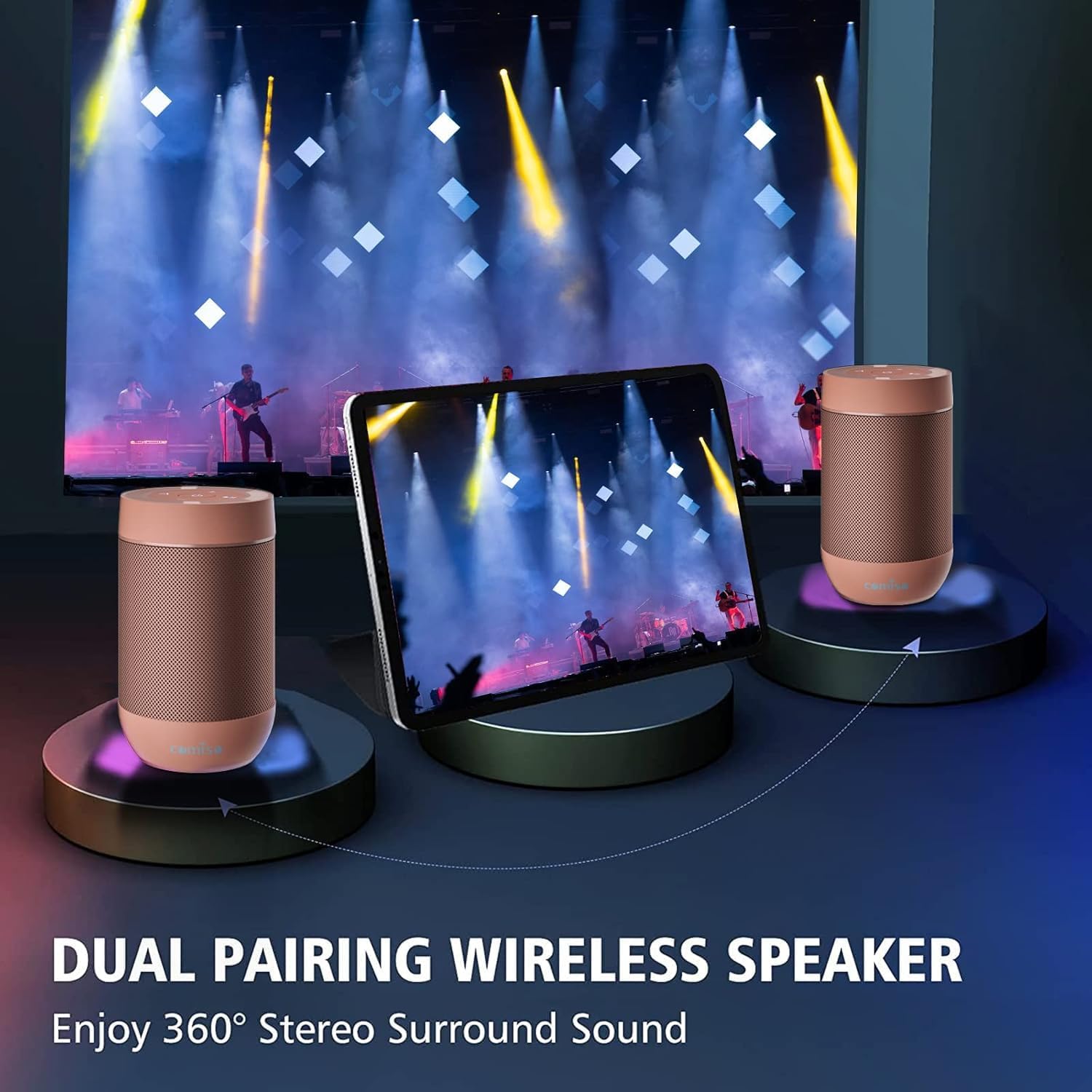
Image: Two Comiso X26M speakers demonstrating the wireless stereo pairing feature, enhancing the audio experience.
Playback Kartu TF
The speaker supports direct music playback from a TF (Micro SD) card.
- Open the rubber cover at the bottom of the speaker.
- Insert a TF card (up to 64GB, formatted to FAT32, containing MP3 audio files) into the designated slot.
- The speaker will automatically switch to TF card mode and begin playback.
- Use the playback controls on the top panel to manage your music.
Pangropéa
- Ngabersihan spéker ku hipu, damp lawon. Ulah nganggo pembersih anu abrasif, alkohol, atanapi bahan kimia anu keras.
- Ensure the rubber port cover is securely sealed when not charging or using the TF card to maintain water and dust resistance.
- Simpen speaker di tempat anu tiis sareng garing, jauh tina sinar panonpoé langsung sareng suhu anu ekstrim nalika henteu dianggo.
- If the speaker will not be used for an extended period, charge it fully every 3 months to preserve battery health.
Pamérésan masalah
| Masalah | Solusi |
|---|---|
| Speaker teu hurung. | Ensure the battery is charged. Connect to a power source using the USB-C cable. If unresponsive, try pressing the reset button located under the rubber cover. |
| Teu bisa masangkeun via Bluetooth. | Ensure the speaker is in pairing mode (flashing blue LED). Turn off Bluetooth on other nearby devices that might be trying to connect. Try resetting the speaker and your device's Bluetooth settings. |
| Taya sora atawa volume low. | Adjust both the speaker's volume and your connected device's volume. Ensure the speaker is properly connected via Bluetooth or TF card. |
| kartu TF teu maén. | Ensure the TF card is formatted to FAT32 and contains MP3 files. The maximum supported size is 64GB. Reinsert the card firmly. |
| Kualitas sora henteu saé. | Ensure the speaker is within Bluetooth range of your device. Check for obstacles between the speaker and device. Ensure the audio source quality is good. |
spésifikasi
| Fitur | Rincian |
|---|---|
| Ngaran modél | X26M |
| merek | Comiso |
| Téhnologi konektipitas | Nirkabel (Bluetooth 5.3) |
| Peunteun waterproof | IP65 |
| Fitur husus | Built-in Microphone, TF Card Support, Wireless Stereo Pairing (TWS) |
| Mode Kaluaran Audio | Stereo |
| Speaker Maksimum Kaluaran Power | 5 Watt |
| Kapasitas batré | 1350 mAh |
| Waktu Ngecas | 2 Jam |
| Rentang Bluetooth | 100 suku |
| Dimensi produk | 2.2 "D x 2.2" W x 3.6" H |
| Item Beurat | 5.9 ons |
Garansi sareng Rojongan
This product comes with a limited warranty. For warranty claims, technical support, or any inquiries, please contact Comiso customer service. Refer to the official Comiso websitus wéb atanapi dokuméntasi pameseran anjeun kanggo detil kontak khusus sareng syarat garansi.
Inpormasi Tambahan
For more product details, accessories, and usage tips, visit the official Comiso Store: Comiso Store on Amazon.