1. Bubuka
Hatur nuhun pikeun meuliasing the SHARP XL-B512 Stereo Sound System. This micro sound system offers a rich 45-watt sound experience with versatile connectivity options including Bluetooth, CD player, USB, and FM radio. Its elegant design with a wooden speaker housing and LED display complements any living space. This manual provides essential information for setting up, operating, and maintaining your device to ensure optimal performance and longevity.
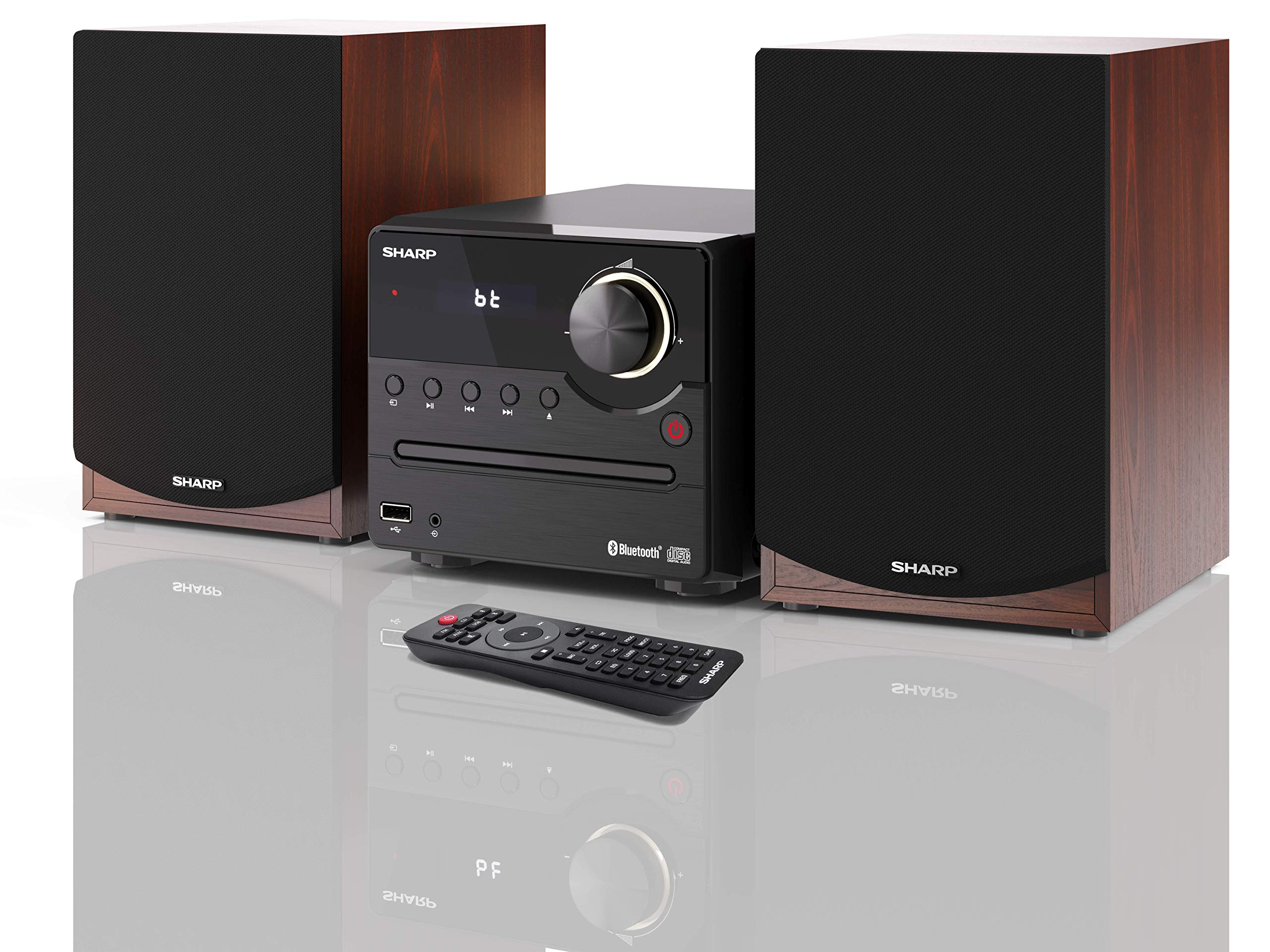
Gambar 1: SHARP XL-B512 Stereo Sound System. This image shows the central unit flanked by two wooden-cased speakers, reflecting on a polished surface.
2. Émbaran Kasalametan
Mangga baca sakabeh parentah kaamanan taliti saméméh ngagunakeun produk. Simpen manual ieu pikeun rujukan ka hareup.
- Sumber Daya: Use only the specified power supply. Ensure the voltage cocog catu daya lokal Anjeun.
- Ventilasi: Ulah ngahalangan liang ventilasi naon waé. Siapkeun rohangan anu cekap di sakitar unit pikeun aliran hawa anu leres.
- Cai sareng Uap: Ulah ngalaan unit ka hujan, beueus, atawa cairan netes/cipratan. Ulah nempatkeun objék dieusian ku cairan, kayaning vases, dina alat.
- Panas: Jauhkeun unit tina sumber panas sapertos radiator, register panas, kompor, atanapi aparat sanésna (kalebet ampLiifiers) anu ngahasilkeun panas.
- beberesih: Cabut colokan unit tina stopkontak sateuacan beberesih. Paké lawon garing wungkul.
- Palayanan: Entong nyobian ngalayanan produk ieu nyalira. Rujuk sadayana ngalayanan ka tanaga jasa anu mumpuni.
3. Eusi Paket
Pastikeun yén sadaya item anu didaptarkeun di handap kalebet kana pakét anjeun:
- SHARP XL-B512 Micro Sound System (Main Unit)
- Two Speakers (with wooden housing)
- Kabel Daya
- Remote Control (kalayan batré)
- Manual Pitunjuk (dokumén ieu)
- Gancang Mimitian Guide
4. Setélan
4.1 Sambungan Speaker
Connect the two speakers to the main unit using the provided speaker cables. Ensure correct polarity (positive to positive, negative to negative) for optimal sound quality.
4.2 Sambungan Daya
Connect the power cable to the AC IN port on the rear of the main unit, then plug it into a wall outlet.

Gambar 2: Rear panel connections. This image displays the back of the central unit with ports for speaker wires and the AC power input, alongside the rear of the two speakers.
4.3 Daya Awal Hurung
Press the Power button on the main unit or the remote control to turn on the system. The LCD display will illuminate.
5. Parentah Operasi
5.1 Kadali Panel hareup

Gambar 3: Front panel controls. This close-up shows the central unit's display, volume knob, and various control buttons for playback and source selection.
- Tombol Daya: Ngahurungkeun atanapi mareuman unit.
- Tombol Sumber: Cycles through available input sources (CD, FM, Bluetooth, USB, AUX).
- Jilid Kenop: Saluyukeun tingkat volume master.
- Kadali Puteran: Play/Pause, Stop, Skip Forward/Backward for CD and USB modes.
- Port USB: For connecting USB storage devices for music playback.
- Input AUX: Jack 3.5mm pikeun nyambungkeun alat audio éksternal.
5.2 Playback CD
- Pencét éta Sumber tombol pikeun milih mode 'CD'.
- Open the CD tray by pressing the Eject button.
- Place a CD (CD/CD-R/CD-RW/MP3 format) with the label side up into the tray.
- Close the CD tray. The system will read the disc and begin playback automatically or display track information.
- Use the playback controls (Play/Pause, Stop, Skip) to manage your music.
5.3 Radio FM
- Pencét éta Sumber tombol pikeun milih mode 'FM'.
- The system will automatically search for available stations or you can manually tune.
- Pikeun nyimpen hiji stasiun jadi prasetél, setel ka stasiun nu dipikahoyong, teras pencét jeung tahan Prasetél button (if available on remote) or follow on-screen instructions. The system supports 40 preset memories.
- Ngagunakeun éta Prasetél ka luhur/handap tombol pikeun napigasi stasiun anu disimpen.
5.4 Nyapasangkeun Bluetooth
- Pencét éta Sumber button to select 'Bluetooth' mode. The display will show 'bt' and flash, indicating it's in pairing mode.
- Dina alat sélulér anjeun, aktipkeun Bluetooth sareng milarian alat anu sayogi.
- Select 'SHARP XL-B512' from the list of devices.
- Once paired, the 'bt' indicator on the system's display will stop flashing. You can now stream audio from your device.
5.5 Playback USB
- Selapkeun alat panyimpenan USB kana port USB dina panel hareup.
- Pencét éta Sumber tombol pikeun milih mode 'USB'.
- Sistem bakal otomatis ngadeteksi sareng muterkeun audio anu cocog files (MP3).
- Use the playback controls to navigate tracks.
5.6 Input AUX
- Connect an external audio device (e.g., smartphone, MP3 player) to the AUX IN jack on the front panel using a 3.5mm audio cable (not supplied).
- Pencét éta Sumber tombol pikeun milih mode 'AUX'.
- Play audio from your connected device. The sound will be output through the SHARP XL-B512 system.
5.7 Setélan ékualiser
The system features 6 preset equalizers with independent treble and depth control. Use the EQ button on the remote control or main unit to cycle through the presets and adjust sound to your preference.
6. Pangropéa
6.1 Ngabersihan Unit
Wipe the unit with a soft, dry cloth. Do not use abrasive cleaners, waxes, or solvents as they may damage the finish. Ensure the unit is unplugged before cleaning.
6.2 Kamanusaan sarta Studi CD
Handle CDs by their edges. Keep them clean and free of scratches. Store CDs in their cases when not in use.
6.3 Speaker Care
The wooden speaker housing can be cleaned with a soft, dry cloth. Avoid placing heavy objects on the speakers or exposing them to direct sunlight or extreme temperatures.
7. Cara ngungkulan
If you encounter any issues with your SHARP XL-B512 system, refer to the following table for common problems and solutions.
| Masalah | Mungkin Cukang lantaranana | Solusi |
|---|---|---|
| Taya kakuatan | Power cable not connected securely; Power outlet not active. | Pariksa sambungan kabel kakuatan; Coba colokan listrik anu béda. |
| Taya sora | Volume too low; Incorrect source selected; Speaker cables disconnected. | Increase volume; Select correct input source; Check speaker cable connections. |
| Bluetooth teu dipasangkeun | System not in pairing mode; Device too far; Bluetooth disabled on device. | Ensure system is in Bluetooth pairing mode; Move device closer; Enable Bluetooth on your device. |
| CD teu diputer | CD inserted incorrectly; CD is dirty or scratched; Incorrect format. | Reinsert CD correctly; Clean CD; Ensure CD is a supported format (CD/CD-R/CD-RW/MP3). |
| Kadali jauh teu jalan | Batréna pareum atanapi dipasangna teu leres; Aya halangan antara remot sareng unit. | Ganti batré; Pastikeun polaritasna batré bener; Leupaskeun sagala halangan. |
Lamun masalah persists sanggeus nyobian solusi ieu, mangga ngahubungan rojongan customer.
8. Spésifikasi
Below are the technical specifications for the SHARP XL-B512 Stereo Sound System:
- model: XL-B512
- Total Daya Kaluaran: 45 Watt
- Mode Kaluaran Audio: Stereo
- Speaker Output Channel Quantity: 2
- Format Audio anu Dirojong: MP3, CD, CD-R, CD-RW
- Téknologi Tuner: FM PLL Tuner
- Range Frékuénsi FM: 87.5 nepi ka 108 MHz
- FM Preset Memory: 40 stasion
- Konektipitas: Bluetooth, USB, Auxiliary (3.5mm)
- Fitur husus: 6 Preset Equalizers, LCD Display with white backlight
- Sound System Dimensions (W x H x D): 17 x 22 x 15 cm
- Diménsi Spiker (L x T x D): 14.5 x 17.7 x 22.3 cm (each)
- Beurat barang: 4 kg
- Sumber Daya: Kabel Listrik
- Kadali jauh: Leres (kaasup batré)
9. Garansi jeung Rojongan
Your SHARP XL-B512 Stereo Sound System comes with a standard manufacturer's warranty. Please refer to the warranty card included in your package for specific terms and conditions, including the warranty period and coverage details.
For technical support, service inquiries, or further assistance, please contact your local SHARP customer service center. Contact information can typically be found on the manufacturer's websitus atanapi dina dokuméntasi jaminan.


