1. Émbaran Kasalametan penting
Please read all instructions carefully before using the projector. Keep this manual for future reference.
- Ulah nempo langsung kana lensa projector lamun lamp dihurungkeun.
- Pastikeun ventilasi ditangtoskeun pikeun nyegah overheating. Ulah meungpeuk bukaan ventilasi.
- Paké ngan adaptor kakuatan disadiakeun kalawan projector.
- Ulah neundeun proyéktor di tempat anu teu stabil atanapi caket cai.
- Cabut colokan proyektor nalika badai kilat atanapi nalika henteu dianggo kanggo waktos anu lami.
2. Eusi Paket
Pastikeun yén sadaya item aya dina bungkusan:
- WiMiUS K1 Projector
- Kadali jauh
- Kabel Daya
- Kabel HDMI
- AV kabel
- Panutup lénsa
- Kain beberesih
- Manual pamaké
- Dedicated Storage Bag

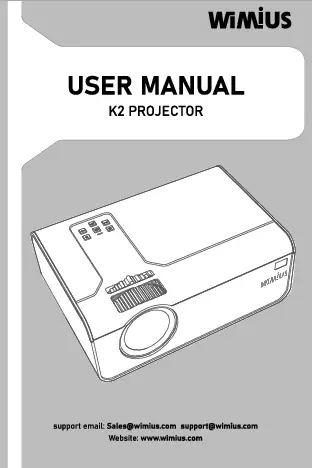
Image: WiMiUS K1 Projector and included accessories.
Video: Unboxing and Initial Setup of WiMiUS K1 Projector, demonstrating the contents and basic connections.
3. Produk Langkungview
The WiMiUS K1 projector offers a range of features for an enhanced viewing experience. Familiarize yourself with its design and connectivity options.

Image: WiMiUS K1 Projector Key Features.

Image: Compatible Multimedia Devices and Ports on the WiMiUS K1 Projector.
Video: WiMiUS K1 Projector Feature Highlights, showcasing kamampuhna.
4. Setup Guide
4.1 Nempatkeun
Posisikeun proyéktor dina permukaan anu rata sareng stabil. Pikeun optimal viewing, place it directly in front of your projection screen or wall. The projector supports a screen size from 50 to 300 inches, with an optimum distance of 3 meters for a clear image.

Image: Adjustable Screen Size and Projection Distances.
4.2 Sambungan Daya
Connect the power cable to the projector's power input port and then plug it into a power outlet. The projector will power on automatically or can be turned on using the power button on the unit or remote control.
4.3 Fokus jeung Koreksi Keystone
Adjust the focus ring on the side of the projector until the image is clear. Use the remote control or the projector's menu to access the 4P/4D Keystone Correction settings to adjust the image shape if it appears distorted (trapezoidal).
5. Operasi
5.1 Nyambungkeun Alat
The WiMiUS K1 projector supports multiple input sources:
- HDMI: Connect PCs, DVD players, PS5, Xbox, or Amazon Fire Sticks using an HDMI cable.
- USB: Insert a USB drive for direct media playback (movies, photos, music).
- OF: Anggo kabel AV anu disayogikeun pikeun nyambungkeun alat anu langkung lami.
- Bluetooth: Sambungkeun speaker Bluetooth éksternal pikeun audio ditingkatkeun.
5.2 Pangeunteungan Layar Nirkabel
Mirror your smartphone (iOS/Android) or iPad screen wirelessly to the projector:
- Ensure your device and the projector are connected to the same Wi-Fi network.
- Select 'iOS Cast' or 'Miracast' from the projector's main menu, depending on your device.
- On your iOS device, open Control Center and tap 'Screen Mirroring', then select the projector (e.g., K1-iOSCast-xxxx) from the list.
- For Android devices, enable 'Wireless Display' or 'Screen Mirroring' in your settings and select the projector.

Image: Wireless WiFi Screen Mirroring in action.
Video: iOS Screen Mirroring Guide, demonstrating how to connect an iOS device to the projector.
5.3 Bluetooth Speaker Connection
Connect external Bluetooth speakers for a more immersive audio experience:
- Turn on your Bluetooth speaker and set it to pairing mode.
- Dina proyéktor, buka menu setélan Bluetooth.
- Scan for available devices and select your Bluetooth speaker from the list to pair.

Image: Bluetooth and Dual Built-in Surround Speaker connectivity.
5.4 Media Playback and Applications
The projector supports various applications, from business presentations to home entertainment and gaming.

Image: Various Applications of the WiMiUS K1 Projector.
6. Image Quality Adjustment
Optimalkeun anjeun viewing experience by adjusting image settings:
- Caang & Kontras: The K1 projector offers high lumens and a 20000:1 contrast ratio for bright and clear images. Adjust these settings in the Projection Image Settings menu to suit your environment.
- Warna Gamut: Experience richer and more accurate colors with the projector's 99% NTSC color gamut.

Image: Brightness and Clarity Comparison.

Image: Richer Color Gamut comparison.
Video: Projector Display Quality Preview, showing the visual performance.
7. Spésifikasi
| Fitur | Spésifikasi |
|---|---|
| merek | WiMiUS |
| Nomer modél | PM-02 (K1) |
| Item Beurat | 7.17 pon |
| Dimensi produk | 8.8 x 8.6 x 4.33 inci |
| Warna | Hideung |
| Téhnologi konektipitas | Bluetooth, HDMI, USB, 5G WiFi |
| Resolusi tampilan | Native 1920 x 1080 (Supports 4K) |
| Sumber Cahaya | LED Lamp |
| Input kakuatan | AC100-240V, 50-60Hz |
| Fungsi Zum | 50%-100% |
| Panganteur Input | HDMI*2, AV, USB*2 |
| Panganteur Kaluaran | AUDIO OUT |
| Dianjurkeun Mangpaat | Business, Gaming, Home Cinema |
8. Pangropéa
Pangropéa rutin ngajamin umur panjang sareng kinerja optimal proyektor anjeun.
- Ngabersihan lensa: Use the provided cleaning cloth or a soft, lint-free cloth to gently wipe the lens. Avoid abrasive materials or harsh chemicals.
- Ngabersihan ventilasi hawa: Periodically clean the air vents to prevent dust buildup, which can lead to overheating. Use a soft brush or compressed air.
- Lamp Kahirupan: LED lamp has a life expectancy of over 200,000 hours, ensuring long-term use without frequent lamp ngagantian.
- Panyimpenan: When not in use, store the projector in its dedicated storage bag in a cool, dry place to protect it from dust and damage.
9. Cara ngungkulan
If you encounter issues with your WiMiUS K1 projector, refer to the following common solutions:
- Henteu aya kakuatan: Ensure the power cable is securely connected to both the projector and a working power outlet.
- Teu aya gambar: Pariksa pilihan sumber input. Pastikeun alat anu nyambung dihurungkeun sareng ngirim sinyal. Saluyukeun fokus sareng koréksi keystone.
- Gambar kabur: Adjust the focus ring on the projector. Ensure the projection surface is flat and the projector is at an appropriate distance.
- Gambar anu Distorsi: Use the 4P/4D keystone correction feature in the settings menu to adjust the image shape.
- Henteu aya sora: Check the volume settings on both the projector and the connected device. Ensure external speakers are properly connected or paired via Bluetooth.
- Masalah Pangeunteungan Layar: Verify that both the projector and your mobile device are connected to the same 5G WiFi network. Restart both devices if necessary.
For further assistance, please contact WiMiUS customer support.
10. Garansi jeung Rojongan
Your WiMiUS K1 Projector comes with a manufacturer's warranty. Please refer to the warranty card included in your package for specific terms and conditions.
For technical support, product inquiries, or warranty claims, please contact WiMiUS customer service through their official websitus atanapi inpormasi kontak anu disayogikeun dina manual pangguna.
email rojongan: support@wimius.com
Resmi Websitus: www.wimius.com