1. Bubuka
Thank you for choosing the Cecotec Smart Healthy Vision 10400 Bathroom Scale. This intelligent scale is designed to provide comprehensive body composition analysis, helping you monitor your health and fitness journey. With its advanced bioimpedance technology and seamless Bluetooth connectivity, you can track 15 essential health parameters directly on your smartphone. Please read this manual carefully before using the product to ensure proper operation and maintenance.
2. Parentah Kasalametan
- Do not use this device if you are pregnant, have a pacemaker, or other internal medical devices.
- Place the scale on a hard, flat surface to ensure accurate measurements. Avoid carpets or soft surfaces.
- The scale surface can be slippery when wet. Ensure the surface is dry before stepping on it.
- Ulah luncat kana timbangan atawa make eta pikeun tujuan séjén iwal ti nimbang beurat.
- Jauhkeun timbangan tina cai sareng suhu anu ekstrim.
- This scale is for household use only and not for medical diagnosis or treatment. Consult a healthcare professional for medical advice.
- Jauhkeun tina jangkauan barudak.
3. Eusi Paket
Saatos muka bungkusan, mangga pariksa yén sadaya komponén aya sareng dina kaayaan anu saé:
- 1 x Cecotec Smart Healthy Vision 10400 Bathroom Scale
- 1 x Ngukur Pita
- 1 x Manual Pamaké
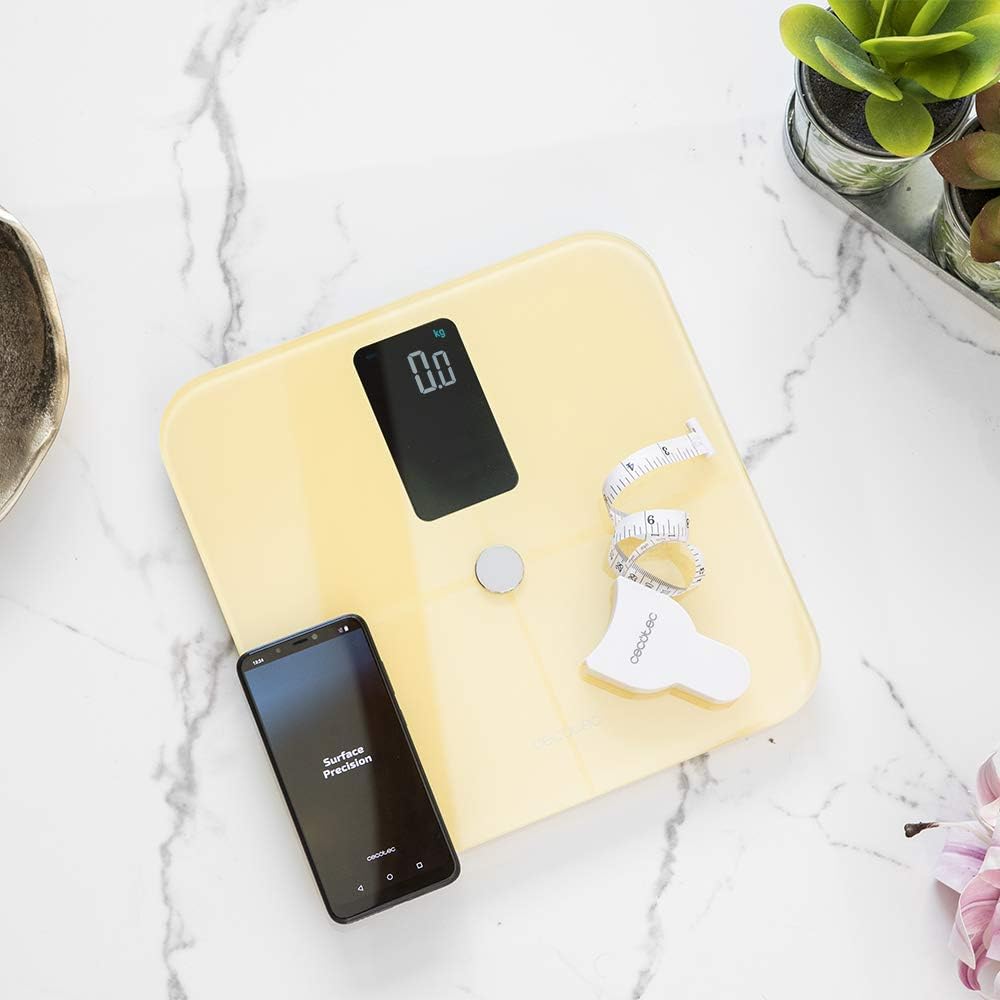
Image: The Cecotec Smart Healthy Vision 10400 Bathroom Scale, a smartphone, and a measuring tape, representing the package contents.
4. Produk Langkungview
The Cecotec Smart Healthy Vision 10400 features an ultra-flat design with high-security tempered glass and ITO technology for precise measurements. It includes a large digital display for easy reading and four high-precision sensors for accurate data collection.

Image: The Cecotec Smart Healthy Vision 10400 Bathroom Scale in yellow, alongside a smartphone showing the Cecotec application interface.
5. Setélan
5.1. Ngecas Skala
The scale is equipped with a 600mAh lithium battery, eliminating the need for disposable batteries. Before first use, or when the battery indicator is low, charge the scale using a standard USB charger (not included).
- Locate the charging port on the side of the scale.
- Connect the charging cable (included) to the scale and a USB power source.
- The display will indicate charging status. Charge until the battery icon shows full.

Gambar: A close-up view of the Cecotec Smart Healthy Vision 10400 Bathroom Scale, highlighting the charging port with a white USB cable plugged in.
5.2. Instalasi App sarta Papasangan
To unlock the full potential of your scale and track your health parameters, download the official Cecotec app on your smartphone. The scale connects via Bluetooth 4.0.
- Scan the QR code in the manual or search for "Cecotec" in your smartphone's app store (Google Play Store for Android, Apple App Store for iOS).
- Pasang aplikasina.
- Aktipkeun Bluetooth dina smartphone Anjeun.
- Open the Cecotec app and follow the on-screen instructions to create your profile and pair the scale.
- Step on the scale to activate it and initiate the pairing process. The app will detect the scale.

Image: A person is shown sitting on the floor, focused on their smartphone, with the Cecotec Smart Healthy Vision 10400 Bathroom Scale positioned behind them, illustrating the app usage.
6. Parentah Operasi
6.1. Nyandak Pangukuran
For accurate readings, ensure the scale is on a hard, flat surface.
- Step onto the scale barefoot. The scale will automatically turn on.
- Stand still with your feet evenly distributed on the scale's electrodes (the metal pads).
- Wait for the display to show your weight. If connected to the app, additional parameters will be calculated and synced.
- The scale features an auto-off function and will power down after a few seconds of inactivity.

Image: A bare foot is shown in the process of stepping onto the Cecotec Smart Healthy Vision 10400 Bathroom Scale, demonstrating how to initiate a measurement.
6.2. Understanding Health Parameters
The Cecotec Smart Healthy Vision 10400 measures 15 basic health parameters, which are best viewed and tracked through the connected smartphone app. These parameters include:
- Beurat
- BMI (Indéks Jisim Awak)
- Awak Fat Persentage
- Fat-Free Weight
- Lemak Subkutan
- Lemak Visceral
- Persen caitage
- Massa otot
- Tulang Jisim
- Otot kerangka Percentage
- Protéin
- BMR (Laju Métabolik Basal)
- Umur Awak
- Laju Jantung
- Kasaimbangan awak
For detailed insights and historical data, refer to the Cecotec app.

Gambar: A luhur-handap view of a person's bare feet positioned on the Cecotec Smart Healthy Vision 10400 Bathroom Scale, with the scale's digital display showing multiple health metrics such as weight, body fat, and muscle mass percentages.
6.3. Unit Conversion (Kg/Lb)
The scale allows for easy conversion between kilograms (Kg) and pounds (Lb). Locate the conversion button on the underside or side of the scale and press it to switch units.
7. Pangropéa
7.1. beberesih
- Ngusap beungeut skala ku lemes, damp lawon.
- Do not use abrasive cleaners or harsh chemicals, as they may damage the glass or electronic components.
- Pastikeun skala tos rengse garing saméméh neundeun atawa pamakéan salajengna.
7.2. Panyimpenan
Simpen timbangan di tempat anu tiis sareng garing, jauh tina sinar panonpoé langsung sareng suhu anu ekstrim. Hindarkeun neundeun barang beurat dina timbangan nalika henteu dianggo.
8. Cara ngungkulan
| Masalah | Mungkin Cukang lantaranana | Solusi |
|---|---|---|
| Skala teu hurung. | batré lemah. | Cas timbangan nganggo kabel USB anu disayogikeun. |
| App not syncing with scale. | Bluetooth is off; scale not activated; app issue. | Ensure Bluetooth is enabled on your phone. Step on the scale to activate it. Close and reopen the app, or restart your phone. Re-pair the device if necessary. |
| Bacaan anu teu akurat atanapi henteu konsisten. | Scale on uneven surface; not standing still; dirty electrodes. | Place the scale on a hard, flat surface. Stand still and centered. Clean the scale surface, especially the electrodes. |
| "Err" or "OL" displayed. | Kaleuwihan beban (beurat ngaleuwihan 180 kg). | The scale's maximum capacity is 180 kg. Remove excess weight. |
9. Spésifikasi
| Fitur | Rincian |
|---|---|
| Nomer modél | 4263 |
| Diménsi | 30 x 30 x 2.2 cm |
| Beurat | 1.9 kg |
| Rentang pangukuran | 5 kg nepi ka 180 kg |
| Precision | 100 gr |
| Batré | Batré Litium 600mAh |
| Konektipitas | Bluetooth 4.0 |
| Bahan | Kaca Tempered |
| Fitur husus | ITO Technology, Large Display, Auto-off, Overload Indicator, Kg/Lb Conversion |
10. Émbaran jaminan
Cecotec products are manufactured to the highest quality standards. This product is covered by a manufacturer's warranty against defects in materials and workmanship from the date of purchase. Please retain your proof of purchase for warranty claims. The warranty does not cover damage caused by misuse, accident, unauthorized modification, or normal wear and tear. For specific warranty terms and conditions, please refer to the warranty card included with your product or visit the official Cecotec websitus.
11. Rojongan Palanggan
Should you encounter any issues or have questions regarding your Cecotec Smart Healthy Vision 10400 Bathroom Scale, please do not hesitate to contact our customer support team.
- Dukungan Online: Nganjang ka Cecotec resmi websitus pikeun FAQs, pituduh ngungkulan, jeung formulir kontak.
- Surélék: Refer to the Cecotec websitus pikeun alamat surélék rojongan luyu.
- Telepon: Pariksa Cecotec websitus pikeun nomer telepon layanan palanggan régional.
Nalika ngahubungi dukungan, punten gaduh nomer modél produk anjeun (4263) sareng detil pameseran siap.


