
1. Bubuka
Thank you for choosing the Sharkoon CA300T ATX PC Case. This full tower case is designed for high-performance gaming systems, offering extensive compatibility, efficient cooling, and advanced cable management features. This manual provides essential information for the proper setup, operation, and maintenance of your new PC case.
2. Émbaran Kasalametan
- Always disconnect the power supply from the wall outlet before installing or removing any components inside the PC case.
- Handle components with care to avoid damage from electrostatic discharge. Consider using an anti-static wrist strap.
- Jauhkeun bagian leutik sareng bahan bungkusan tina murangkalih.
- Avoid placing the PC case in direct sunlight, near heat sources, or in environments with high humidity.
- Do not attempt to modify the case structure, as this may void your warranty and cause damage.
3. Eusi Paket
Mangga parios eusi pakét pikeun mastikeun yén sadaya barang aya:
- Sharkoon CA300T ATX PC Case
- Accessory box (screws, cable ties, standoffs, etc.)
- RGB lighting controller (if applicable)
- Manual Pitunjuk (dokumén ieu)
4. Produk Langkungview jeung Fitur
The Sharkoon CA300T is a premium full tower ATX PC case designed for enthusiasts. It features a modern design with robust construction, tempered glass panels, and advanced cooling options.
Fitur konci:
- Full Tower Design: Ample space for high-end components and custom liquid cooling solutions.
- Panel Kaca Tempered: Side panels made of tempered glass for a clear view tina komponén internal.
- Lampu RGB: Integrated RGB lighting for customizable aesthetics.
- Aliran Udara Dioptimalkeun: Includes three 120mm fans and supports multiple radiators for superior cooling.
- Advanced Cable Management: Features an openable cable pocket/channel and ample routing options for a clean build.
- Saringan debu: Three-layer top plate with a dust filter to maintain system cleanliness.
- Konektipitas éksténsif: Front panel includes 2x USB 3.0 ports and additional USB ports.
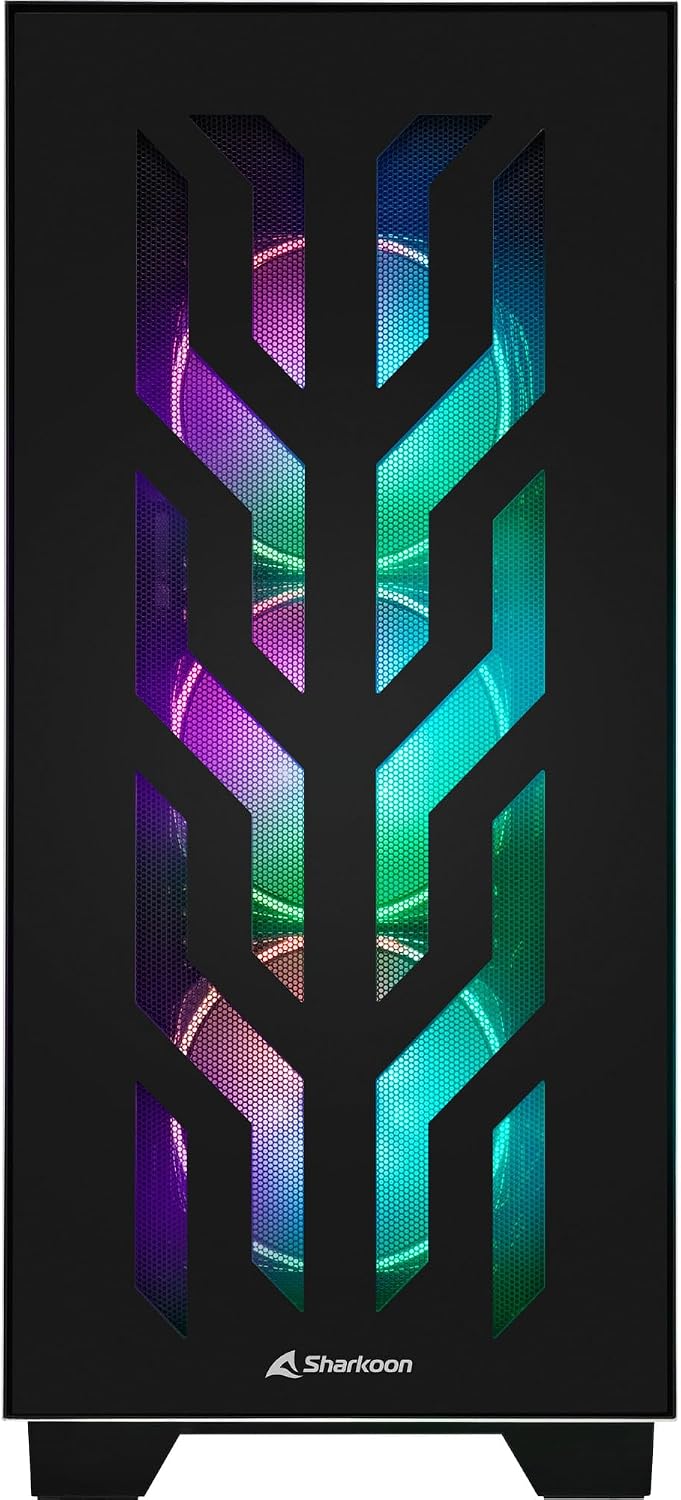
Gambar 4.1: Hareupeun view of the Sharkoon CA300T PC case, showcasing the illuminated RGB fans behind the mesh panel.
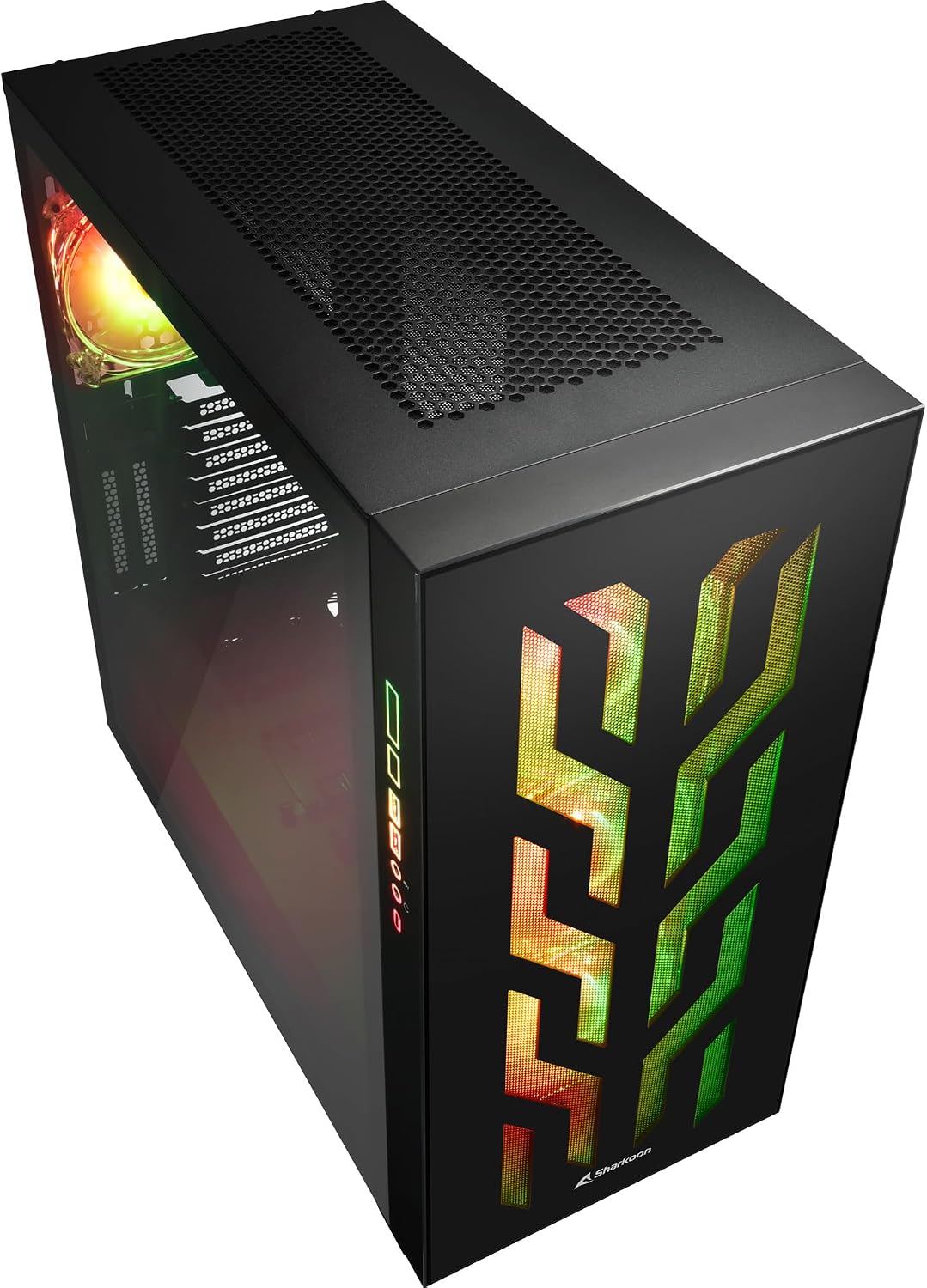
Gambar 4.2: Angled view of the Sharkoon CA300T PC case, showing the tempered glass side panel and the vibrant RGB lighting from the interior.
5. Setélan
5.1 Ngabongkar bungkusan
- Kaluarkeun wadah PC tina bungkusna kalayan ati-ati.
- Inspect the case for any signs of damage during transit. Contact your retailer if any damage is found.
- Locate the accessory box inside the case, which contains screws and other installation hardware.
5.2 Ngaleupaskeun Panel Samping
The Sharkoon CA300T features tempered glass side panels for easy access to components.
- Locate the two screws on the rear of the case securing the side panel.
- Leupaskeun dua screws ieu.
- Gently pull the panel upwards and away from the case to remove it. Repeat for the other side if necessary.

Gambar 5.1: Interior view of the Sharkoon CA300T PC case, showing the main compartment with the left tempered glass panel removed, ready for component installation.

Gambar 5.2: Interior view of the Sharkoon CA300T PC case with the left side panel completely removed, exposing the motherboard tray and various mounting points.
5.3 Pamasangan motherboard
- Install the necessary standoffs onto the motherboard tray according to your ATX motherboard's screw holes.
- Carefully place your ATX motherboard onto the standoffs, aligning the screw holes.
- Ngamankeun motherboard jeung screws disadiakeun.
5.4 Pamasangan Power Supply Unit (PSU).
The CA300T supports bottom-mounted power supplies.
- Geser PSU kana kompartemen anu ditunjuk di handapeun pungkur.
- Secure the PSU to the case with screws from the rear.
5.5 Pamasangan drive
The case provides internal bays for 3.5-inch and 2.5-inch drives.
- Locate the drive cages or mounting points for your 3.5-inch or 2.5-inch drives.
- Mount your drives using the appropriate screws or tool-less mechanisms.
5.6 Pamasangan Kartu Grafis sareng Kartu Ékspansi
The case offers multiple expansion slots and supports vertical GPU mounting.
- Leupaskeun panutup slot ékspansi perlu ti pungkur kasus.
- Selapkeun kartu grafik Anjeun atawa kartu ékspansi séjén kana liang PCIe on motherboard Anjeun.
- Secure the cards with screws. For vertical GPU mounting, an additional riser cable (not included) is required.
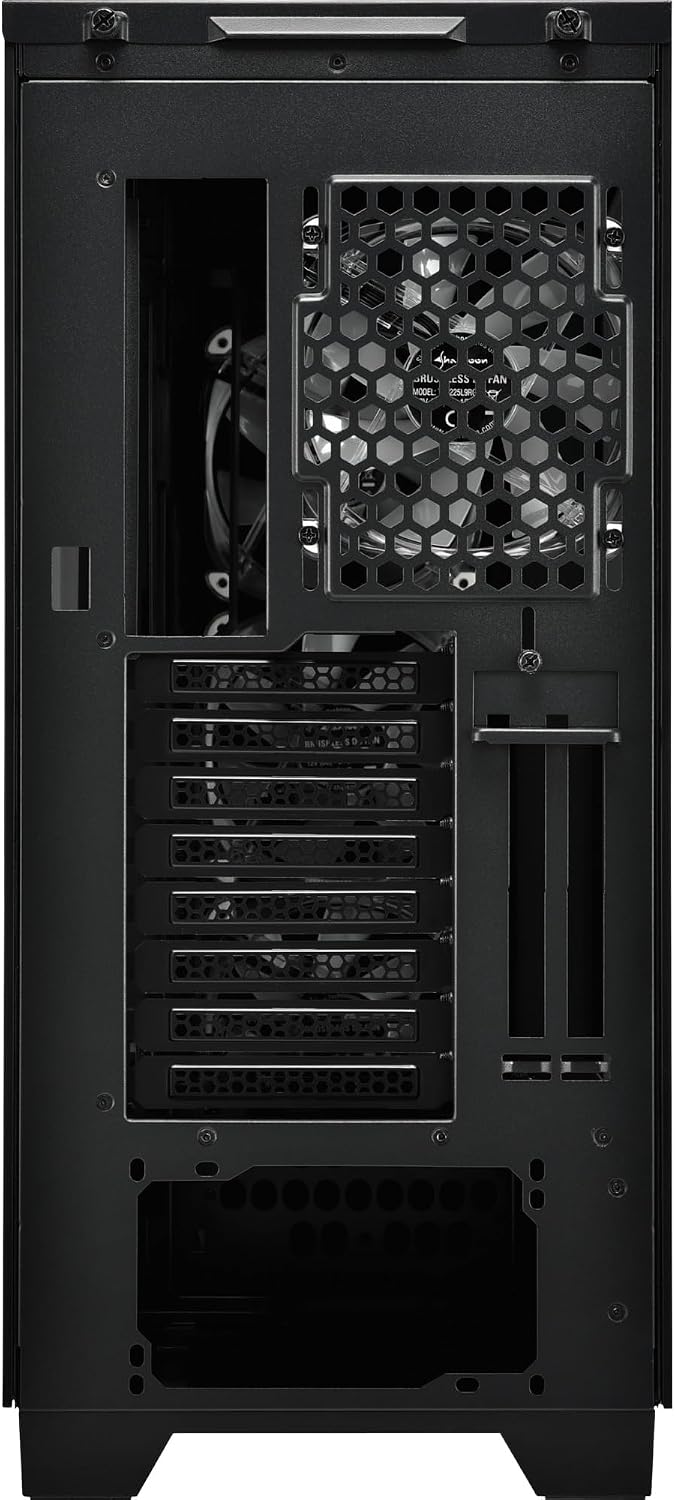
Gambar 5.3: Tukangeun view of the Sharkoon CA300T PC case, illustrating the expansion slots, rear fan mount, and PSU opening.
5.7 Manajemén kabel
Utilize the cable routing channels and tie-down points behind the motherboard tray to organize cables for improved airflow and aesthetics.

angka 5.4: interior pungkur view of the Sharkoon CA300T PC case, highlighting the dedicated cable management area behind the motherboard tray.
6. Nyuping
6.1 Daya Hurung/Pareuman
After all components are installed and cables are connected, press the power button on the front panel to turn on your system. Press it again to turn off, or use your operating system's shutdown function.
6.2 Kontrol cahaya RGB
The integrated RGB lighting can be controlled via the dedicated RGB controller (if included) or through compatible motherboard software, depending on how the RGB components are connected. Refer to your motherboard manual for software control options.
7. Pangropéa
7.1 Ngabersihkeun Saringan Lebu
The Sharkoon CA300T features a three-layer top plate with a dust filter. Regularly clean all dust filters to maintain optimal airflow and cooling performance.
- Turn off and unplug your PC.
- Carefully remove the dust filters (e.g., from the top, front, and bottom).
- Clean the filters using compressed air or by gently washing them with water. Ensure they are completely dry before reinstallation.
7.2 Perawatan Umum
- Ngusap bagian luar kotak ku lemes, damp lawon. Ngahindarkeun cleaners abrasive.
- Ensure all cables are securely connected and not obstructing airflow.
8. Cara ngungkulan
Upami anjeun ngalaman masalah sareng pangwangunan PC anjeun, pertimbangkeun léngkah-léngkah ngungkulan masalah umum ieu:
- Henteu aya kakuatan: Ensure the power supply is properly connected to the wall outlet and the motherboard. Check all power cables (24-pin, CPU, GPU).
- Penggemar Teu Diputer: Verify that all fan headers are correctly connected to the motherboard or fan controller. Check BIOS settings for fan control.
- Henteu aya tampilan: Confirm that your monitor is connected to the graphics card (not the motherboard's integrated graphics, unless intended). Reseat the graphics card and RAM modules.
- RGB Teu Jalan: Check RGB cable connections to the motherboard or controller. Ensure any necessary software is installed and configured.
- Overheating: Ensure all fans are spinning correctly and dust filters are clean. Verify proper thermal paste application on the CPU cooler.
For more complex issues, consult the manuals for your individual components (motherboard, GPU, PSU) or seek professional assistance.
9. Spésifikasi
| Fitur | Spésifikasi |
|---|---|
| merek | Sharkoon |
| Ngaran modél | CA300T |
| Jenis Kasus | munara pinuh |
| Motherboard kasaluyuan | ATX |
| Dianjurkeun Paké | Kaulinan |
| Warna | Hideung |
| Bahan | logam |
| Power Supply Mount Type | Gunung handap |
| Métode Cooling | Hawa |
| Ukuran Fan | 120 mm |
| Jumlah Fans | 3 |
| Total Expansion Slots | 4 |
| Total USB 3.0 Ports | 2 |
| Total palabuhan USB | 3 |
| Fitur husus | RGB Lighting, Openable Cable Pocket, Three-layer Top Plate with Dust Filter |
| HDD Bay Size | 3.5 inci |
| Number of Internal Bays | 4 |
| Alat nu cocog | ATX Motherboards, 3.5-inch Hard Drives |
| Warna Cahaya | RGB |
| Item Beurat | 14.7 kg |
10. Garansi
The Sharkoon CA300T PC Case comes with a 2-taun jaminan produsén urang. Please retain your proof of purchase for warranty claims. The warranty covers defects in materials and workmanship under normal use. It does not cover damage caused by misuse, accidents, unauthorized modifications, or improper installation.
11. Rojongan
For technical support, warranty inquiries, or further assistance, please visit the official Sharkoon website or contact their customer service department. You may find contact information and FAQs on their support pages.
Resmi Websitus: www.sharkoon.com