1. Bubuka
Thank you for choosing the Aduro PowerUp Ultra Boost 20,000mAh Portable Charger. This device is designed to provide reliable power for your mobile devices on the go. Please read this manual carefully to ensure proper use and optimal performance.
2. Eusi Paket
- Aduro PowerUp Ultra Boost 20,000mAh Portable Charger
- Kabel USB (pikeun ngecas deui power bank)
- Manual pamaké

Image: The Aduro PowerUp Ultra Boost portable charger shown alongside its retail packaging and included USB cable.
3. Fitur Produk
- 20,000mAh Kapasitas Tinggi: Nyayogikeun sababaraha biaya pikeun smartphone sareng tablet.
- Port Kaluaran USB Ganda: Charge two devices simultaneously.
- Smart Charge Technology: Automatically detects and delivers optimal charging current for connected devices.
- Indikator Daya LED: Némbongkeun kapasitas batré anu sésana.
- Desain kompak sareng portabel: Gampang dibawa kanggo perjalanan sareng dianggo sadidinten.
- Protéksi Kaamanan Terintegrasi: Guards against over-heating, over-current, over-charging, over-circuit, and anti-fire.
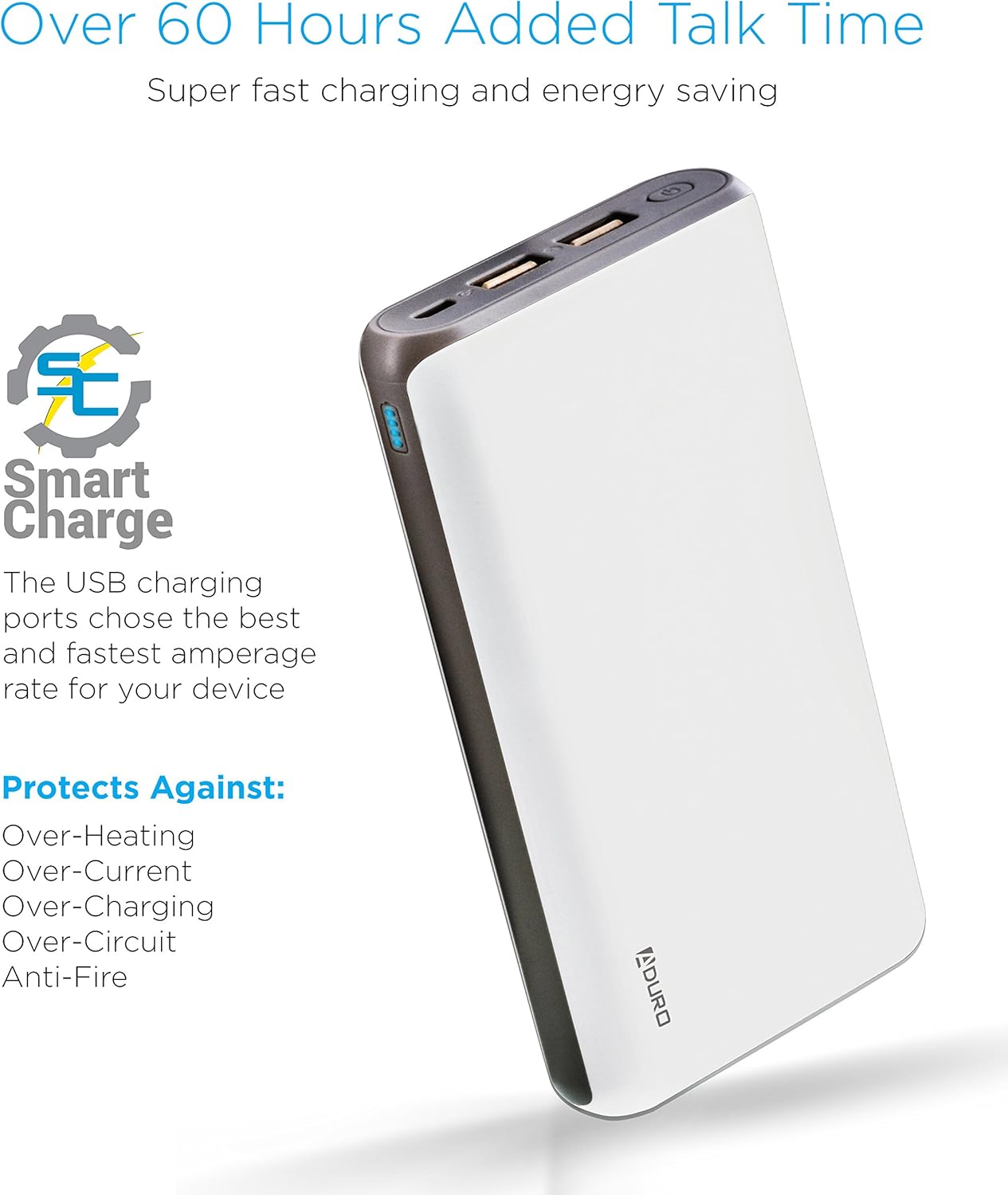
Image: The Aduro power bank highlighting its Smart Charge technology and various safety features like protection against over-heating and over-charging.

Gambar: A lengkep view of the Aduro power bank's dual USB output ports, micro USB input port, and the LED power indicator lights.
4. Ngamimitian
4.1 Ngecas Bank Daya
- Connect the included USB charging cable to the power bank's Micro USB input port.
- Plug the other end of the USB cable into a USB wall adapter (not included) or a computer's USB port.
- The LED indicators will illuminate and blink to show the charging progress. All four LEDs will be solid when the power bank is fully charged.
Disarankeun pikeun ngecas power bank pinuh sateuacan dianggo pikeun anu munggaran.
4.2 Ngecas Alat Anjeun
- Connect your device's charging cable to one of the power bank's USB output ports.
- Sambungkeun tungtung kabel anu sanés ka alat anjeun.
- Bank daya bakal otomatis ngecas alat anjeun. Indikator LED bakal nunjukkeun daya anu sésana.
- To charge a second device, connect it to the other USB output port.
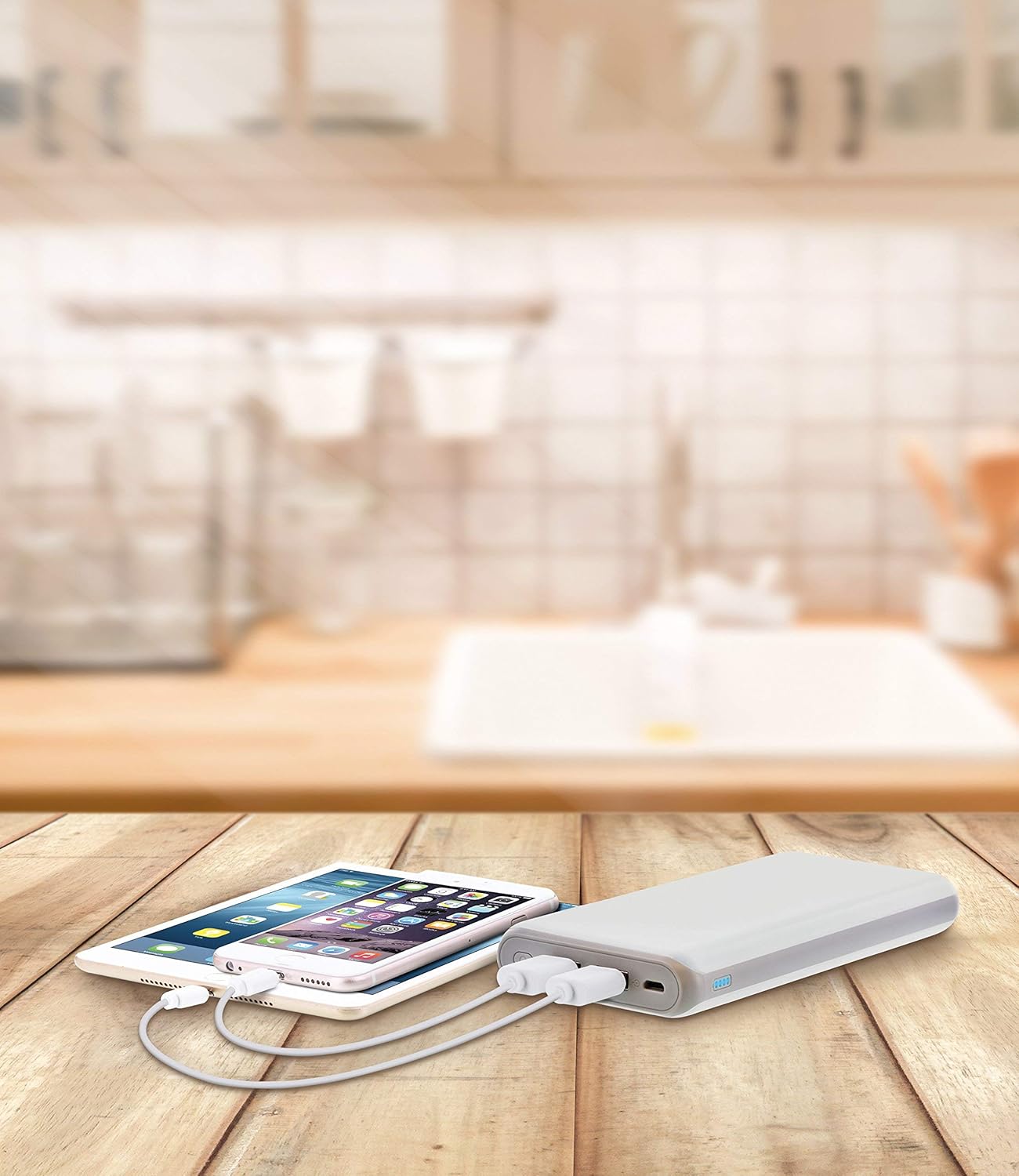
Image: The Aduro power bank connected via USB cables to two smartphones, demonstrating its dual-device charging capability.
5. Pitunjuk Indikator LED
The LED lights on the power bank indicate the remaining battery capacity:
- 4 LEDs Solid: 75% - 100% dicas
- 3 LEDs Solid: 50% - 75% dicas
- 2 LEDs Solid: 25% - 50% dicas
- 1 LED Solid: 0% - 25% geus dieusi (bakal dieusi deui geura-giru)
- LEDs Blinking: Power bank is currently charging
6. Pancegahan Kasalametan
- Do not expose the power bank to extreme temperatures (above 104°F / 40°C or below 14°F / -10°C).
- Entong ngabongkar, ngarobih, atanapi nyobian ngalereskeun alat.
- Hindarkeun ngaragragkeun atanapi matuhkeun bank daya kana dampak anu kuat.
- Jauhkeun tina cai, Uap, sareng bahan anu gampang kaduruk.
- Entong dianggo upami bank listrik ruksak atanapi bareuh.
- Jauhkeun tina jangkauan barudak.
- Buang bank daya sacara tanggung jawab nurutkeun peraturan lokal.
7. Perawatan sareng Pangropéa
- Bersihkeun bank daya ku kaén anu lembut sareng garing. Ulah make bahan kimia kasar atawa cleaners abrasive.
- Simpen bank kakuatan dina tempat anu tiis sareng garing upami henteu dianggo.
- If storing for extended periods, charge the power bank to approximately 50% every 3 months to maintain battery health.
8. Cara ngungkulan
- Bank kakuatan henteu ngecas: Ensure the charging cable is securely connected to both the power bank and the power source. Try a different USB cable or wall adapter.
- Alat teu ngecas tina bank daya: Ensure the power bank has sufficient charge. Check that the cable connecting your device to the power bank is functional and properly connected. Try a different USB port on the power bank.
- Ngecas lalaunan: Ensure you are using a compatible charging cable. Some devices may charge slower due to their input requirements or the cable used.
9. Spésifikasi
| Fitur | Rincian |
|---|---|
| Nomer modél | F-208C |
| Kapasitas batré | 20,000 mAh |
| Input | 5V / 2A (Micro USB) |
| Kaluaran 1 | 5V / 1A (USB Type A) |
| Kaluaran 2 | 5V / 2.1A (USB Type A) |
| Dimensi produk | 6.4 x 3 x 0.8 inci |
| Item Beurat | 13.6 ons |
| Warna | Bodas |

Image: The Aduro power bank displaying its physical dimensions for reference.
10. Émbaran jaminan
Aduro provides a Lifetime Limited Warranty for this product. This warranty covers manufacturing defects and ensures the product functions as intended under normal use. Please retain your proof of purchase for warranty claims.
11. Rojongan Palanggan
For any questions, technical assistance, or warranty claims, please contact Aduro customer service. Refer to the product packaging or the official Aduro websitus pikeun inpo kontak panganyarna.


