
Cuifati BM3D
BM3D Portable Bluetooth Speaker User Manual
Model: BM3D
Brand: Cuifati
1. Bubuka
This manual provides detailed instructions for the safe and efficient operation of your BM3D Portable Bluetooth Speaker. Please read this manual thoroughly before using the device and retain it for future reference.
The BM3D Portable Bluetooth Speaker is a compact, high-fidelity stereo speaker featuring Bluetooth 4.2 connectivity, TWS (True Wireless Stereo) pairing, and a built-in microphone for hands-free calling. Its aluminum design ensures durability and a premium feel.
2. Produk Langkungview


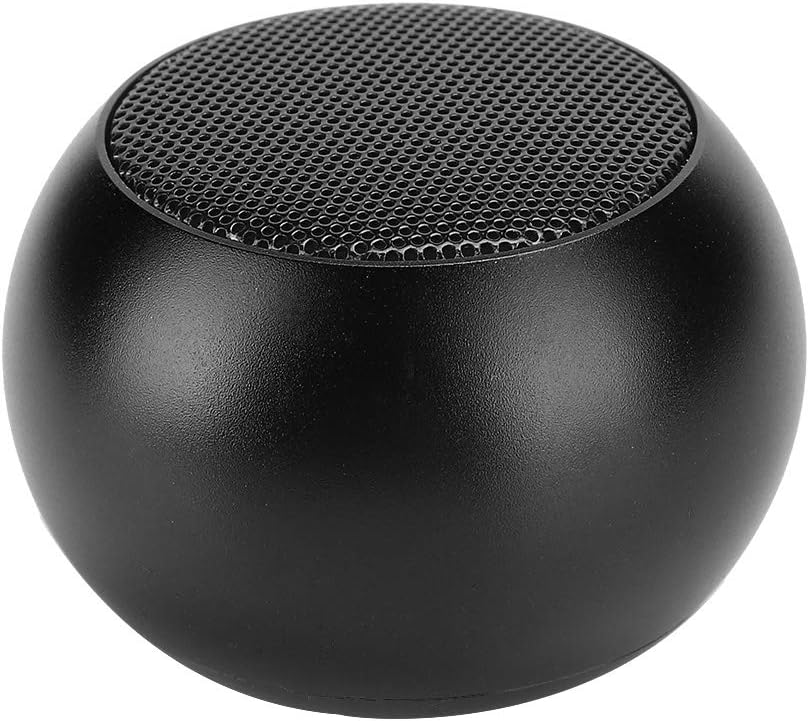

3. Setélan
3.1 Ngecas Speaker
Before first use, fully charge the speaker. Connect the provided charging cable to the micro USB port on the speaker and the other end to a USB power source (e.g., computer USB port, USB wall adapter). The charging indicator light will illuminate during charging and turn off when fully charged.
- Waktos ngecas: Kira-kira 2 jam.
- Battery Capacity: 400 mAh.
3.2 Powering on / Pareum
To power on the speaker, press and hold the power button (located on the bottom/rear of the speaker) for a few seconds until you hear an audible prompt or see an indicator light. To power off, press and hold the power button again.
4. Parentah Operasi
4.1 Nyapasangkeun Bluetooth
- Ensure the speaker is powered on and in Bluetooth pairing mode (usually indicated by a blinking LED).
- Dina alat anjeun (smartphone, tablet, komputer), aktipkeun Bluetooth sareng milarian alat anu sayogi.
- Select "BM3D" from the list of found devices.
- Once paired, the speaker will indicate a successful connection, and the LED will stop blinking.
Wireless Range: Up to 10 meters (33 feet).
4.2 Leres Wireless Stereo (TWS) papasangan
The BM3D speaker supports TWS functionality, allowing you to pair two BM3D speakers for a true stereo sound experience.
- Ensure both BM3D speakers are powered on and not connected to any other Bluetooth device.
- On one of the speakers, press and hold the power button for approximately one second. This speaker will become the primary speaker.
- The two speakers will automatically connect to each other. You will hear an audible confirmation.
- Once TWS paired, connect your device to the primary speaker via Bluetooth as described in Section 4.1.

4.3 Telepon bebas leungeun
The BM3D speaker features a built-in noise reduction microphone for hands-free calls when connected to your smartphone.
- Nalika aya telepon asup, speaker bakal disada.
- Press the power button once to answer the call.
- Press the power button once again to end the call.

4.4 Playback audio
Once connected via Bluetooth, audio from your device will play through the speaker. The 3W drive unit provides high-fidelity stereo sound.
- Playback Time: 2-3 hours on a full charge.
- Frequency Response: 20 Hz - 20 kHz.
- Signal-to-Noise Ratio: >= 80 dB.

5. Pangropéa
- Ngabersihan spéker nganggo kaén anu lemes sareng garing. Ulah make cleaners abrasive atawa pangleyur.
- Hindarkeun ngalaan spéker ka suhu anu ekstrim, sinar panonpoé langsung, atanapi kalembaban anu luhur.
- Do not immerse the speaker in water. It is not waterproof.
- Simpen spéker dina tempat anu tiis sareng garing upami henteu dianggo kanggo waktos anu lami.
6. Cara ngungkulan
| Masalah | Mungkin Cukang lantaranana | Solusi |
|---|---|---|
| Speaker teu hurung. | Batré béak. | Ngecas spéker pinuh. |
| Teu tiasa dipasangkeun sareng alat Bluetooth. | Speaker henteu dina mode papasangan atanapi jauh teuing tina alat. | Ensure speaker is powered on and in pairing mode. Move device closer to speaker (within 10m). Turn Bluetooth off and on again on your device. |
| Taya sora atawa volume low. | Volume on speaker or device is too low. Speaker not connected. | Ningkatkeun polumeu dina speaker sareng alat anu disambungkeun. Ngadegkeun deui sambungan Bluetooth. |
| Papasangan TWS gagal. | Speakers are already connected to another device or not in TWS pairing mode. | Ensure both speakers are disconnected from other devices. Follow TWS pairing instructions carefully (Section 4.2). |
7. Spésifikasi
| Fitur | Rincian |
|---|---|
| Modél | BM3D |
| Bahan | alumunium |
| Warna | Hideung |
| Kaluaran Speaker | 3 W |
| Jenis Batré | Batré Litium Polimér |
| Kapasitas batré | 400 mAh |
| Waktu Playback | 2-3 jam |
| Waktu Ngecas | 2 jam |
| Vérsi Bluetooth | 4.2 |
| Réspon Frékuénsi | 20 Hz - 20 kHz |
| Rasio Signal-to-Noise | > = 80 dB |
| Range nirkabel | 10 M (33 feet) |
| Ukuran (L x W x H) | 50 x 50 x 31 mm (1.97 x 1.97 x 1.22 inci) |
| Beurat | Kira-kira. 68.4 g |
| Komponén Kaasup | 1 x Bluetooth Speaker, 1 x Hanging Rope, 1 x Charging Cable, 1 x Manual |
8. Garansi jeung Rojongan
The product comes with a limited warranty. Please refer to the original purchase documentation for specific warranty terms and conditions.
The manufacturer offers 90-day exchange support if you are not satisfied with the product.
For technical support or warranty claims, please contact your retailer or the manufacturer directly. Keep your purchase receipt as proof of purchase.


Ask a question about this manual
Ask about setup, troubleshooting, compatibility, parts, safety, or missing instructions. Manuals+ will review the question and use this page’s manual context to help answer it.