Bubuka
This manual provides essential information for setting up, operating, and maintaining your Amazon Fire HD 10 Kids Tablet. Designed for children aged 3-7, this 10.1-inch Full HD tablet offers a safe and engaging experience with robust parental controls and a durable Kid-Proof Case.
Please read these instructions carefully to ensure proper use and to maximize your tablet's features.
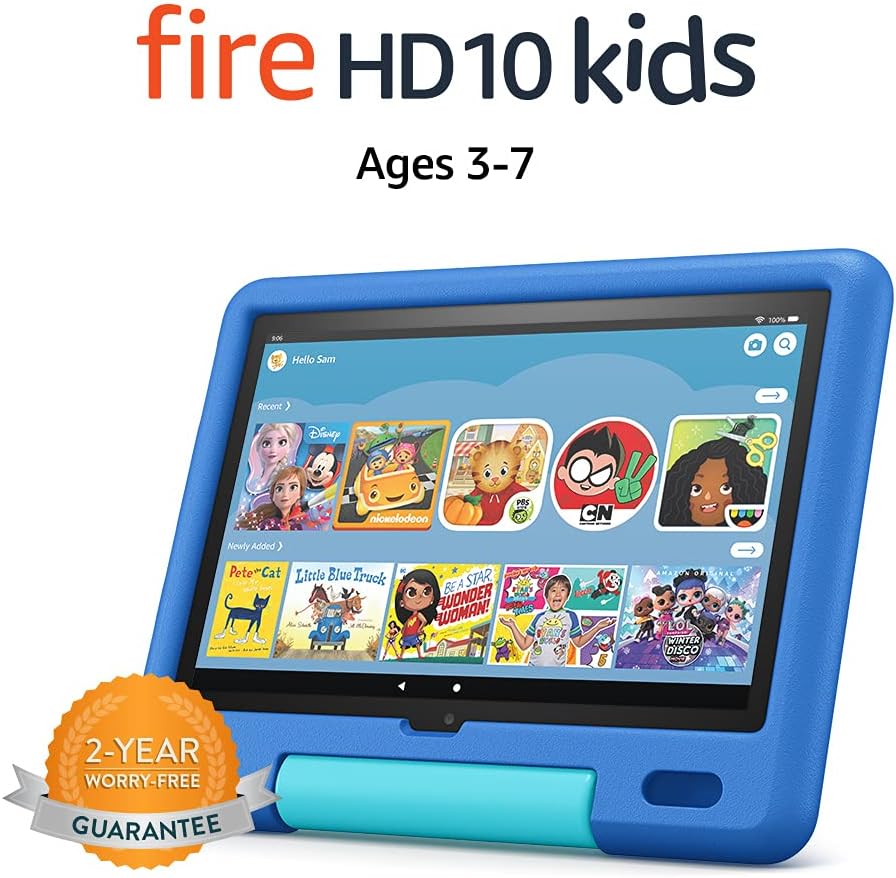
Image: The Amazon Fire HD 10 Kids Tablet, shown in its Sky Blue Kid-Proof Case, displaying the Amazon Kids+ user interface with various educational and entertainment apps.
Naon Kaasup
Your Amazon Fire HD 10 Kids Tablet package includes:
- Fire HD 10 tablet (11th Generation)
- Amazon Kid-Proof Case with stand/handle
- Amazon 9W power adapter
- USB-C (2.0) charging cable
- Diwangun-di batré rechargeable
- 1-year Amazon Kids+ subscription (auto-renews at applicable rate)
Disetél
1. Ngecas Awal
Before first use, fully charge your Fire HD 10 Kids Tablet. Connect the provided USB-C cable to the tablet's USB-C port and the 9W power adapter to a wall outlet. A full charge from 0% to 100% typically takes approximately 4 hours while the device is in standby mode.
2. Powering on na Pareum
- Pikeun Ngahurungkeun: Press and hold the power button located on the side of the tablet until the Amazon logo appears.
- Pikeun mareuman: Press and hold the power button until a power-off dialog appears on the screen. Select "Power Off" or "Shut Down".
- Pikeun ngamimitian deui: If the tablet is unresponsive, press and hold the power button for approximately 40 seconds until it restarts.
3. Konfigurasi awal
Saatos dihurungkeun pikeun anu munggaran, turutan pitunjuk dina layar pikeun:
- Pilih basa anjeun.
- Connect to a Wi-Fi network. The tablet supports dual-band 802.11a/b/g/n/ac standards (2.4 GHz and 5.0 GHz networks).
- Register your tablet to an Amazon account. If you do not have one, you will be prompted to create one.
- Setel zona waktos anjeun.
4. Setting Up Amazon Kids+ and Parental Controls
The Fire HD 10 Kids Tablet includes a 1-year subscription to Amazon Kids+, offering thousands of ad-free books, games, videos, and apps. Parental controls are integrated to manage your child's experience.
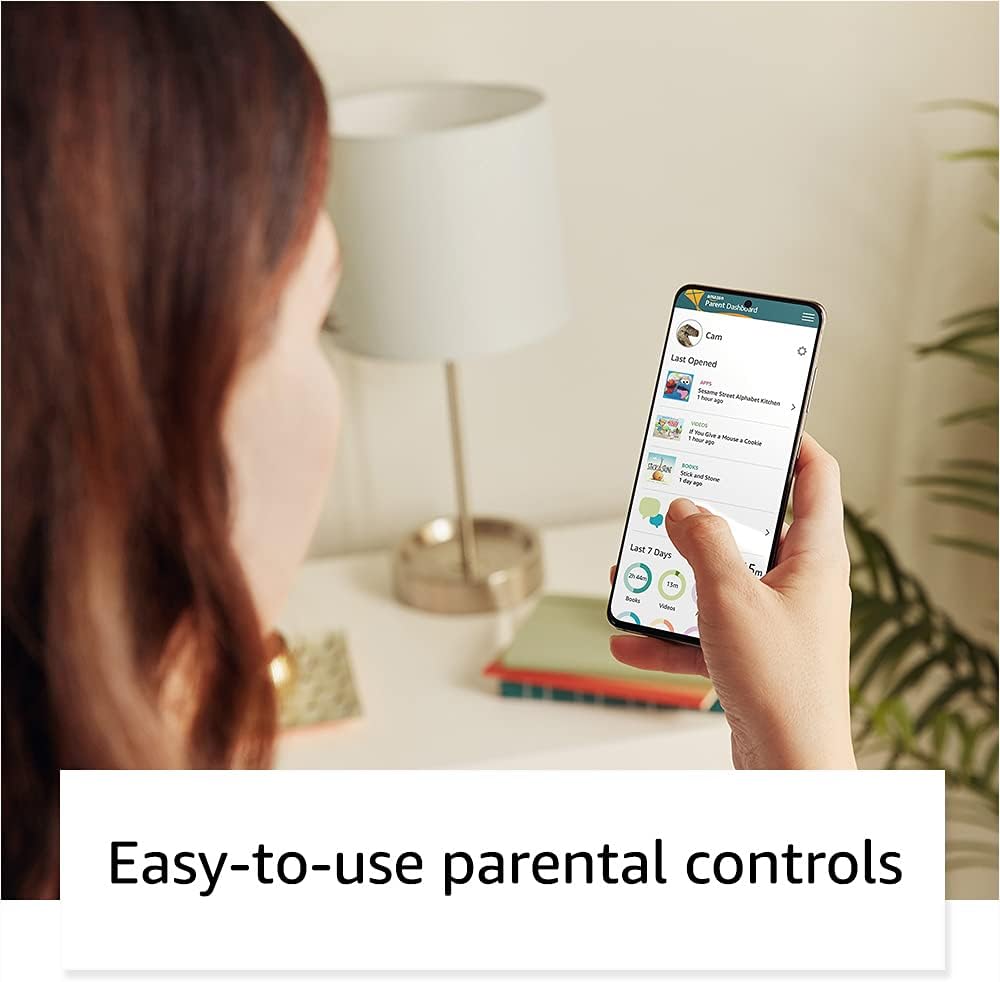
Image: A parent interacting with the Amazon Parent Dashboard on a smartphone, demonstrating the ease of managing parental controls for the Fire Kids Tablet.
To set up profiles and parental controls:
- After registering your tablet, you will be guided to create child profiles.
- Aksés ka Dashboard Kolot Amazon ti mana wae web browser or the Amazon Kids+ app on your own device.
- From the Parent Dashboard, you can:
- Filter content based on your child's age.
- Set daily time limits for tablet usage.
- Establish educational goals.
- Grant access to additional content from your Amazon library or third-party apps like Netflix and Disney+.
- Ngatur web browser access and approved contacts for communication.
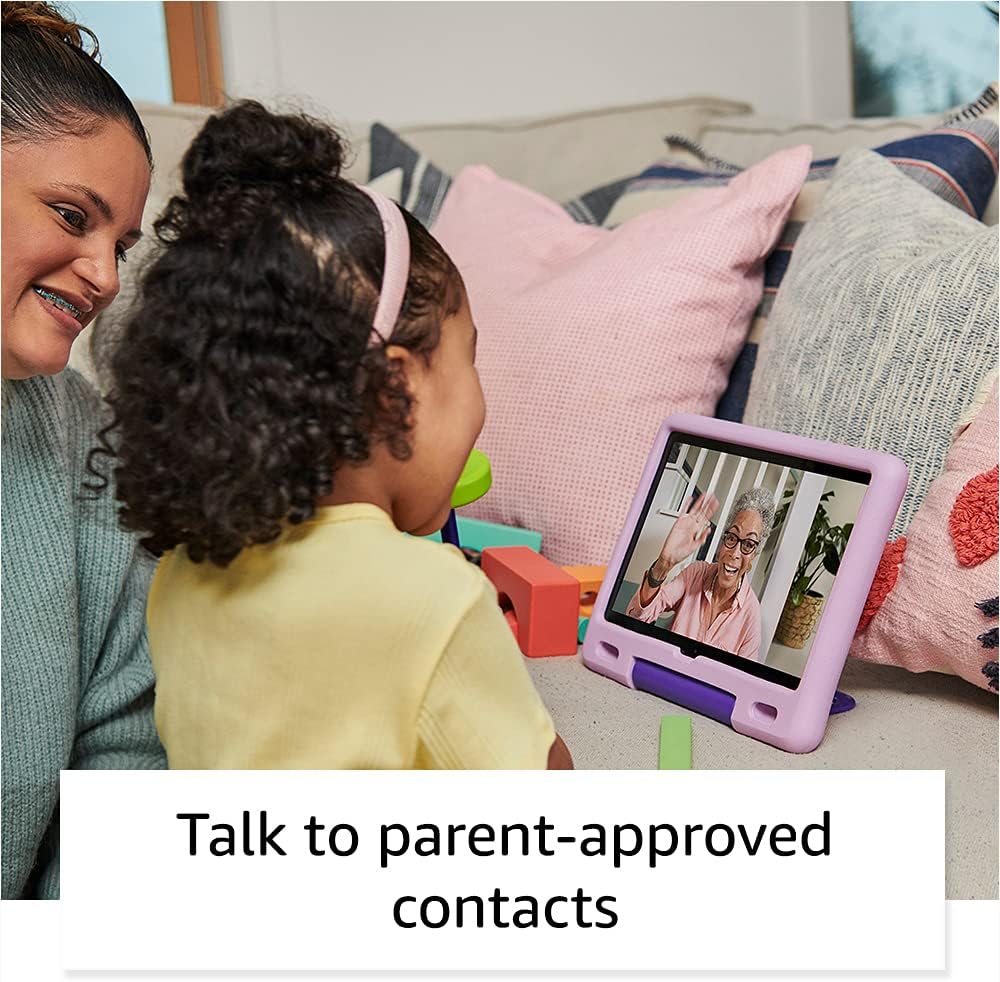
Image: A child happily engaged in a video call with a grandparent on the Amazon Fire HD 10 Kids Tablet, highlighting the communication features with parent-approved contacts.
Ngoperasikeun Tablet
1. Napigasi Interface
The Fire HD 10 Kids Tablet features a touch-sensitive screen. Use gestures such as tapping, swiping, and pinching to interact with the device.
- Layar Utama: Displays apps, books, videos, and games available to the child.
- Gesek ka handap: Aksés setélan gancang sareng bewara.
- Gesek ka luhur: Return to the home screen (if applicable in certain apps).

Image: A child holding and interacting with the Amazon Fire HD 10 Kids Tablet, which displays an educational game, illustrating the tablet's design for young users.
2. Using Amazon Kids+
Amazon Kids+ provides a curated selection of age-appropriate content. Content is categorized for easy discovery.

Image: A vibrant grid of various app icons, including characters from popular children's media and educational titles, representing the wide range of content available through Amazon Kids+.
- Browsing Content: Navigate through categories like "Books," "Videos," "Apps," and "Games."
- Downloading Content: Tap on an item to download it for offline use. Ensure sufficient storage is available.
- Managing Content: Parents can add or remove content via the Parent Dashboard.
3. Fungsi kaméra
The tablet is equipped with a 2 MP front-facing camera and a 5 MP rear-facing camera, both capable of 720p HD video recording.
- Open the Camera app from the home screen.
- Tap to switch between front and rear cameras.
- Ketok tombol rana pikeun nyandak poto atanapi ngamimitian/ngeureunkeun ngarékam pidéo.
4. Audio and Volume Control
The tablet features dual integrated speakers and a 3.5 mm stereo jack for headphones. External volume controls are located on the side of the tablet.
- Press the volume up/down buttons to adjust audio levels.
- Connect headphones to the 3.5 mm jack for private listening.
Pangropéa
1. Ngabersihan Tablet
Pikeun ngabersihan tablet anjeun:
- Power off the device and unplug it from any power source.
- Make kaen nu lemes, teu aya lint rada dampened with water to wipe the screen and exterior.
- Hindarkeun nganggo pembersih abrasive, pangleyur, atanapi semprot aerosol.
- Do not allow moisture to enter any openings.
2. Kaperawatan batré
Pikeun manjangkeun umur batre:
- Ulah nepi ka tablet kakeunaan suhu anu ekstrim (panas atawa tiis).
- Charge the tablet regularly, but avoid leaving it fully discharged for extended periods.
- For optimal performance, use the provided Amazon 9W power adapter and USB-C cable.
3. Panyimpenan
The tablet comes with 32 GB of internal storage (24.2 GB available to user). You can expand storage up to 1 TB using a microSD card.
- Insert a microSD card into the designated slot to add additional storage for photos, videos, and some apps.
- Regularly manage downloaded content to free up space if needed.
Pamérésan masalah
Isu umum jeung Solusi
| Masalah | Solusi |
|---|---|
| Tabletna teu tiasa dihurungkeun. | Ensure the tablet is charged. Connect to the power adapter for at least 30 minutes. If still unresponsive, perform a hard reset by holding the power button for 40 seconds. |
| Layar teu ngaréspon. | Pareuman terus-terusan tablet. Upami masalahna masih aya, pastikeun layarna bersih sareng bébas tina kokotor. |
| Masalah sambungan Wi-Fi. | Check if other devices can connect to the Wi-Fi network. Restart your Wi-Fi router. On the tablet, go to Wi-Fi settings, forget the network, and reconnect. |
| Aplikasi ngalambatkeun atanapi ngadat. | Close unused apps. Clear app cache (via Parent Dashboard). Ensure sufficient storage space is available. Restart the tablet. |
| Batré gancang boros. | Reduce screen brightness. Close background apps. Disable Wi-Fi when not in use. Check for app updates. |
Reset pabrik
A factory reset will erase all data on your tablet and restore it to its original factory settings. This should be a last resort for persistent issues.
- Go to the Parent Profile.
- Arahkeun ka Setélan > Pilihan Alat > Reset ka Defaults Pabrik.
- Pastikeun kaputusan anjeun.
spésifikasi
| tampilan | 10.1” 1080p Full HD (1920 x 1200) with 224 ppi, aluminosilicate glass |
| Ukuran | 8.2" x 10.6" x 1.1" (209mm x 269mm x 27mm) |
| Beurat | 25.2 ons (716 gram) |
| CPU & RAM | Octa-core 2.0 GHz kalawan 3 GB RAM |
| Panyimpenan | 32 GB internal (24.2 GB user available), expandable up to 1 TB via microSD |
| Kahirupan batré | Up to 12 hours of mixed use |
| Waktos ngecas | Approximately 4 hours with included 9W adapter |
| Konektipitas Wi-Fi | Dual-band 802.11a/b/g/n/ac (2.4 GHz and 5.0 GHz), WEP, WPA, WPA2 security |
| Palabuhan | USB-C (2.0) for charging, microSD slot |
| Audio | 3.5 mm stereo jack, dual integrated speakers |
| Sénsor | Akselerometer, sénsor cahaya ambient |
| Kaméra | 2 MP front-facing, 5 MP rear-facing, 720p HD video recording |
| Mikropon | 2 diwangun-di mikropon |
| Rentang umur | 3-7 years (WARNING: CHOKING HAZARD – Small parts. Not for children under 3 years.) |
| Generasi | Generasi ka-11, release 2021 |
Garansi sareng Rojongan
1. 2-Year Worry-Free Guarantee
Your Amazon Fire HD 10 Kids Tablet comes with a 2-year worry-free guarantee. If the tablet breaks, you can return it, and Amazon will replace it for free. This guarantee covers defects in materials and workmanship under normal use.
For detailed terms and conditions, please refer to the warranty information provided with your purchase or visit the Amazon websitus.
2. Rojongan Palanggan
For further assistance, technical support, or warranty claims, please contact Amazon Customer Service. You can find support options on the official Amazon websitus:
Kunjungi Layanan Palanggan Amazon
Anjeun oge bisa nganjang ka Amazon Device Support page for FAQs and troubleshooting guides specific to Fire tablets.