1. Bubuka
Thank you for choosing the SONICAKE IR Pedal Speaker Cabinet Simulator. This device is designed to provide a versatile and efficient solution for simulating various speaker cabinets for both guitar and bass. It functions as an Impulse Response (IR) loader, offering a range of pre-loaded cabinet simulations and the flexibility to load custom IR files. This manual provides essential information for the proper setup, operation, and maintenance of your IR Pedal.
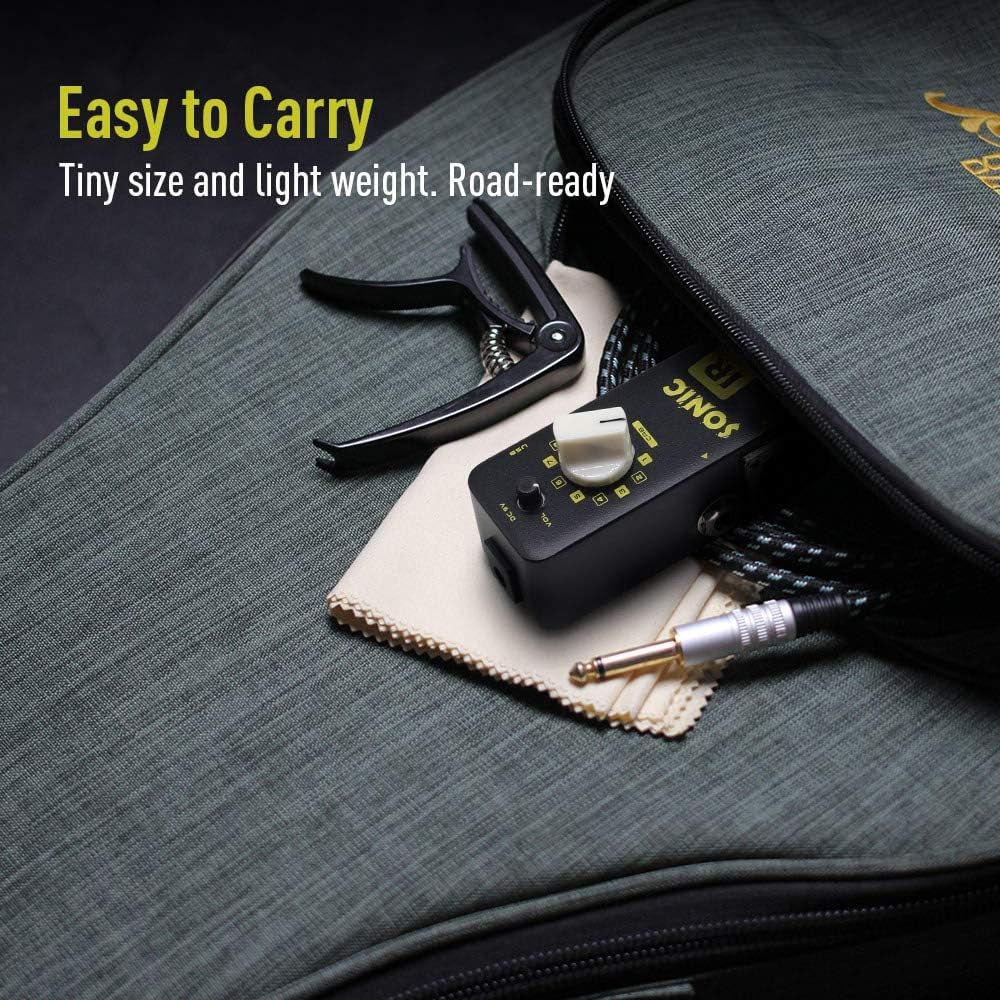
Image 1.1: The compact SONICAKE IR Pedal, designed for portability and ease of integration into existing setups.
2. Produk Langkungview
2.1 Fitur konci
- Impulse Response (IR) loading tool for simulating various speaker cabinets.
- 11 on-board classic guitar and bass cabinet simulations with individual volume control.
- Easy IR file management via USB (recognized as a USB disk for drag-and-drop operation).
- XLR balanced output for direct connection to mixers, audio interfaces, or PA systems.
- Compact and durable zinc-alloy die-cast casing.
- 24-bit jero, 44.1 kHz sample rate audio processing for high-quality sound.
2.2 Kontrol sareng Sambungan
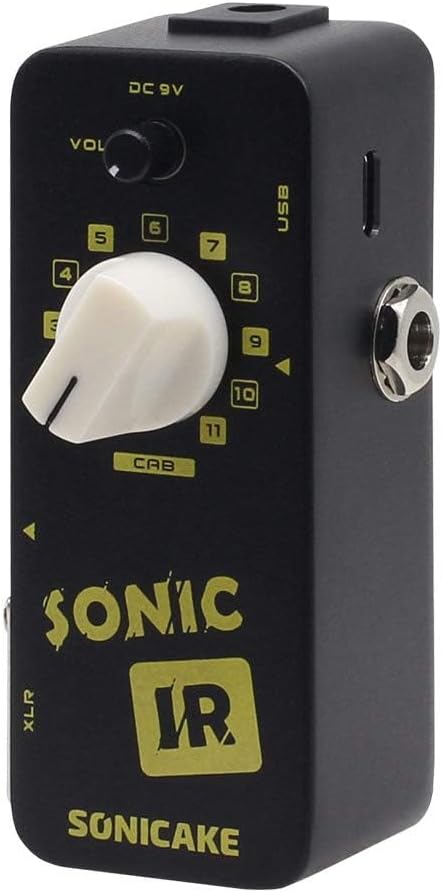
Image 2.1: Front and top view of the SONICAKE IR Pedal, highlighting the main controls and input/output jacks.
- Tombol VOL: Nyaluyukeun volume kaluaran sakabéh pedal.
- CAB Knob: Selects one of the 11 pre-loaded cabinet simulations. This knob also functions as a selector for custom IRs once loaded.
- Input DC 9V: Connects to a 9V center-negative power supply (not included).
- Port USB: Used for connecting the pedal to a computer for IR file manajemén.
- 1/4" Input Jack: Connects your guitar or bass.
- 1/4" Output Jack: Nyambung ka hiji amplifier atanapi pedal épék sanésna.
- Kaluaran XLR: Provides a balanced output for direct connection to a mixer, audio interface, or PA system.

Gambar 2.2: Sisi view of the pedal, illustrating the XLR balanced output for professional connectivity.
3. Setélan
- Sambungan Daya: Connect a standard 9V DC center-negative power supply (not included) to the DC 9V input jack on the pedal. Ensure the power supply meets the specified requirements to prevent damage.
- Sambungan Instrumen: Connect your guitar or bass to the 1/4" input jack of the IR Pedal using a standard instrument cable.
- Sambungan Kaluaran:
- For connecting to a guitar amplifier or other effects pedals, use a 1/4" instrument cable from the 1/4" output jack.
- For direct connection to a mixer, audio interface, or PA system, use an XLR cable from the XLR output.
- Setélan Awal: Before powering on, set the VOL knob to its minimum position to avoid sudden loud sounds.
- Daya Hurung: Sakali sadaya sambungan parantos aman, hurungkeun amplifier/mixer and then the IR Pedal.
4. Parentah Operasi
4.1 Selecting Cabinet Simulations

Image 4.1: The CAB knob, used for selecting one of the 11 built-in or custom-loaded Impulse Responses.
The IR Pedal comes with 11 pre-loaded cabinet simulations. To select a simulation, rotate the CAB knob to the desired number (1-11). Each number corresponds to a different cabinet model. Experiment with different settings to find the sound that best suits your needs.
4.2 Nyaluyukeun Volume
Ngagunakeun éta VOL knob to control the overall output level of the pedal. Adjust this knob to balance the volume with your other equipment. It is recommended to start with a lower volume and gradually increase it to a comfortable listening level.
4.3 Using the XLR Output
The XLR output provides a balanced signal, which is ideal for connecting directly to mixing consoles, audio interfaces, or PA systems. This allows for a clean, low-noise signal transmission over longer cable runs, making the pedal suitable for both studio recording and live performance environments.

Image 4.2: The pedal's internal processing ensures high-quality sound output, suitable for various applications.
5. Impulse Response (IR) Management
The SONICAKE IR Pedal allows you to load your own custom Impulse Response files, expanding its sonic capabilities beyond the built-in simulations.
- Nyambung ka Komputer: Power off the IR Pedal. Connect the pedal to your computer using a USB cable via the USB port.
- Access as USB Disk: The pedal will be recognized by your computer as a USB mass storage device (like a USB flash drive).
- Load IR Files: You can drag and drop your desired IR files (typically WAV format) directly into the pedal's storage. Ensure the IR files are compatible (e.g., 24-bit, 44.1kHz sample rate, mono). Refer to the SONICAKE website for specific IR file requirements if needed.
- Ngaluarkeun Aman: Saatos mindahkeun files, safely eject the USB device from your computer before disconnecting the cable.
- Select Custom IRs: Once custom IRs are loaded, you can select them using the CAB knob, similar to selecting the built-in simulations. The pedal will cycle through both built-in and custom IRs.
6. Pangropéa
- beberesih: Use a soft, dry cloth to clean the pedal's exterior. Avoid using abrasive cleaners, solvents, or waxes, as these can damage the finish and internal components.
- Panyimpenan: When not in use for extended periods, store the pedal in a dry, cool place away from direct sunlight and extreme temperatures.
- Sasayogian tanaga: Always use a regulated 9V DC center-negative power supply. Incorrect power supplies can cause damage and void your warranty.
- Perlindungan fisik: The pedal features a durable zinc-alloy casing, but avoid dropping it or subjecting it to excessive force to prevent internal damage.

Image 6.1: The pedal's robust zinc-alloy die-cast casing ensures durability for regular use.
7. Cara ngungkulan
| Masalah | Mungkin Cukang lantaranana | Solusi |
|---|---|---|
| Taya kaluaran sora. |
|
|
| Noise atawa hum nu teu dihoyongkeun. |
|
|
| Cannot load IR files via USB. |
|
|
8. Spésifikasi
| Modél | QSS-12 |
| Ukuran (L x W x H) | 2.05 x 1.65 x 3.68 inci (52 x 42 x 93.5 mm) |
| Item Beurat | 9.5 ons (0.27 kg) |
| Bahan | Zinc-alloy die-cast casing |
| Sarat kakuatan | 9V DC Center Negative (Power supply not included) |
| Ngolah audio | 24-bit jero, 44.1 kHz samplaju le |
| Input | 1/4" Instrument Input |
| Kaluaran | 1/4" Instrument Output, XLR Balanced Output |
| Konektipitas | USB for IR loading |
9. Garansi jeung Rojongan
SONICAKE products are designed for reliability and performance. This product is covered by a limited warranty against defects in materials and workmanship. For specific warranty terms and conditions, please refer to the warranty card included with your product or visit the official SONICAKE websitus.
For technical support, troubleshooting assistance, or any inquiries regarding your SONICAKE IR Pedal, please contact SONICAKE customer service through their official website or the retailer from whom you purchased the product. Please have your model number (QSS-12) and purchase information ready when contacting support.


