Bubuka
Thank you for choosing the pTron Tangent Plus Wireless Bluetooth Headphones. This manual provides essential information for setting up, operating, and maintaining your device. The Tangent Plus features Bluetooth 5.0 connectivity, magnetic in-ear earbuds, a flexible neckband design, and a built-in TF card slot for direct music playback. It offers extended battery life and is designed for comfort and durability, making it suitable for various activities including entertainment, fitness, and travel.
Naon dina Box
- pTron Tangent Plus Wireless Bluetooth Headphones
- Micro USB Ngecas Cable
- Additional Eartips
- Manual pamaké
Produk Leuwihview
The pTron Tangent Plus features an ergonomic neckband design with magnetic earbuds for secure storage. The control module is conveniently located on the neckband for easy access to functions.
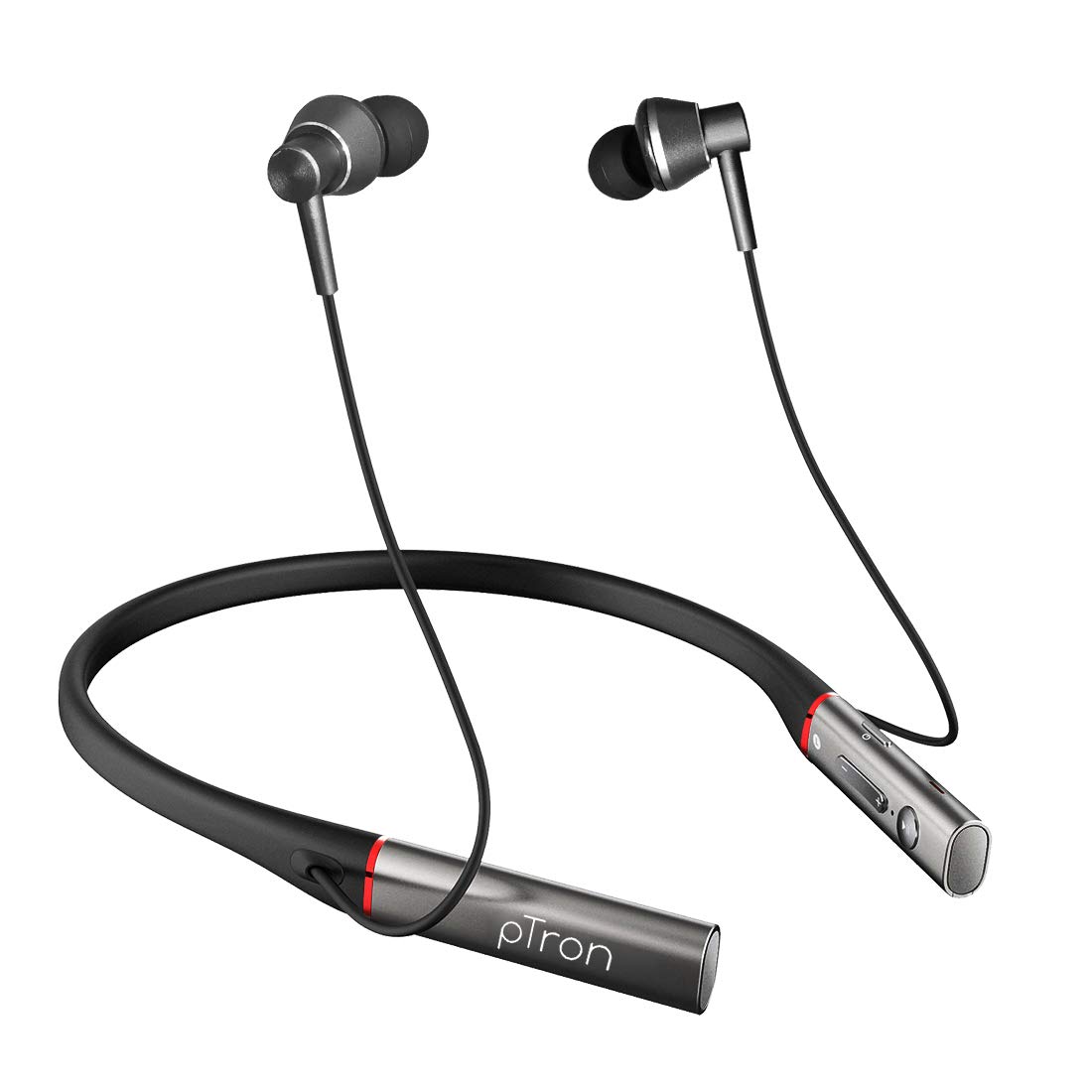
Gambar: Hareupeun view of the pTron Tangent Plus Wireless Bluetooth Headphones, showcasing the neckband and magnetic earbuds.

Image: Diagram illustrating the ergonomic and lightweight design of the pTron Tangent Plus, highlighting Bluetooth v5.0, 10m wireless range, quick pairing, built-in HD mic, and magnetic lock earbuds.
Disetél
1. Ngecas Headphone
Before first use, fully charge your pTron Tangent Plus headphones. Connect the provided Micro USB charging cable to the charging port on the neckband and the other end to a USB power source (e.g., computer USB port, wall adapter). The LED indicator will show charging status. A full charge takes approximately 2 hours.
2. Papasangan Bluetooth
- Pastikeun headphone dipareuman.
- Press and hold the Power/Call Answer button for 3 seconds until the LED indicator flashes blue and red alternately, indicating pairing mode.
- Dina alat anjeun (smartphone, tablet, laptop), aktipkeun Bluetooth sareng milarian alat anu sayogi.
- Select "pTron Tangent Plus" from the list of found devices.
- Sakali dipasangkeun kalayan suksés, indikator LED bakal kedip-kedip biru lalaunan, sareng anjeun bakal ngadangu nada konfirmasi.
- The headphones will automatically reconnect to the last paired device when turned on, if Bluetooth is enabled on the device and it is within range.
3. Pamakéan Kartu TF
The pTron Tangent Plus features a built-in TF card slot for direct music playback without needing a connected device.
- Selapkeun kartu TF (microSD) sareng musik anjeun files into the designated slot on the control module.
- Press the "M" button twice to switch to TF Card mode. The headphones will automatically begin playing music from the card.
- Press the "M" button twice again to switch back to Bluetooth mode.
Parentah Operasi
Familiarize yourself with the control buttons located on the neckband for seamless operation.
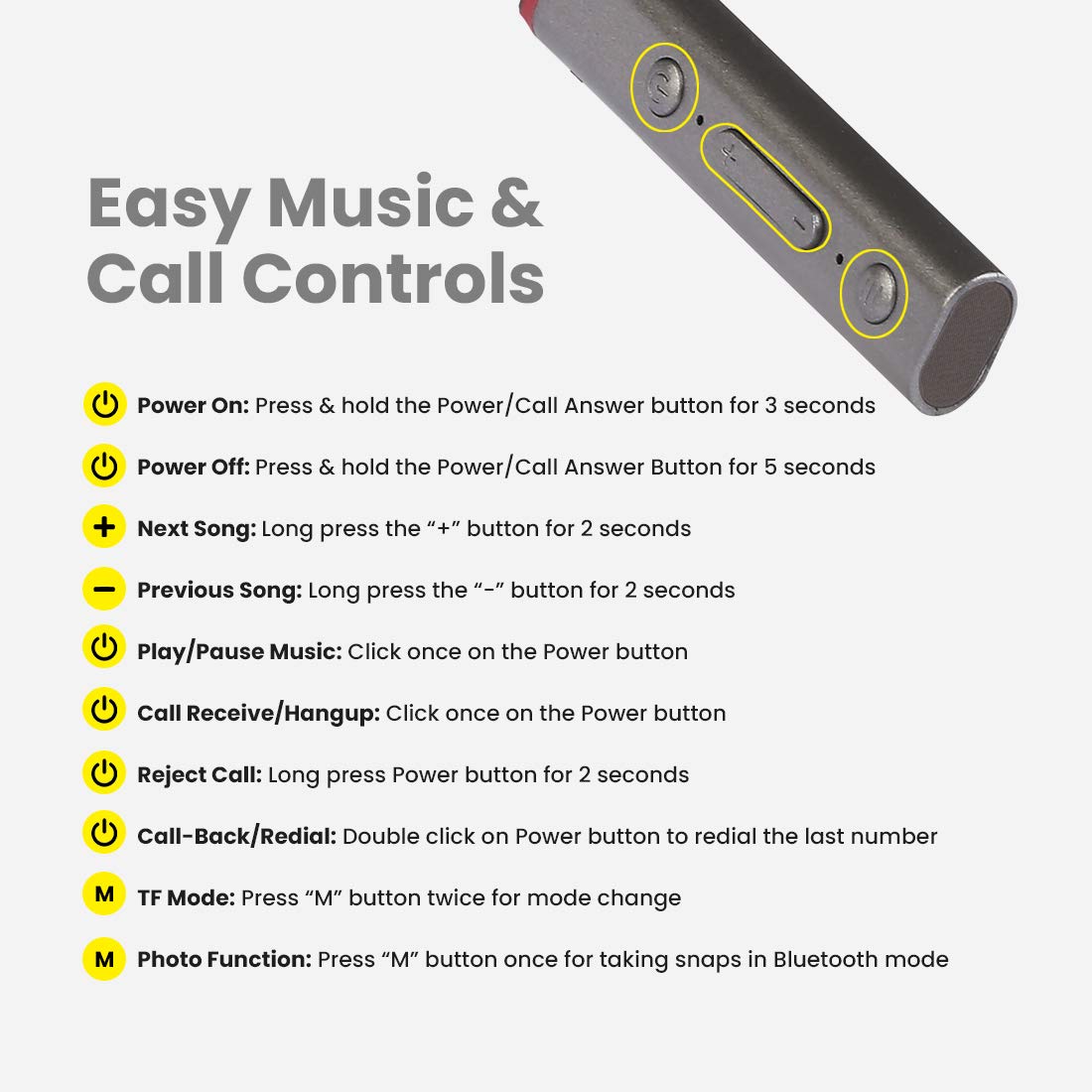
Image: Detailed diagram showing the control buttons on the pTron Tangent Plus neckband and their respective functions.
| Fungsi | Aksi |
|---|---|
| Daya Hurungkeun | Press & hold the Power/Call Answer button for 3 seconds. |
| Daya Pareum | Press & hold the Power/Call Answer button for 5 seconds. |
| Lagu salajengna | Long press the "+" button for 2 seconds. |
| Lagu saméméhna | Long press the "-" button for 2 seconds. |
| Puter/Reureuh Musik | Click once on the Power button. |
| Call Receive/Hangup | Click once on the Power button. |
| Nolak Telepon | Long press Power button for 2 seconds. |
| Call-Back/Redial | Double click on Power button to redial the last number. |
| Modeu TF | Press "M" button twice for mode change. |
| Photo Function (Selfie Remote) | Press "M" button once for taking snaps in Bluetooth mode. |
Pangropéa
- beberesih: Anggo lawon anu lembut sareng garing pikeun ngabersihan headphone. Ulah make bahan kimia kasar atawa bahan abrasive.
- Panyimpenan: Nalika henteu dianggo, simpen headphone dina tempat anu tiis, garing, jauh tina sinar panonpoé langsung sareng suhu anu ekstrim.
- Tahan cai: The headphones are IPX4 water/sweat resistant, meaning they can withstand splashes and sweat. Do not submerge them in water or expose them to heavy rain. Dry them thoroughly if they get wet.
- Perawatan batré: Pikeun manjangkeun umur batre, ulah miceun batre pinuh. Ngeusi batre headphone sacara rutin, sanaos henteu dianggo kanggo waktos anu lami.
Pamérésan masalah
| Masalah | Solusi anu mungkin |
|---|---|
| Headphone teu hurung. | Ensure the battery is charged. Connect to a power source and charge for at least 30 minutes before attempting to power on again. |
| Teu tiasa dipasangkeun sareng alat. |
|
| Taya sora atawa volume low. |
|
| Intermittent connection/audio drops. |
|
| Mikropon teu jalan. |
|
spésifikasi
| Fitur | Rincian |
|---|---|
| Ngaran modél | Tangent Plus |
| Vérsi Bluetooth | 5.0 |
| Range nirkabel | Nepi ka 10 méter (33 suku) |
| Kapasitas batré | 250mAh Li-Polimér |
| Waktos Puterkeun Musik | Nepi ka 15 jam |
| Waktu Ngobrol | Nepi ka 10 jam |
| Waktu sayaga | Nepi ka 200 jam |
| Waktu Ngecas | Kurang leuwih 2 jam |
| Port ngecas | Micro USB |
| Ukuran supir | 10mm Supir Dinamis |
| Rentang Frékuénsi | 20Hz - 20kHz |
| Impedansi | 32 ohm |
| Tahan cai | IPX4 (Water/Sweat Resistant) |
| Bahan | Acrylonitrile Butadiene Styrene (ABS), Logam |
| Item Beurat | 38 gram |
| Dimensi produk | 8.8 x 0.9 x 0.9 cm |
Garansi & Rojongan
The pTron Tangent Plus Wireless Bluetooth Headphones come with a 1-Taun Garansi Produsén ti tanggal beuli.
For warranty claims, technical support, or any product-related inquiries, please contact pTron customer care:
- Kontak Layanan Pelanggan: 040 - 67138888
- Rojongan Email: rojongan@ptron.in
Please retain your purchase invoice for warranty validation.


