1. Bubuka
Thank you for choosing the CORN Technology N520 Wireless Keyboard and Mouse Combo. This product is designed to enhance your computing experience with its ergonomic design, retro chiclet round keycaps, and stable 2.4GHz wireless connectivity. This manual provides detailed instructions to help you set up, operate, and maintain your new device effectively.
2. Fitur Produk
- 2.4GHz Stable Wireless Connectivity: Plug and play with a single USB receiver for both keyboard and mouse, offering up to 33ft effective wireless range.
- 12 Function Hotkey Design: Multimedia hotkeys (FN combinations) for quick access to music, movies, web browsing, sareng email.
- Desain ergonomis: 1600 DPI mouse for adjustable cursor sensitivity and smooth tracking. Ergonomic keycaps for a comfortable typing experience with balanced sound levels.
- Kasaluyuan lega: Supports Windows XP / WIN7 / WIN10 / ISO, compatible with Notebooks and Desktop PCs.
- Hemat Daya: Automatic sleep mode for both keyboard and mouse after a period of inactivity to conserve battery life.
3. Eusi Paket
Punten pastikeun sadaya barang aya dina pakét anjeun:
- 1 x Kibor Wireless
- 1 x Mouse Nirkabel
- 1 x Panarima USB (disimpen dina kompartemen batré beurit)
- 3 x AA Batteries (for mouse and keyboard)
- 1 x Panduan Wilujeng Sumping
4. Parentah Setup
- Pasang Batré:
- Open the battery compartment on the underside of the mouse and insert 1 AA battery.
- Open the battery compartment on the underside of the keyboard and insert 2 AAA batteries.
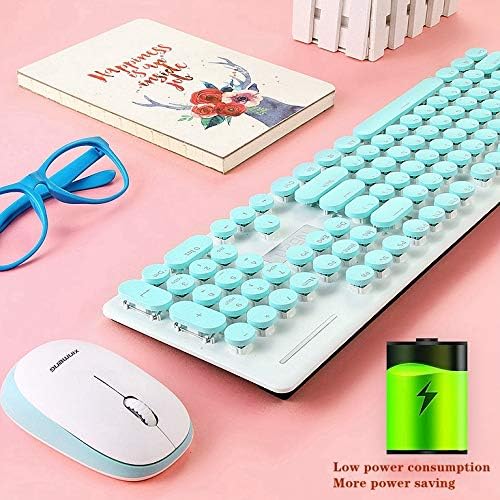
Image: The underside of the keyboard and mouse, highlighting the battery compartments. An icon indicating low power consumption is also visible, suggesting efficient battery usage.
- Manggihan USB Receiver: The tiny USB receiver is stored securely within the battery compartment of the mouse. Carefully remove it.
- Nyambung ka Komputer: Colokkeun panarima USB ka port USB nu sadia dina komputer atawa laptop Anjeun.
- Daya Hurung: Ensure both the keyboard and mouse are switched ON (if they have an on/off switch). The devices should automatically connect to your computer. No additional drivers are typically required.
Video: A seller-provided video demonstrating the installation of batteries and the USB receiver for a wireless keyboard and mouse combo. It shows the process of opening compartments, inserting batteries, and plugging in the receiver.
5. Parentah Operasi
5.1 Operasi Mouse
- Penyesuaian DPI: The mouse features a 1600 DPI sensor. Press the DPI button (usually located near the scroll wheel) to cycle through different sensitivity levels to suit your preference.
- Hemat Daya: The mouse will automatically enter sleep mode after a period of inactivity. To wake it up, simply move the mouse or click any button.
5.2 Keyboard Operation
- Hotkeys Multimedia: Use the 'Fn' key in combination with the F1-F12 function keys to access various multimedia and system functions (e.g., volume control, media playback, web browser, email). Refer to the keycap legends for specific functions.
- Ergonomic Typing: The keyboard features an inclined design for comfortable typing.
- Hemat Daya: The keyboard will automatically enter sleep mode after a period of inactivity. To wake it up, simply press any key.
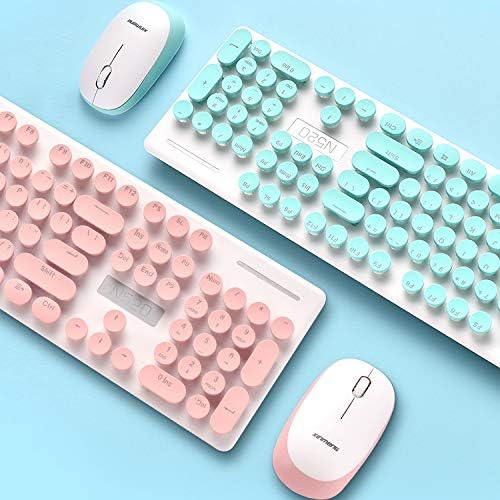
Gambar: A close-up view of the keyboard, highlighting the round chiclet-style keycaps and the function keys, which can be used for multimedia controls.
6. Pangropéa
- beberesih: The floating keycap design allows for easy cleaning. Use a soft brush or compressed air to remove dust and debris from between the keys. For surface cleaning, use a soft, damp lawon.
- Desain waterproof: The keyboard features a waterproof design, making it resistant to minor spills and easier to clean. However, avoid submerging the device in water.

Image: A visual representation emphasizing the waterproof capabilities of the keyboard, indicating its resilience against liquid spills.
7. Cara ngungkulan
- Henteu aya sambungan:
- Pastikeun yén panarima USB tos aman dicolokkeun kana port USB anu tiasa dianggo.
- Check if the batteries in both the keyboard and mouse are correctly installed and have sufficient charge.
- Coba colokkeun panarima USB kana port USB anu béda dina komputer anjeun.
- Balikan deui komputer anjeun.
- Sambungan Lagging atanapi Intermiten:
- Ensure the devices are within the effective wireless range (up to 33ft) of the USB receiver.
- Ngaleutikan gangguan ti alat nirkabel séjén atawa objék logam badag.
- Ganti batré upami aranjeunna lemah.
- Lost USB Receiver: The USB receiver is crucial for wireless connectivity. If lost, contact customer service for potential replacement options.
8. Spésifikasi
| merek | JAGONG |
| Nomer modél | N520 (EL0780-01B) |
| Warna | Biru |
| Téhnologi konektipitas | 2.4GHz Radio Frequency Wireless |
| Mouse DPI | 1600 DPI (adjustable) |
| Tombol kibor | 104 konci |
| Rojongan Sistim | Windows XP / WIN7 / WIN10 / ISO, Mac OS X 10.3+ |
| Alat nu cocog | Laptop, Komputer Pribadi |
| Batré Diperlukeun | 1 AA for Mouse, 2 AAA for Keyboard (included) |
| Item Beurat | 2 pon |
| Ukuran Paket | 17.7 x 8.7 x 1.18 inci |
9. Garansi jeung Rojongan
Your CORN Technology N520 Wireless Keyboard and Mouse Combo comes with a worry-free 12-month warranty. For any product inquiries, technical support, or warranty claims, please contact our friendly customer service team. Refer to the contact information provided in your welcome guide or on the product packaging.


