1. Bubuka
This manual provides detailed instructions for the proper use and maintenance of your LAUNCH CRP909E Elite OBD2 Scanner. The CRP909E is a professional automotive diagnostic tool designed to perform comprehensive system diagnostics, various reset services, and standard OBD2 functions for a wide range of vehicles. Please read this manual thoroughly before operating the device to ensure safe and effective use.

Image 1.1: The LAUNCH CRP909E Elite OBD2 Scanner, its protective carrying case, and included cables.
2. Naon dina Box
Saatos ngabongkar bungkusan, mangga pariksa yén sadaya barang di handap ieu kalebet kana pakét anjeun:
- 1x CRP909E Diagnostic Tool
- 1x Diagnostic Cable (OBD2 connection)
- 1x OBD2 Charging Cable
- 2x Power Adaptors
- 1x Manual Pamaké (dokumén ieu)

Image 2.1: All components included in the LAUNCH CRP909E Elite OBD2 Scanner package.
3. Spésifikasi
| Fitur | Katerangan |
|---|---|
| Modél | CRP909E |
| Sistem operasi | Android 7.1 |
| tampilan | 7.0 Toél Screen Toel |
| Batré | 6000mAh Lithium Ion (kaasup) |
| Konektipitas | Wi-Fi for updates |
| Diménsi | 16 x 14 x 5 inci (Produk) |
| Item Beurat | 6.59 pon |
| Protokol anu dirojong | OBDII, EOBD, JOBD |
| Basa | English, French, Spanish, Russian, Japanese, German, Italian, Portuguese, Korean, Traditional Chinese |
4. Setélan
Follow these steps to set up your CRP909E scanner for initial use:
- Konfigurasi awal: Power on the device. Select your preferred language and region settings. Connect the device to a Wi-Fi network to enable updates and online features.
- Apdet parangkat lunak: Navigate to the 'Update' section on the main menu. Download and install the latest software for your device and specific vehicle brands. Regular updates ensure compatibility with newer vehicle models and access to the latest functions.
- Nyambung ka Kendaraan: Locate your vehicle's OBD2 port (typically under the dashboard). Connect the diagnostic cable from the CRP909E to the vehicle's OBD2 port. Ensure the vehicle's ignition is in the 'ON' position (engine off or running, depending on the diagnostic task).

Image 4.1: Quick setup guide for the CRP909E, illustrating initial configuration, software updates, and vehicle connection.
5. Parentah Operasi
The LAUNCH CRP909E offers a range of diagnostic and service functions. Navigate through the touch screen interface to access the desired features.
5.1. Diagnosis Sistem Lengkep
This function allows you to scan all available electronic control units (ECUs) in the vehicle, including Engine, ABS, SRS (Airbag), Transmission, SAS (Steering Angle Sensor), EPB (Electronic Parking Brake), DPF (Diesel Particulate Filter), TPMS (Tire Pressure Monitoring System), and more. It reads and clears trouble codes, views live data streams, and retrieves ECU information.
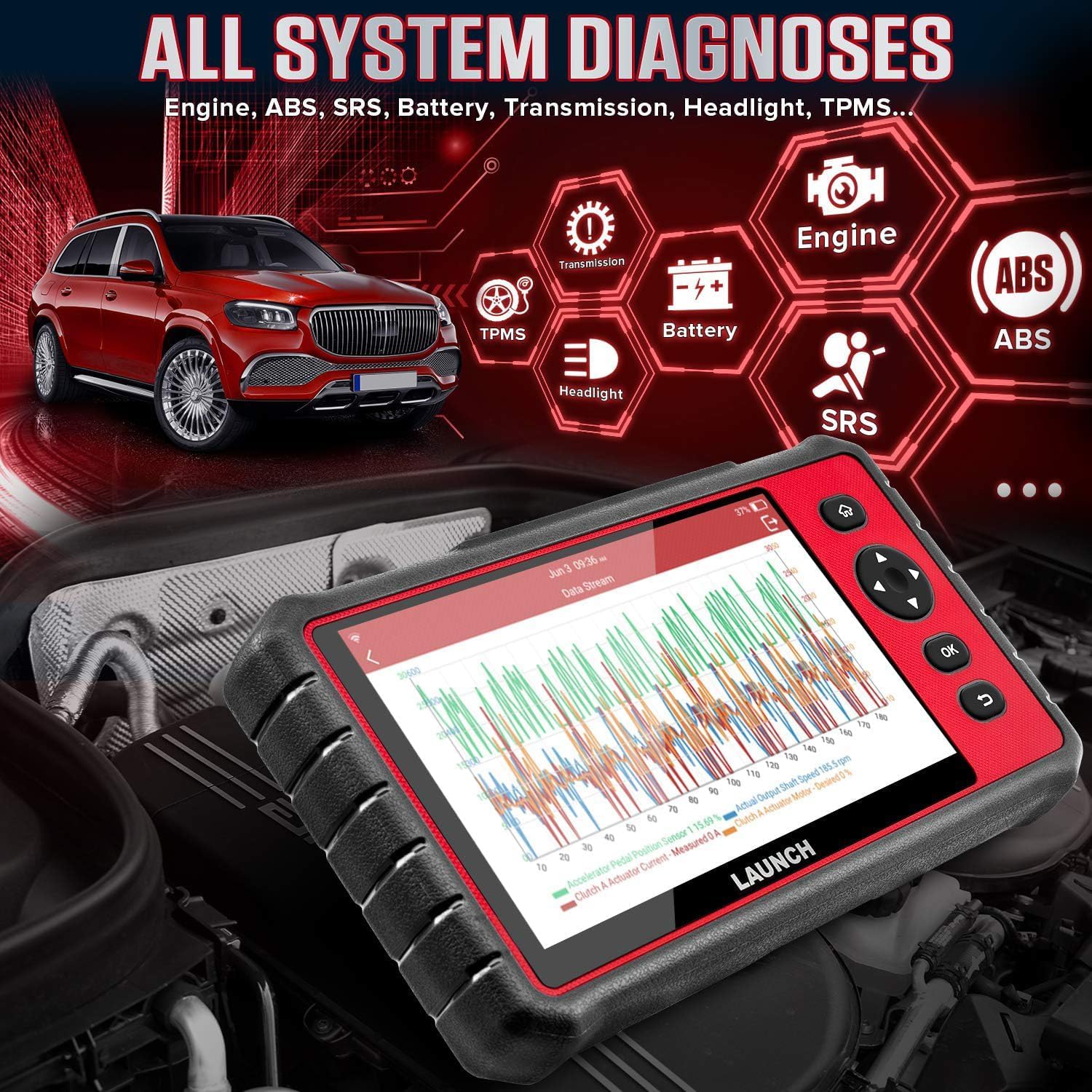
Gambar 5.1.1: Leuwihview of the full system diagnostic capabilities, showing various vehicle systems.

Image 5.1.2: Visual representation of the OE-level all system diagnostic process and covered systems.
5.2. 28 Layanan Reset
The CRP909E provides access to 28 commonly used maintenance reset services. These services assist in completing various maintenance tasks and recalibrations after repairs or component replacements.
- Service Reset oli
- Steering Angle sensor (SAS) Reset
- Éléktronik Parkir marake (EPB) Reset
- System Management Batre (BMS) Reset
- Diesel Particulate Filter (DPF) Regenerasi
- ABS Ngaluarkeun getih
- Reset Sunroof
- Reset Suspénsi
- Gearbox Reset
- AFS (Sistem Lampu Hareup Adaptif)amp Reset
- Injektor Coding
- Gear Learning
- TPMS (System pangimeutan tekanan ban) Reset
- Adaptasi throttle
- Sareng seueur deui...

Gambar 5.2.1: Visual examples of the 28 hot reset services available on the CRP909E.

Gambar 5.2.2: Detil view of the 28 reset functions interface.
5.3. 10 OBD2 Functions
The device supports all 10 modes of OBD2 testing, providing essential diagnostic information for emissions-related issues.
- Baca Kodeu
- Hapus Kodeu
- Data Hirup
- Abdi / M Kesiapan
- View Freeze pigura
- Tés Sénsor O2
- Tés Monitor Dina-Papan
- Test Sistim EVAP
- Inpo kandaraan
- DTC Pilarian
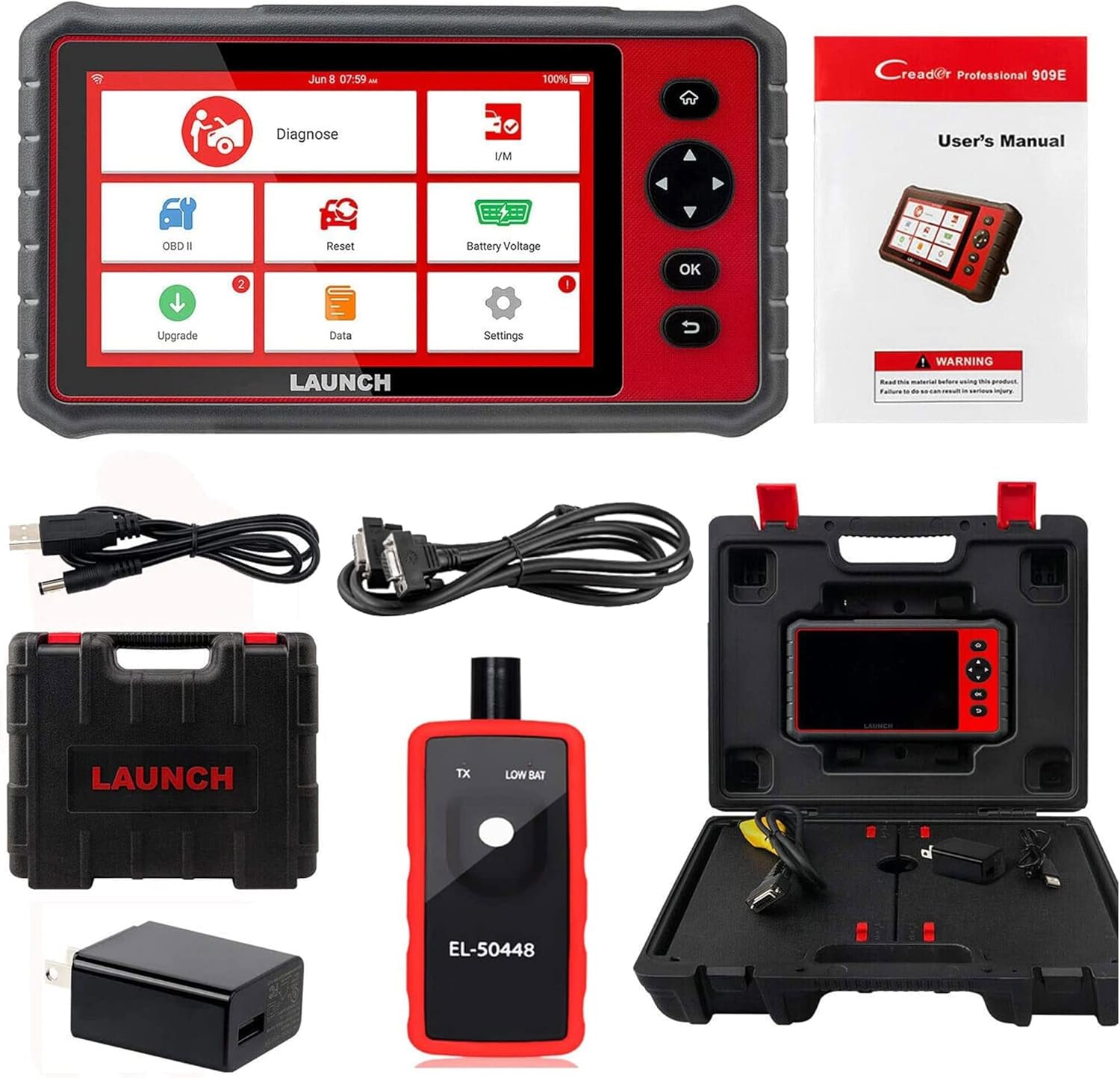
Image 5.3.1: The 10 OBD2 functions interface on the CRP909E.
5.4. Otomatis VIN Scan
The Auto VIN feature automatically identifies vehicle information, streamlining the diagnostic process by quickly recognizing the vehicle's make, model, and year.
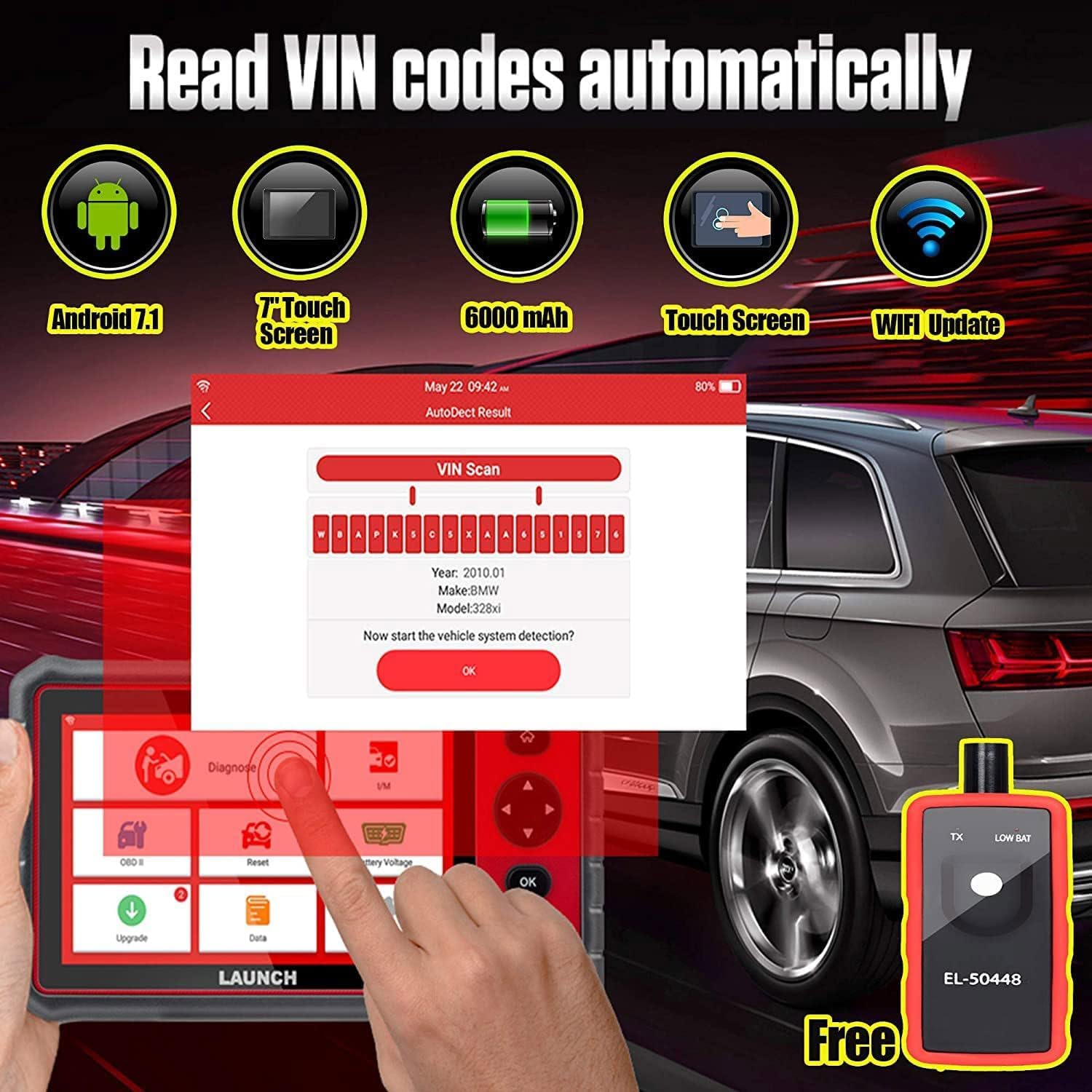
Image 5.4.1: The Auto VIN scan function in action, identifying vehicle details.
5.5. Data Stream Record and Playback
The CRP909E allows for real-time recording and playback of live data streams, which is useful for analyzing intermittent issues and monitoring vehicle performance over time.
5.6. Nyieun Laporan Diagnostik
After completing diagnostics, the tool can generate a comprehensive health report of the vehicle. This report can be shared or printed for record-keeping or client communication.

Image 5.6.1: Various diagnostic screens of the CRP909E, including VIN scan, live data, and diagnostic reports.
6. Pangropéa
To ensure the longevity and optimal performance of your CRP909E scanner, adhere to the following maintenance guidelines:
- Apdet parangkat lunak: Regularly connect the device to Wi-Fi and perform one-click software updates. This ensures the scanner has the latest vehicle coverage and diagnostic functions.
- beberesih: Use a soft, dry cloth to clean the device's screen and exterior. Avoid using abrasive cleaners or solvents.
- Panyimpenan: Store the scanner in its protective carrying case in a cool, dry place when not in use. Avoid extreme temperatures and direct sunlight.
- Perawatan batré: Cas alat sacara rutin, sanajan teu sering dianggo, pikeun ngajaga kasehatan batréna.
7. Cara ngungkulan
If you encounter issues while using the CRP909E, consider the following general troubleshooting steps:
- Henteu aya kakuatan: Ensure the device is fully charged or connected to a power source. Check the OBD2 connection for proper seating.
- Kasalahan Komunikasi: Verify that the diagnostic cable is securely connected to both the scanner and the vehicle's OBD2 port. Ensure the vehicle's ignition is on. Confirm that the vehicle model is supported and the software is up to date.
- Software Malfunction: Perform a software update via Wi-Fi. If the issue persists, consider a factory reset (refer to the device settings for this option, noting it will erase user data).
- Performance Lambat: Ensure sufficient storage space on the device. Close any unnecessary applications running in the background.
Pikeun masalah pengkuh, tingal bagian rojongan pikeun inpo kontak.
8. Vehicle Coverage and Language Support
The LAUNCH CRP909E supports over 100,000 car models from 1996 up to 2024, covering a wide range of European, USA, and Asian & Other manufacturers. The device also supports 10 languages for user convenience.

Image 8.1: Comprehensive list of vehicle models and regions supported by the CRP909E, alongside language options.
9. Garansi jeung Rojongan
The LAUNCH CRP909E automotive scanner comes with a garansi 5 taun. Sajaba ti éta, kaasup 2 taun apdet parangkat lunak gratis from the date of purchase. Regular updates ensure continued compatibility and access to new features.
For any questions, technical assistance, or warranty claims, please contact LAUNCH support via Amazon messages. You can expect a response within 24 hours.


