1. Bubuka
This manual provides detailed instructions for the safe operation, setup, and maintenance of your DEERC DE51 Remote Control Helicopter. Please read this manual thoroughly before operating the helicopter to ensure proper function and to prevent damage.
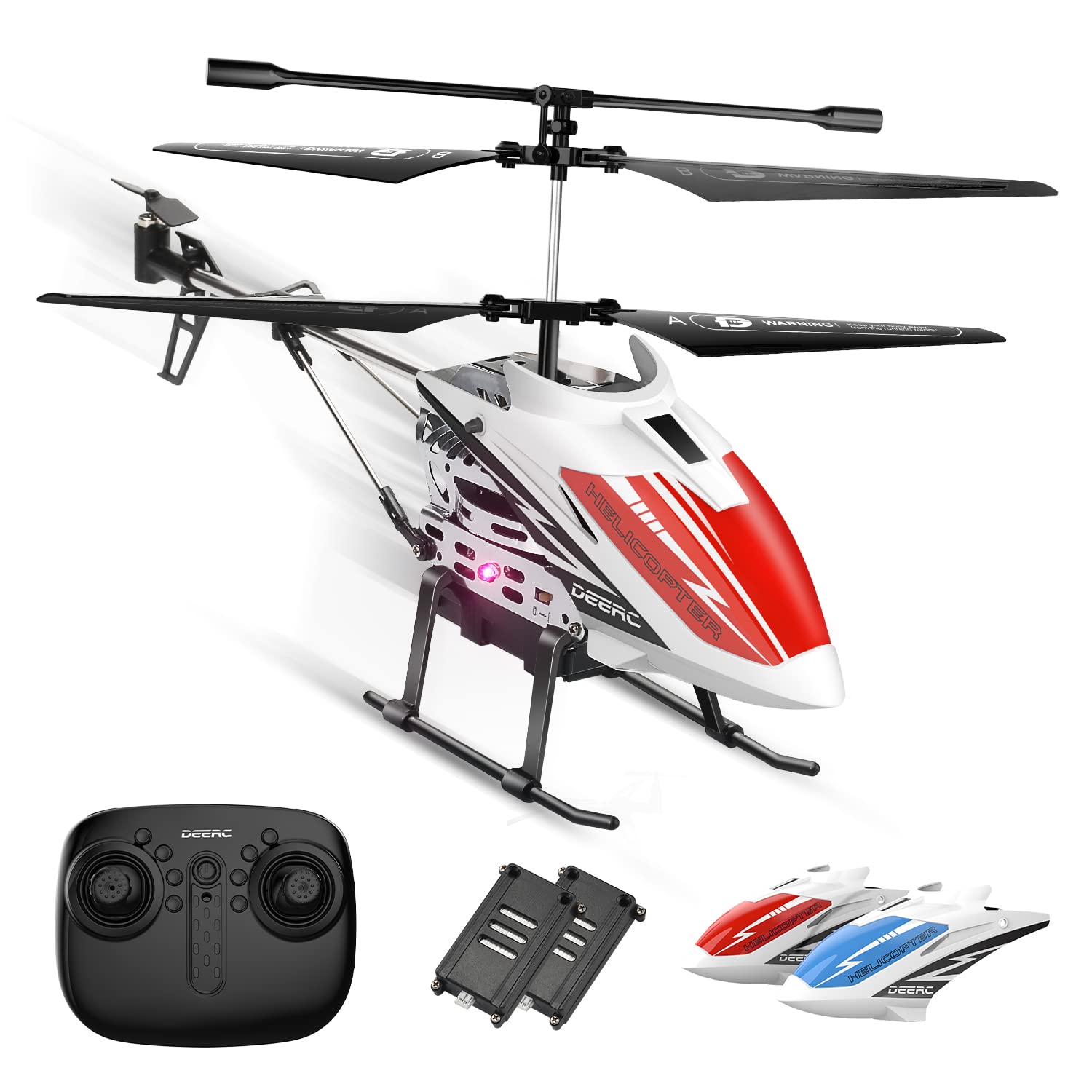
Image 1: The DEERC DE51 Remote Control Helicopter, its remote controller, two modular batteries, and two interchangeable helicopter shells (red and blue).
2. Eusi Paket
Pastikeun yén sadaya item aya dina bungkusan:
- DEERC DE51 Helicopter
- Pamancar Remote Control
- Batré Modular (x2)
- Helicopter Shells (x2, typically red and blue)
- Kabel Ngecas USB
- Cadang rotor wilah
- Manual Pitunjuk (dokumén ieu)
3. Setélan
3.1. Pamasangan Batré sareng Ngecas
- Batré Helikopter: Insert one of the provided modular batteries into the helicopter's battery compartment. Ensure it clicks securely into place.
- Batré Remote Control: Open the battery cover on the back of the remote control. Insert 3x AAA batteries (not included) according to the polarity markings. Close the cover.
- Ngecas: Connect the modular battery to the USB charging cable. Plug the USB cable into a standard USB power adapter (e.g., computer USB port, phone charger). The charging indicator light on the USB cable will illuminate during charging and turn off when fully charged. Charging typically takes 60-90 minutes.
Catetan: Always use the provided USB charging cable. Do not leave batteries charging unattended. Disconnect the battery once fully charged.
3.2. Helicopter Shell Assembly
The DE51 helicopter comes with two interchangeable shells. Choose your preferred shell and carefully attach it to the helicopter body. Ensure it is securely fastened before flight.

Image 2: The DEERC DE51 helicopter showcasing its two interchangeable body shells in red and blue, highlighting the customization option.
3.3. Masangkeun Remote Control
- Ensure both the helicopter and the remote control are powered off.
- Teundeun helikopter dina datar, permukaan datar.
- Turn on the helicopter's power switch. The LED lights on the helicopter will flash.
- Hurungkeun switch kakuatan kadali jauh.
- Push the left joystick (throttle) all the way up, then pull it all the way down. You will hear a "beep" sound from the remote control, and the helicopter's LED lights will become solid, indicating successful pairing.
Catetan: If pairing fails, turn off both devices and repeat the steps. Ensure no other 2.4GHz devices are causing interference nearby.
4. Parentah Operasi
4.1. Fungsi Jauh Jauh

Image 3: Detailed diagram of the DEERC DE51 remote control, indicating the function of each button and joystick for precise operation.
- Joystick kénca (Throttle):
- Up/Down: Controls altitude (ascend/descend).
- Joystick katuhu:
- Up/Down: Controls forward/backward movement.
- Left/Right: Controls left/right rotation (yaw).
- One Key Take-Off/Landing Button: Ngamimitian lepas landas atanapi badarat otomatis.
- Tombol eureun darurat: Immediately stops all propellers. Use only in emergency situations to prevent damage.
- Speed Mode Button: Toggles between High and Low speed modes.
- Tombol Kontrol Lampu LED: Turns the helicopter's LED lights on or off.
- Tombol motong: Used to fine-tune the helicopter's stability if it drifts in any direction during hover.
4.2. Flight Operations
- Take-Off:
- After pairing, press the One Key Take-Off button. The helicopter will automatically ascend and hover at a stable altitude.
- Alternatively, slowly push the left joystick (throttle) upwards to manually ascend.
- Ketinggian Tahan: The DE51 features an Altitude Hold function, allowing the helicopter to maintain a stable hovering height without continuous throttle input.
- Kontrol arah: Use the right joystick to control forward, backward, left, and right movements.
- Rotation (Yaw): Use the left joystick (left/right) to rotate the helicopter clockwise or counter-clockwise.
- Badarat:
- Press the One Key Landing button. The helicopter will slowly descend and land automatically.
- Alternatively, slowly pull the left joystick (throttle) downwards to manually descend and land.
- Pangaluyuan Kacepetan: Press the Speed Mode button to switch between low speed (for beginners or indoor flight) and high speed (for more experienced pilots or larger spaces).
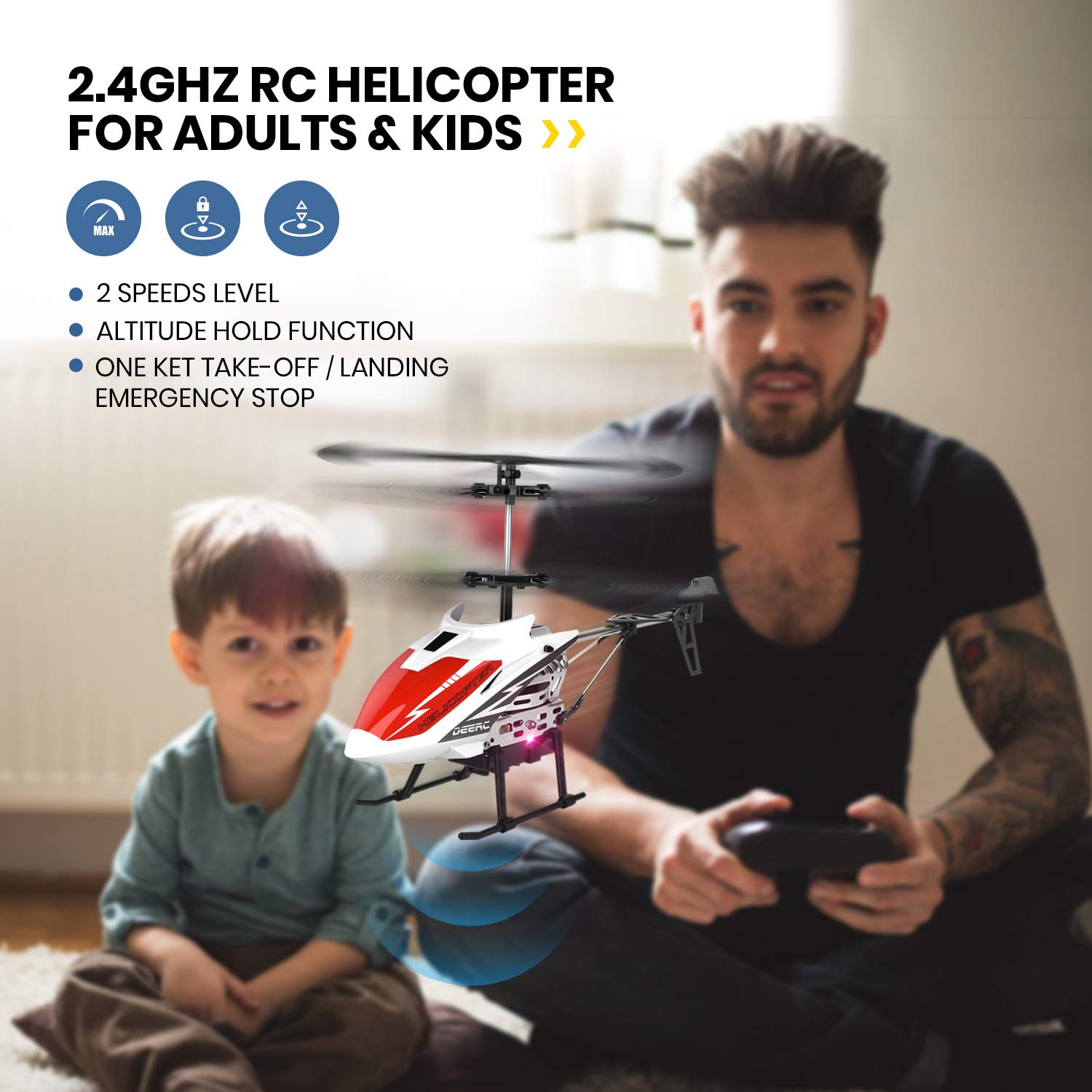
Image 4: A DEERC DE51 helicopter in flight indoors, demonstrating its suitability for indoor use, with a father and child observing.
Important Flight Considerations:
- This helicopter is designed for indoor use or outdoor use in calm conditions with no wind.
- Jaga jarak aman tina jalma, sato, sareng halangan.
- Salawasna ngawas barudak salila operasi.
5. Pangropéa
5.1. Kaperawatan Umum
- Keep the helicopter and remote control clean and dry. Wipe with a soft, dry cloth.
- Avoid exposing the helicopter to direct sunlight or extreme temperatures.
- Store the helicopter and remote in a safe place when not in use to prevent damage.
5.2. Kaperawatan batré
- Always remove batteries from the remote control if not used for extended periods.
- Charge the modular helicopter batteries only with the provided USB cable.
- Do not overcharge or deep discharge the batteries.
- Simpen batré di tempat anu tiis sareng garing.

Image 5: Illustration of the DEERC DE51 helicopter's low battery reminder system, where the helicopter's light turns red when power is low.
5.3. Ngagantian baling-baling
In case of damage to the rotor blades, replace them with the spare blades provided. Carefully remove the damaged blade and install the new one, ensuring it is oriented correctly and securely attached.

Gambar 6: A lengkep view of the DEERC DE51 helicopter's durable alloy structure and flexible propellers, designed for resilience during operation.
6. Cara ngungkulan
| Masalah | Mungkin Cukang lantaranana | Solusi |
|---|---|---|
| Helikopter teu ngabales jauh. | Not paired; low battery in remote or helicopter; power switch off. | Ensure both devices are powered on. Re-pair the remote and helicopter. Charge helicopter battery. Replace remote batteries. |
| Helicopter drifts during hover. | Needs trim adjustment; uneven surface during take-off. | Use the trim buttons on the remote to correct drift. Ensure take-off is from a flat, level surface. |
| waktos hiber pondok. | Batré teu dicas pinuh; batré heubeul. | Pastikeun batréna tos dicas pinuh sateuacan dianggo. Pertimbangkeun pikeun ngagentos batré anu lami upami kinerjana turun sacara signifikan. |
| Helicopter crashes easily. | Strong wind outdoors; pilot inexperience. | Fly indoors or in very calm conditions. Practice in low speed mode. |
| LED lights flashing on helicopter. | Teu dipasangkeun; batré lemah. | Attempt to re-pair. Charge the helicopter battery. |
7. Spésifikasi
| Fitur | Rincian |
|---|---|
| Modél | DE51 |
| merek | DEERC |
| Frékuénsi kontrol | 2.4GHz |
| Saluran | 3.5 Saluran |
| Waktos hiber | Approx. 10+ minutes per battery (2 batteries included for 20+ minutes total) |
| Kontrol Jarak | Approx. 50 meters (indoors, no interference) |
| Jenis Batré | Litium-Ion (Modular) |
| Bahan | Metal body, flexible blades |
| Ukuran (L x W x H) | 25 x 5.2 x 12.7 cm |
| Beurat | 310 g |
| Disarankeun Umur | 14 taun ka luhur |
8. Pedoman Kasalametan
- Do not operate the helicopter near people, animals, or obstacles.
- Hindarkeun ngalayang dina angin anu kuat atanapi kaayaan cuaca anu parah.
- Jauhkeun ramo sareng rambut tina baling-baling anu muter.
- Do not touch the motor after flight as it may be hot.
- Always turn off the helicopter and remote control after use.
- This product is not suitable for children under 3 years due to small parts. Recommended age is 14+.
9. Garansi jeung Rojongan
For warranty information, technical support, or replacement parts, please contact DEERC customer service. Refer to the product packaging or the official DEERC websitus pikeun detil kontak.
DEERC Official Websitus: www.deerc.com (Kelample link, link sabenerna bisa rupa-rupa)


