Bubuka
This manual provides comprehensive instructions for the PowerLocus P3 Bluetooth Headphones. It covers setup, operation, maintenance, and troubleshooting to ensure optimal performance and longevity of your device. The PowerLocus P3 headphones offer high-fidelity stereo sound with deep bass, Bluetooth 5.0 connectivity, and a comfortable over-ear design suitable for extended use.

Figure 1: PowerLocus P3 Bluetooth Headphones with included protective carrying case.
Eusi pakét
Saatos unboxing, pariksa yén sadaya komponén aya:
- Headphone Bluetooth PowerLocus P3
- Kabel Ngecas USB
- Kabel Audio 3.5mm
- Pelindung Mawa Case
- Manual pangguna (dokumén ieu)
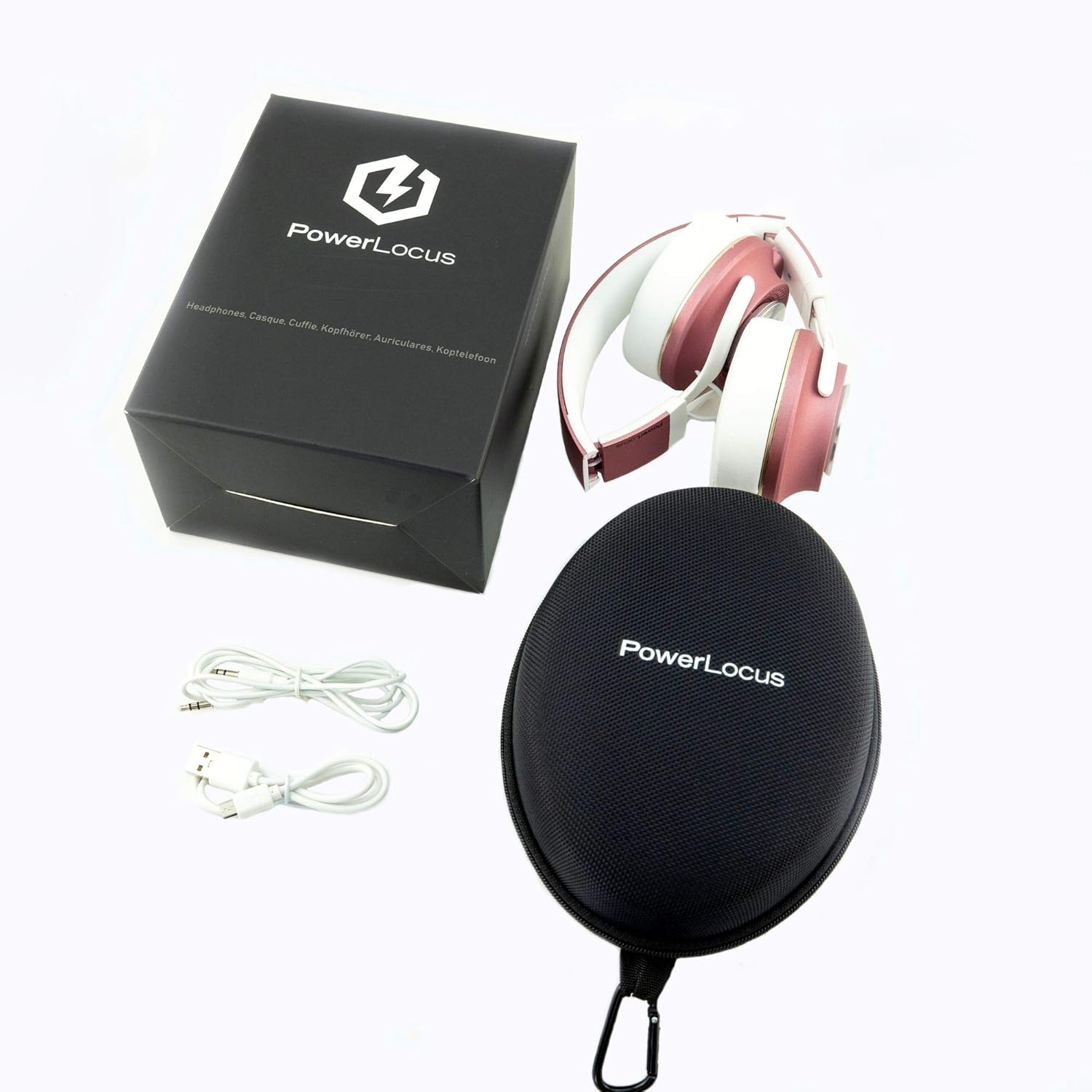
Figure 2: All items included in the PowerLocus P3 headphone package.
Disetél
1. Ngecas Awal
Before first use, fully charge the headphones. Connect the USB charging cable to the headphone's charging port and to a compatible USB power source. A full charge takes approximately 2 jam. The LED indicator will change color or turn off once charging is complete.
Video 1: This video demonstrates the quick charging capability of the PowerLocus P3 headphones, highlighting the USB charging port and the estimated 40 hours of battery life after a full charge.
2. Papasangan Bluetooth
The PowerLocus P3 headphones utilize Bluetooth 5.0 for a quick and stable connection. They can connect to iOS, Android, and Windows devices.
- Pastikeun headphone dicas sareng dipareuman.
- Pencét jeung tahan tombol Daya nepi ka indikator LED hurung biru jeung beureum, nuduhkeun mode papasangan.
- On your device (smartphone, tablet, laptop), enable Bluetooth and search for "PowerLocus P3" in the list of available devices.
- Select "PowerLocus P3" to connect. The LED indicator will turn solid blue once successfully paired.
The headphones can connect to two devices simultaneously, allowing seamless switching between, for example, a laptop and a smartphone.
Video 2: This video illustrates the Bluetooth connectivity of the PowerLocus P3 headphones, showing how they can connect to multiple devices like a laptop and a smartphone.
Parentah Operasi
Kadali Langkungview
The PowerLocus P3 headphones feature intuitive controls located on the earcup:
- Tombol Daya: Pencét jeung tahan pikeun mareuman/nonaktipkeun. Pencét pondok pikeun muterkeun/ngareureuhkeun musik atawa ngajawab/mungkas telepon.
- Volume Jilid / Lagu Salajengna: Pencét pondok pikeun polumeu ka luhur. Pencét lila pikeun lagu salajengna.
- Volume Turun / Lagu Saméméhna: Pencét pondok pikeun volume handap. Pencét lila pikeun lagu saméméhna.
- Mikropon: Diwangun-di pikeun telepon handsfree.

Figure 3: Key features of the PowerLocus P3 headphones, including control functions.
Modeu kabel
For situations where wireless connectivity is not desired or battery is low, you can use the included kabel audio 3.5mm. Simply plug one end into the headphone's audio jack and the other into your device's audio output. In wired mode, the built-in microphone remains functional for calls.
kanyamanan sarta Portability
The headphones are designed for comfort with soft memory foam earmuffs and an adjustable headband. They are also bisa dilipat for easy storage and portability in the included protective case.

Figure 4: Design features emphasizing comfort and portability.
Pangropéa
Proper maintenance ensures the longevity and performance of your PowerLocus P3 headphones:
- beberesih: Use a soft, dry cloth to wipe the headphones. For earmuffs, a slightly damp cloth can be used, but ensure they are completely dry before storage. Avoid harsh chemicals or abrasive materials.
- Panyimpenan: When not in use, store the headphones in the provided protective carrying case to prevent dust accumulation and physical damage.
- Suhu: Avoid exposing the headphones to extreme temperatures (hot or cold) or high humidity, as this can damage internal components and battery life.
- Kontak cair: The headphones are not water-resistant. Avoid contact with liquids.
Pamérésan masalah
| Masalah | Mungkin Cukang lantaranana | Solusi |
|---|---|---|
| Headphone teu hurung. | batré lemah. | Charge the headphones fully (approx. 2 hours). |
| Teu bisa masangkeun via Bluetooth. | Headphone henteu dina mode papasangan; alat Bluetooth pareum; jauh teuing ti alat. | Ensure headphones are in pairing mode (flashing blue/red LED). Turn device Bluetooth off and on. Move headphones closer to the device (within 10 meters). |
| Taya sora atawa kualitas sora goréng. | Volume low teuing; sumber audio salah; sambungan kabel leupas. | Increase headphone and device volume. Ensure correct audio output is selected on your device. If using wired mode, ensure the 3.5mm cable is securely connected. |
| Mikropon teu jalan. | Mikropon dina alat dibisukeun; input anu dipilih salah. | Check device settings to ensure the microphone is not muted and the PowerLocus P3 is selected as the input device. |
spésifikasi
| Fitur | Rincian |
|---|---|
| Ngaran modél | P3 |
| Téhnologi konektipitas | Nirkabel (Bluetooth), Kabel (Jack 3.5mm) |
| Vérsi Bluetooth | 5.0 |
| Rentang Bluetooth | 10 Méter (33 suku) |
| Kahirupan batré | Nepi ka 40 Jam |
| Waktu Ngecas | 2 Jam |
| Tipe Supir Audio | Supir dinamis (40mm) |
| Kontrol bising | Isolasi Sora (Pasif) |
| Wangun Earpiece | Leuwih-Ceuli |
| Bahan | Plastic/Metal, Synthetic Leather, Foam |
| Item Beurat | 175 Gram (6.2 ons) |
| Diménsi | 7.05 x 6.38 x 3.19 inci |
| Warna | Matt Rose Gold |
Garansi sareng Rojongan
PowerLocus nawiskeun 24-garansi sasih for the P3 Bluetooth Headphones. This warranty covers manufacturing defects and ensures repair or replacement within 24 hours if you are not satisfied with the performance.
For any inquiries, technical assistance, or warranty claims, please contact PowerLocus Customer Support. They provide 24/7 rojongan customer pikeun mantuan Anjeun.
For the most up-to-date contact information, please refer to the official PowerLocus websitus atanapi rincian kontak anu disayogikeun sareng bungkus produk anjeun.


