1. Bubuka
Hatur nuhun pikeun meuliasing the G Keni LC-10W Elegant CD Player Alarm Clock Radio. This versatile device combines multiple audio playback options with convenient alarm clock features and wireless charging capabilities. Please read this manual thoroughly to ensure proper use and to maximize your enjoyment of the product.
2. Émbaran Kasalametan
- Ulah ngalaan unit ka hujan, Uap, atawa suhu ekstrim.
- Ensure the power cord is UL certified and connected to a compatible 100V-240V AC outlet.
- Hindarkeun nempatkeun unit caket sumber panas atanapi dina sinar panonpoé langsung.
- Ulah ngabongkar atanapi nyobian ngalereskeun unit nyalira. Hubungi petugas servis anu mumpuni.
- Jauhkeun unit tina médan magnét anu kuat.
- Use only the specified 2*AAA dry batteries for time setting memory backup (not included).
3. Eusi Paket
- 1x G Keni LC-10W CD Player Alarm Clock Radio
- 1x Kabel Listrik AC
- 1x Kadali Jauh
- 1x Owner's Manual
4. Produk Langkungview
The G Keni LC-10W features a sleek design with a large mirror LED display and intuitive controls. It integrates a top-loading CD player, FM radio, Bluetooth connectivity, USB and AUX inputs, and a wireless charging pad.

Gambar 1: Hareupeun view of the G Keni LC-10W unit, showcasing the digital display, wireless charging pad with a phone, and the included remote control.
4.1. Kontrol jeung palabuhan
- Panel luhur: Mode button, Play/Pause, Skip/Search buttons, Program button, Snooze/Sleep button, Volume/Tune knob, Alarm 1/2 buttons, Dimmer, Wireless Charging On/Off.
- Panel hareup: Large Dimmable Mirror LED Display.
- Panel Sisi: USB port, AUX-IN port, Headphone output.
- Panel Pungkur: FM Antenna, AC Power Input.
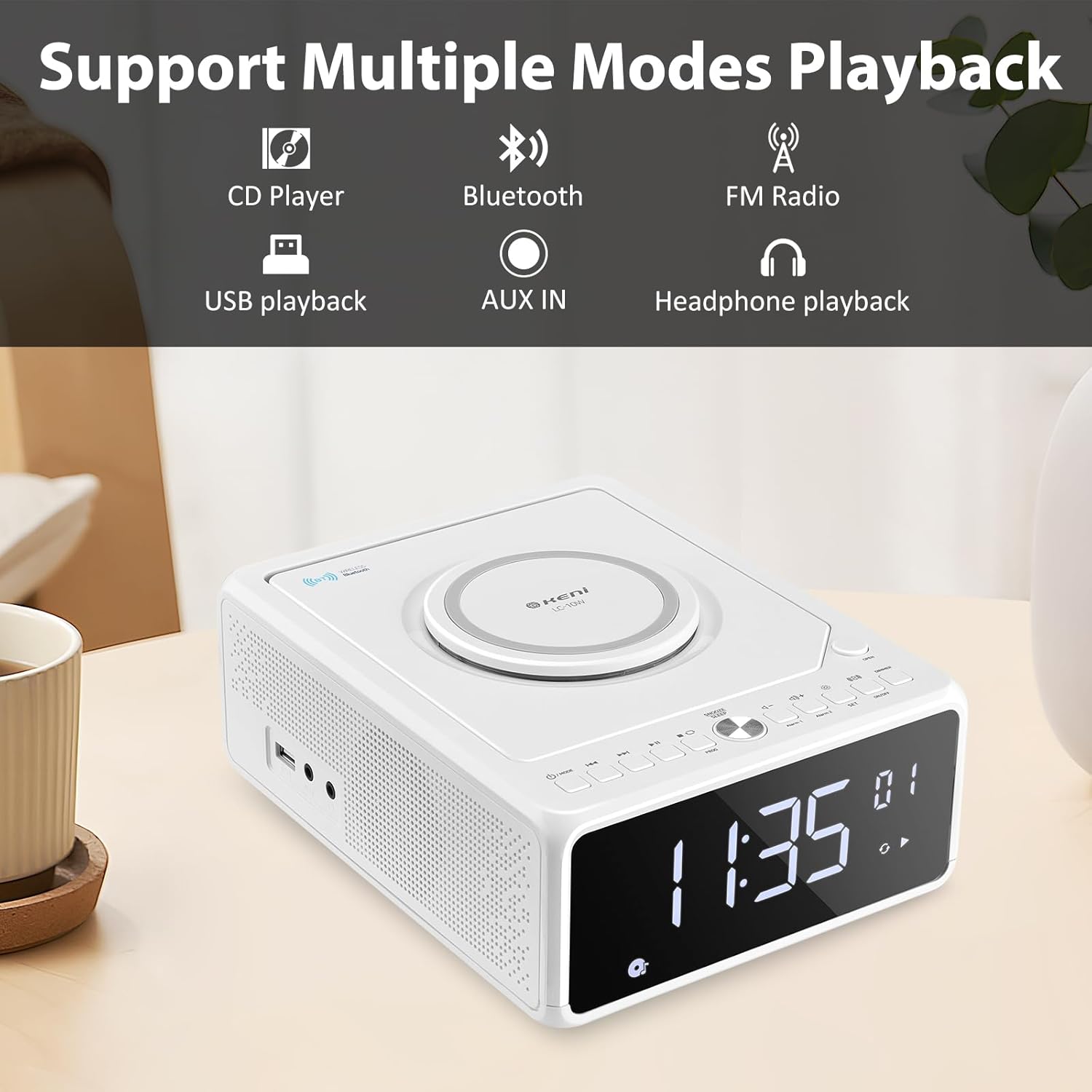
Figure 2: Diagram illustrating the various playback modes supported by the G Keni LC-10W, including CD, Bluetooth, FM Radio, USB, AUX, and headphone output.
5. Setélan
5.1. Sambungan Daya
- Sambungkeun kabel listrik AC anu disayogikeun ka jack AC IN di tukangeun unit.
- Plug the other end of the power cord into a standard wall outlet (100V-240V AC).
- Unit bakal hurung sareng tampilan bakal hurung.
5.2. Nyadangkeun Batré (Opsional)
For time setting memory backup during power outages, install 2*AAA dry batteries (not included) into the battery compartment on the bottom of the unit. This will retain time and alarm settings.
Video 1: Hiji leuwihview of the G Keni CD Player Alarm Clock, demonstrating its features and basic operation. This video is provided by the seller.
6. Parentah Operasi
6.1. Netepkeun Waktos
- Ensure the unit is in standby mode (display showing time only). If not, press and hold the Power/Mode button until only the time is displayed.
- Pencét jeung tahan tombol SET button until the time digits start blinking.
- Pencét éta Maju or Mundur buttons to switch between 12-hour and 24-hour format.
- Pencét SET again to set the hour. Use Maju or Mundur to adjust the hour (pay attention to AM/PM in 12-hour format).
- Pencét SET deui pikeun nyetel menit. Anggo Maju or Mundur pikeun nyaluyukeun menit.
- Pencét SET one last time to confirm and save the time.
6.2. Setélan Jam Alarm
The unit supports dual alarms (Alarm 1 and Alarm 2) with adjustable volume and various wake-up sounds.
- Pencét jeung tahan boh Alarem 1 or Alarem 2 button until the hour digits start blinking.
- Ngagunakeun éta Maju or Mundur buttons to adjust the desired alarm hour.
- Pencét anu saluyu Alarem button again to set the minute. Use Maju or Mundur pikeun nyaluyukeun menit.
- Pencét éta Alarem button again to select the wake-up sound: Buzzer, Radio, CD, USB, or Bluetooth. Use Maju or Mundur mun siklus ngaliwatan pilihan.
- Pencét éta Alarem button again to set the alarm volume (indicated by 'U' followed by a number). Use Jilid +/- tombol pikeun ngaluyukeun.
- Pencét éta Alarem tombol sakali deui pikeun mastikeun sareng ngaktipkeun alarm. Ikon alarm bakal muncul dina tampilan.
- Pikeun nganonaktipkeun alarm, pencét tombol nu cocog Alarem tombol sakali. Ikon alarm bakal ngaleungit.
Video 2: Detailed instructions on how to set the alarm on the G Keni LC-10W. This video is provided by the seller.
6.3. Operasi CD Player
The top-loading CD player supports audio CDs, CD-Rs, CD-RWs, and MP3 CDs.
- Pencét éta BUKA button on the top right to open the CD compartment.
- Carefully place a CD onto the spindle with the label side facing up.
- Tutup tutup kompartemen CD.
- Pencét éta MODÉ button until 'CD' appears on the display.
- The CD will begin playing automatically. Use Play / Reureuh, Skip / Pilarian tombol pikeun ngadalikeun playback.
- Fungsi Pemrograman: Dina modeu CD, pencét tombol PROG button to enter programming mode. Use Skip / Pilarian to select tracks and PROG to add them to the playlist. Press Maén to start the programmed sequence.

Figure 3: The top-loading CD player of the G Keni LC-10W is shown open, with a CD being placed inside. The remote control is also visible, highlighting ease of operation.
6.4. Operasi Radio FM
The unit features a digital FM radio (87.5-108MHz). AM radio is not supported.
- Extend the telescopic FM antenna on the rear of the unit for optimal reception.
- Pencét éta MODÉ pencét tombol 'FM' nepi ka muncul dina layar.
- Scan otomatis: Pencét jeung tahan tombol Play / Reureuh tombol pikeun otomatis nyeken tur nyimpen stasiun FM sadia.
- Tuning Manual: Pencét pondok Skip / Pilarian buttons to manually tune to the next available station.
- Jempé: Pencét éta Ngajempékeun button to temporarily silence the radio.

Figure 4: The G Keni LC-10W displaying FM Radio mode, indicating the frequency and the availability of a sleep timer function.
6.5. Konektipitas Bluetooth
Alirkeun audio sacara nirkabel tina alat-alat Bluetooth anjeun.
- Pencét éta MODÉ button until 'BT' appears on the display. The unit will enter pairing mode, indicated by a blinking Bluetooth icon.
- Dina alat sélulér anjeun, aktipkeun Bluetooth sareng milarian alat anu sayogi.
- Select 'LC-10W' from the list to pair. Once connected, the Bluetooth icon will stop blinking.
- You can now play music from your device through the G Keni LC-10W. Use the unit's controls or your device to manage playback.
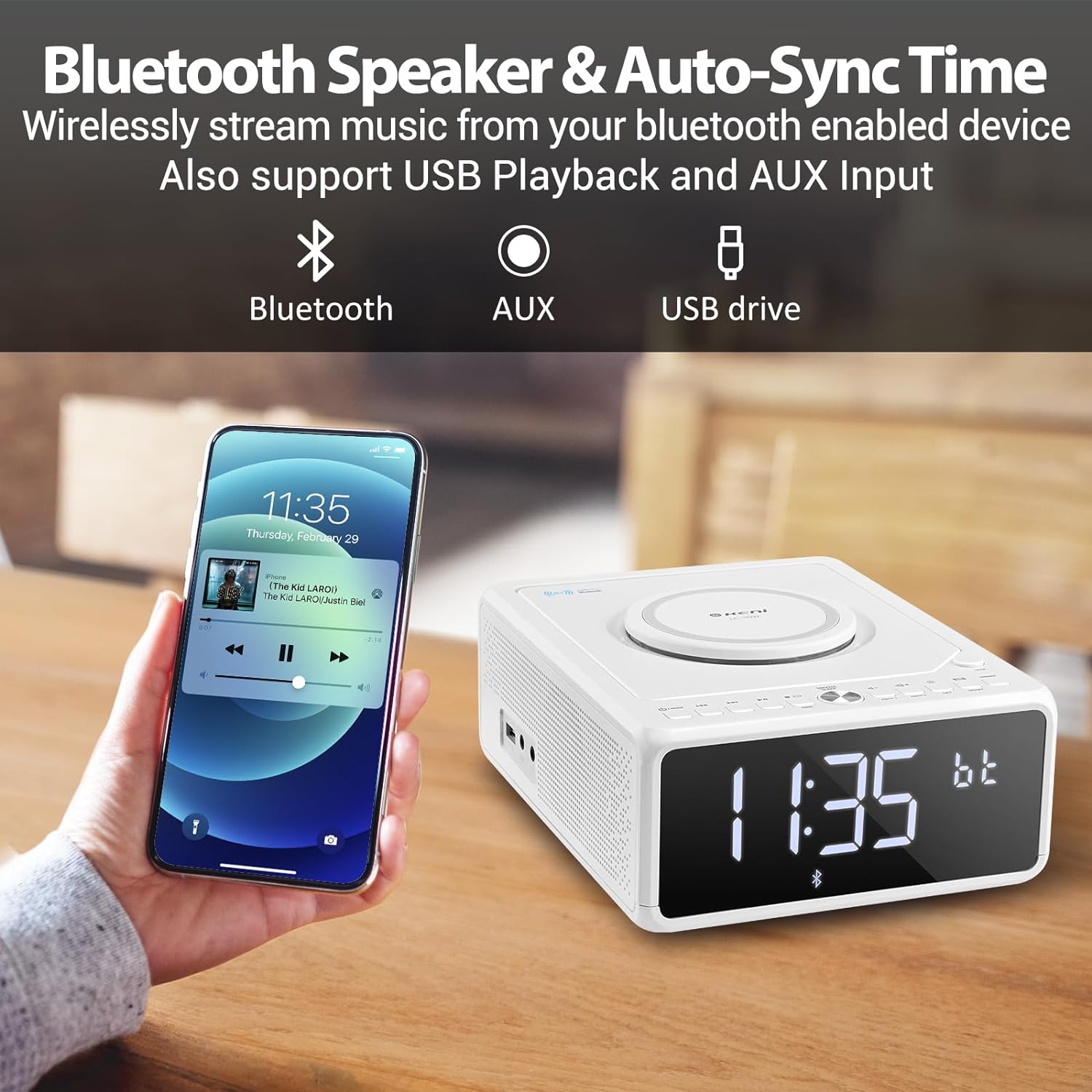
Figure 5: A smartphone is shown wirelessly connected to the G Keni LC-10W via Bluetooth, demonstrating music streaming capabilities.
6.6. Putereun Musik USB
Play MP3/WMA music files langsung ti USB flash drive.
- Insert a USB flash drive into the USB port on the side of the unit.
- Pencét éta MODÉ button until 'USB' appears on the display.
- The unit will automatically detect and begin playing music from the USB drive.
- Paké Play / Reureuh, Skip / Pilarian tombol pikeun ngadalikeun playback.
6.7. Sambungan AUX-IN
Sambungkeun alat audio éksternal nganggo kabel audio 3.5mm (teu kaasup).
- Connect one end of a 3.5mm audio cable to the AUX-IN port on the side of the unit.
- Connect the other end to the headphone jack or AUX-OUT port of your external audio device.
- Pencét éta MODÉ pencet tombol 'AUX' nepi ka muncul dina layar.
- Control playback from your external audio device. Adjust volume using the unit's volume knob.
6.8. Ngecas nirkabel
The unit features a Qi-compatible wireless charging pad on top.
- Ensure the wireless charging function is enabled by pressing the ON/OFF button for wireless charging. A blue light will indicate it's ready.
- Place your Qi-compatible smartphone on the charging pad.
- The light will turn red to indicate active charging.
- Output: 7.5W for iOS devices, 10W for Android devices.

Figure 6: The wireless charging pad on the G Keni LC-10W is shown, illustrating its fast charging capabilities for both Android (10W) and iPhone (7.5W) devices.
6.9. Display Brightness (Dimmer)
Adjust the LED display brightness to your preference.
- Pencét éta DIMMER button repeatedly to cycle through 5 levels of brightness, including an 'off' setting for complete darkness.
6.10. Snooze & Sleep Timer
Enhance your sleep routine with these functions.
- Hususkeun: Sawaktos alarm disada, pencét tombol SNOOZE / SARE button to temporarily silence it for 9 minutes. This can be repeated within an hour.
- Timer Saré: While playing audio (Radio, CD, USB, Bluetooth), press the SNOOZE / SARE button repeatedly to set the sleep timer (10-90 minutes). The unit will automatically turn off after the selected duration.
7. Pangropéa
- beberesih: Anggo lawon anu lemes sareng garing pikeun ngabersihkeun bagian luar unit. Entong nganggo pembersih atanapi pelarut anu abrasif.
- Perawatan CD: Handle CDs by their edges. Clean with a soft, lint-free cloth in a straight line from the center to the outer edge.
- Panyimpenan: Upami teu dianggo salami lami, cabut kabel alatna teras simpen di tempat anu tiis sareng garing.
8. Cara ngungkulan
| Masalah | Mungkin Cukang lantaranana | Solusi |
|---|---|---|
| Unit teu hurung. | Kabel listrik teu nyambung leres. | Check AC power cord connection to unit and wall outlet. |
| Taya sora tina speaker. | Volume too low; Mute activated; Incorrect mode selected. | Increase volume; Deactivate Mute; Select correct playback mode. |
| CD ngaluncat atanapi henteu diputer. | Dirty or scratched CD; CD inserted incorrectly. | Clean or replace CD; Ensure CD is placed correctly. |
| panarimaan radio FM goréng. | anteneu teu ngalegaan; Sinyal lemah. | Fully extend the telescopic antenna; Reposition the unit. |
| Alat Bluetooth teu dipasangkeun. | Unit not in BT mode; Device too far; Device already paired. | Pastikeun unit dina modeu BT; Pindahkeun alat ngadeukeutan; Pegatkeun sambungan ti alat sejen. |
| Ngecas nirkabel teu jalan. | Wireless charging off; Phone not Qi-compatible; Phone not centered. | Press wireless charging ON/OFF; Check phone compatibility; Reposition phone. |
9. Spésifikasi
| Fitur | Rincian |
|---|---|
| Nomer modél | LC-10W |
| Ukuran (L x W x H) | 8.46 x 6.69 x 3.15 inci |
| Beurat | 2.6 pon |
| Konektipitas | Auxiliary, Bluetooth, USB |
| Vérsi Bluetooth | 5.0 |
| Kaluaran Ngecas Nirkabel | 7.5W (iOS), 10W (Android) |
| Rentang Frékuénsi FM | 87.5-108 MHz |
| Tipe Speaker | Speaker Dual |
| Input kakuatan | AC 100V-240V (UL certified) |
| Nyadangkeun batré | 2*AAA dry batteries (for time memory, not included) |
10. Garansi jeung Rojongan
G Keni offers a one-year warranty and friendly customer service for this product. For any issues or support inquiries, please contact the seller or manufacturer directly. Please refer to your purchase documentation for specific warranty terms and contact information.