1. Produk Langkungview
The Billboard BB425 Gaming Headset is designed for an immersive audio experience across various gaming platforms. It features a boom microphone for clear communication, enhanced bass for rich sound, and convenient in-line controls for volume adjustment and instant muting. The headset is lightweight and adjustable, ensuring a comfortable fit during extended use, and comes with a durable fabric cord.
- Mikropon Boom: Pikeun komunikasi sora anu jelas.
- Bass ditingkatkeun: Delivers a rich audio experience.
- In-line Control: Easily adjust volume and mute the microphone.
- Desain adjustable: Lightweight and comfortable for prolonged gaming sessions.
- Durable Fabric Cord: Designed for longevity.
2. Parentah Setup
Follow these steps to connect your Billboard BB425 Gaming Headset to your device.
- Identipikasi panyambungna: The headset features a single 3.5mm TRRS jack for combined audio and microphone functionality. An included Y-splitter cable separates this into two 3.5mm TRS jacks: one for audio output (typically green) and one for microphone input (typically pink).
- For Devices with a Single 3.5mm Port (e.g., most laptops, gaming controllers, smartphones):
- Plug the headset's single 3.5mm TRRS jack directly into your device's combined audio/microphone port.
- For Devices with Separate Audio and Microphone Ports (e.g., most desktop PCs):
- Connect the headset's single 3.5mm TRRS jack into the female end of the Y-splitter cable.
- Plug the audio output jack (often green) of the Y-splitter into your device's audio output port.
- Plug the microphone input jack (often pink) of the Y-splitter into your device's microphone input port.
- Saluyukeun pas: Place the headset over your ears and adjust the headband for a comfortable and secure fit. Position the boom microphone near your mouth for optimal voice pickup.
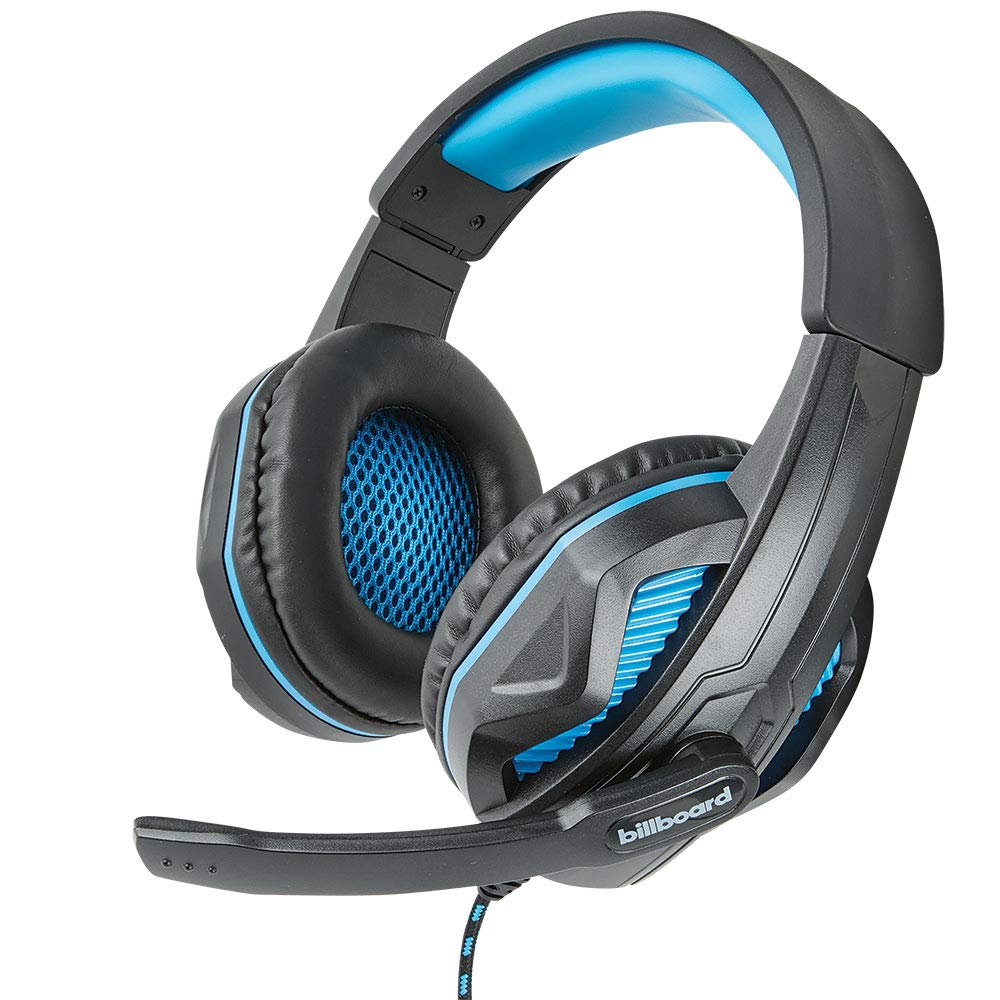
Image: The Billboard BB425 Gaming Headset's braided cable, in-line control unit, and the included Y-splitter cable with two 3.5mm TRS jacks for separate audio and microphone connections.
3. Parentah Operasi
The in-line control unit provides easy access to essential audio functions.
- Kontrol volume: Use the scroll wheel on the in-line control unit to adjust the audio volume. Scroll up to increase volume and down to decrease it.
- Mikropon bisu: The in-line control unit features a switch to mute or unmute the microphone. Slide the switch to the "OFF" position to mute your microphone, and to the "ON" position to enable it.
- Boom Microphone Adjustment: The flexible boom microphone can be positioned closer or further from your mouth to optimize voice clarity.
4. Pangropéa sarta perawatan
Perawatan anu leres bakal manjangkeun umur headset anjeun.
- beberesih: Anggo kaén anu lembut sareng garing pikeun ngusap headset. Pikeun cushions ceuli, a rada damp lawon jeung sabun hampang bisa dipaké, tapi pastikeun aranjeunna sagemblengna garing saméméh dipaké. Ulah make bahan kimia kasar atawa cleaners abrasive.
- Panyimpenan: Simpen headset di tempat anu bersih, garing, sareng jauh tina suhu anu ekstrim sareng sinar panonpoé langsung. Hindarkeun kabel anu kusut.
- Penanganan: Do not pull on the cable to disconnect the headset. Always grasp the plug firmly. Avoid dropping or subjecting the headset to strong impacts.
5. Cara ngungkulan
If you encounter issues with your Billboard BB425 Gaming Headset, refer to the following common solutions.
- Henteu aya Sora atanapi Volume Lemah:
- Ensure the headset's 3.5mm jack(s) are fully inserted into the correct port(s) on your device.
- Pariksa roda kontrol volume in-line teras atur kana tingkat anu tiasa kadéngé.
- Verify your device's audio output settings. Ensure the headset is selected as the default playback device.
- Uji headset nganggo alat anu sanés pikeun ngaluarkeun masalah khusus alat.
- Mikropon Teu Gawé:
- Ensure the microphone mute switch on the in-line control unit is in the "ON" position.
- If using the Y-splitter, ensure the microphone jack (typically pink) is correctly plugged into your device's microphone input port.
- Check your device's microphone input settings. Ensure the headset microphone is selected as the default recording device and that its input volume is not muted or set too low.
- Nguji mikropon ku aplikasi atawa alat sejen.
- Static or Distorted Audio:
- Pastikeun sadaya sambungan aman sareng bébas tina lebu atanapi runtah.
- Try connecting the headset to a different audio port or device to check if the issue persists.
- Ulah neundeun kabel caket sumber gangguan éléktromagnétik anu kuat.
6. Spésifikasi
| Fitur | Rincian |
|---|---|
| Ngaran modél | BB425 |
| merek | Billboard |
| Téhnologi konektipitas | Dikabel |
| Jack headphone | 3.5 mm Jack |
| Panempatan Ceuli | Leuwih Ceuli |
| Faktor Bentuk | Dina Ceuli |
| Alat nu cocog | Gaming Consoles, Desktops, Laptops, Telephones |
| Fitur husus | Enhanced bass |
| Tipe Kontrol | In-line control (Volume, Mute) |
| Fitur kabel | Retractable, Durable Fabric Cord |
| Bahan | palastik |
| Warna | Hideung |
| Dimensi produk | 25.15 x 22.86 x 8.89 cm |
| Item Beurat | 386 g |
| Batré Diperlukeun | No |
7. Émbaran jaminan
This product is covered by a manufacturer's warranty. For specific details regarding warranty coverage, duration, and terms, please refer to the warranty card included with your product or visit the official Billboard websitus. Simpen resi pameseran anjeun salaku bukti pameseran pikeun klaim garansi.
8. Rojongan Palanggan
If you require further assistance or have questions not addressed in this manual, please contact Billboard customer support. Contact information can typically be found on the product packaging or the official Billboard websitus.
Pabrikan: Kasus ESI & Asesoris


