1. Bubuka
This user manual provides comprehensive instructions for the setup, operation, and maintenance of your INSIGNIA NS-24DF311SE21 24-inch Smart HD TV - Fire TV Edition. Please read this manual thoroughly before using your television to ensure proper functionality and safety.
2. Naon dina Box
Pastikeun yén sadaya barang aya dina bungkusan:
- INSIGNIA NS-24DF311SE21 24-inch Smart HD TV
- Sora Jauh sareng Alexa (kalebet 2 batré AAA)
- Stand TV (2 buah)
- Kabel listrik
- Guide Setup Gancang (dokumén ieu)
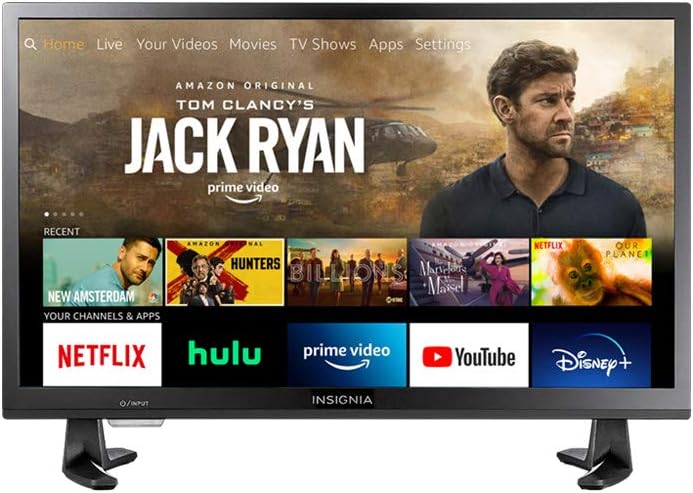
Figure 2.1: INSIGNIA NS-24DF311SE21 Smart HD TV with Fire TV interface.
3. Setélan
3.1 Ngagantelkeun TV Stand
- Teundeun TV sacara saksama dina permukaan anu lemes sareng bersih pikeun nyegah karusakan layar.
- Sejajarkeun potongan nangtung jeung liang screw dina handap TV.
- Ngamankeun potongan nangtung ngagunakeun screws disadiakeun. Pastikeun aranjeunna tightened pageuh.

Figure 3.1: TV with stand attached.
3.2 Nyambungkeun Daya
Colokkeun kabel listrik kana input kakuatan TV, teras colokkeun tungtung anu sanésna kana stop kontak témbok.
3.3 Setup Awal
- Hurungkeun TV nganggo tombol daya dina remot.
- Follow the on-screen instructions to select your language, connect to a Wi-Fi network, and sign in to your Amazon account.
- The TV will guide you through pairing the Voice Remote with Alexa.
4. Parentah Operasi
4.1 Nganggo Jauh Sora sareng Alexa
The included Voice Remote with Alexa allows for intuitive control of your TV. Press and hold the microphone button to issue voice commands for searching content, launching apps, controlling smart home devices, and more.
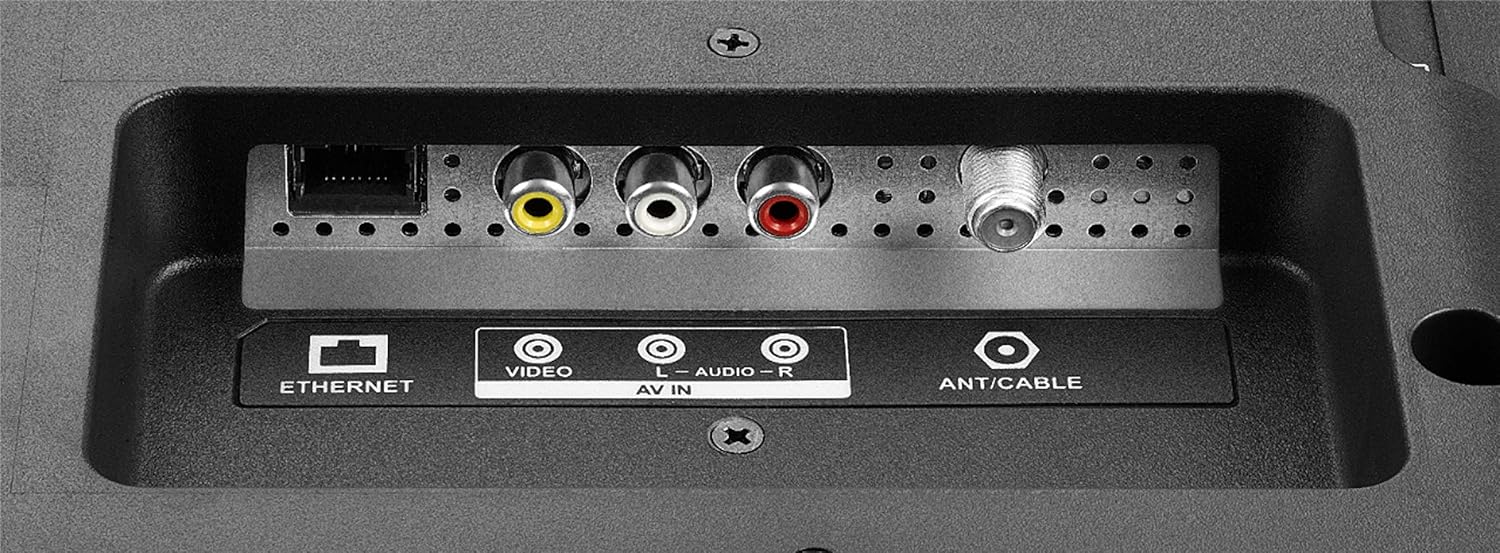
Figure 4.1: Voice Remote with Alexa.
4.2 Napigasi Interface TV Seuneu
The Fire TV interface provides a unified home screen for live TV and streaming channels. Use the navigation buttons on your remote to browse content, access apps, and adjust settings.
- imah: Balik deui ka layar utama Fire TV.
- Aplikasi: Access your installed applications.
- Setélan: Configure TV and Fire TV settings.
- Tombol khusus: Quick access to popular streaming services like Netflix and Amazon Prime Video.

Figure 4.2: Fire TV interface and remote in use.
5. Fitur konci
- Remote Sora nganggo Alexa: Control your TV, launch apps, search for titles, play music, switch inputs, and manage smart home devices using voice commands.
- Pangalaman TV Seuneu Terpadu: Access over 500,000 streaming movies and TV episodes from tens of thousands of channels and apps.
- Unified Home Screen: Seamlessly integrates live over-the-air TV and streaming channels.
- Fungsi Smart TV: Built-in Wi-Fi and integrated apps for streaming content.
- Resolusi HD: Provides clear picture quality for an enhanced viewpangalaman.
- Multiple HDMI Connections: Facilitates easy connection of external devices.
6. Panyambungan
Your INSIGNIA TV offers various ports for connecting external devices.
6.1 Side Panel Connections
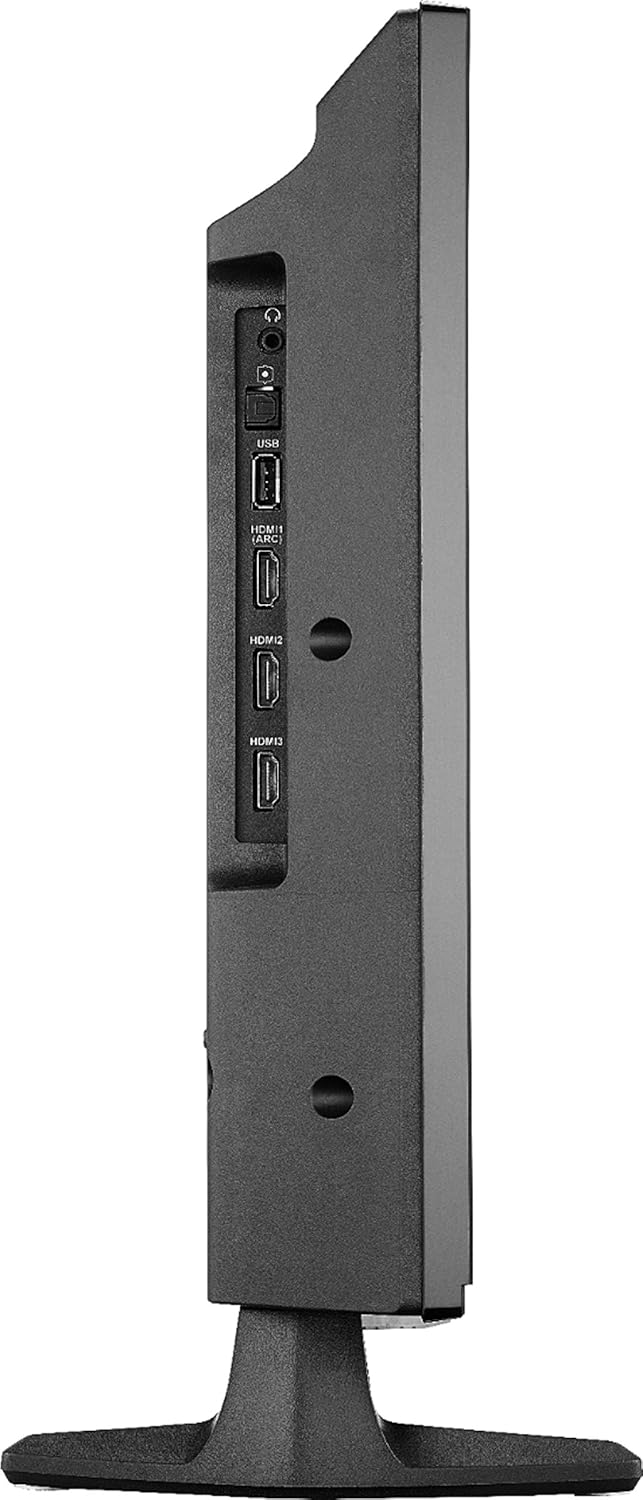
Gambar 6.1: Sambungan panel samping.
- USB: Sambungkeun alat panyimpenan USB pikeun playback media.
- HDMI (ARC): Connect HDMI devices. Audio Return Channel (ARC) allows audio to be sent back to a compatible audio system.
- HDMI 2, HDMI 3: Connect additional HDMI devices such as gaming consoles, Blu-ray players, or cable boxes.
- KALUARAN OPTIK DIGITAL: Pikeun nyambungkeun ka panarima audio digital atawa soundbar.
- Jack Headphone 3.5mm: Pikeun nyambungkeun headphone.
6.2 Sambungan Panel Rear
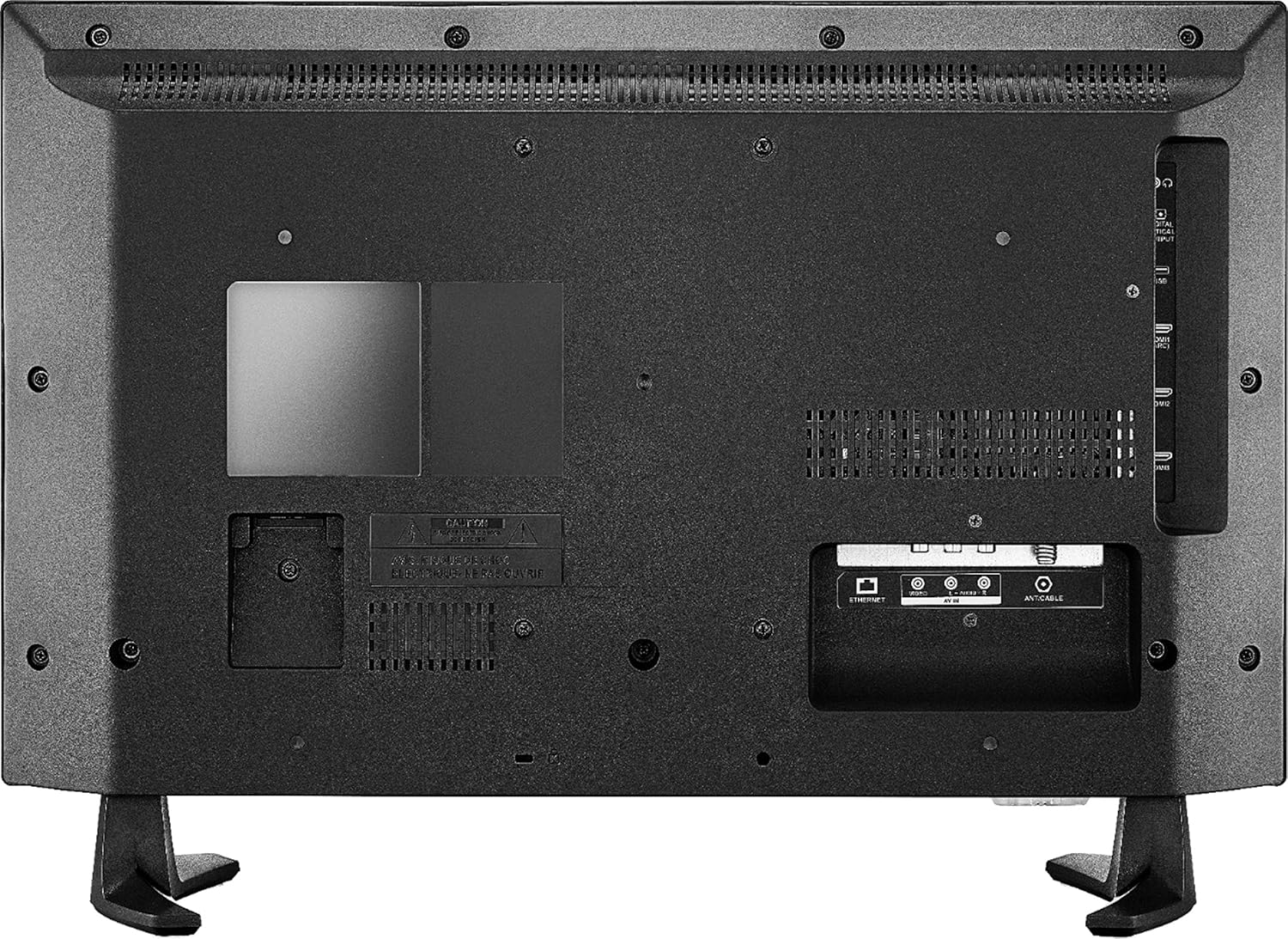
Gambar 6.2: Sambungan panel pungkur.
- ETHERNET: Pikeun sambungan internét kabel.
- AV IN (Video, L-Audio, R-Audio): Sambungkeun alat anu langkung lami nganggo kabel video komposit sareng audio stereo.
- ANT/KABEL: Sambungkeun anteneu pikeun siaran ngaliwatan hawa atawa sambungan TV kabel.
7. Spésifikasi
| Fitur | Rincian |
|---|---|
| merek | BADGE |
| Nomer modél | NS-24DF311SE21 |
| Ukuran layar | 23.6 inci (kelas 24 inci) |
| Téknologi tampilan | LED |
| Resolusi | HD (720p) |
| Refresh Laju | 60 Hz |
| Rasio Aspék | 16:9 |
| Téhnologi konektipitas | HDMI, Wi-Fi, Ethernet |
| Ukuran produk (D x W x H) | 7.1 "D x 21.7" W x 14.4" H |
| Item Beurat | 6.4 pon |
| Tipe Speaker | Diwangun-Di |
| Fitur husus | Flat Screen, Fire TV Edition |
| Batré | 2 batré AAA (kaasup pikeun jarak jauh) |
| Warna | Hideung |
| VESA Gunung kasaluyuan | 100 x 100mm (Note: May use 2 mounting points, refer to mounting instructions for details) |
8. Cara ngungkulan
Upami anjeun ngalaman masalah sareng TV anjeun, tingal solusi umum ieu:
- Henteu aya kakuatan: Pastikeun kabel listrik disambungkeun sacara aman ka TV sareng stop kontak listrik anu tiasa dianggo. Coba outlet béda.
- Taya Gambar/Sora:
- Pastikeun sumber input anu bener dipilih (contona, HDMI 1, Antenna).
- Pariksa sadaya sambungan kabel (HDMI, AV, jsb.) parantos aman.
- Pastikeun polumeu teu diam atawa disetel ka minimum.
- Jauh Teu Ngabales:
- Ganti batré dina kadali jauh.
- Pastikeun teu aya halangan antara remote sareng TV.
- Re-pair the remote if necessary (follow on-screen instructions during initial setup or in TV settings).
- Masalah Sambungan Jaringan:
- Balikan deui router Wi-Fi sareng modem anjeun.
- Check TV network settings to ensure it's connected to the correct network.
- Upami nganggo sambungan kabel, pastikeun kabel Ethernet disambungkeun leres.
- Masalah Kualitas Gambar:
- Saluyukeun setelan gambar (kacaangan, kontras, warna) dina menu TV.
- Pastikeun sumber input nyayogikeun sinyal anu kualitasna luhur.
Pikeun pitulung salajengna, konsultasi sumber rojongan online atawa kontak layanan palanggan.
9. Pangropéa
- Ngabersihan layar: Ngusap layar nganggo kaén anu lembut sareng teu aya serat. Pikeun tanda pengkuh, enteng dampen lawon kalawan cai atawa solusi beberesih layar husus dirancang pikeun éléktronika. Ulah nyemprot cairan langsung kana layar.
- Ngabersihkeun Kabinet: Anggo kaén anu lembut sareng garing pikeun ngusap kabinet TV. Ulah make cleaners abrasive atawa pangleyur.
- Ventilasi: Pastikeun bukaan ventilasi dina TV teu diblokir pikeun nyegah overheating.
- Kabel listrik: Regularly check the power cord for any damage. If damaged, discontinue use and replace it with an authorized replacement.
10. Émbaran Kasalametan
Please read and follow all safety instructions to prevent injury or damage to your TV.
- Ulah ngalaan TV ka hujan atawa beueus.
- Do not open the TV cabinet; there are no user-serviceable parts inside. Refer all servicing to qualified personnel.
- Pastikeun ventilasi ditangtoskeun sabudeureun TV.
- Hindarkeun nempatkeun TV dina sinar panonpoé langsung atanapi caket sumber panas.
- Ulah nempatkeun barang beurat dina luhureun TV.
- Keep the TV away from sources of strong magnetic fields.
- Barang ieu sumping dina kemasan anu ngungkabkeun naon anu aya di jerona sareng teu tiasa disumputkeun.
11. Bantahan Hukum
Web-ladenan basis na eusi merlukeun layanan Internet-speed tinggi. Sababaraha jasa tiasa ngabutuhkeun langganan.
12. Garansi jeung Rojongan
For warranty information and technical support, please refer to the documentation included with your purchase or visit the official INSIGNIA website. You can also find support resources on the Amazon product page for this model.
Sumberdaya Online: