Bubuka
This manual provides comprehensive instructions for the installation, operation, and maintenance of the AXIS P1447-LE Network Camera. Please read this manual thoroughly before using the product to ensure proper functionality and safety.
The AXIS P1447-LE Network Camera is designed for surveillance applications, offering excellent image quality at 5-megapixel resolution and a 16:9 aspect ratio.
Produk Leuwihview
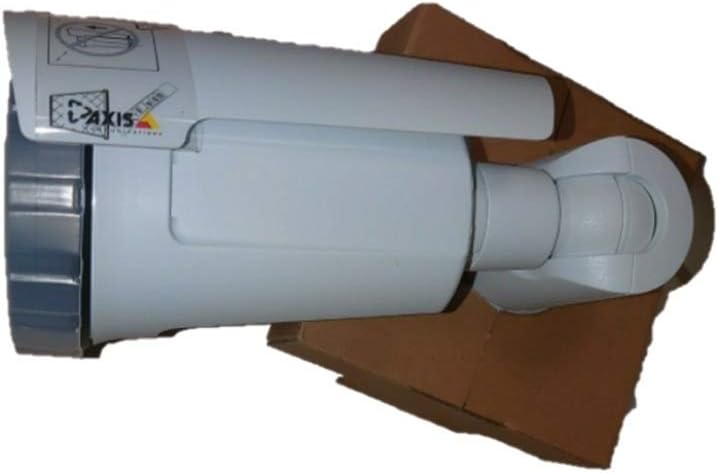
Figure 1: The AXIS P1447-LE Network Camera, a white bullet-style camera with a sun shield, shown resting on a brown cardboard box. The camera features the AXIS logo on its side.
The AXIS P1447-LE is a robust network camera built for reliable outdoor surveillance. Key features include:
- 5 MP resolution for detailed video capture.
- 16:9 format for wide-angle viewing.
- Low light technology (Night Color) for improved performance in challenging lighting conditions.
- Outdoor suitability with IP54 international protection rating.
- Wired connectivity and ONVIF compatibility.
Setup sareng Instalasi
1. Ngabongkar bungkusan
Sacara saksama miceun sadaya komponén tina bungkusan. Pastikeun yén sadaya barang anu didaptarkeun dina daptar bungkusan aya. Simpen bungkusan aslina pikeun transportasi atanapi neundeun ka hareup.
2. Masang kaméra
The AXIS P1447-LE supports ceiling mount installation. Choose a stable mounting surface that can support the camera's weight and provide an optimal field of view.
- Drill pilot holes according to the mounting template (if provided).
- Secure the mounting bracket to the surface using appropriate screws and anchors.
- Gantelkeun awak kaméra kana bracket pamasangan, mastikeun eta dikonci pageuh dina tempatna.
3. Daya sareng Sambungan Jaringan
Connect the camera to a power source (AC/DC) and to your network via an Ethernet cable. The camera supports wired connectivity and ONVIF protocol for integration with network video recorders (NVRs) or video management systems (VMS).
- Ensure the power supply meets the camera's specifications.
- Use a reliable Ethernet cable for stable network connection.
Parentah Operasi
1. Aksés awal jeung Konfigurasi
Upon first power-up, the camera will acquire an IP address from your network's DHCP server. Use the AXIS IP Utility or your VMS to discover the camera on the network.
- Aksés kaméra web interface using its IP address in a web browser.
- Log in with the default credentials (refer to the camera's packaging or quick start guide for default username and password). Disarankeun pisan pikeun ngarobah sandi standar langsung pikeun kaamanan.
- Configure network settings, video resolution (up to 5 MP), frame rate (30 fps), and image quality settings.
2. Video Surveillance and Recording
The camera is primarily used for surveillance. It supports motion-only alert types and can be integrated with various surveillance platforms.
- Set up motion detection zones and sensitivity within the camera's web interface or your VMS.
- Configure recording schedules and storage locations (e.g., NVR, NAS, or cloud storage).
- Utilize the optical zoom feature for detailed viewngenalkeun wewengkon husus.
3. Remote Control and Monitoring
The camera can be controlled and monitored remotely. It is compatible with Amazon Alexa for certain control functions, and general remote control is available via its web interface or integrated VMS.
Pangropéa
Regular maintenance ensures optimal performance and longevity of your AXIS P1447-LE Network Camera.
- Ngabersihan lensa: Périodik bersihkeun lénsa kaméra ku lawon anu lemes sareng teu aya serat. Pikeun kokotor nekad, make solusi beberesih lénsa hampang. Hindarkeun bahan abrasive anu tiasa ngagores lensa.
- Inspeksi Perumahan: Inspect the camera housing and mounting bracket for any signs of damage, corrosion, or loose connections. Tighten screws as needed.
- Pembaruan firmware: Pariksa produsén urang website regularly for firmware updates. Keeping the firmware updated can improve performance, add new features, and address security vulnerabilities.
- Pamariksaan Lingkungan: Ensure the camera's operating environment remains within specified temperature and humidity ranges. Clear any obstructions that might block the camera's view or ventilation.
Pamérésan masalah
This section provides solutions to common issues you might encounter with your network camera.
| Masalah | Mungkin Cukang lantaranana | Solusi |
|---|---|---|
| Taya feed video |
|
|
| Kualitas gambar henteu saé |
|
|
| Teu bisa ngakses web panganteur |
|
|
spésifikasi
| Fitur | Rincian |
|---|---|
| Modél | P1447-LE (01054-001) |
| merek | ADI (AXIS) |
| Resolusi Capture Video | 5 MP |
| Laju pigura | 30 fps |
| Téhnologi konektipitas | Dikabel |
| Protokol konektipitas | ONVIF |
| Sumber Daya | AC/DC |
| Tipe Pamasangan | Gunung siling |
| Pamakéan jero rohangan / outdoor | Luar |
| Peunteun Protection Internasional | IP54 |
| Téhnologi Lampu Lemah | Warna Peuting |
| Tipe Siaga | Gerak Ngan |
| Métode kontrol | Remote, Amazon Alexa |
| Faktor Bentuk | Pelor |
| UPC | 753359771953 |
Garansi sareng Rojongan
For warranty information and technical support, please refer to the official ADI (AXIS) websitus atanapi ngahubungan layanan palanggan maranéhanana langsung. Simpen resi pameseran anjeun salaku bukti pameseran.
Note: Specific warranty terms and support channels may vary by region.


