1. Bubuka
This manual provides instructions for the Panasonic CN-R300D Rear Monitor Video Output Interface Cord, model PZ38-R300D. This interface cord is designed to connect rear monitors or video cameras to compatible Panasonic car navigation systems, specifically the CN-R300D model. Please read this manual thoroughly before installation and use.
2. Produk Langkungview
The Panasonic PZ38-R300D interface cord facilitates the output of video signals from your Panasonic car navigation system to a rear monitor, such as a flip-down monitor, or allows for video input from a camera. As a genuine Panasonic accessory, it ensures compatibility and reliable performance with your CN-R300D navigation unit.
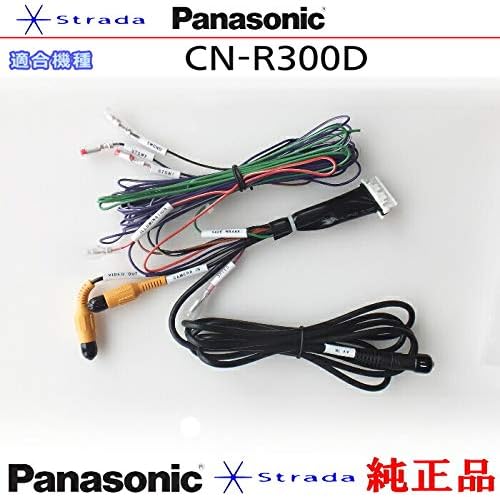
Image 1: The Panasonic CN-R300D Rear Monitor Video Output Interface Cord (PZ38-R300D) showing the main cable assembly with various connectors.
3. Kasaluyuan
This interface cord is specifically designed for use with the Panasonic CN-R300D car navigation system. It enables the connection of rear seat monitors (e.g., flip-down monitors) and video cameras to the navigation unit.
4. Setup jeung Instalasi
Installation of this interface cord typically involves connecting it to the appropriate ports on your Panasonic CN-R300D navigation unit and then routing the cables to your rear monitor or video camera. Due to the nature of automotive electronics, professional installation is recommended to ensure correct wiring and functionality. Refer to your car navigation system's main manual for detailed wiring diagrams and safety precautions.
Léngkah-léngkah Instalasi (Umum):
- Ensure the vehicle's power is off and the battery is disconnected before beginning installation.
- Locate the video input/output ports on your Panasonic CN-R300D navigation system.
- Connect the interface cord's main connector to the corresponding port on the navigation unit.
- Connect the video output (e.g., RCA yellow connector) to your rear monitor's video input.
- If connecting a video camera, connect its video output to the camera input on the interface cord.
- Secure all cable connections and route the cables safely, avoiding interference with vehicle operation.
- Reconnect the vehicle battery and test the functionality.
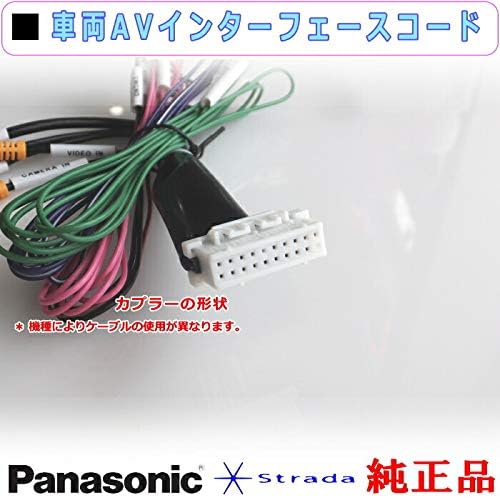
Gambar 2: Deukeut view of a multi-pin connector on the interface cord, illustrating the type of connection to the navigation unit. Note that cable usage may vary by model.
5. Parentah Operasi
Once the interface cord is correctly installed, the video output to the rear monitor or video input from a camera will be managed through your Panasonic CN-R300D navigation system's menu. Consult your navigation system's user manual for specific instructions on selecting video sources, adjusting display settings, and controlling connected devices.
6. Pangropéa
This interface cord requires minimal maintenance. Ensure all connections remain secure and free from dirt or moisture. Avoid bending or crimping the cables excessively to prevent internal damage. Regularly check for any signs of wear or damage to the cable insulation.
7. Cara ngungkulan
If you experience issues such as no video signal on the rear monitor or a non-functional camera input, first verify all cable connections are secure. Ensure the correct video input/output source is selected on your Panasonic CN-R300D navigation system. If problems persist, consult a professional automotive electronics technician.
Masalah umum sareng Solusi:
- No video on rear monitor: Check cable connections, ensure the rear monitor is powered on, and verify the correct video source is selected on the navigation unit.
- No camera input: Confirm the camera is powered and properly connected. Check navigation unit settings for camera input activation.
- Intermittent signal: Pariksa kabel pikeun karuksakan atawa sambungan leupas.
8. Spésifikasi
| Nomer modél | PZ38-R300D |
| merek | Panasonic |
| Compatible Navigation System | Panasonic CN-R300D |
| Tipe Kabel | Coaxial |
| Warna | Yellow, Multi-color |
9. Garansi jeung Rojongan
For warranty information and technical support regarding the Panasonic CN-R300D Rear Monitor Video Output Interface Cord PZ38-R300D, please refer to the official Panasonic website or contact Panasonic customer service directly. Keep your purchase receipt as proof of purchase for any warranty claims.


