Bubuka
Hatur nuhun pikeun meuliasing the Helix True Wireless Earbuds. This manual provides essential information for setting up, operating, and maintaining your earbuds. Please read it carefully before use and retain it for future reference.

Image: Helix True Wireless Earbuds, black and white, resting inside their open black charging case. One earbud is also shown outside the case, indicating its design.
Naon dina Box
- Earbud Nirkabel Sejati (Kénca sareng Katuhu)
- Ngecas Case
- Kabel Ngecas USB
- Manual pamaké
Disetél
1. Ngecas Awal
Before first use, fully charge the earbuds and the charging case. Connect the USB charging cable to the charging case and a power source. The LED indicators on the case will show charging status.

Image: An open charging case with two earbuds inside. Three blue LED lights are visible on the case, indicating power status. Text overlays highlight "Superior HD Audio", "Hands-Free Calling", and "Power LED Indicators".
2. Power On/Off and Auto-Pairing
The earbuds feature auto on/off and pairing. Simply remove the earbuds from the charging case to power them on. They will automatically enter pairing mode or reconnect to the last paired device. Place them back into the case to power off and begin charging.
3. Papasangan Bluetooth
- Ensure the earbuds are charged and removed from the charging case.
- Dina alat Anjeun (smartphone, tablet, jsb), buka setélan Bluetooth.
- Milarian pikeun new devices and select "Helix TW" from the list.
- Sakali nyambung, alat anjeun bakal nunjukkeun pasangan anu suksés.
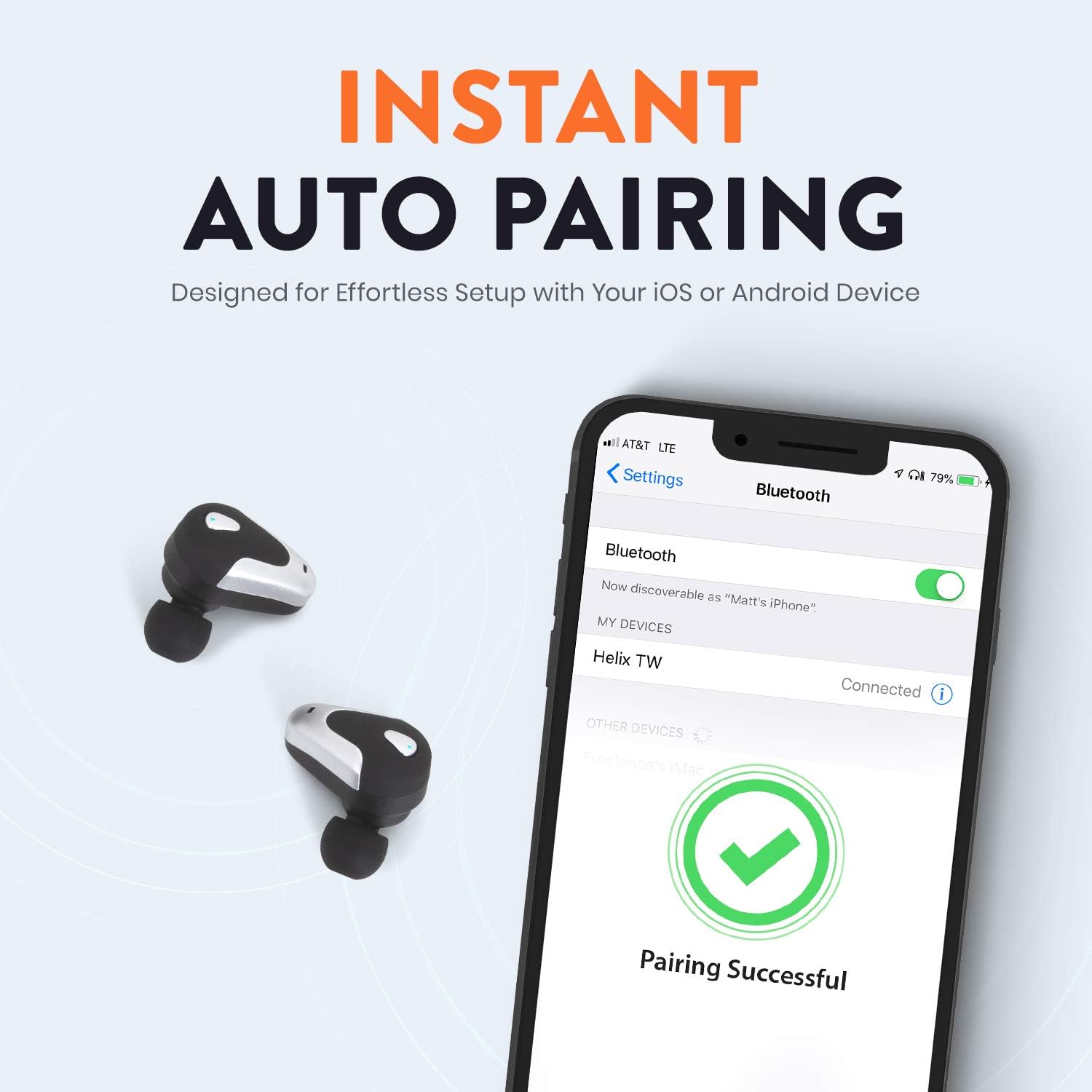
Image: A smartphone screen displaying Bluetooth settings, showing "Helix TW" as a connected device and a "Pairing Successful" message with a green checkmark. Two Helix earbuds are shown next to the phone.
4. SecureLock Fit
The Helix True Wireless Earbuds are designed with an ergonomic SecureLock Fit for comfort and stability during various activities. Gently insert the earbuds into your ears and twist slightly to secure them.

Image: A diagram illustrating the ergonomic SecureLock Fit of the earbuds, showing how they twist into the ear for a secure hold. In the background, people are exercising, suggesting the earbuds' suitability for active use.
Parentah Operasi
Playback Audio
- Puter / Reureuh: Tap the control area on either earbud once.
- Lagu salajengna: Double-tap the control area on the right earbud.
- Lagu Sateuacanna: Double-tap the control area on the left earbud.
Leungeun-Free Telepon
- Ngajawab / mungkas Telepon: Tap the control area on either earbud once.
- Nolak Telepon: Press and hold the control area on either earbud for 2 seconds.
Asisten sora Control
Triple-tap the control area on either earbud to activate your device's voice assistant (e.g., Siri, Google Assistant).
Kahirupan batré
The earbuds provide up to 4 hours of run time on a single charge. The charging case extends total listening time to approximately 16 hours.

Image: A graphic illustrating the battery life of the Helix earbuds. It shows "4 HOURS" for a single charge of the earbuds and "16 HOURS" when combined with the charging case.
Audio HD
Experience HD audio with unrivaled bass, midtones, and treble frequencies for a rich listening experience.

Image: A graphic titled "NEXT-LEVEL HD AUDIO" with sound wave patterns in blue, representing high-definition audio quality. Two Helix earbuds are depicted in the foreground.
Pangropéa
- beberesih: Anggo lawon anu lemes sareng garing pikeun ngabersihkeun earbud sareng wadah ngecas. Entong nganggo pembersih anu kasar atanapi ngalelepkeun kana cai.
- Panyimpenan: Nalika henteu dianggo, simpen earbuds dina wadah ngecasna pikeun ngajagi sareng tetep dicas.
- Tahan cai: The earbuds are water resistant, but not waterproof. Avoid prolonged exposure to water or submersion.
Pamérésan masalah
| Masalah | Solusi |
|---|---|
| Earbuds henteu dipasangkeun sareng alat. |
|
| Teu aya sora tina hiji earbud. |
|
| Earbuds teu ngecas. |
|
| Kualitas audio goréng. |
|
spésifikasi
| Fitur | Rincian |
|---|---|
| Ngaran modél | Helix |
| Nomer modél | ETHTWB |
| Téhnologi konektipitas | Bluetooth |
| Vérsi Bluetooth | 5.0 |
| Rentang Bluetooth | 10 méter |
| Kahirupan Batré (Earbuds) | Nepi ka 4 jam |
| Total Kahirupan Batré (kalayan Case) | Nepi ka 16 jam |
| Tipe Supir Audio | Supir Armatur Saimbang |
| Rentang Frékuénsi | 20 Hz nepi ka 20,000 Hz |
| Tipe Kontrol | Media Control, Voice Assistant |
| Mikropon | Included for Hands-Free Calling |
| Tingkat Résistansi Cai | Tahan cai |
| Wangun Earpiece | Di-ceuli |
| Bahan | palastik |
| Warna | Hideung |
| Item Beurat | 3.2 ons |
| Produsén | Helix |
| UPC | 816983019126 |
Émbaran jaminan
Specific warranty details are typically provided with your product packaging or available on the manufacturer's official websitus. Punten tingal dokuméntasi anu kalebet dina pameseran anjeun pikeun syarat sareng kaayaan jaminan komprehensif.
Ngarojong
For further assistance, technical support, or customer service inquiries, please visit the official Helix website or contact their customer support channels as listed in your product documentation.
Anjeun oge bisa nganjang ka Helix Store on Amazon pikeun inpo produk leuwih.


