
Produk Leuwihview
The secucore I190ZW Outdoor WiFi IP Camera provides advanced surveillance for your home or business. It features 2K (5 Megapixel) high-definition video, robust weather resistance, and flexible recording options. This manual will guide you through the setup, operation, and maintenance of your camera.

Figure 1: secucore I190ZW Camera with key features: WiFi connectivity, SD card slot, multiple remote access options, night vision, and ONVIF compatibility.
Eusi pakét
Pastikeun sadaya item aya sateuacan neraskeun pamasangan:
- 1 x secucore I190ZW WiFi IP Camera
- 1 x adaptor kakuatan
- 1 x Dasar Pamasangan
- 1 x Manual Pamaké (dokumén ieu)
spésifikasi
| Fitur | Rincian |
|---|---|
| Resolusi | 5 Megapixels (2K HD) |
| Visi Peuting | 6 Infrared LEDs for night vision, White LEDs for color night vision |
| Komprési Video | H.265 |
| Lensa | 3.6 mm |
| Sénsor | 1/4” |
| Konektipitas | 2.4 GHz WiFi (Wireless) |
| Résistansi Cuaca | IP66 (Tahan Cai sareng Lebu) |
| Audio | Integrated Microphone and Speaker (Two-way audio) |
| Panyimpenan | Micro SD card slot (supports up to 128 GB), Cloud storage (additional cost) |
| Deteksi gerak | Yes, with email alerts |
| Diménsi | 19.5 x 10 x 10.5 cm |
| Beurat | 460 gram |
| Métode kontrol | Aplikasi Mobile |
| Kasaluyuan | ONVIF protocol for DVR/NVR integration, Free CMS software for PC monitoring (up to 64 devices) |

Figure 2: Detailed diagram of the camera's components and dimensions.
Setup sareng Instalasi
The secucore I190ZW camera is designed for easy installation. Follow these steps to set up your camera:
- Pasang kaméra:
Securely attach the provided mounting base to a wall or ceiling, either indoors or outdoors. The camera is fully resistant to water, sun, and dust (IP66 rated).

Figure 3: The camera's IP66 rating ensures durability against various weather conditions, including rain, snow, and heat.
- Sambungan Daya:
Connect the camera to an electrical outlet using the provided power adapter.
- App Installation and Configuration:
Download the dedicated mobile application to your smartphone or tablet. Follow the in-app instructions to link the camera to your 2.4 GHz WiFi network. The app will guide you through scanning a QR code and setting up a secure password.
Video 1: This video demonstrates the easy installation process, including mounting the camera and connecting it to the mobile application via QR code scanning for quick setup.
Parentah Operasi
Camera Control via Mobile App
The mobile application provides full control over your camera's functions:
- Pangimeutan Langsung: View real-time video feed from anywhere.
- Gerakan Pan/Dengdekkeun: Control the camera's robotic movement (355° horizontal, 93° vertical) to cover a wide area.
- Konfigurasi: Adjust settings such as motion detection sensitivity, recording schedules, and alert preferences.
- Playback: Aksés jeung ulangview dirékam footage stored on the SD card or cloud.
- Audio Dua Arah: Listen to audio from the camera's location and speak through the camera's speaker.
- Bewara: Nampi panggeuing dina alat sélulér anjeun nalika gerakan dideteksi.
Deteksi gerak sareng Tanda
The camera features intelligent motion detection. When movement is detected, the camera can:
- Mimitian ngarékam.
- Send instant alerts to your mobile device.
- Activate white LEDs for color night vision and to deter intruders.

Figure 4: Smart motion alerts notify you of detected movement, enhancing security.
Kamampuh Visi Peuting
The camera offers advanced night vision modes:
- Infrabeureum Night Vision: Provides clear black and white video in complete darkness using IR LEDs.
- Warna Night Vision: When motion is detected, the camera can activate its white LEDs to illuminate the area, providing full-color video and acting as a deterrent.
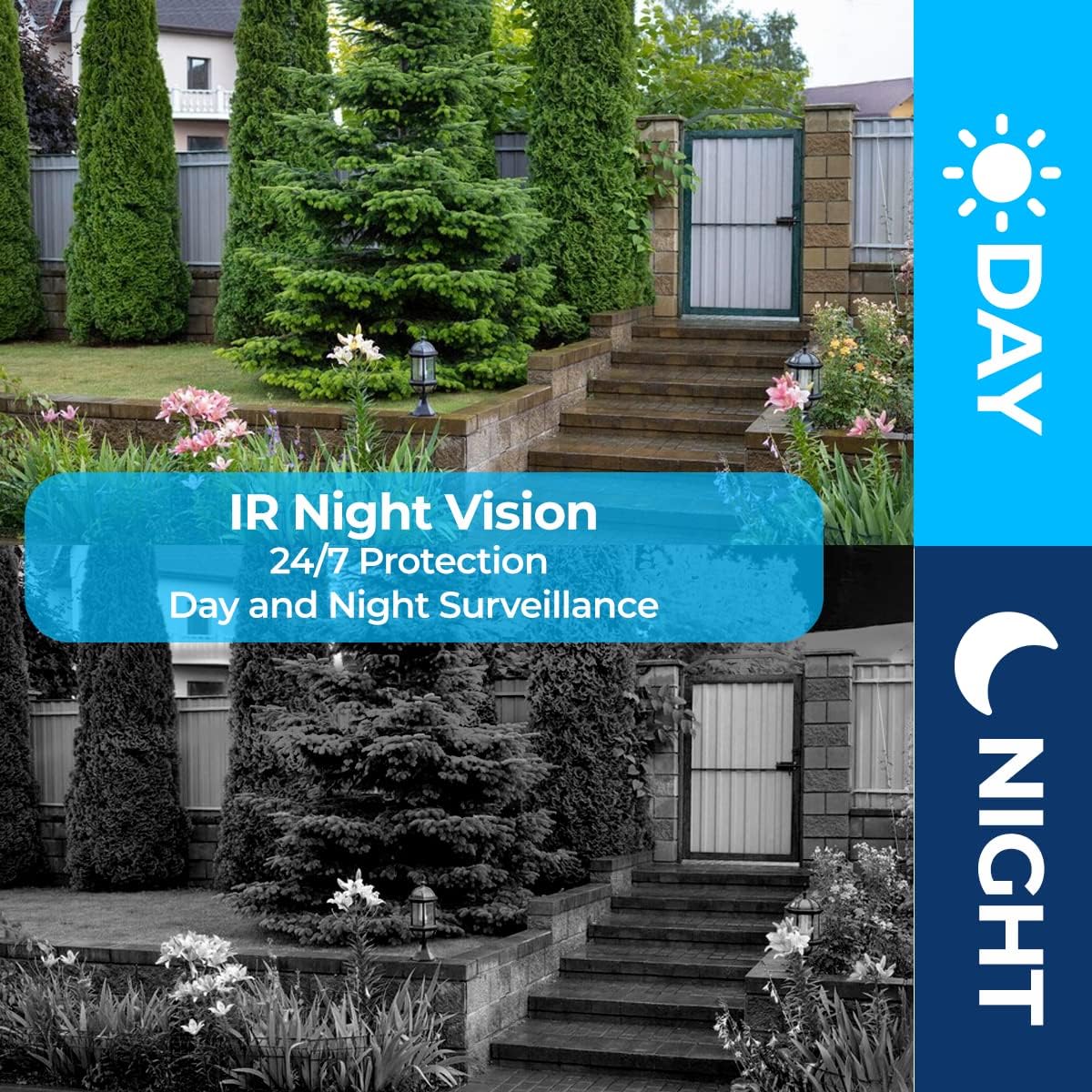
Figure 5: Day and Night Surveillance capabilities of the camera, ensuring 24/7 monitoring.
Audio Dua Arah
The integrated microphone and speaker enable two-way communication. You can:
- Listen to sounds from the camera's environment.
- Speak through your mobile device, and your voice will be broadcast through the camera's speaker.
- Program the camera to automatically play a siren or a pre-recorded message upon motion detection.
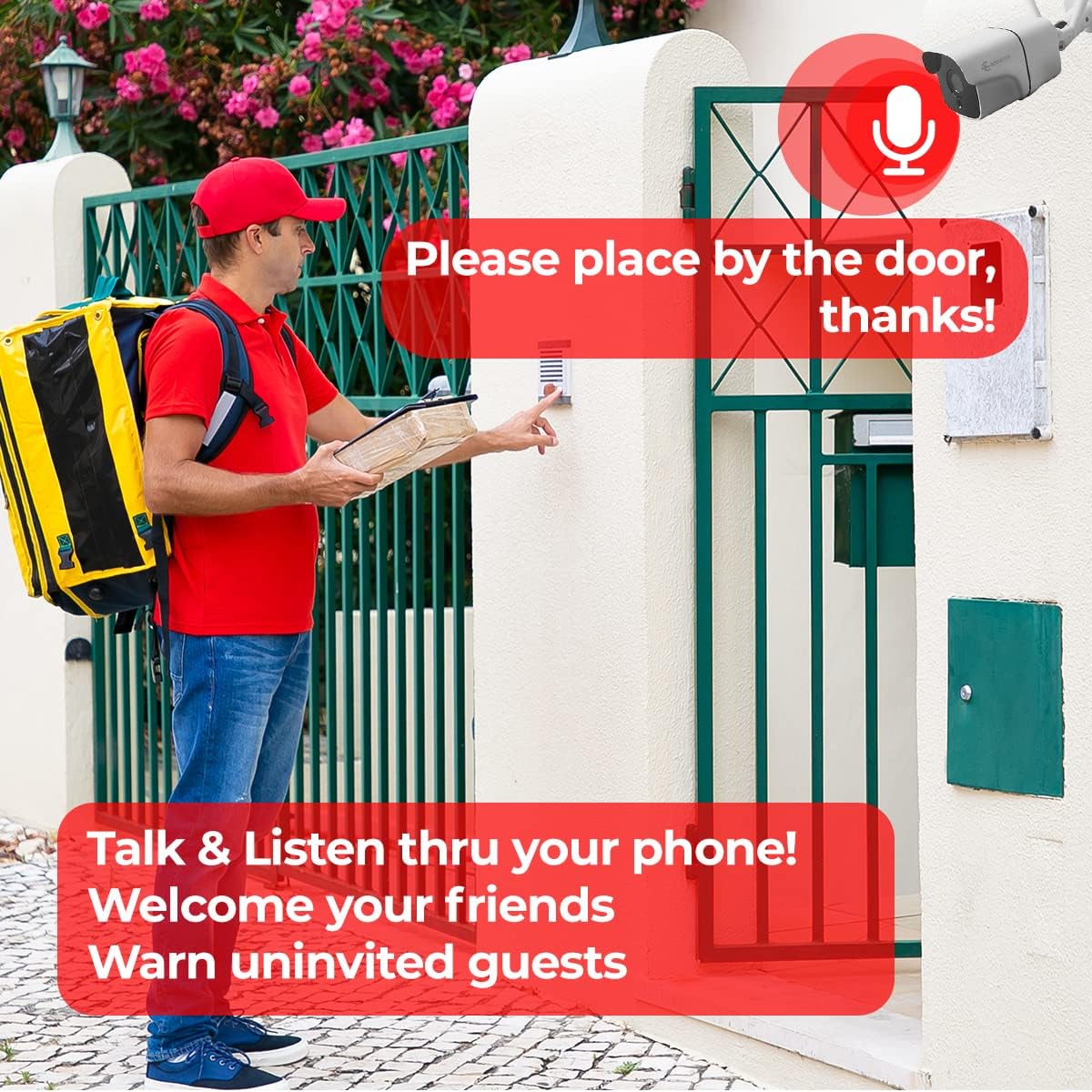
Figure 6: Two-way audio feature allows you to talk and listen through your phone, useful for welcoming guests or deterring unwanted visitors.
Pilihan Rekaman
The camera offers versatile recording and storage solutions:
- Kartu SD Mikro: Insert a Micro SD card (up to 128 GB) into the designated slot for local storage. This is a cost-effective way to store recordings.
- Panyimpenan awan: Securely store your recordings in the cloud (subscription may be required). Cloud storage provides an additional layer of security, ensuring your footage is safe even if the camera is damaged or stolen.

Figure 7: The camera supports both local Micro SD card storage and optional cloud storage for flexible recording solutions.
Pangropéa
To ensure optimal performance and longevity of your secucore I190ZW camera, follow these maintenance guidelines:
- Ngabersihan rutin: Périodik ngabersihan lénsa kaméra jeung perumahan ku lemes, damp lawon. Hindarkeun pembersih abrasive anu tiasa ngagores lensa.
- Pembaruan firmware: Check the mobile application regularly for firmware updates. Keeping your camera's firmware up-to-date ensures you have the latest features and security enhancements.
- Pariksa catu daya: Ensure the power adapter and cable are free from damage. A stable power supply is crucial for continuous operation.
- Stabilitas Jaringan: Verify your WiFi network is stable and provides sufficient signal strength to the camera for uninterrupted connectivity.
- Manajemén Panyimpenan: If using an SD card, periodically check its status and ensure there is enough free space. For cloud storage, monitor your subscription status.
Pamérésan masalah
If you encounter issues with your secucore I190ZW camera, refer to the following common problems and solutions:
| Masalah | Mungkin Cukang lantaranana | Solusi |
|---|---|---|
| Kaméra offline | No power, WiFi signal loss, incorrect WiFi password. | Check power connection. Restart router. Reconfigure WiFi in the app. Ensure 2.4 GHz WiFi. |
| Teu aya rékaman | SD card full/faulty, cloud storage subscription expired, recording settings incorrect. | Format or replace SD card. Renew cloud subscription. Verify recording schedules in the app. |
| Kualitas pidéo goréng | Dirty lens, weak WiFi signal, low light conditions. | Clean the lens. Improve WiFi signal strength. Ensure night vision is active in low light. |
| Deteksi gerak teu jalan | Sensitivity too low, detection zone not set, firmware outdated. | Adjust motion sensitivity. Define detection zones. Update camera firmware. |
| Masalah audio dua arah | Microphone/speaker blocked, volume settings incorrect, network latency. | Ensure clear path for audio. Check volume levels in app. Verify network connection. |
Lamun masalah persists, mangga ngahubungan rojongan customer pikeun pitulung salajengna.
Garansi sareng Rojongan
Your secucore I190ZW camera comes with a warranty. Please refer to your purchase documentation for specific warranty terms and duration. For technical support, warranty claims, or any questions regarding your product, please contact secucore customer service.
Inpormasi kontak:
- Toko merek: secucore Amazon Store
- Penjual: Secucore Mexico
- Rojongan: Technical support available in Mexico.
We are committed to providing quality products and unlimited technical assistance.