1. Bubuka
Hatur nuhun pikeun meuliasing the LG 43LM5600PTC Full HD Smart LED TV. This manual provides detailed instructions to help you set up, operate, and maintain your television. Please read this manual thoroughly before using the product and keep it for future reference.
The LG 43LM5600PTC is a 43-inch Full HD (1920x1080) Smart LED TV, featuring WebOS for smart functionality, AI ThinQ for voice control, and various connectivity options. It offers a vibrant viewing experience with a 50 Hz refresh rate and powerful 20 Watts audio output.

The LG 43LM5600PTC TV displayed on a modern media console, showcasing its sleek design in a home environment.
2. Naon dina Box
Upon unpacking your LG 43LM5600PTC TV, please ensure all the following components are present:
- 1 LED TV
- 1 Méja Top Stand
- 1 Buku Panduan Pamaké (ieu dokumén)
- 1 Kartu Garansi
- 1 Jauh Jauh
- 2 Batré AAA (pikeun kadali jauh)
If any items are missing or damaged, please contact LG customer support immediately.
3. Setélan
3.1 Setélan fisik
Your LG TV can be set up on a table using the included stand or mounted on a wall. Ensure the TV is placed on a stable, level surface or securely mounted to a wall according to the wall mount instructions (sold separately).
Table Top Stand Installation
- Teundeun layar TV sacara saksama dina tempat anu lemes sareng datar pikeun nyegah karuksakan.
- Attach the table top stand to the designated slots on the bottom of the TV using the provided screws. Ensure the stand is firmly secured.
- Carefully lift the TV and place it on your desired table or cabinet.
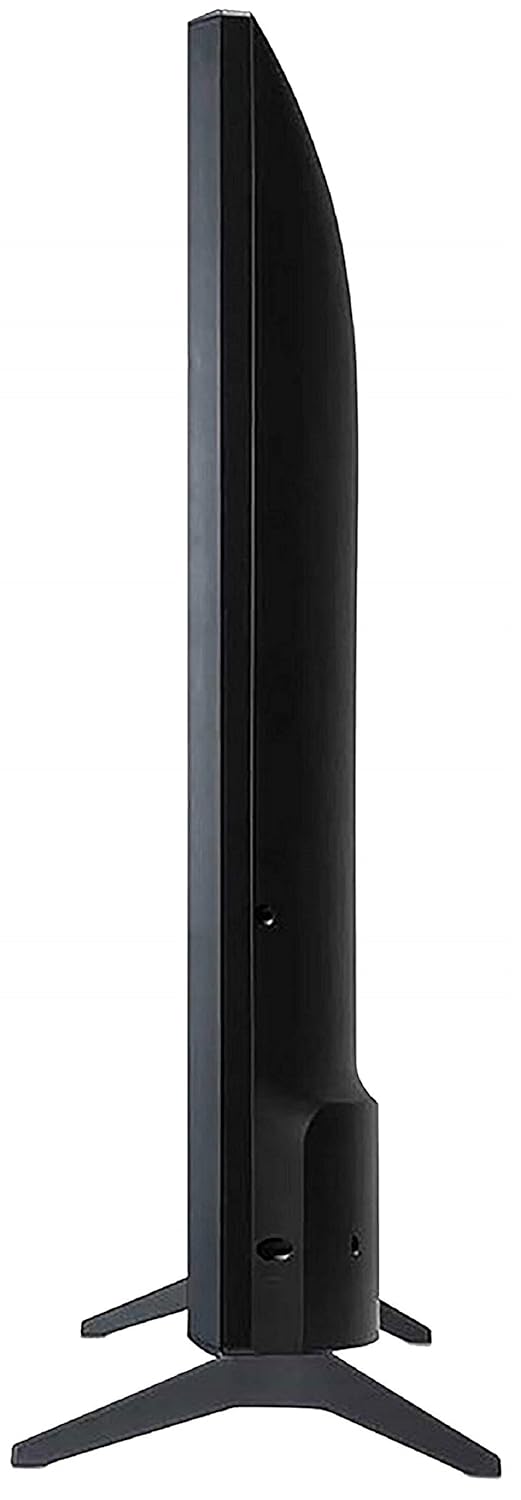
A view from the bottom of the LG TV, showing the stable base of the table-top stand.
Pamasangan Wall Mount
For wall mounting, it is recommended to use a professional installation service. Refer to the wall mount kit's instructions for proper installation. Ensure adequate ventilation around the TV.
3.2 Nyambungkeun Alat
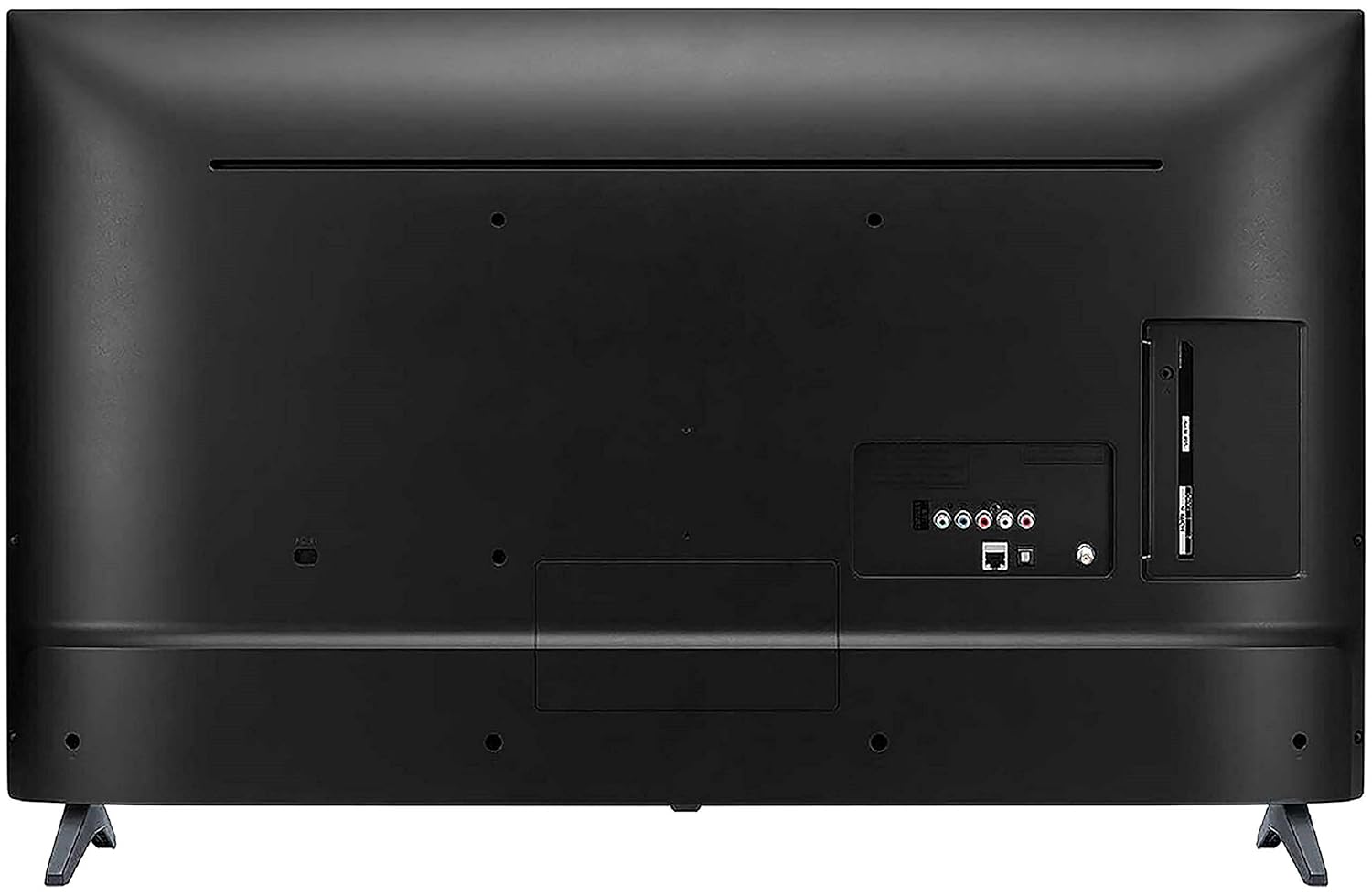
Connect your external devices such as set-top boxes, Blu-ray players, gaming consoles, or USB drives to the appropriate ports on the back of the TV.
The back panel of the LG TV, detailing the arrangement of various input and output ports, including HDMI, USB, and antenna connections.
- Port HDMI: The TV features 2 HDMI ports for connecting high-definition devices. Use HDMI cables for optimal picture and sound quality.
- Port USB: A single USB port is available for connecting USB storage devices to play media files.
- Wifi: Connect to your home network wirelessly for smart TV features and internet access.
3.3 Daya Awal Hurung
After connecting all necessary cables, plug the TV's power cord into an electrical outlet. Press the power button on the remote control or on the TV itself to turn it on. Follow the on-screen instructions for initial setup, including language selection, network connection, and channel scanning.
4. Ngoperasikeun TV Anjeun
4.1 Jauh Jauh
The included standard remote control allows you to navigate the TV's menus, change channels, adjust volume, and access smart features. Insert the two AAA batteries into the remote control, ensuring correct polarity.
4.2 Fitur Smart TV (WebOS)
LG TV Anjeun dijalankeun dina WebOS operating system, providing a user-friendly interface for accessing a variety of smart features.
- AI ThinQ: Utilize voice control options for convenient operation and smart home integration.
- One-touch Access: Quickly access popular streaming services like Netflix and Amazon Prime Video with dedicated buttons on your remote.
- Miracast (Screen Sharing): Wirelessly mirror content from compatible smartphones or tablets to your TV screen.
- AI Launcher: Access your favorite apps and content quickly from the customizable launcher bar.
- Dasbor Imah: Manage connected devices and smart home appliances directly from your TV.
- Content Store: Download and install additional applications and games from the LG Content Store.

Screenshot of the LG Home Dashboard, showing various connected devices and smart home controls.

The LG Content Store interface, displaying available apps and content for download.
4.3 Gambar jeung Sora Setélan
Access the TV's settings menu to customize picture and sound to your preference. Key display features include:
- HDR aktip: Ningkatkeun kontras sareng warna pikeun tampilan anu langkung dinamis viewpangalaman.
- HDR Dynamic Tone Mapping: Optimalkeun eusi HDR pamandangan demi pamandangan.
- Warna Enhancer: Adjusts color saturation and hue for vivid images.
- DTS Virtual:X: Nyayogikeun pangalaman audio anu imersif sareng multi-diménsi.

Hiji ex visualample of Active HDR technology, highlighting improved contrast and detail in bright and dark areas of the image.

A visual representation of the Color Enhancer feature, showing enhanced color vibrancy on the TV screen.

An image representing the DTS Virtual:X audio experience, suggesting immersive sound.
5. Pangropéa
Pangropéa anu leres mastikeun umur panjang sareng kinerja optimal TV anjeun.
- Ngabersihan layar: Lembut usap layar nganggo kaen microfiber anu lemes sareng garing. Pikeun tanda nekad, rada dampen lawon kalawan cai atawa cleaner layar husus (ulah menyemprot langsung dina layar).
- Ngabersihkeun Kabinet: Anggo kaén anu lembut sareng garing pikeun ngusap kabinet TV. Ulah make cleaners abrasive atawa pangleyur.
- Ventilasi: Ensure the ventilation openings on the TV are not blocked. Do not place the TV in an enclosed space without adequate airflow.
- Kabel listrik: Pariksa kabel listrik sacara rutin pikeun ningali aya karusakan. Upami ruksak, langsung gentos ku suku cadang anu diidinan ku LG.
6. Cara ngungkulan
If you encounter any issues with your TV, refer to the following common troubleshooting steps before contacting customer support.
- Henteu aya kakuatan: Check if the power cord is securely plugged into both the TV and the electrical outlet. Ensure the outlet is functional.
- Taya Gambar/Sora: Pastikeun yén sumber input anu leres dipilih. Pariksa sadaya sambungan kabel (HDMI, anteneu, jsb) pikeun looseness.
- Remote Control Teu Gawé: Ganti batré dina kadali jauh. Pastikeun teu aya halangan antara jauh sareng sénsor IR TV.
- Fitur Pinter Teu Jalan: Check your Wi-Fi connection. Restart your router and the TV.
- Masalah Kualitas Gambar: Saluyukeun setelan gambar (kacaangan, kontras, warna). Pastikeun sumber input nyadiakeun sinyal kualitas luhur.
For more complex issues, consult the full user manual available on the LG websitus atanapi ngahubungan rojongan customer LG.
7. Spésifikasi
Detailed technical specifications for the LG 43LM5600PTC TV:
| Fitur | Spésifikasi |
|---|---|
| merek | LG |
| Modél | 43LM5600PTC |
| Model Taun | 2019 |
| Ukuran layar | 43 Inci (108 cm) |
| Téknologi tampilan | LED |
| Resolusi | HD lengkep (1920 x 1080 piksel) |
| Refresh Laju | 50 Hz |
| Sistem operasi | WebOS |
| Grafik Coprocessor | LG Graphic Processor |
| Kapasitas Panyimpenan Mémori | 4 GB |
| RAM Mémori Dipasang Ukuran | 1 GB |
| Téhnologi konektipitas | HDMI, USB, Wi-Fi |
| Palabuhan HDMI | 2 |
| palabuhan USB | 1 |
| Mode Kaluaran Audio | Stereo |
| Audio Wattage | 20 Watt |
| Speaker Sakuliling Sora | Sora anu kuat |
| Viewdina Angle | 178 darajat |
| Ukuran produk (tanpa stand) | 8.1 x 97.7 x 57.5 cm |
| Item Beurat | 8.3 kg |
| Sumber Daya | AC |
| Tipe Kadali Jauh | Standard Remote (IR, Bluetooth) |

Diagram illustrating the precise dimensions of the LG 43LM5600PTC TV, including width (97.7 cm), height (57.5 cm without stand, 61.5 cm with stand), and depth (8.08 cm without stand, 18.7 cm with stand).
8. Garansi jeung Rojongan
Your LG 43LM5600PTC TV comes with a 1-year LG India Comprehensive Warranty. An additional 1-year warranty is applicable on the panel/module. Please retain your purchase invoice to avail warranty services.
For installation, wall mounting, or product demonstration requests after delivery, please contact LG customer service. You can find contact details on the warranty card or LG's official websitus.
This product is eligible for replacement within 10 days of delivery in case of any product defects, damage, or features not matching the description provided. Refer to the retailer's return policy for details.
9. Produk Langkungview Video
Watch this official product video for a quick overview of the LG 43LM5600PTC Full HD Smart LED TV's key features and benefits.
Video ieu nyayogikeun gambaran gancangview of the LG 43LM5600PTC TV's main features, including its Full HD resolution, connectivity options, powerful sound, smart capabilities like AI ThinQ and Miracast, and warranty information.