Produk Leuwihview
The SMARTRO Digital Projection Alarm Clock (Model SC31) is a versatile bedside device designed to provide accurate time, temperature, and humidity readings, along with convenient alarm and charging features. Its unique projection function allows for easy time viewing on your ceiling or wall, making it an ideal addition to any bedroom.

Figure 1: SMARTRO Digital Projection Alarm Clock connected to power and charging a smartphone.
Fitur konci:
- Dual Alarm Clocks: Set two independent alarms for different schedules.
- Proyeksi waktos: Projects time onto the ceiling or wall with 90-degree rotation.
- Indoor Thermometer & Hygrometer: Monitors room temperature and humidity.
- Palabuhan Ngecas USB: Two convenient USB ports for charging electronic devices.
- Lampu tukang adjustable: Three brightness levels (light, medium, off) for the LCD screen.
- Fungsi Tungkul Provides an extra five minutes of sleep.
- Desain kompak: Space-saving and ideal for bedside tables or travel.
- Pilihan Daya: Operates via AC adapter for continuous display or AAA batteries for temporary display and backup.

Gambar 2: Leuwihview of the clock's compact design and multiple functions including date & time, projection, USB charging, dual alarms, snooze, and indoor temperature & humidity.
Eusi pakét
- SMARTRO Digital Projection Alarm Clock (Model SC31)
- Adaptor kakuatan
- Manual pangguna (dokumén ieu)
Note: AAA batteries (3 required) are not included and are necessary for backup power and temporary display when not connected to AC power.
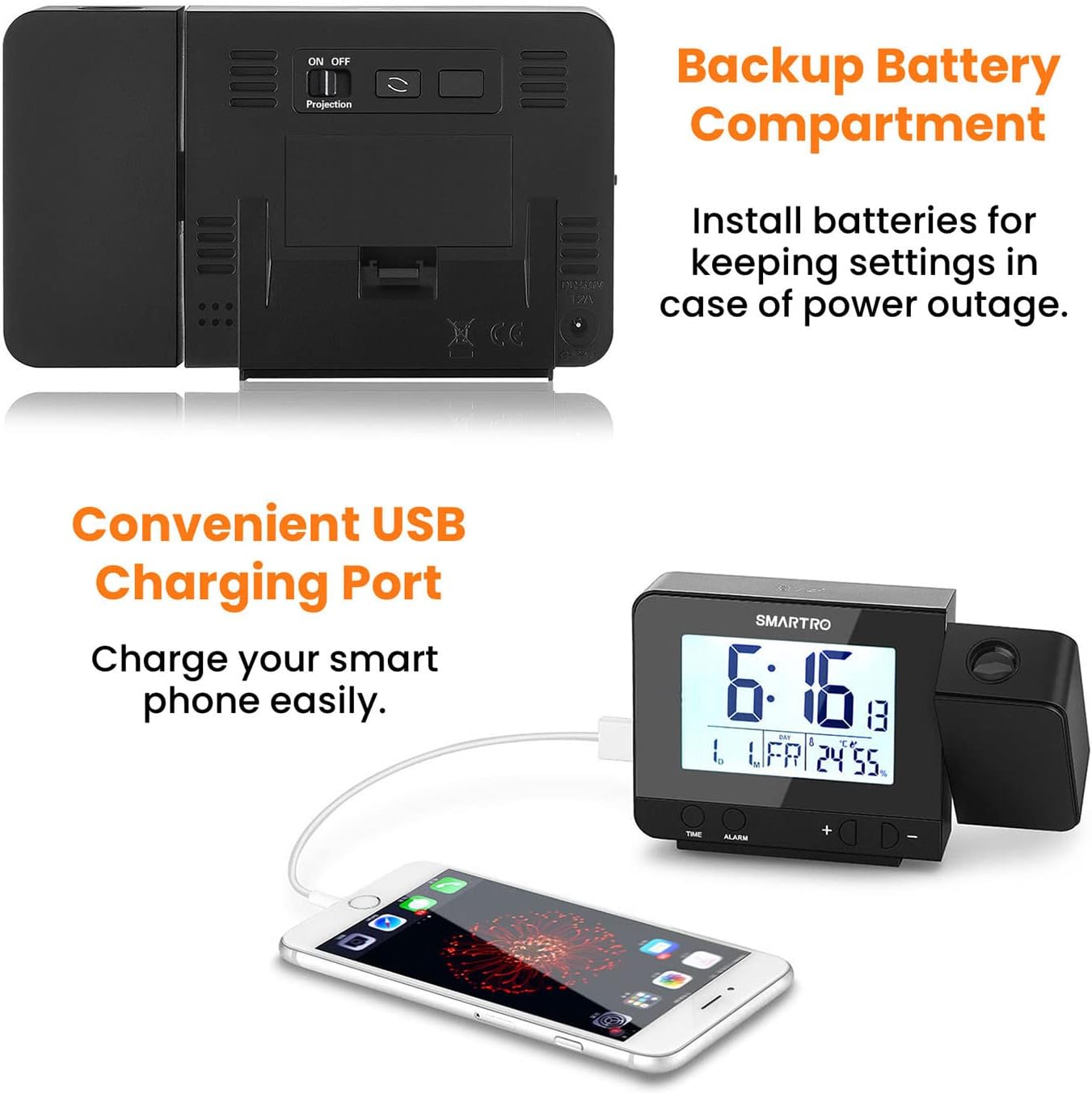
Gambar 3: Tukangeun view of the clock showing the backup battery compartment and USB charging ports.
Disetél
- Sambungan Daya:
- Sambungkeun adaptor daya anu disayogikeun kana port input DC 5V di tukang jam alarm.
- Plug the adapter into a standard electrical outlet. The display will light up.
- Pikeun kakuatan cadangan salila outages or temporary display without AC power, insert 3 AAA batteries (not included) into the battery compartment on the back of the unit.
- Setélan waktos mimiti:
- Press and hold the "TIME" button to enter time setting mode.
- Use the "+" or "-" buttons to adjust the hour, then press "TIME" to confirm.
- Repeat for minutes, 12/24 hour format, year, month, and day.
- Setélan Alarm:
- Press and hold the "ALARM" button to set Alarm 1.
- Use the "+" or "-" buttons to adjust the hour, then press "ALARM" to confirm.
- Ngulang keur menit.
- To activate/deactivate Alarm 1, slide the "ON/OFF 1" switch on the side of the clock.
- Repeat the process for Alarm 2 using the "ON/OFF 2" switch.

Figure 4: The clock supports dual alarms, allowing users to set two separate wake-up times or reminders.
Parentah Operasi
Penyesuaian Kacaangan Tampilan:
Tap the large button on the top of the clock to cycle through three backlight brightness levels: Light, Medium, and Off. This allows you to adjust the display to your preference, especially for nighttime viewing.
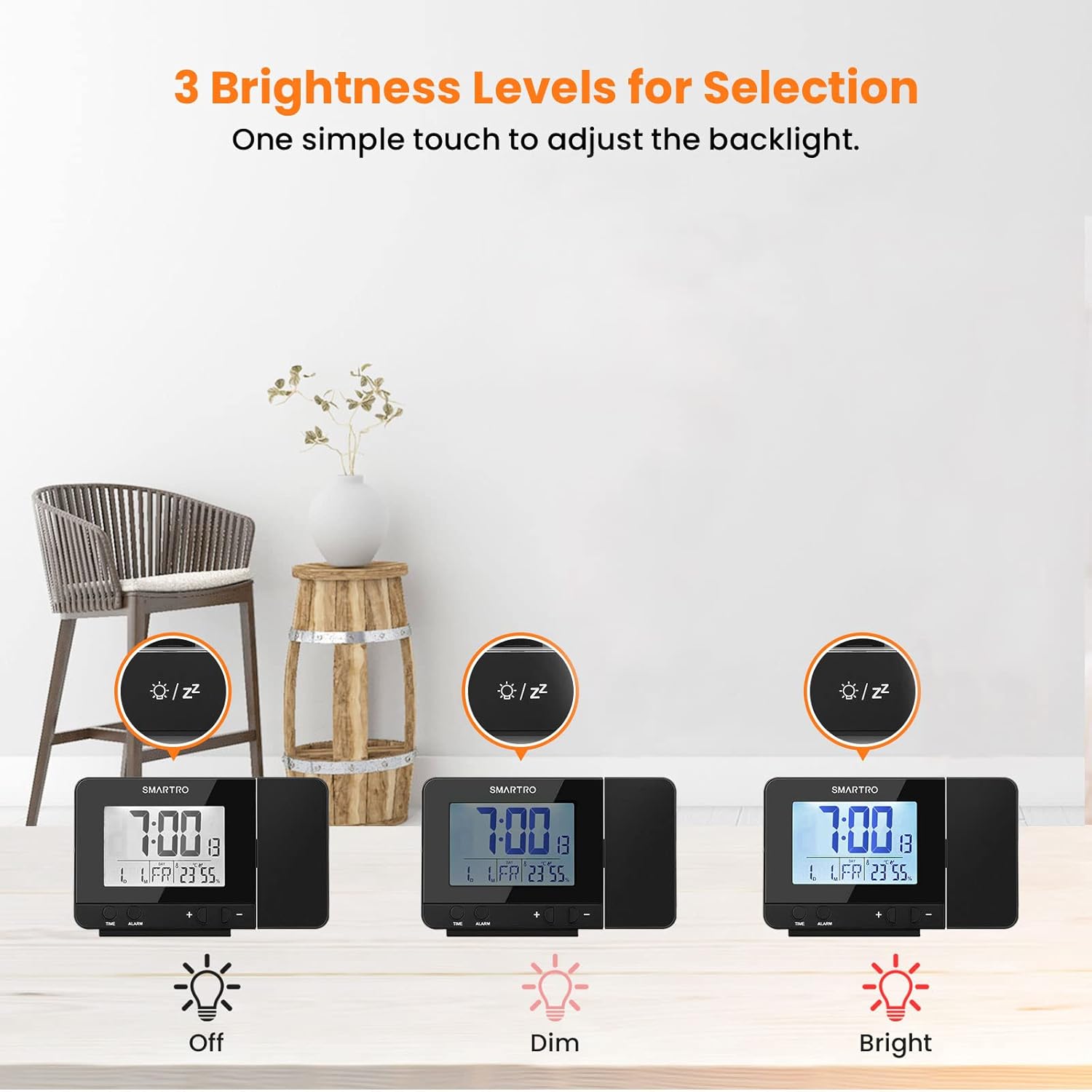
Figure 5: The clock offers three adjustable brightness levels for its LCD display.
Proyeksi waktos:
- The projection feature displays the time in a soft red color on your ceiling or wall.
- The suggested projection distance is 5 to 13 feet (1.5 to 4 meters).
- To adjust the projection angle, rotate the projector arm up to 90 degrees.
- To rotate the projected image itself (e.g., for different wall/ceiling orientations), press the "Projection" button on the back of the unit to cycle through 4 orientations.
- When powered by the AC adapter, the projection can remain continuously on. When using only batteries, the projection will activate for a few seconds when the top button is pressed.

Figure 6: The clock's projection feature displays the time clearly on a surface.

Figure 7: The projection arm can be rotated 90 degrees, and the projected image can be rotated 180 degrees for optimal viewing.
Fungsi Tungkul
When an alarm sounds, press the large button on the top of the clock to activate the snooze function. This will silence the alarm for five minutes, after which it will sound again. The alarm will ring for 2 minutes if not snoozed or turned off.
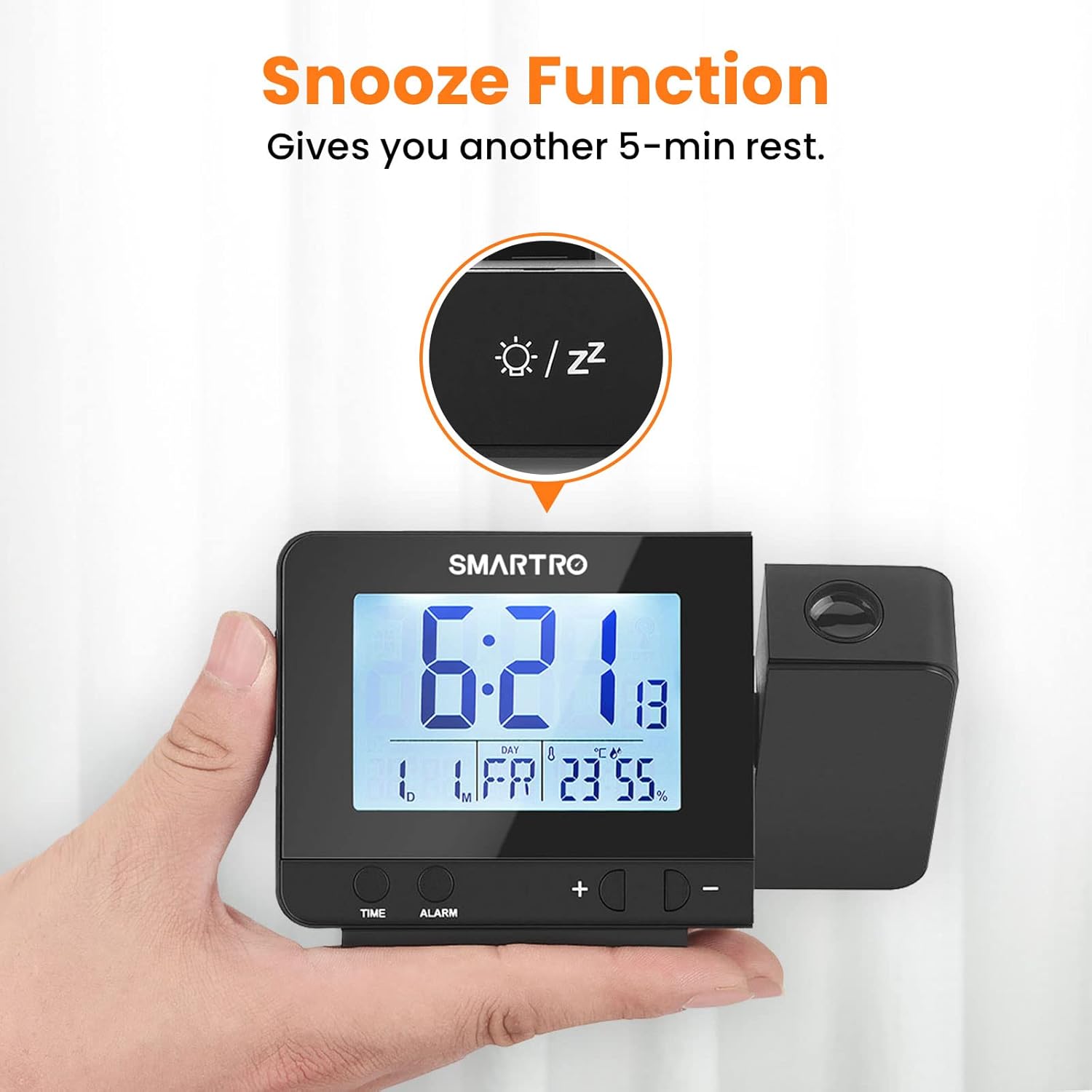
Figure 8: The snooze button provides an additional 5 minutes of rest.
Palabuhan Ngecas USB:
The clock features two USB charging ports (5V/1A) on its side. Use these ports to conveniently charge your smartphones or other USB-powered electronic devices directly from the alarm clock.
Indoor Thermometer & Hygrometer:
The built-in sensors provide real-time indoor temperature (in Celsius or Fahrenheit) and humidity readings. This helps you monitor your room's conditions for optimal comfort.

Figure 9: The integrated thermometer and hygrometer help monitor indoor environmental conditions.
Pangropéa
- beberesih: Lap jam ku lawon anu lemes sareng garing. Entong nganggo pembersih atanapi pelarut anu abrasif.
- Ngagantian batré: If using backup batteries, replace them annually or when the display dims unexpectedly during power outages. Ensure correct polarity (+/-) when inserting new batteries.
- panempatan: Simpen jam dina tempat anu stabil sareng datar, jauh tina sinar panonpoé langsung, suhu anu ekstrim, sareng kalembaban anu luhur.
Pamérésan masalah
| Masalah | Mungkin Cukang lantaranana | Solusi |
|---|---|---|
| Pintonan kosong atanapi taram. | No power, power adapter loose, or batteries drained. | Ensure power adapter is securely plugged in. If using batteries, replace them. Tap the top button to adjust backlight brightness. |
| Projection is not visible or dim. | Projection is off, too far from surface, or batteries low (if not AC powered). | Ensure the "Projection" switch on the back is ON. Adjust the clock's distance from the projection surface (5-13 ft recommended). Ensure AC power is connected for continuous projection. |
| Alarm teu disada. | Alarm teu diaktipkeun atawa volume na leutik teuing. | Check if the "ON/OFF 1" or "ON/OFF 2" switch is in the ON position. Ensure alarm time is set correctly. |
| Waktos/Tanggal lepat. | Not set correctly or power interruption. | Reset the time and date following the "Initial Time Setting" instructions. Ensure backup batteries are installed if power interruptions are common. |
| Ngecas USB teu jalan. | Device not compatible or cable faulty. | Ensure the device is compatible with 5V/1A charging. Try a different USB cable. |
spésifikasi
| Fitur | Rincian |
|---|---|
| Modél | SC31 |
| Ukuran (W x H) | 5.28" x 3.14" |
| Beurat | 7 ons (199 gram) |
| Sumber Daya | Corded Electric (AC Adapter included), 3x AAA Batteries (not included) for backup |
| Tipe tampilan | Digital LCD with adjustable backlight |
| Projection Color | Lemes Beureum |
| Jarak proyéksi | 5 - 13 ft (1.5 - 4 m) |
| Kaluaran USB | 2 x 5V/1A |
| Rentang Suhu | Indoor (specific range not provided, but implied by "66°F OK 75°F" in image) |
| Range Kelembapan | Indoor (specific range not provided, but implied by "40% OK 60%" in image) |
Garansi sareng Rojongan
This SMARTRO Digital Projection Alarm Clock (Model SC31) comes with a 13-garansi sasih ti tanggal dibeuli, ngawengku defects dina bahan jeung workmanship dina pamakéan normal.
Naon anu katutupan:
- Cacat manufaktur.
- Malfunctions lumangsung dina kaayaan operasi normal.
Naon anu teu katutupan:
- Ruksakna disababkeun ku nyalahgunakeun, nyiksa, kacilakaan, atawa ngalalaworakeun.
- Perbaikan atanapi modifikasi anu teu sah.
- Biasa pakean.
- Damage from improper installation or operation.
Klaim Garansi:
For warranty service or technical support, please contact SMARTRO customer service. You may be required to provide proof of purchase and a description of the issue.
For further assistance, please visit the official SMARTRO store or contact their support channels. (Specific contact information is not provided in the input data.)