
1. Produk Langkungview
The Ultenic D5 Robot Vacuum Cleaner is an advanced robotic cleaning device designed to efficiently clean various floor types, including hard floors and carpets. It features powerful suction, smart navigation, and convenient control options via Wi-Fi, Alexa, and Google Assistant.
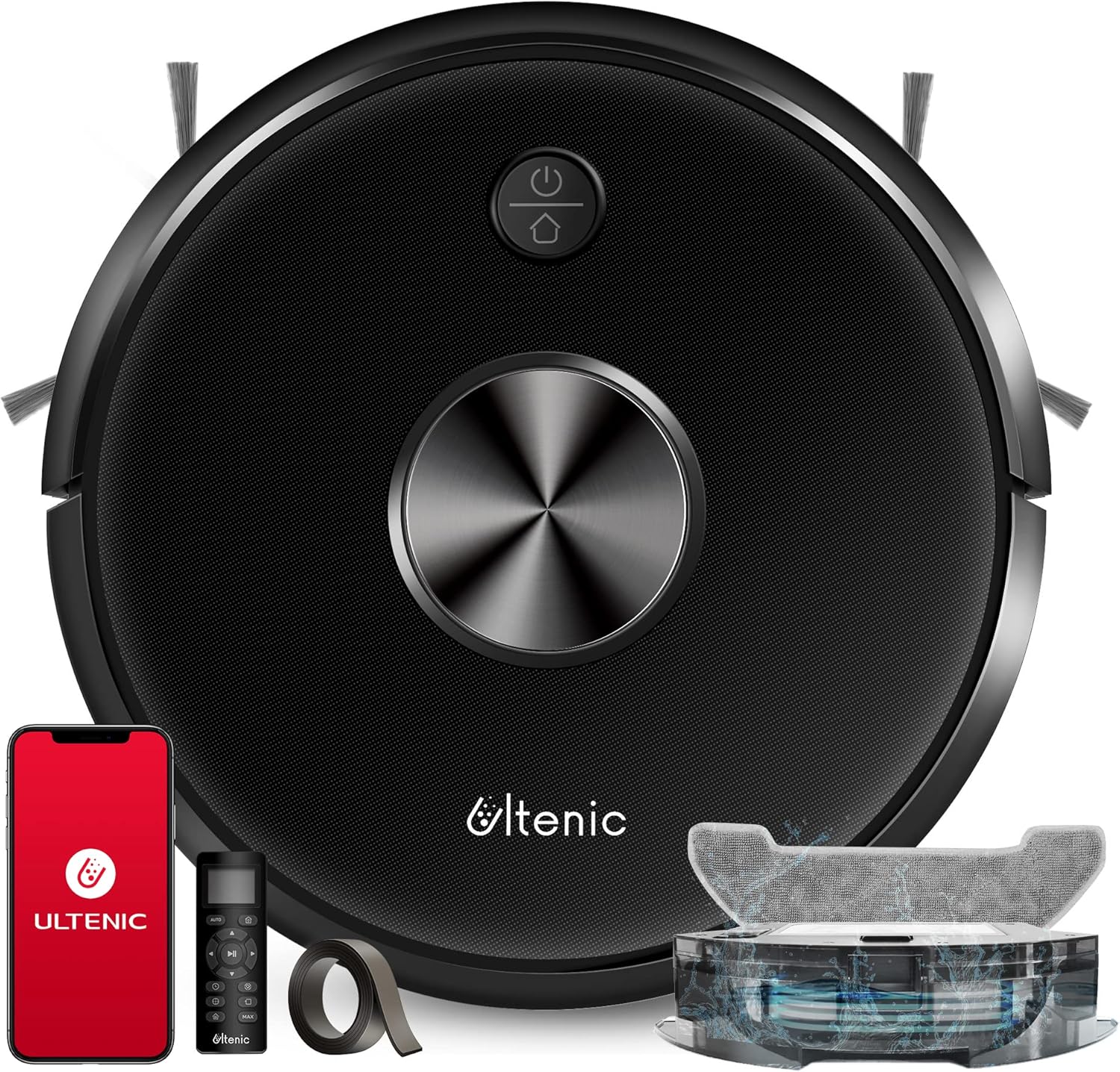
Figure 1.1: Ultenic D5 Robot Vacuum Cleaner and included accessories.
Fitur konci:
- Wi-Fi & Kontrol Sora: Manage cleaning tasks, monitor status, and adjust settings via the Ultenic Home app, Alexa, or Google Assistant.
- Nyeuseup kuat: Offers 3 adjustable cleaning speeds with a maximum suction power of 2200Pa, effective for dust, crumbs, dirt, and pet hair.
- Naekeun karpét: Automatically increases suction power when detecting carpets for deeper cleaning.
- Jalur Wates: Allows setting virtual no-go zones to restrict the robot's cleaning area.
- Sababaraha Mode beberesih: Includes Edge Cleaning, Spot Cleaning, and Auto Cleaning to suit various needs.
- Anti-Collision & Anti-Drop: Equipped with intelligent sensors to prevent collisions and falls.
2. Naon dina Box
Carefully unpack all components and check against the list below. If any items are missing or damaged, please contact Ultenic customer support.

Figure 2.1: Main components and accessories.
- Ultenic D5 Robot Vacuum Cleaner
- Ngecas Dock
- Adaptor kakuatan
- Remote Control (kalayan batré AAA)
- Sikat samping (2 pasang)
- High-Efficiency Filter (1 extra)
- Alat beberesih
- Jalur wates
- Manual pamaké
3. Setup Guide
3.1 Ngecas Dock Nempatkeun
Place the charging dock against a wall in an open, uncluttered area. Ensure there is at least 1 meter (3 feet) of clear space to the front and 0.5 meters (1.5 feet) to each side of the dock. Plug the power adapter into the dock and then into a wall outlet. Ensure the dock is powered on.
3.2 Ngecas Awal
Place the robot vacuum onto the charging dock. Ensure the charging contacts on the robot align with those on the dock. The robot will begin charging automatically. For first-time use, fully charge the robot for at least 6 hours.
3.3 Masang Sikat Sikat
Press the left (L) and right (R) side brushes into their respective slots on the bottom of the robot until they click into place.
3.4 Nyambungkeun ka Wi-Fi sareng App
To utilize smart features, download the 'Ultenic Home' app from your mobile app store. Follow the in-app instructions to connect your robot to your home Wi-Fi network. This enables remote control, scheduling, and mode adjustments.

Figure 3.1: Controlling the Ultenic D5 via the Ultenic Home app.
3.5 Ngagunakeun strips wates
The included boundary strip can be used to create virtual no-go zones. Place the strip on the floor to block off areas you do not want the robot to enter. The robot's sensors will detect the strip and avoid crossing it.
4. Parentah Operasi
4.1 Mimitian / Ngareureuhkeun beberesih
- Dina Robot: Pencét tombol daya dina robot pikeun ngamimitian atanapi ngareureuhkeun beberesih.
- Via Aplikasi: Use the 'Start' or 'Pause' button in the Ultenic Home app.
- Ngaliwatan Kadali Jarak Jauh: Press the 'Start/Pause' button on the remote.
4.2 Modeu beberesih
- beberesih otomatis: The robot cleans automatically, adjusting its path based on the environment. This is the default mode.
- Beberesihan Tempat: The robot intensely cleans a specific area in a spiral pattern. Useful for concentrated dirt.
- Bersihan Tepi: Robot cleans sapanjang tembok jeung edges jati.
4.3 Nyeuseup Power adjustment
You can adjust the suction power (Standard, Strong, Max) via the Ultenic Home app or remote control to suit different cleaning needs and floor types.
4.4 Carpet Boost Feature
The D5 robot vacuum automatically detects carpets and increases its suction power to the maximum setting for a deeper clean. Once it moves off the carpet, suction returns to the previous setting.

Figure 4.1: The robot automatically boosts suction on carpets.
4.5 Ngajadwalkeun beberesih
Use the Ultenic Home app to set a cleaning schedule for your robot. You can choose specific days and times for the robot to automatically start cleaning.
4.6 Kontrol Sora (Alexa/Asisten Google)
Once connected to your smart home system, you can use voice commands to control the robot. For example, "Alexa, turn on D5 Pro" or "Hey Google, start cleaning with D5 Pro."
5. Pangropéa
Regular maintenance ensures optimal performance and extends the lifespan of your Ultenic D5 robot vacuum. Perform these steps regularly.
5.1 Ngosongkeun Dustbox
It is recommended to empty the dustbox after each cleaning cycle. Press the dustbox release button, pull out the dustbox, open it, and discard the debris. Close the dustbox and reinsert it into the robot.
5.2 Ngabersihan Filter
Remove the filter from the dustbox. Tap the filter against a trash can to remove loose dirt. Do not wash the filter with water. Replace the filter every 3-6 months, or as needed, depending on usage.
5.3 Ngabersihan Sikat Utama
Turn the robot over and remove the main brush cover. Lift out the main brush. Use the cleaning tool to remove hair and debris tangled around the brush. Reinstall the main brush and cover.
5.4 Ngabersihan Sikat Sisi
Periodically check the side brushes for tangled hair or debris. If necessary, remove them by pulling them straight up and clean them. If brushes are worn or damaged, replace them with new ones.
5.5 Ngabersihan Sénsor sareng Ngecas Kontak
Wipe the cliff sensors (located on the bottom of the robot) and the charging contacts (on the robot and charging dock) with a clean, dry cloth. This ensures proper navigation and charging.
6. Cara ngungkulan
If you encounter issues with your Ultenic D5, refer to the following common problems and solutions:
| Masalah | Mungkin Cukang lantaranana | Solusi |
|---|---|---|
| Robot henteu hurung atanapi ngecas. | Batré lemah; ngecas kontak kotor; adaptor kakuatan teu disambungkeun. | Pastikeun robot aya dina dok ngecas; bersih ngecas kontak; pariksa sambungan kakuatan. |
| Robot teu tiasa nyambung ka Wi-Fi. | Sandi Wi-Fi salah; router jauh teuing; jaringan 5GHz. | Verify password; move robot closer to router; ensure 2.4GHz Wi-Fi is used. |
| Robot sering macét. | Obstacles; tangled brushes; uneven surfaces. | Clear obstacles; clean main and side brushes; use boundary strips for problem areas. |
| Kinerja beberesih goréng. | Full dustbox; dirty filter; worn brushes. | Empty dustbox; clean/replace filter; clean/replace brushes. |
| Robot murag tina tangga. | Cliff sensors dirty or blocked. | Clean cliff sensors with a dry cloth. |
7. Spésifikasi
| Fitur | Rincian |
|---|---|
| merek | Ulénis |
| Ngaran modél | D5 |
| Nomer Modél Item | D5s Pro+ |
| Fitur husus | Smart Mapping, Carpet Boost |
| Daya Nyeuseup Max | 2200 Pa |
| Kapasitas Dustbox | 600ML (490 Milliliters listed in specs, using 600ML from title for consistency) |
| Métode kontrol | Sora, Aplikasi, Kadali Jarak Jauh |
| Alat nu cocog | Amazon Echo (Alexa), Asisten Google |
| Kahirupan batré | Up to 3000 Hours (Note: This is likely a typo in source data, usually refers to battery capacity or lifespan, not run time) |
| Dimensi produk | 12.8 x 12.8 x 2.8 inci |
| Item Beurat | 7.04 pon |
8. Garansi jeung Rojongan
Ultenic is committed to providing high-quality products and customer service.
8.1 Émbaran jaminan
The Ultenic D5 Robot Vacuum Cleaner comes with a standard warranty. Customers can extend this warranty up to 18 months by registering their product. Please refer to the product registration details provided with your purchase for specific terms and conditions.
8.2 Rojongan Palanggan
For any questions, technical assistance, or warranty claims, please contact Ultenic customer support through the following channels:
- App Live Chat: Available directly through the Ultenic Home app.
- E-mail Assistant: 24/7 support via email. Refer to the Ultenic website or app for the specific email address.
- Sumberdaya Online: Visit the official Ultenic website for FAQs, video tutorials, and additional support materials.
Ultenic also offers a 30-day free return policy. For more details, please visit the official Ultenic store or contact support.


