Bubuka
This manual provides detailed instructions for the installation, operation, and maintenance of your BESTTEN Motion Sensor Light Switch, Model YM2108. This device utilizes Passive Infrared (PIR) technology to detect motion, automatically controlling lighting based on occupancy or vacancy in a room. Please read this manual thoroughly before installation and use to ensure proper function and safety.
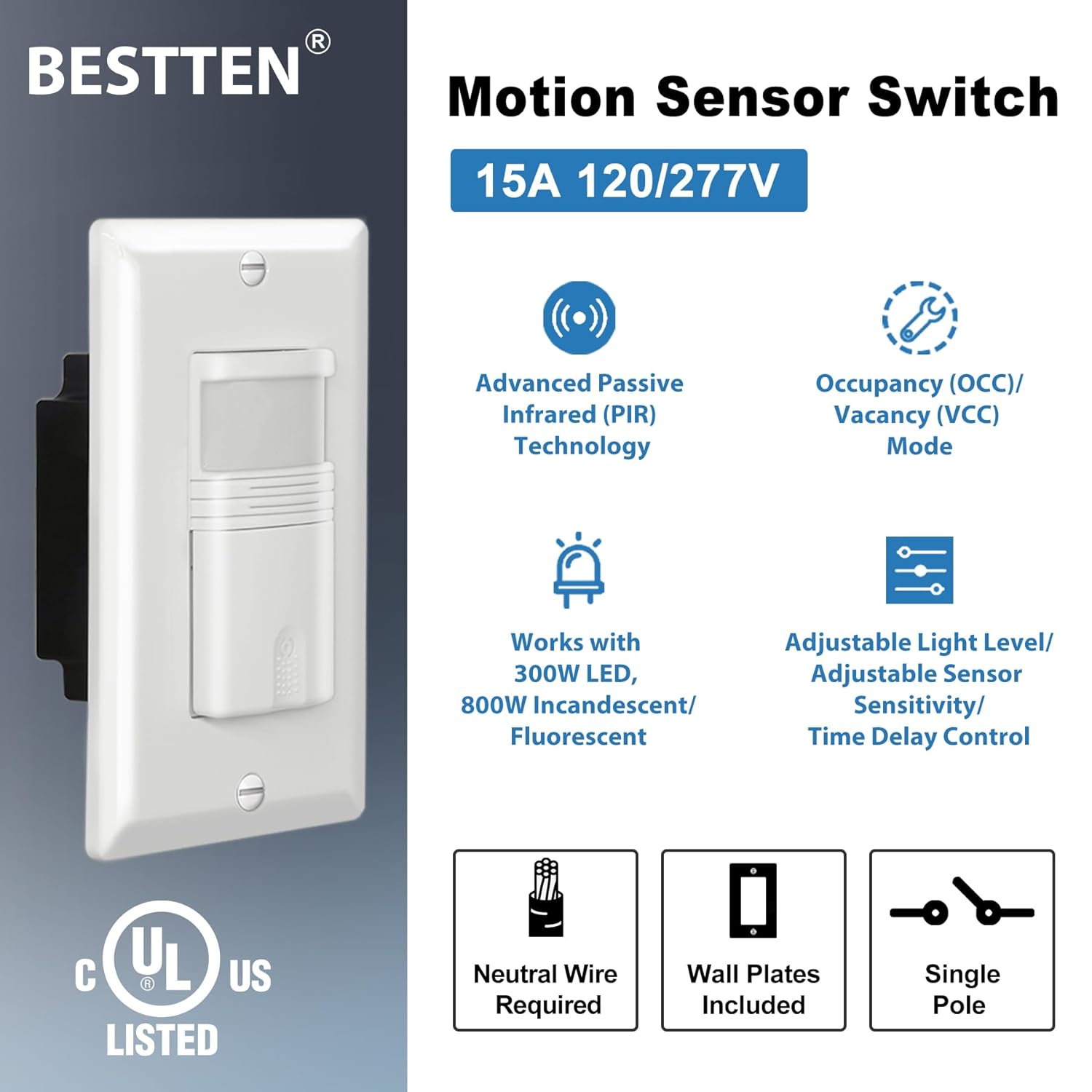
Gambar: Leuwihview of the BESTTEN Motion Sensor Switch highlighting its main features: Advanced PIR Technology, Occupancy/Vacancy Modes, compatibility with 300W LED / 800W Incandescent/Fluorescent, adjustable settings, neutral wire requirement, included wall plate, and single-pole wiring.
Émbaran Kasalametan
PERHATOSAN: Risk of Electric Shock. Improper installation can lead to serious injury or death. Always turn off power at the circuit breaker before installing or servicing this switch. If you are unsure about any part of these instructions, consult a qualified electrician.
- Ensure power is OFF at the circuit breaker before installation.
- This device requires a neutral wire for operation. Verify its presence in your wall box before purchase and installation.
- Masang saluyu sareng sadaya kode listrik nasional sareng lokal.
- Do not use with loads exceeding the specified ratings (120V 300W LED, 120V 800W Incandescent, 800W/VA @ 120V Rapid Start Fluorescent, 1200W/VA @ 277V Rapid Start Fluorescent).
- Pikeun pamakéan indoor wungkul.
Fitur produk
- Advanced Passive Infrared (PIR) technology for motion detection.
- Supports two operating modes:
- Occupancy Mode (OS): Automatic ON, Automatic OFF.
- Vacancy Mode (VS): Manual ON, Automatic OFF.
- 180-degree motion sensor coverage.
- Adjustable sensor sensitivity.
- Adjustable time delay settings: 15 seconds (Test), 1 minute, 5 minutes, 15 minutes, 30 minutes.
- Adjustable ambient light level detection.
- Requires a neutral wire for installation.
- Single-pole wiring.
- Compatible with 120V/277VAC, 60Hz, 1/6 HP.
- UL Listed for safety.
- Wall plate included.
Eusi pakét
pakét ngawengku:
- BESTTEN Motion Sensor Light Switch (Model YM2108)
- Piring Tembok
- Screws pamasangan
- Manual Pitunjuk (dokumén ieu)
Pamasangan
Daptar pariksa Pra-Pasang:
- Pareuman kakuatan: Locate the circuit breaker controlling the light switch and turn it OFF. Verify power is off using a voltage panguji.
- Kawat nétral: This switch requires a neutral wire. Confirm its presence in your wall box. A neutral wire is typically white and connected to other white wires, not connected to your existing standard switch.
- Alat anu diperyogikeun: Obeng, strippers kawat, pita listrik, voltage panguji.
Panduan Wiring:
Follow the wiring diagram below. Ensure all connections are secure.

Gambar: Detailed wiring diagram for the BESTTEN Motion Sensor Switch. It shows connections for Ground (green wire), Neutral (white wire), Hot (black wire), and Load (red wire). Instructions for identifying each wire are provided.
- TANAH: Connect the green wire from the sensor switch to the existing bare copper or green ground wire in the wall box.
- nétral: Connect the white wire from the sensor switch to the existing neutral wire in the wall box.
- Panas: Identify the hot wire (power from the breaker panel), usually black. Connect it to the black wire on the sensor switch.
- Beban: Identify the load wire (delivers power to the light fixture), usually another black wire. Connect it to the red wire on the sensor switch.
After wiring, carefully push the switch into the wall box, attach the wall plate, and restore power at the circuit breaker. For the sensor to operate, the ON/OFF switch MUST be manually pushed once after installation or a power outage.
Parentah Operasi
The BESTTEN Motion Sensor Light Switch offers two primary operating modes: Occupancy Mode (OS) and Vacancy Mode (VS). The mode is selected by a small switch located on the front of the device, usually labeled OS/VS.

Gambar: Hareupeun view of the BESTTEN Motion Sensor Switch illustrating the Vacancy and Occupancy mode selector, along with the Time Delay, Sensor Sensitivity, and Ambient Light Level adjustment knobs.
Occupancy Mode (OS)
In Occupancy Mode, the light will turn ON automatically when motion is detected and turn OFF automatically after a set period of inactivity. This mode is ideal for high-traffic areas where hands-free operation is desired.
- To activate: Push the OS/VS button so that 'OS' is selected (or the button is pressed in).
- Function: Automatic ON, Automatic OFF.
Vacancy Mode (VS)
In Vacancy Mode, the light must be turned ON manually by pressing the switch button. It will then turn OFF automatically after a set period of inactivity. This mode is suitable for areas where manual control over initial light activation is preferred, while still benefiting from automatic shut-off.
- To activate: Push the OS/VS button so that 'VS' is selected (or the button is released).
- Function: Manual ON, Automatic OFF.
Konfigurasi sareng Setélan
The sensor switch features three adjustable knobs to customize its behavior:
- Kenop Tunda Waktu: Adjusts the duration the light remains ON after the last detected motion.
- Settings: 15 seconds (Test), 1 minute, 5 minutes, 15 minutes, 30 minutes.
- Use the 'Test' setting for initial setup to quickly verify motion detection.
- Kenop Rentang Sensitipitas Sénsor: Controls the detection range of the PIR sensor.
- Adjust from 1 (lowest sensitivity/shortest range) to 5 (highest sensitivity/longest range).
- Higher sensitivity may lead to detection of minor movements or movements outside the desired area.
- Knob Tingkat Lampu Ambient: Determines the ambient light level at which the sensor will activate the lights.
- Adjust from 1 (activates in brighter conditions) to 5 (activates only in very dark conditions).
- This prevents lights from turning on unnecessarily when there is sufficient natural light.
Pamérésan masalah
| Masalah | Mungkin Cukang lantaranana | Solusi |
|---|---|---|
| Lampu teu hurung. |
|
|
| Light turns ON unexpectedly or stays ON too long. |
|
|
| Light flickers or does not work with certain bulbs. |
|
|
spésifikasi
| Nomer modél | YM2108 |
| Voltage | 120V/277VAC, 60Hz |
| Load Type & Wattage |
|
| Beban Motor | 1 / 6 HP |
| Wiring | Single-Pole, Neutral Wire Required |
| Tipe sénsor | Infrabeureum pasip (PIR) |
| Sudut deteksi | 180 derajat |
| Bahan | Thermoplastic |
| Ukuran (H x W x D) | 11.5 cm x 6.98 cm x 4.39 cm (4.53 inci x 2.75 inci x 1.73 inci) |
| Sertifikasi | UL Didaptarkeun |
| Suhu Operasi | Nepi ka 60°C (140°F) |

Gambar: Diagram showing the precise dimensions of the BESTTEN Motion Sensor Switch and its included wall plate in both inches and centimeters.
Pangropéa
The BESTTEN Motion Sensor Light Switch is designed for maintenance-free operation. To clean the device, gently wipe the surface with a soft, damp lawon. Ulah make cleaners abrasive atawa pangleyur. Pastikeun kakuatan pareum sateuacan beberesih.
There are no user-serviceable parts inside the switch. Any attempt to open or modify the device will void the warranty and could pose a safety hazard.
Garansi sareng Rojongan
This BESTTEN Motion Sensor Light Switch (Model YM2108) comes with a garansi 3 taun from the date of purchase, covering defects in materials and workmanship under normal use. This warranty does not cover damage caused by improper installation, misuse, abuse, or unauthorized modifications.
For technical support, warranty claims, or further assistance, please contact BESTTEN customer service. Refer to the product packaging or the BESTTEN official websitus pikeun inpo kontak ayeuna.


