1. Bubuka
Thank you for choosing the WUBEN L50 Rechargeable LED Flashlight. This manual provides detailed instructions for the proper setup, operation, and maintenance of your device. Please read this manual thoroughly before use to ensure optimal performance and longevity of your flashlight.

Image 1.1: The WUBEN L50 Rechargeable LED Flashlight, showcasing its sleek black design and illuminated head.
2. Eusi Paket
Pastikeun yén sadaya item anu didaptarkeun di handap kalebet kana pakét anjeun:
- 1 x WUBEN L50 LED Flashlight
- 1 x Rechargeable Battery (built-in)
- 1 x Micro-USB Ngecas Cable
- 2 x Spare Waterproof O-rings
- 1 x Lanyard
- 1 x Manual Pamaké
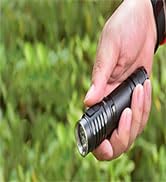
Image 2.1: Close-up of the spare O-rings, essential for maintaining the flashlight's waterproof rating.
3. Spésifikasi
| Fitur | Spésifikasi |
|---|---|
| merek | WUBEN |
| Modél | L50 |
| Diménsi | 13.87 x 2.59 x 2.59 cm |
| Beurat | 128 gram |
| Bahan | alumunium |
| Fluks Luminous | Nepi ka 1200 lumén |
| Jarak Beam | Nepi ka 200 méter |
| Tipe LED | P9 LED |
| Sumber Daya | Rechargeable Battery (3.7 Volts) |
| Port ngecas | Micro-USB |
| Peunteun waterproof | IP68 |
| Modeu | 5 (Eco, Low, Medium, High, SOS) with memory function |
| Fitur husus | ATR Temperature Control, Battery Indicator |
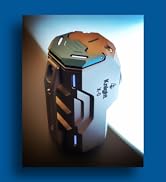
Image 3.1: Diagram illustrating the dimensions of the WUBEN L50 flashlight.
4. Setélan
4.1 Ngecas Awal
The WUBEN L50 flashlight comes with a built-in rechargeable battery. For optimal performance, fully charge the flashlight before its first use.
- Locate the Micro-USB charging port on the flashlight. This port is designed to be waterproof.
- Connect the provided Micro-USB cable to the flashlight's charging port.
- Connect the other end of the Micro-USB cable to a standard 5V USB power source (e.g., wall adapter, computer USB port, power bank).
- The indicator light near the charging port will illuminate to show the charging status.
- Charging is complete when the indicator light changes color (typically from red to green).
Ngeusi batre pinuh biasana nyandak kirang langkung 4 jam.
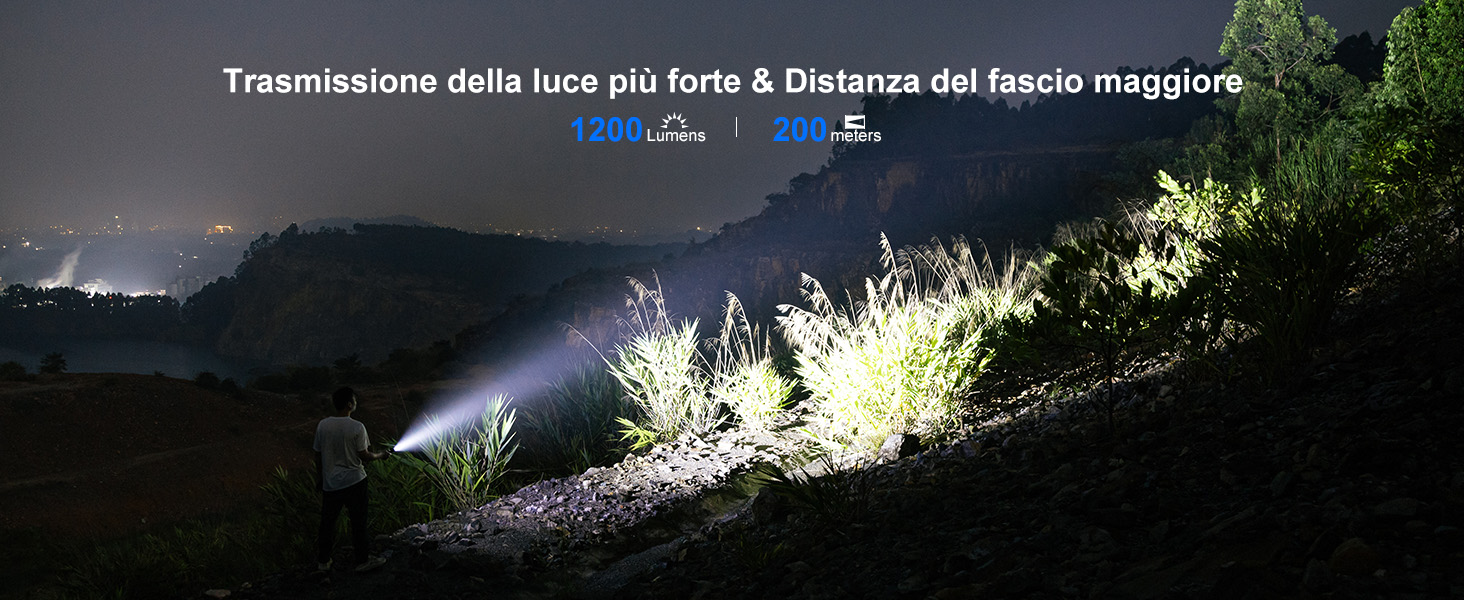
Image 4.1: Illustration of the integrated waterproof Micro-USB charging port and the indicator lights showing charging status (red for charging, green for fully charged).
5. Parentah Operasi
5.1 Daya Hurung/Pareuman
To turn the flashlight on or peureum, press the tail switch located at the rear of the flashlight.
5.2 Pamilihan Mode
The WUBEN L50 features 5 lighting modes: Eco, Low, Medium, High, and SOS. It also has a memory function that recalls the last used general lighting mode (Eco, Low, Medium, High).
- With the flashlight on, press the tail switch repeatedly to cycle through the general lighting modes: Eco → Low → Medium → High.
- Pikeun ngaktipkeun SOS mode, quickly double-press the tail switch from any general lighting mode.
- To return to the previously used general lighting mode from SOS, press the tail switch once.

Image 5.1: Visual representation of the five lighting modes: High (1200 lumens, 1.5h), Medium (400 lumens, 2.5h), Low (75 lumens, 8.5h), Eco (5 lumens, 143h), and SOS (200 lumens for emergencies).
5.3 Indikator Batré
The flashlight is equipped with an integrated battery indicator to display the remaining charge and charging status. This indicator is typically part of the switch or near the charging port.
- During operation, the indicator will show the battery level (e.g., green for sufficient charge, red for low charge).
- When the remaining runtime is less than 30 minutes, the flashlight will flash 3 times every 5 minutes until it powers off, regardless of the current output mode.
5.4 Automatic Temperature Regulation (ATR)
The WUBEN L50 incorporates ATR technology. This system automatically adjusts the flashlight's output based on its working conditions and ambient temperature to prevent overheating and protect internal circuitry. This ensures stable and safe operation during extended use.
6. Pangropéa
6.1 beberesih
Rutin ngabersihan awak senter ku hipu, damp lawon. Hindarkeun nganggo pembersih abrasive atanapi pangleyur anu tiasa ngaruksak finish atanapi komponén internal.
6.2 Ngagantian O-Ring
The flashlight's IP68 waterproof rating relies on intact O-rings. If you notice any damage or wear to the O-rings, replace them with the provided spare O-rings to maintain water resistance. Apply a thin layer of silicone grease to the O-rings periodically to keep them supple and ensure a good seal.
6.3 Perawatan Batré
To prolong battery life, avoid fully discharging the battery frequently. If the flashlight will not be used for an extended period, charge it to approximately 50% and store it in a cool, dry place. Recharge every 3-6 months to prevent deep discharge.
7. Cara ngungkulan
If you encounter issues with your WUBEN L50 flashlight, refer to the following common problems and solutions:
| Masalah | Mungkin Cukang lantaranana | Solusi |
|---|---|---|
| Senter teu hurung. | batré lemah. | Charge the flashlight fully using the Micro-USB cable. |
| Sambungan leupas. | Pastikeun tutup buntutna kenceng pageuh. | |
| Kaluaran cahaya taram atanapi kedip-kedip. | batré lemah. | Cas deui senterna. |
| Overheating (ATR activated). | This is normal. The flashlight reduces output to prevent damage. Allow it to cool down. | |
| Senter teu ngecas. | Kabel lepat atanapi sumber listrik. | Try a different Micro-USB cable and/or power adapter. Ensure connections are secure. |
| Halangan port ngecas. | Check the charging port for debris and clean gently if necessary. | |
| Asupna cai saatos kakeunaan. | O-cingcin ruksak atawa improperly seated. | Inspect and replace O-rings if damaged. Ensure all parts are securely tightened before water exposure. |
8. Garansi jeung Rojongan
WUBEN products are manufactured to high-quality standards. If you experience any issues with your WUBEN L50 flashlight, please contact customer support for assistance.
For support, please refer to your order details and click on the 'GET HELP WITH ORDER' option. The WUBEN customer service team will be available to assist you with any concerns or problems.


