Bubuka
Thank you for choosing KICKER Tabor2 Bluetooth Headphones. These headphones are designed to provide a high-quality wireless audio experience with comfort and extended battery life. This manual provides essential information for setting up, operating, maintaining, and troubleshooting your device to ensure optimal performance.
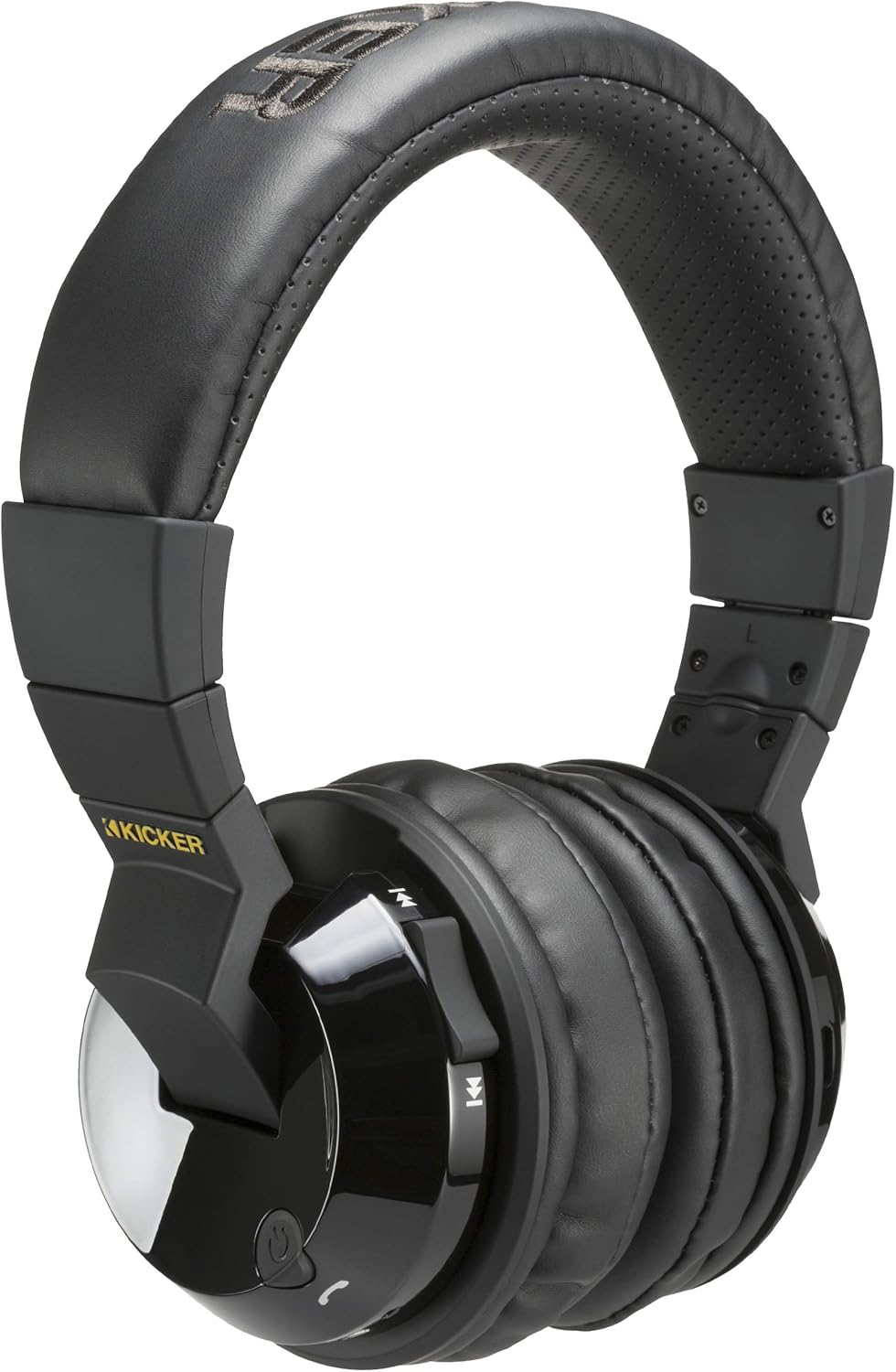
Image: KICKER Tabor2 Bluetooth Headphones, showcasing the over-ear design and controls on the earcup.
Naon dina Box
Punten parios yén sadaya barang aya dina pakét anjeun:
- KICKER Tabor2 Bluetooth Headphones
- Kabel Ngecas USB
- Kabel Audio 3.5mm

Image: The KICKER Tabor2 headphones displayed with their included accessories: a USB charging cable and a 3.5mm audio cable.
Disetél
Ngecas Headphone
Before initial use, fully charge your KICKER Tabor2 headphones. A full charge takes approximately 2.5 hours.
- Sambungkeun tungtung leutik kabel ngecas USB anu disayogikeun kana port ngecas dina headphone.
- Connect the large end of the USB charging cable to a USB power source (e.g., computer USB port, USB wall adapter).
- The LED indicator on the headphones will illuminate during charging and change color or turn off when fully charged.
Once fully charged, the headphones provide up to 24 hours of wireless listening time.

Image: An illustration highlighting the extended battery life of the KICKER Tabor2 headphones, offering over 24 hours of listening.
Papasangan Bluetooth
Pikeun nyambungkeun headphone anjeun sacara nirkabel ka alat:
- Pastikeun headphone dicas sareng dipareuman.
- Pencét terus tahan tombol Daya dina headphone nepi ka indikator LED kedip-kedip gancang (biasana biru jeung beureum), nunjukkeun modeu pairing.
- Dina alat anjeun (smartphone, tablet, komputer), aktipkeun Bluetooth sareng milarian alat anu sayogi.
- Select "KICKER Tabor2" from the list of found devices.
- Sakali nyambung, indikator LED biasana bakal némbongkeun lampu biru padet atawa kedip-kedip lalaunan.
The headphones offer a Bluetooth range of up to 100 feet (approximately 30 meters).

Image: A woman wearing KICKER Tabor2 headphones, accompanied by a graphic illustrating the 100-foot Bluetooth range.
Sambungan kabel
For a wired connection or when the battery is depleted, use the included 3.5mm audio cable:
- Colokkeun hiji tungtung kabel audio 3.5mm kana colokan input audio dina headphone.
- Colokkeun tungtung anu hiji deui kana colokan kaluaran audio 3.5mm alat anjeun.
- Headphone bakal beroperasi dina modeu pasif, sareng fungsi Bluetooth bakal dinonaktipkeun.
Parentah Operasi
The KICKER Tabor2 headphones feature intuitive controls located on the earcups.

Gambar: A close-up view of the KICKER Tabor2 headphone earcup, highlighting the integrated control buttons for media and calls.
Daya Hurung/Pareuman
- Daya Hurung: Pencét jeung tahan tombol Daya salila kurang leuwih 3 detik nepi ka indikator LED hurung.
- Pareum listrik: Pencét jeung tahan tombol Daya salila kurang leuwih 3 detik nepi ka indikator LED pareum.
Kontrol Playback Musik
- Puter / Reureuh: Pencét tombol Play / Reureuh sakali.
- Volume Up: Pencét tombol Volume Up (+).
- Volume Turun: Pencét tombol Jilid Turun (-).
- Lagu salajengna: Pencét jeung tahan tombol Volume Up (+).
- Lagu Sateuacanna: Pencét jeung tahan tombol Jilid Turun (-).
Manajemén Telepon
- Ngajawab / mungkas Telepon: Press the Play/Pause button once during an incoming call or an active call.
- Nolak Telepon: Press and hold the Play/Pause button for approximately 2 seconds during an incoming call.
Aktivasina Asistén Sora
- Aktipkeun Siri/Asisten Google: Pencét dua kali tombol Play/Reureuh.
Pangropéa
beberesih
Pikeun ngajaga kaayaan headphone anjeun:
- Ngusap earcups na headband kalawan kaen lemes, garing, tanpa lint.
- Ulah make bahan kimia kasar, pangleyur beberesih, atawa detergents kuat.
- Ulah meunang Uap kana sagala bukaan.
Panyimpenan
When not in use, store your headphones in a cool, dry place away from direct sunlight and extreme temperatures. Avoid placing heavy objects on top of the headphones.
Pamérésan masalah
If you encounter issues with your KICKER Tabor2 headphones, refer to the following common solutions:
- Henteu aya kakuatan: Pastikeun headphone tos dicas pinuh. Sambungkeun kana sumber daya nganggo kabel ngecas USB.
- Teu Bisa Masangkeun via Bluetooth:
- Pastikeun headphone aya dina mode papasangan (LED kedip-kedip biru jeung beureum).
- Pareuman sareng aktipkeun Bluetooth alat anjeun.
- Pindahkeun headphone ngadeukeutan ka alat Anjeun.
- Pupus sambungan Bluetooth samemehna dina alat Anjeun tur coba masangkeun deui.
- Henteu aya sora:
- Pariksa tingkat polumeu boh dina headphone sareng alat Anjeun nu disambungkeun.
- Ensure the headphones are properly paired or the 3.5mm audio cable is securely connected.
- If using Bluetooth, ensure no other device is connected to the headphones.
- Kualitas Audio goréng:
- Caketkeun alat Bluetooth anjeun pikeun ngirangan gangguan.
- Pastikeun teu aya halangan antara headphone sareng alat anjeun.
- Coba maén audio tina sumber atanapi aplikasi anu béda.
spésifikasi
| Ngaran modél | Tabor2 |
| Nomer Modél Item | 46HP4BTB |
| Téhnologi konektipitas | Wireless, Wired (3.5 mm Jack) |
| Téknologi Komunikasi Nirkabel | Bluetooth |
| Vérsi Bluetooth | 4.0 |
| Rentang Bluetooth | Nepi ka 100 suku (30 méter) |
| Ukuran Supir Audio | 54 mm |
| Kahirupan batré | 24 Jam |
| Waktu Ngecas | 2.5 Jam |
| Kontrol bising | Pembatalan Noise Pasip |
| Tipe Kontrol | Kontrol Média, Toél |
| Mikropon | Kaasup |
| Bahan | Beusi |
| Item Beurat | 0.9 pon (14.4 ons) |
| Dimensi produk | 8 x 7 x 4 inci |
| UPC | 713034000181 |
Garansi sareng Rojongan
For warranty information and customer support, please refer to the documentation provided with your purchase or visit the official KICKER website. You may also contact KICKER customer service directly for assistance with product inquiries, technical support, or warranty claims.
KICKER Resmi Websitus: www.kicker.com


