1. Bubuka
This manual provides essential information for the setup, operation, and maintenance of your Xtrfy K4 RGB Mechanical Gaming Keyboard. Please read these instructions carefully to ensure optimal performance and longevity of your device. The Xtrfy K4 RGB is designed for high-performance gaming and typing, featuring durable mechanical switches and customizable RGB illumination.
2. Eusi Paket
Pastikeun yén sadaya item aya dina pakét anjeun:
- Xtrfy K4 RGB Mechanical Gaming Keyboard
- USB Cable (attached)
- Manual pangguna (dokumén ieu)
3. Setélan
Follow these steps to set up your Xtrfy K4 RGB keyboard:
- Buka bungkus kibor: Cabut keyboard sacara saksama tina bungkusanna.
- Nyambung ka Komputer: Plug the attached USB-A cable from the keyboard into an available USB port on your computer. The keyboard is plug-and-play and does not require additional drivers for basic functionality.
- panempatan: Position the keyboard comfortably on your desk. Ensure stable placement for optimal use.
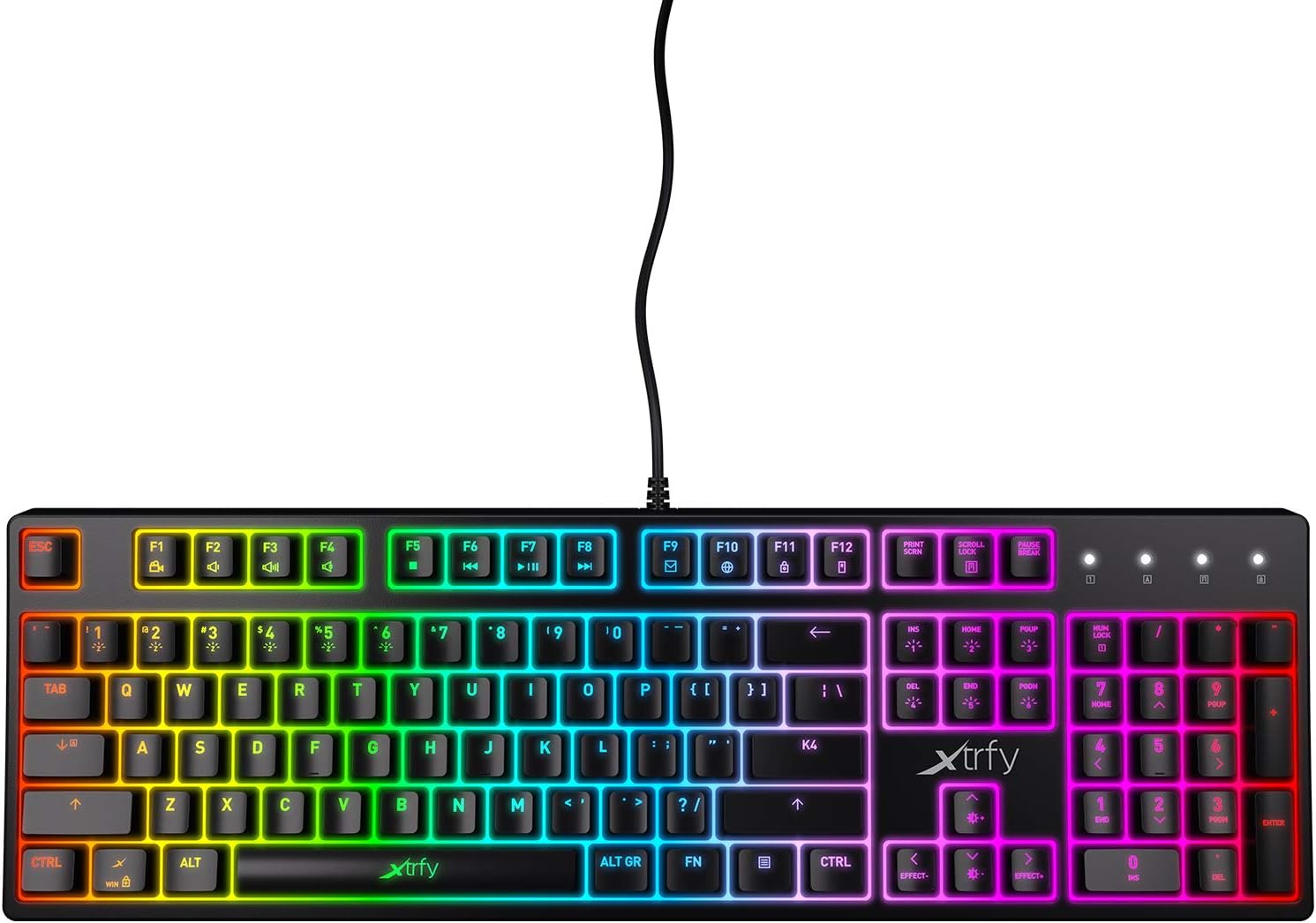
Gambar 3.1: Top-handap view of the Xtrfy K4 RGB keyboard, showing key layout and attached USB cable.
4. Parentah Operasi
4.1 Fungsi Keyboard Dasar
The Xtrfy K4 RGB functions as a standard mechanical keyboard. All keys are pre-programmed for their respective characters and functions. It features full N-key rollover and a 1000 Hz polling rate for precise and responsive input.
4.2 Kontrol Iluminasi RGB
The keyboard features customizable RGB illumination. Use the Function (FN) key in combination with specific keys to adjust lighting effects, brightness, and colors. Refer to the keycap legends for specific lighting controls.
- FN + F1-F12: These keys often control media functions or system shortcuts. Specific functions are indicated by icons on the keycaps.
- FN + kenop panah: Typically used to adjust brightness or change lighting directions/patterns.
- FN + Insert/Home/Page Up/Delete/End/Page Down: These keys are commonly used to cycle through different RGB lighting modes and effects.

Figure 4.1: The Xtrfy K4 RGB keyboard showcasing its customizable RGB lighting.
5. Pangropéa
Pangropéa anu leres mastikeun umur panjang sareng kinerja keyboard anjeun:
- beberesih: Use a soft, dry cloth to wipe the surface of the keyboard. For deeper cleaning, use compressed air to remove dust and debris from between the keycaps. Avoid using harsh chemicals or abrasive materials.
- Keycap Removal (Advanced): Upami diperyogikeun, tutup konci tiasa dicabut sacara ati-ati nganggo penarik tutup konci pikeun beberesih anu tuntas. Ati-ati supados henteu ngaruksak saklar.
- Panyimpenan: Upami teu dianggo, simpen kibor di tempat anu bersih sareng garing, jauh tina sinar panonpoé langsung sareng suhu anu ekstrim.
6. Cara ngungkulan
If you encounter issues with your Xtrfy K4 RGB keyboard, refer to the following common solutions:
- Keyboard Teu Ngabales:
- Pastikeun kabel USB tos aman dicolokkeun kana kibor sareng komputer.
- Coba colokkeun keyboard kana port USB anu béda.
- Balikan deui komputer anjeun.
- Lampu RGB Teu Jalan/Salah:
- Check if the lighting is turned off or set to a very low brightness using the FN key combinations.
- Ensure no software conflicts are present if you are using third-party lighting control applications.
- Konci Teu Kadaptar:
- Bersihkeun daérah konci anu kapangaruhan pikeun ngaleungitkeun lebu anu tiasa ngahalangan saklar.
- If the issue persists, contact Xtrfy support.
7. Spésifikasi
| Fitur | Rincian |
|---|---|
| merek | Xtrfy |
| Nomer modél | XG-K4-RGB-R-US |
| Runtuyan | K4RGB |
| Katerangan kibor | Mékanis |
| Tombol Saklar | Mechanical key switches (e.g., Kailh Red, depending on variant) |
| Paneangan | RGB anu tiasa disaluyukeun |
| Laju Polling | 1000 Hz |
| N-Konci Rollover | Full N-key rollover |
| Konektipitas | USB-A (Corded Electric) |
| Alat nu cocog | PC/Mac |
| Item Beurat | 2.2 pon (kira-kira 1 kg) |
| Ukuran produk (L x W x H) | 17.44" x 17.44" x 1.54" (kira-kira 44.3 x 44.3 x 3.9 cm) |
| Warna | Hideung |
8. Garansi jeung Rojongan
Xtrfy products are manufactured to high standards and come with a limited warranty. For specific warranty terms and conditions, please refer to the official Xtrfy websitus atanapi ngahubungan rojongan customer maranéhanana.
For technical assistance, troubleshooting beyond this manual, or warranty claims, please visit the official Xtrfy support page or contact their customer service directly. Keep your purchase receipt as proof of purchase.
Dukungan Online: www.xtrfy.com/support


