Bubuka
The DALI IO-6 are premium wireless over-the-ear headphones designed to deliver exceptional audio quality with the added benefit of Active Noise Cancellation (ANC). These headphones offer versatile connectivity options including Bluetooth, USB-C, and a traditional 3.5mm wired connection. Engineered with DALI's expertise in Hi-Fi audio, the IO-6 aims to reproduce music with natural and authentic sound.
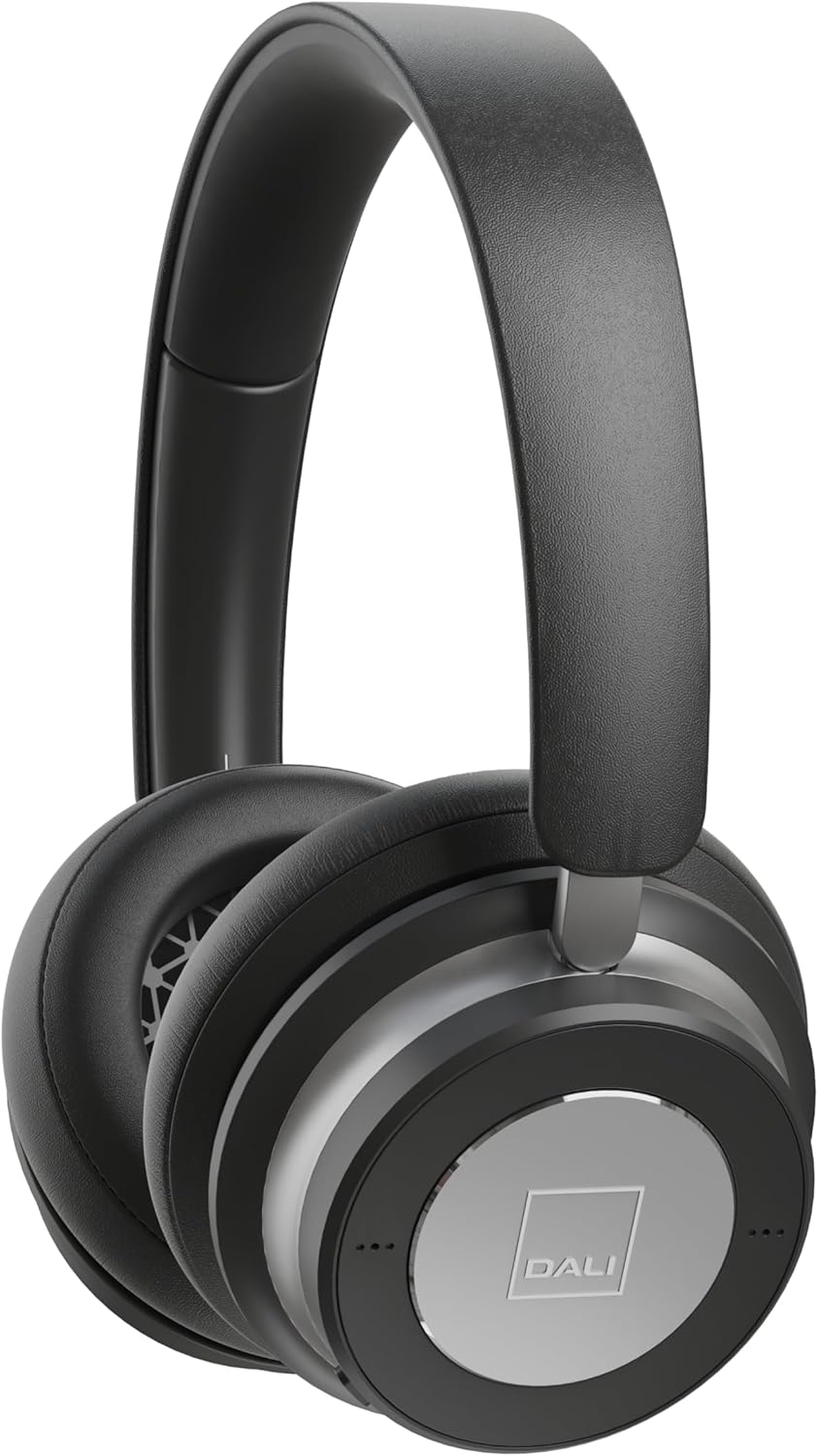
Gambar: Hareupeun view of the DALI IO-6 headphones in Iron Black, showcasing desain sareng earcup anu ramping.
Naon dina Box
Pastikeun yén sadaya komponén aya dina bungkusan:
- DALI IO-6 headphone
- USB-C Cable (for charging and wired audio)
- 3.5mm Stereo Cable (for wired audio)
- Adaptor hiber
- Kasus Travel

Image: The DALI IO-6 headphones neatly folded and placed inside their included grey fabric travel case.
Disetél
1. Ngecas Headphone
Before first use, fully charge your DALI IO-6 headphones. Connect the supplied USB-C cable to the USB-C port on the headphones and the other end to a USB power source (e.g., computer USB port or USB wall adapter). The charging indicator light will show charging status. A full charge takes approximately 2.5 hours.
2. Powering on / Pareum
To power on, press and hold the power button until the indicator light illuminates. To power off, press and hold the power button again until the light turns off.
3. Papasangan Bluetooth
- Pastikeun headphone dipareuman.
- Press and hold the power button for approximately 5 seconds until the indicator light flashes rapidly, indicating pairing mode.
- Dina alat anjeun (smartphone, tablet, komputer), aktipkeun Bluetooth sareng milarian alat anu sayogi.
- Select "DALI IO-6" from the list of found devices.
- Once paired, the indicator light on the headphones will turn solid blue.
The DALI IO-6 supports aptX, aptX HD, and Apple AAC codecs for high-quality audio streaming.

Gambar: A view from above the DALI IO-6 headphones, highlighting the control buttons and ports located on the right earcup.
Ngoperasikeun Headphone
Putereun Audio sareng Telepon
- Puter / Reureuh: Pencét tombol multi-fungsi sakali.
- Lagu salajengna: Pencét tombol multi-fungsi dua kali.
- Lagu Sateuacanna: Pencét tombol multi-fungsi tilu kali.
- Volume Kaluhur/Turun: Anggo tombol polumeu khusus (+/-).
- Ngajawab / mungkas Telepon: Pencét tombol multi-fungsi sakali nalika aya telepon asup.
- Nolak Telepon: Pencét jeung tahan tombol multi-fungsi nalika keur nelepon asup.
Aktif Noise pembatalan (ANC)
The DALI IO-6 features Active Noise Cancellation to reduce ambient noise. There are typically multiple ANC modes:
- ANC On: Activates noise cancellation.
- Modeu Transparansi: Ngidinan sora sakuriling nembus, ngamungkinkeun anjeun ngadangu sakuriling tanpa kedah nyabut headphone.
- ANC Pareum: Disables active noise cancellation, relying on passive noise isolation.
Cycle through ANC modes by pressing the dedicated ANC button. Refer to the indicator lights for the current mode.
Sambungan kabel
The DALI IO-6 can be used with the supplied 3.5mm stereo cable for a traditional wired connection to audio sources. It can also function as a USB audio device when connected via the USB-C cable to a computer.

Image: The DALI IO-6 headphones positioned on a dark surface, with a vinyl record player in the background, suggesting their use for high-fidelity audio listening.
Pangropéa
- beberesih: Anggo lawon anu lembut sareng garing pikeun ngabersihan headphone. Ulah make cleaners abrasive atawa pangleyur.
- Panyimpenan: When not in use, store the headphones in their provided travel case to protect them from dust and damage.
- Perawatan batré: To prolong battery life, avoid fully discharging the battery frequently. Charge the headphones regularly, even if not in constant use.
- Suhu: Ulah nepi ka headphone kakeunaan suhu anu ekstrim (panas atanapi tiis) atanapi kalembaban anu luhur.

Gambar: A lengkep view of the inside of a DALI IO-6 earcup, revealing the patterned speaker grille and soft ear cushion.
Pamérésan masalah
| Masalah | Solusi |
|---|---|
| Headphone teu hurung. | Pastikeun batréna geus dieusian. Sambungkeun ka sumber listrik nganggo kabel USB-C. |
| Teu bisa masangkeun via Bluetooth. | Ensure headphones are in pairing mode (flashing light). Turn off and on Bluetooth on your device. Move closer to the device. |
| Taya sora tina headphone. | Check volume levels on both headphones and connected device. Ensure correct input source is selected (Bluetooth, 3.5mm, USB). |
| ANC henteu tiasa dianggo sacara efektif. | Ensure ANC mode is activated. Check that earcups form a good seal around your ears. |
spésifikasi
| Fitur | Rincian |
|---|---|
| Ngaran modél | IO-6 Over-The-Ear Headphone |
| Kontrol bising | Pembatalan Noise aktip |
| Téhnologi konektipitas | Bluetooth 5.0, 3.5 mm Jack, USB-C |
| Dirojong Audio Codecs | aptX, aptX HD, Apple AAC |
| Battery Life (ANC active) | Nepi ka 30 jam |
| Waktu Ngecas | Kira-kira. 2.5 jam |
| Ukuran Supir Audio | 50 mm Supir Dinamis |
| Rentang Frékuénsi | 10 - 20,000 Hz |
| Impedansi | 25 ohm |
| Item Beurat | 0.32 Kilogram (11.3 ons) |
| Diménsi | 8.86 x 9.65 x 3.15 inci |

Image: An exploded diagram showing the internal components of the DALI IO-6 headphones, including the driver, circuit board, and earcup layers.
Garansi sareng Rojongan
DALI products are manufactured to the highest quality standards. For warranty information and support, please refer to the warranty card included with your product or visit the official DALI websitus. Simpen bukti pameseran anjeun pikeun klaim garansi.
For further assistance, you may contact DALI customer support through their official channels. Visit the DALI Store on Amazon pikeun émbaran leuwih produk jeung sumber.